
DeeperThing.com is a participant in the Amazon Services LLC Associates Program, an affiliate advertising program designed to provide a means for sites to earn advertising fees by advertising and linking to Amazon.com. As an Amazon Associate, we earn from qualifying purchases. This does not affect the price you pay.
Why Smart Home Technology Matters for Emergency Preparedness in 2026
When an emergency strikes your home, every second counts. Whether it is a fire breaking out at 3 AM, a burst pipe flooding your basement while you are at work, or a power outage during a winter storm, the difference between a minor incident and a catastrophic loss often comes down to how quickly you can respond. In 2026, smart home technology has evolved from convenience gadgets into genuine life safety tools that can detect threats, alert you instantly, and even take automatic action to protect your family and property.
Traditional emergency preparedness has always relied on passive tools: smoke detectors that beep, flashlights in a drawer, and a first aid kit in the bathroom cabinet. These are still important, but they share a critical limitation. They only help if you are physically present to hear the alarm, grab the flashlight, or apply the bandage. Smart home devices remove that limitation by keeping you connected to your home no matter where you are. A smart smoke alarm can call your phone while you are on vacation. A water leak sensor can shut off your main water valve before a small drip becomes a flooded living room. A portable power station can keep your refrigerator running for 14 hours during a blackout.
This guide walks through every layer of smart home emergency preparedness, from fire and carbon monoxide detection to backup power, security, and automated response systems. We cover specific product recommendations with real Amazon links, budget friendly options under $200, and practical automation scenarios you can set up today. If you are new to smart home technology, our smart home beginner setup guide provides a helpful foundation before diving into emergency specific devices. Explore our best smart home products under $200 picks for more ideas.
Smart Smoke Alarms and Carbon Monoxide Detectors
Fire and carbon monoxide (CO) are the two most immediate life safety threats in any home. According to the National Fire Protection Association, U.S. fire departments respond to a home fire every 89 seconds. Carbon monoxide is even more insidious because it is invisible, odorless, and can be deadly within minutes. Smart smoke alarms and CO detectors address both threats while adding capabilities that traditional alarms simply cannot match: remote notifications, self testing, voice alerts, and integration with other smart home devices.
What Makes a Smoke Alarm “Smart”
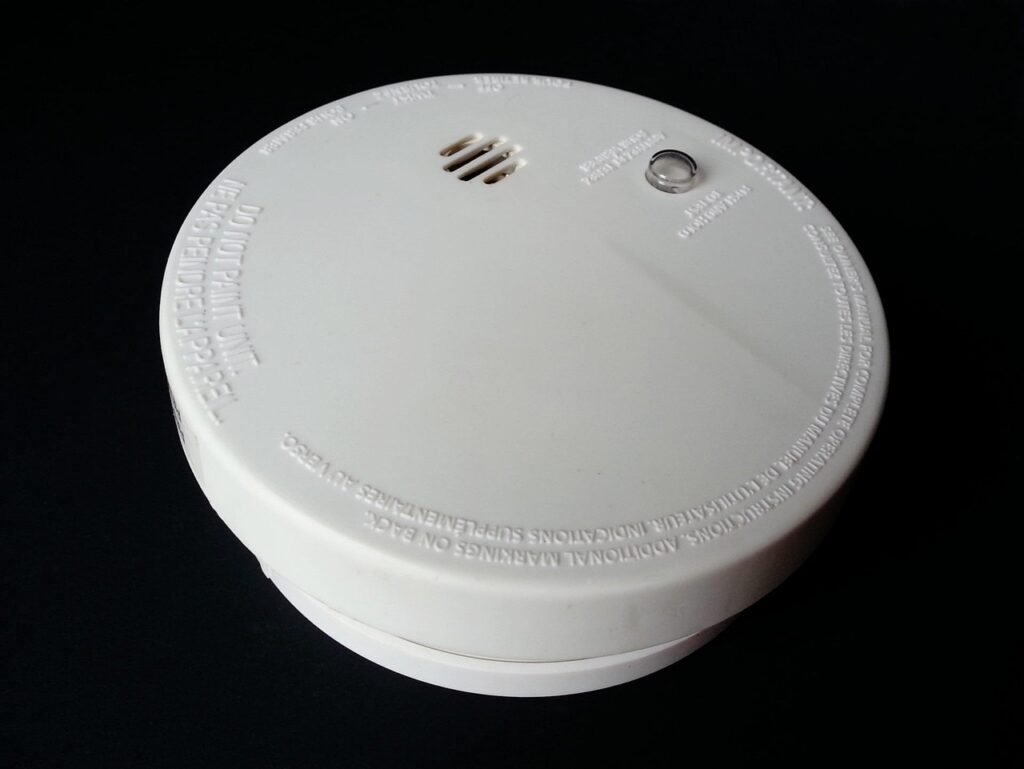
A traditional smoke alarm sounds an 85 decibel siren when it detects smoke. That is useful if you are home. If you are not, the alarm may run for hours without anyone hearing it. A smart smoke alarm connects to your Wi Fi network and sends push notifications to your phone the moment it detects smoke or CO. Many models also send alerts to designated emergency contacts, run automated self tests, and use voice alerts instead of (or in addition to) sirens so you know exactly what type of danger is present and where.
Top Product Recommendations
1. Google Nest Protect (2nd Generation)
The Nest Protect remains the gold standard for smart smoke and CO detection, even though Google has transitioned to the First Alert SC5 as a successor. The 2nd generation Protect uses a split spectrum sensor that detects both slow smoldering fires and fast flaming fires. It speaks in a human voice to tell you what is wrong and where, rather than just beeping. The Pathlight feature turns on a soft night light when you walk underneath it in the dark. It tests itself over 400 times a day and uses Sound Check to quietly verify its speaker and siren once a month. If you want the most recognized name in smart smoke detection, the Google Nest Protect on Amazon is still widely available.
2. Kidde Smart Smoke and Carbon Monoxide Alarm with HomeSafe
Kidde is the number one most installed fire safety brand in North America, and their smart alarm with HomeSafe technology brings Wi Fi connectivity to a trusted name. This device integrates smoke detection, CO monitoring, and indoor air quality tracking in a single unit. It sends push notifications, SMS, and email alerts when it detects danger. The alarm interconnects wirelessly with other Kidde alarms so when one sounds, they all sound. A built in lithium backup battery lasts up to 10 years. For a reliable, affordable option from a heritage brand, consider the Kidde Carbon Monoxide Detector and the Kidde Plug In CO Detector with Battery Backup.
3. X-Sense XS01-WR Wireless Interconnected Smoke Alarm
X-Sense has built a strong reputation for affordable, reliable smoke detection. The XS01-WR model uses a photoelectric sensor and connects wirelessly to up to 24 other X-Sense alarms. When one alarm triggers, all interconnected units sound simultaneously, giving your entire household an early warning. The 10 year sealed lithium battery means you never need to replace batteries. At a fraction of the cost of premium brands, this is an excellent choice for whole home coverage. The X-Sense Wireless Smoke Alarm on Amazon offers outstanding value.
4. Kidde KN-COSM-BA Combination Smoke and CO Alarm
For homes that need basic combination protection without Wi Fi, the Kidde KN-COSM-BA uses ionization and electrochemical sensors to detect both smoke and CO. It operates on battery power and includes a hush button for false alarms. While it lacks smart features, it is a dependable backup or addition to a smart system. The Kidde Combination Smoke and CO Alarm is a budget friendly option at under $30.
Smart Smoke Alarm Comparison Table
| Feature | Nest Protect 2nd Gen | Kidde HomeSafe | X-Sense XS01-WR |
|---|---|---|---|
| Sensor Type | Split Spectrum | Photoelectric + Electrochemical | Photoelectric |
| Wi Fi Connected | Yes | Yes | No (RF interconnect) |
| Voice Alerts | Yes (speaks location) | Yes | No |
| Phone Notifications | Yes | Yes (push, SMS, email) | No |
| Battery Life | Up to 10 years | Up to 10 years (backup) | 10 years sealed |
| CO Detection | Yes | Yes | No (smoke only) |
| Price Range | $99 to $129 | $80 to $120 | $25 to $35 |
| Best For | Whole home smart integration | Air quality + safety combo | Budget multi room coverage |
For more information on building a comprehensive safety system, see our complete smart home security guide.
Smart Water Leak Sensors and Freeze Alarms
Water damage is the second most common home insurance claim in the United States, and the average cost per claim exceeds $11,000. A burst pipe, a failing water heater, or a slow leak under a sink can cause catastrophic damage in hours. Smart water leak sensors detect moisture the moment it appears and alert you before the damage spreads. Some advanced systems can even shut off your water supply automatically.
Freeze alarms are equally important in cold climates. When temperatures drop below freezing, pipes can burst and cause thousands of dollars in damage. Smart temperature sensors monitor ambient conditions and alert you before pipes freeze, giving you time to take preventive action like opening cabinets or increasing heat.
Top Product Recommendations
1. GoveeLife Water Leak Detector 1s (3 Pack)
GoveeLife offers one of the best values in smart water leak detection. The 1s model includes a Wi Fi gateway and three wireless sensors with an impressive 1,804 foot range. Each sensor has dual probe detection, a 105 dB alarm, and IP67 waterproof rating. The system sends push notifications via the GoveeLife app, email alerts, and SMS. With a 5 year battery life and support for up to 10 sensors per gateway, this is ideal for placing units under sinks, near water heaters, in basements, and beside washing machines. The GoveeLife Water Leak Detector 3 Pack on Amazon is our top pick for value and coverage.
2. Eve Water Guard
For Apple HomeKit users, the Eve Water Guard is the premier choice. It features a 6.5 foot sensing cable that acts as a continuous sensor along its entire length, making it perfect for wrapping around water heaters or running along basement walls. The cable can be extended up to 490 feet. When water is detected, the Eve Water Guard sounds a 100 dB siren, flashes a red warning light, and sends notifications to your iPhone, iPad, or Apple Watch. It uses Thread networking for reliable connectivity and requires no cloud account, preserving your privacy. The Eve Water Guard on Amazon is ideal for Apple ecosystem households.
3. Moen Flo Smart Water Leak Detector
Moen’s smart water detector is a standalone sensor that monitors for moisture, temperature extremes, and humidity. It connects directly to Wi Fi without requiring a hub. The sensor has a compact droplet shaped design and includes a 4 foot extension cable with a water sensing tip, useful for sliding under appliances. It pairs with the Moen Flo Smart Water Monitor and Shutoff for whole home water protection. If you want the ability to automatically shut off your water when a leak is detected, the Moen Flo Smart Water Leak Detector on Amazon is an excellent choice. The detector monitors temperature and will alert you when conditions approach freezing, serving double duty as a freeze alarm.
Water leak detection is a critical part of any smart home energy and maintenance strategy, as undetected leaks waste both water and money.
Backup Power Solutions: Portable Power Stations and UPS
When the grid goes down, your smart home devices stop working. Smoke detectors with Wi Fi lose their notification capability. Security cameras go offline. Smart locks may become unresponsive. A backup power strategy ensures your safety devices remain operational during outages. There are two main approaches: portable power stations for whole room or appliance level backup, and uninterruptible power supplies (UPS) for individual devices like routers and modems.
Portable power stations use lithium iron phosphate (LiFePO4) or lithium ion batteries to store energy. They can power refrigerators, lights, medical devices, and smart home hubs for hours or even days. Many can be recharged with solar panels, making them a renewable emergency power source. UPS devices provide instant battery backup for sensitive electronics, preventing data loss and keeping your network online during short outages.
Top Product Recommendations
1. EcoFlow DELTA 2 Portable Power Station
The EcoFlow DELTA 2 is our top pick for home emergency backup. With 1,024 Wh of capacity and 1,800W output (2,700W surge), it can power 90% of household appliances including refrigerators, microwaves, and space heaters. The LiFePO4 battery is rated for 3,000+ cycles to 80% capacity, meaning it will last for years of use. It charges from 0 to 80% in just 50 minutes using AC power, the fastest in its class. The built in EPS (Emergency Power Supply) function automatically switches to battery power in under 30 milliseconds when an outage occurs. With 15 output ports including AC, USB C, USB A, and DC, you can charge multiple devices simultaneously. The EcoFlow DELTA 2 on Amazon is a premium choice for serious emergency preparedness. For a deeper comparison of portable power options, check our best portable power stations guide.
2. Jackery Explorer 1000 v2 Portable Power Station
The Jackery Explorer 1000 v2 is a strong contender in the mid range category. With 1,070 Wh capacity and 1,500W output, it offers similar performance to the EcoFlow DELTA 2 at a competitive price. The v2 model uses a LiFePO4 battery with 4,000 cycle lifespan and includes a built in UPS function with under 20ms switchover time. It features three AC outlets, two USB C ports (100W), one USB A port, and a DC car port. The integrated LED light is useful during power outages. At just 23.8 pounds, it is one of the lightest power stations in its class. The Jackery Explorer 1000 v2 on Amazon offers excellent value.
3. APC UPS 1500VA Battery Backup (BX1500M)
For keeping your Wi Fi router, modem, and smart home hub online during short outages, a UPS is more practical and affordable than a portable power station. The APC BX1500M provides 1,500 VA / 900W of battery backup with 10 NEMA 5-15R outlets (five with battery backup and surge protection, five with surge protection only). It includes automatic voltage regulation (AVR) to correct brownouts and overvoltages without switching to battery. The UPS provides enough runtime to keep a router and modem running for 1 to 2 hours, giving you internet access during outages so your smart devices can still send alerts. The APC UPS BX1500M on Amazon is a smart investment for network reliability.
4. Anker 521 PowerHouse (256Wh)
For smaller backup needs or as a complement to a larger power station, the Anker 521 PowerHouse offers 256 Wh of capacity in a compact 8 pound package. It provides 300W of AC output (600W surge), making it suitable for charging phones, running LED lights, or powering a CPAP machine for a night. The LiFePO4 battery is rated for 3,000 cycles. This is a great option for apartments or as a grab and go emergency power source. The Anker 521 PowerHouse on Amazon delivers reliable backup in a portable form factor.
For more smart home energy management tips, see our energy saving complete guide.
Emergency Security: Smart Locks in Crisis Situations
Smart locks play a surprising role in emergency preparedness. During a fire or medical emergency, first responders need quick access to your home. Smart locks can be remotely opened to let paramedics in, or temporarily locked down during a home invasion. They also let you grant access to neighbors or family members who may need to check on your property while you are evacuated.
In evacuation scenarios, smart locks let you verify your doors are locked from your phone, providing peace of mind when you cannot return home immediately. Some models include door position sensors that alert you if a door is left open, which could allow intruders during an emergency evacuation period when homes are vulnerable.
Top Product Recommendations
1. Yale Assure Lock 2
The Yale Assure Lock 2 is one of the most versatile smart locks on the market. It is available in keyed and key free versions with keypad or touchscreen options. The Wi Fi enabled model lets you lock and open remotely, share access codes with trusted contacts, and receive notifications when the door is opened or closed. The Auto Lock feature automatically secures the door after a set period, while DoorSense tells you if the door is physically closed. In an emergency, you can create temporary access codes for first responders or neighbors. For a comprehensive comparison, read our best smart locks guide. The Yale Assure Lock 2 on Amazon is our top recommendation for emergency ready home security.
2. August Wi-Fi Smart Lock (4th Generation)
The August Wi Fi Smart Lock installs on the inside of your existing deadbolt, meaning your exterior door hardware stays the same. It includes built in Wi Fi so no hub is required. The Auto Open feature detects your phone approaching and opens the door automatically, useful when your hands are full during an evacuation. DoorSense technology tells you if your door is closed and locked. You can create virtual keys for family members and receive real time notifications. The lock also works with Alexa, Google Assistant, and Siri. The August Wi Fi Smart Lock on Amazon is an excellent retrofit option.
Smart locks are just one component of a complete security system. For a broader perspective on home protection, see our smart home security protection guide.
Smart Monitoring: Real Time Surveillance During Emergencies
During an emergency, knowing what is happening inside and around your home is critical. Smart security cameras provide real time video feeds, motion alerts, and recorded footage that can help you assess the situation and coordinate with emergency responders. If you are evacuated, cameras let you monitor your property remotely. If a break in occurs during a power outage (when homes are most vulnerable), battery powered cameras continue recording.
For emergency monitoring, the most important camera features are: battery or wire free operation (so they work during power outages), night vision, two way audio (to communicate with family members or intruders), and cloud or local storage (so footage survives even if the camera is damaged). For a full comparison, read our best home security cameras guide.
Top Product Recommendations
1. Blink Outdoor 4
The Blink Outdoor 4 is a wire free, battery powered security camera that runs for up to two years on two AA lithium batteries. This makes it ideal for emergency monitoring since it continues operating during power outages. It records 1080p video with infrared night vision, two way audio, and motion detection. The camera works with Alexa for voice control and can send motion alerts to your phone. Local storage is available with a Sync Module 2 and USB drive, eliminating the need for a monthly subscription. The Blink Outdoor 4 on Amazon is one of the most popular battery powered security cameras available.
2. Arlo Pro 5S 2K
The Arlo Pro 5S delivers 2K HDR video quality with color night vision that is significantly clearer than traditional infrared night vision. It features a 160 degree field of view, built in spotlight, and an 80 dB siren that can be triggered automatically by motion or manually from the app. Dual band Wi Fi (2.4 GHz and 5 GHz) ensures a stable connection. The battery lasts 3 to 6 months per charge. For emergency situations, the spotlight and siren can deter intruders while the two way audio lets you communicate with anyone on your property. The Arlo Pro 5S 2K on Amazon is a premium monitoring solution.
3. Wyze Cam v4
For budget conscious homeowners, the Wyze Cam v4 offers 2.5K HDR video, color night vision, and a built in spotlight for under $45. While it requires constant power (not battery operated), it is an excellent indoor monitoring camera for keeping an eye on children, elderly family members, or pets during emergencies. It supports microSD card storage for local recording and works with Alexa and Google Assistant. The Wyze Cam v4 on Amazon is the best value in smart security cameras.
For a compact indoor camera option, the Blink Mini on Amazon provides affordable 1080p monitoring with two way audio for under $35. If you want to see who is at your front door during an emergency, consider a video doorbell as well.
Automated Emergency Response Scenarios
The true power of a smart home for emergency preparedness lies in automation. Instead of relying on yourself to notice an alert and take action, you can set up automated routines that respond instantly when specific triggers occur. Here are practical emergency automation scenarios you can implement in 2026.
Scenario 1: Fire Detection Response
When a smart smoke alarm detects smoke or fire, an automation routine can: turn on all smart lights at maximum brightness to illuminate escape routes, open smart locks to allow family members and first responders to enter and exit, send push notifications to all family members with evacuation instructions, and trigger security cameras to start recording. If you have a smart thermostat, it can shut down the HVAC system to prevent smoke from circulating through the house.
Scenario 2: Water Leak Response
When a water leak sensor detects moisture, an automation can: send immediate push notifications to your phone, turn off a smart water valve (if installed), shut off power to affected outlets using smart plugs to prevent electrical hazards, and activate a smart siren or flash smart lights red to alert anyone at home.
Scenario 3: Power Outage Response
When a power outage is detected (via a smart plug going offline or a UPS triggering), an automation can: switch smart lights to battery powered alternatives, send a notification to your phone with estimated restoration time, start a countdown timer on the portable power station, and adjust the smart thermostat to conserve battery backup power.
Scenario 4: Home Invasion Response
If a Ring Alarm contact sensor is triggered while the system is armed, an automation can: sound all sirens, flash all smart lights, start recording on all security cameras, lock all smart locks except the primary entry point (for police access), and send emergency alerts to designated contacts. The Ring Alarm 5 Piece Kit on Amazon and individual Ring Alarm Contact Sensors on Amazon make this scenario easy to implement.
Scenario 5: Freeze Warning Response
When a temperature sensor detects temperatures approaching freezing (below 40 degrees Fahrenheit), an automation can: increase the thermostat setting to warm the house, send an alert to check on pipes, turn on smart lights near exposed plumbing to remind you to open cabinet doors, and activate heat tape or pipe heating cables connected to a smart plug.
For more automation ideas, check our comprehensive smart home automation ideas guide. You can also learn about smart lighting setups that can serve as emergency lighting.
Smart Notification and Alert Systems
During an emergency, the speed and reliability of your notification system can mean the difference between safety and danger. Smart home devices in 2026 offer multiple notification channels to ensure you receive alerts regardless of your location or phone status.
Push Notifications
Most smart home devices send push notifications through their dedicated apps. These appear on your phone lock screen and can include sounds, vibrations, and banners. The advantage of push notifications is speed; they typically arrive within seconds of an event. However, they require an active internet connection on both the device side and your phone side.
SMS and Text Alerts
Some systems, like GoveeLife water leak detectors and Kidde HomeSafe alarms, offer SMS alerts as a backup to push notifications. SMS works even when data connectivity is spotty, making it valuable during emergencies when cellular networks may be congested. SMS alerts can also be sent to multiple phone numbers, ensuring that family members, neighbors, or property managers are all notified.
Email Alerts
Email provides a persistent record of alerts that you can reference later. While email is too slow for real time emergency response, it is valuable for documentation purposes. If you need to file an insurance claim after water damage, email timestamps from your leak detector can prove exactly when the incident began.
Voice Assistant Announcements
Amazon Echo and Google Nest devices can announce emergencies throughout your home. When a smoke alarm triggers, Alexa can say “Emergency: smoke detected in the kitchen” through every Echo device in the house. This is especially valuable for households with elderly members, children, or anyone who might not hear a phone notification. See our voice assistant guide for setup instructions.
Multi Channel Notification Strategy
The best approach is to configure multiple notification channels for critical alerts. For example, a smoke alarm should send a push notification, an SMS to your spouse, an email for documentation, and trigger a voice announcement through your smart speakers. Redundancy ensures that even if one channel fails, you still receive the alert.
For tips on keeping your smart home network reliable during emergencies, see our networking guide and troubleshooting guide.
Budget Emergency Preparedness Kit Under $200
You do not need to spend thousands of dollars to get started with smart home emergency preparedness. Here is a practical kit that covers fire, water, security, and power for under $200.
The $200 Smart Emergency Kit
- Smoke and CO Detection: One Kidde Combination Smoke and CO Alarm for approximately $28. Place it outside bedrooms.
- Water Leak Detection: One GoveeLife Water Leak Detector (single sensor with gateway) for approximately $25. Place under the water heater or washing machine.
- Security Camera: One Wyze Cam v4 for approximately $45. Monitor the main entry point.
- Door/Window Sensor: One Ring Contact Sensor for approximately $15. Install on the front door.
- Smart Plug: One smart plug for approximately $15. Use to remotely control lights or appliances.
- Emergency Lighting: Two smart light bulbs for approximately $20. Program to turn on automatically during emergencies.
- Power Backup: One small power bank (20,000 mAh) for approximately $30. Keeps phones charged during outages.
- Total: Approximately $178, leaving $22 for tax and shipping.
This budget kit covers the four most critical emergency categories: fire detection, water damage prevention, security monitoring, and basic power backup. You can expand each category over time as budget allows. For more affordable smart home ideas, see our guide to smart home devices under $100.
Smart Home vs Traditional Emergency Preparedness: Complementary Approaches
Smart home technology does not replace traditional emergency preparedness. It enhances it. Understanding how these approaches complement each other helps you build a more resilient safety strategy.
What Traditional Preparedness Does Better
Traditional emergency kits have no batteries to die, no Wi Fi to lose, and no software to glitch. A battery powered flashlight always works when you grab it. A physical first aid kit does not need an internet connection. Manual shutoff valves for gas and water work without electricity. Paper copies of emergency contacts, insurance policies, and evacuation routes are accessible when digital copies are not.
Traditional preparedness also includes skills that technology cannot provide. Knowing how to use a fire extinguisher, perform basic first aid, and shut off utilities manually are irreplaceable capabilities. The American Red Cross recommends every household maintain a physical emergency kit with water, food, flashlights, batteries, a first aid kit, and important documents.
What Smart Home Technology Adds
Smart home devices add three capabilities that traditional tools cannot provide:
Remote Awareness: Traditional alarms only help if you are home. Smart alarms notify you anywhere in the world. If a fire starts while you are at work, a smart smoke alarm can alert you in time to call the fire department before the house is engulfed.
Automated Response: Traditional systems require human intervention. Smart systems can take action automatically: shutting off water, opening doors, turning on lights, and adjusting thermostats without any human input.
Continuous Monitoring: Traditional tools are passive. Smart devices actively monitor conditions 24 hours a day, 7 days a week. A smart water monitor can detect micro leaks that would go unnoticed for months with traditional methods.
The Ideal Hybrid Approach
The best emergency preparedness strategy combines both approaches. Maintain a traditional emergency kit for situations where technology fails. Add smart devices for enhanced detection, notification, and response. Keep manual overrides for all critical systems. Regularly test both traditional and smart systems to ensure they work when needed.
For common mistakes to avoid when setting up your smart home, read our smart home mistakes guide. To protect your data while using smart safety devices, see our privacy guide.
Special Considerations: Seniors and Accessibility
Smart home emergency preparedness is especially valuable for seniors and individuals with mobility challenges. Voice activated emergency alerts through voice assistants allow someone who has fallen to call for help without reaching a phone. Smart smoke alarms with voice alerts are easier to understand than traditional beeping for people with hearing differences. Automatic door locks can grant access to caregivers or paramedics without requiring the resident to physically open the door.
For detailed guidance on setting up smart home devices for elderly family members, see our smart home for seniors guide.
Smart Home Emergency Preparedness for Outdoor Spaces
Do not overlook outdoor areas when planning your emergency preparedness strategy. Outdoor smart home devices can detect threats before they reach your home. Outdoor cameras monitor for intruders during evacuation periods. Smart lighting can illuminate escape routes in your yard. Weather sensors can alert you to approaching storms. Smart sprinkler systems can be activated to wet the area around your home during wildfire threats.
Insurance Benefits of Smart Home Emergency Devices
Many homeowners insurance companies now offer discounts for homes equipped with smart safety devices. Water leak detection systems can reduce premiums by 5 to 20 percent depending on the insurer and the type of system installed. Smart smoke alarms and monitored security systems may also qualify for discounts. Contact your insurance provider to ask about available discounts for smart home safety devices.
Beyond premium discounts, smart home devices provide valuable documentation in the event of a claim. Security camera footage can prove the timeline of a break in. Water leak sensor data can show exactly when a leak was detected and how quickly you responded. Temperature logs from smart thermostats can demonstrate that you maintained adequate heating to prevent frozen pipes. This documentation can strengthen your insurance claim and help ensure fair compensation.
Some insurers now offer programs that integrate directly with smart home devices. These programs may provide free or discounted devices in exchange for data sharing, along with reduced premiums. While privacy conscious homeowners may want to carefully consider these programs, the financial benefits can be significant. For guidance on protecting your data while using smart home devices, see our privacy protection guide.
Conclusion: Building Your Smart Home Emergency Strategy
Smart home emergency preparedness in 2026 is about layering complementary technologies to create a safety net that works whether you are home or away. Start with the fundamentals: smart smoke and CO detectors in every sleeping area, water leak sensors near every water source, and a backup power solution that keeps your network online. Add security cameras and smart locks for monitoring and access control. Build automation routines that respond instantly to emergencies without requiring your intervention.
The beauty of this approach is that it is scalable. You can start with a $200 budget kit and expand over time. Every device you add increases your home’s ability to detect, alert, and respond to emergencies automatically. Combined with traditional emergency preparedness fundamentals like physical kits and manual skills, smart home technology gives your family the best possible chance of staying safe when the unexpected happens.
Remember that technology is only as reliable as its maintenance. Test your smart smoke alarms monthly, replace batteries before they fail, update firmware regularly, and verify that your automation routines still work after any smart home changes. For troubleshooting help, consult our troubleshooting guide.
For a complete smart home setup that goes beyond emergency preparedness, explore our beginner setup guide and discover how smart thermostats can also contribute to home safety by preventing pipe freezing and detecting HVAC malfunctions.
Smart Thermostats for Freeze Prevention and HVAC Safety
Smart thermostats play an underappreciated role in emergency preparedness. Beyond saving energy, they can prevent frozen pipes, detect HVAC system failures, and maintain safe temperatures during extreme weather. When connected to temperature sensors placed near vulnerable plumbing, a smart thermostat can automatically raise the heat when temperatures drop to dangerous levels, even if you are away from home.
Modern smart thermostats learn your home’s heating patterns and can detect anomalies that indicate a problem. If your furnace stops working during a cold snap, the thermostat can send an alert before pipes freeze. Some models include built in temperature sensors that monitor for sudden drops, which could indicate a broken window or an open door during winter.
During summer heat waves, smart thermostats can prevent heat related emergencies by maintaining cooling schedules and alerting you if indoor temperatures reach dangerous levels. This is particularly important for households with elderly members, infants, or pets who are more vulnerable to heat exposure. For recommendations, see our guide to the best smart thermostats for 2026.
Integrating Thermostats with Emergency Routines
You can integrate your smart thermostat into emergency automation routines. For example, if a smoke alarm triggers, the thermostat can shut down the HVAC system to prevent smoke from spreading through the ductwork. If a freeze sensor activates, the thermostat can raise the temperature to maximum to warm pipes. If a power outage occurs and you are running on battery backup, the thermostat can switch to an energy saving mode to extend runtime.
Smart thermostats also work with smart vents and room sensors to direct heating or cooling where it is needed most. During an emergency, this means you can prioritize keeping the bedroom warm during a winter outage or direct cool air to a room where an elderly family member is resting during a heat wave.
Maintaining and Testing Your Smart Emergency System
A smart emergency preparedness system is only effective if it works when you need it. Regular maintenance and testing are essential to ensure your devices function correctly during an actual emergency. Here is a recommended testing schedule.
Monthly Tests
- Press the test button on every smart smoke and CO alarm to verify the siren and voice alert function properly.
- Check the battery status of all smart locks, water sensors, and security cameras through their respective apps.
- Verify that all security cameras are recording and that motion detection alerts are being received on your phone.
- Test one automation routine (such as the fire response scenario) to confirm it triggers correctly.
Quarterly Tests
- Test water leak sensors by placing a damp cloth on the sensor contacts and verifying that notifications arrive on your phone.
- Check your portable power station charge level and run it under load for 15 minutes to verify it powers your essential devices.
- Review and update emergency contact lists in all smart home apps.
- Test your UPS by unplugging it from the wall and verifying that connected devices stay powered.
Annual Maintenance
- Replace batteries in all battery powered smart devices, even if they have not sent low battery alerts.
- Update firmware on all smart home devices to the latest versions for security patches and feature improvements.
- Review your automation routines and update them based on any changes to your household, devices, or emergency plan.
- Test your entire emergency response system end to end by simulating a fire, water leak, and power outage scenario.
- Check that your Wi Fi network is using current security protocols and that your router firmware is up to date. See our networking guide for details.
Firmware and Software Updates
Manufacturers regularly release firmware updates that fix security vulnerabilities, improve performance, and add new features. Enable automatic updates wherever possible. If a device does not support automatic updates, check for updates monthly. Pay special attention to security related devices like smart locks and cameras, as vulnerabilities in these devices could compromise your home’s safety.
For help resolving common smart home issues that might affect your emergency system, consult our troubleshooting guide.
Creating a Family Emergency Plan with Smart Home Integration
Technology is only one part of emergency preparedness. Your family needs a clear, practiced emergency plan that incorporates your smart home devices. Here is how to build one.
Step 1: Identify Your Smart Home Safety Devices
List every smart device in your home that contributes to safety: smoke alarms, CO detectors, water sensors, security cameras, smart locks, smart lights, thermostats, and backup power. Note where each device is located, what it monitors, and what alerts it sends. Share this list with all family members and keep a printed copy in your emergency kit.
Step 2: Define Emergency Roles
Assign specific responsibilities to each family member. One person might be responsible for checking the smart home app for alerts, another for physically securing the house, and another for contacting emergency services. If you have children, give them age appropriate tasks like grabbing their emergency backpack or going to a designated meeting point.
Step 3: Practice with Technology
Run quarterly drills that include your smart home devices. Trigger a test alarm on your smart smoke detector and have everyone practice the evacuation route. Test your automation routines to verify that lights turn on, doors open, and notifications are sent. Time how long it takes to grab your emergency kit and evacuate. Adjust your plan based on what you learn during drills.
Step 4: Plan for Technology Failure
Always have a backup plan for when technology fails. Keep physical keys for all smart locks. Maintain a battery powered radio for emergency broadcasts. Keep a printed list of emergency contacts and evacuation routes. Know how to manually shut off your water, gas, and electricity. Practice these manual procedures during your quarterly drills.
Step 5: Review and Update Annually
Review your emergency plan at least once a year. Update it when you add new smart home devices, when family members change, when children grow old enough for new responsibilities, or when you move to a new home. A plan that was perfect two years ago may be outdated if your household or technology has changed.