
By Aiden Tsang · Updated August 2026
We may earn a commission from links on this page at no extra cost to you.
Introduction: Why Smart Home Security Matters More Than Ever in 2026
Home security has changed dramatically over the past few years. In 2026, the average home has more connected devices than ever before, and each one represents a potential entry point for both physical and digital threats. Whether you live in a house, an apartment, or a condo, building a comprehensive smart home security system is no longer a luxury reserved for tech enthusiasts. It has become an essential part of modern homeownership.
The stakes are high. According to recent statistics, a home break-in occurs every 26 seconds in the United States. But the good news is that homes with visible security systems are up to 300% less likely to be targeted. Smart home technology has made it easier and more affordable than ever to protect your family, your belongings, and your peace of mind.
This guide walks you through every component of a modern smart home security system, from smart locks and cameras to network protection and automation routines. If you are just starting your smart home setup, we recommend checking our smart home beginner setup guide first to understand the basics before diving into security-specific devices.
Core Components of a Smart Home Security System
A well-designed smart home security system consists of several interconnected layers. Each component plays a specific role, and when combined, they create a comprehensive shield around your home. Here are the core components you should consider:
- Smart Locks: Control and monitor your doors remotely, create temporary access codes, and receive alerts when someone enters or exits.
- Security Cameras: Watch over your property in real time, record footage for evidence, and deter potential intruders with visible cameras.
- Video Doorbells: See and speak with visitors at your front door from anywhere, and capture footage of anyone who approaches.
- Motion and Door/Window Sensors: Detect movement and unauthorized entry, triggering alerts and automations instantly.
- Smart Lighting: Deter intruders by simulating occupancy and illuminating dark areas when motion is detected.
- Smart Plugs: Automate appliances and electronics to create the illusion of activity inside the home.
- Hub or Controller: Centralize control and create automations that tie all your devices together.
Choosing the right ecosystem is also critical. Our smart home ecosystem comparison breaks down the pros and cons of Alexa, Google Home, and Apple HomeKit so you can pick the platform that best fits your security needs.
Choosing the Right Security System for Your Home Type
Different homes have different security needs. A single-family house in a suburban neighborhood requires a different approach than a third-floor apartment in a busy urban building. Understanding your specific situation helps you allocate your budget effectively and avoid overbuying or underprotecting.
Single-Family Homes
Single-family homes typically have multiple entry points: front door, back door, garage door, and ground-floor windows. This means you need more cameras, more sensors, and potentially outdoor lighting. A comprehensive system for a single-family home might include two to four outdoor cameras, a video doorbell, smart locks on all exterior doors, contact sensors on ground-floor windows, and motion sensors in hallways and common areas.
For single-family homes, consider starting with a Ring Alarm 5-Piece Kit as your foundation, then add cameras and smart locks as budget allows. The Ring ecosystem is particularly well-suited for whole-home security because it integrates alarms, cameras, doorbells, and locks into a single app.
Apartments and Condos
Apartments and condos typically have fewer entry points but face unique challenges like shared hallways and limited control over exterior lighting. Focus on securing your front door with a smart lock and video doorbell, and consider an indoor camera for when you are away. The Wyze Cam Pan v3 is ideal for apartment dwellers because its 360-degree pan-and-tilt coverage means one camera can monitor an entire room.
For apartment-specific advice, our renter-friendly guide covers everything from non-destructive installation techniques to devices that work well in multi-unit buildings.
Vacation Homes and Rental Properties
If you own a vacation home or short-term rental property, remote monitoring becomes critical. Smart locks with temporary access codes are essential for managing guest entry. Cameras with cloud storage ensure you can check on the property from anywhere. Consider the eufyCam S330 for vacation properties since its built-in solar panel eliminates the need for battery changes during extended absences.
Understanding Security Camera Resolution and Field of View
When shopping for security cameras, two specifications matter most: resolution and field of view. Understanding these numbers helps you choose cameras that actually capture useful footage rather than blurry images that cannot identify a person or vehicle.
Resolution determines how much detail your camera captures. In 2026, 1080p Full HD is the minimum acceptable standard for security cameras. 2K resolution (approximately 4 megapixels) provides noticeably sharper images, making it easier to read license plates and identify faces at a distance. 4K resolution (8 megapixels) offers the highest detail but requires more storage bandwidth and costs more.
The Arlo Pro 5S Spotlight Camera offers 2K resolution with HDR, which helps balance bright and dark areas in the same scene. The Wyze Cam v4 goes a step further with 2.5K QHD resolution at a much lower price point.
Field of view determines how much area the camera can see. A wider field of view means fewer cameras needed to cover your property. Most security cameras offer between 110 and 170 degrees of horizontal coverage. Cameras with pan-and-tilt capabilities, like the TP-Link Tapo Pan/Tilt Camera, can rotate 360 degrees horizontally, covering an entire room from a single mounting point.
When positioning cameras, aim to cover all entry points with some overlap. Place cameras at a height of 8 to 10 feet to capture faces while keeping the camera out of easy reach. Angle cameras slightly downward to maximize the field of view and reduce glare from the sky.
The Role of AI in Modern Security Cameras
Artificial intelligence has transformed security cameras from simple recording devices into intelligent monitoring systems. Modern AI-powered cameras can distinguish between people, animals, vehicles, and packages, dramatically reducing false alerts that plague older motion-detection systems.
Traditional motion detection relies on pixel changes, which means a passing shadow, a swaying tree, or an insect on the lens can trigger an alert. AI-powered detection analyzes the shape and movement patterns of objects, so you only receive notifications when something meaningful happens.
The eufyCam S330 takes AI a step further with its BionicMind technology, which uses facial recognition to differentiate between family members and strangers. After a brief learning period, the system can tell you exactly who was at your door and when, without alerting you every time a family member comes home.
Some cameras also offer package detection, which sends a specific alert when a delivery is left at your door. This feature alone can save you from missed deliveries and package theft, which has become increasingly common in residential areas.
For ecosystem-wide intelligence, consider how your cameras integrate with your broader smart home system. If you use Matter-compatible devices, you can create cross-device automations where a camera detecting motion triggers your smart lights, locks, and alarm system simultaneously.
Seasonal Security Considerations
Security threats change with the seasons, and your smart home system should adapt accordingly. Here is how to adjust your security setup throughout the year:
Winter: Shorter days mean longer periods of darkness, making smart lighting even more critical. Check battery-powered devices more frequently, as cold temperatures can reduce battery life by 30% or more. Ensure outdoor cameras are rated for your climate’s temperature range, and clear snow away from camera lenses after storms.
Summer: Open windows and sliding doors create additional vulnerabilities. Add contact sensors to screens and sliding glass doors. Vacation season means more time away from home, so enable vacation mode automations and ask a neighbor to collect mail and packages.
Holiday Season: Package theft spikes dramatically during November and December. Position a camera with package detection at your front door, and consider using a smart lock to allow delivery drivers to place packages inside your garage or entryway (available with Amazon Key-compatible locks like Schlage Encode).
Year-round: Test your system monthly by triggering each sensor and verifying that you receive notifications. Replace batteries proactively before they die, and review your camera footage to ensure lenses are clean and angles have not shifted.
Smart Locks: Your First Line of Defense
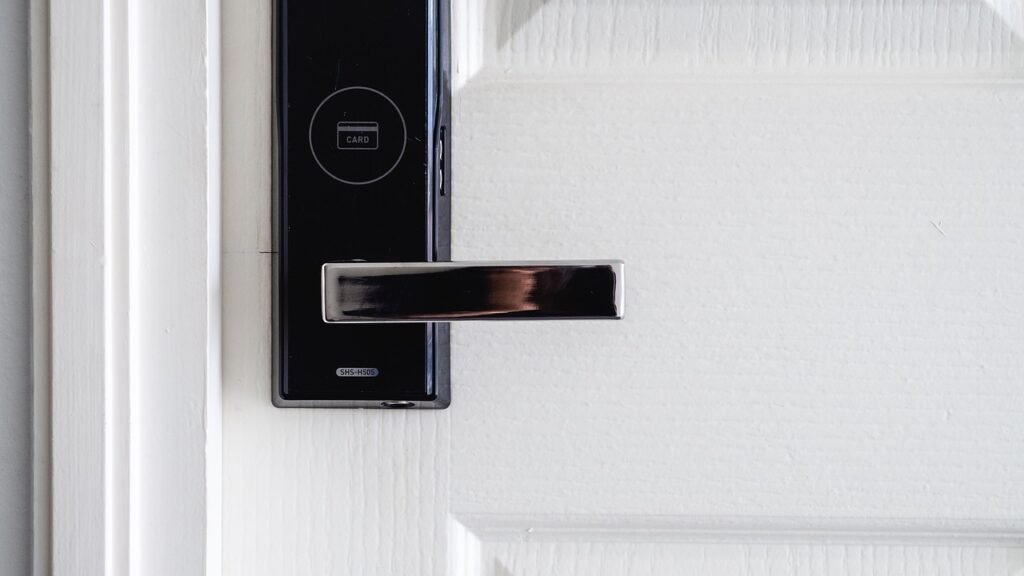
Smart locks are often the first security upgrade homeowners make, and for good reason. They replace or augment your traditional deadbolt with electronic controls that let you lock and unlock your door from your phone, grant temporary access to guests, and receive notifications whenever the door is used.
The August Wi-Fi Smart Lock remains one of the most popular choices in 2026. It installs over your existing deadbolt, which means you can keep your original keys. The built-in Wi-Fi eliminates the need for a separate bridge, and features like Auto-Lock and DoorSense tell you whether your door is securely closed and locked.
For those who want a full deadbolt replacement, the Yale Assure Lock 2 offers a touchscreen keypad with optional fingerprint reader and built-in Wi-Fi. Yale is known for its commercial-grade hardware, and the Assure Lock 2 brings that same durability to residential doors.
The Schlage Encode Smart WiFi Deadbolt is another excellent option, particularly for those who want built-in alarm technology and a BHMA Grade 1 security rating. Schlage also offers the Schlage Encode Plus with Apple Home Keys support, letting you unlock your door with a tap of your iPhone or Apple Watch.
For a comprehensive comparison of the best smart locks available this year, check out our detailed smart locks guide for 2026. It covers installation requirements, battery life, compatibility, and security features across all major brands.
Security Camera Systems: Eyes on Your Property 24/7
Security cameras are the visual backbone of any home security setup. They serve as both a deterrent and an evidence-gathering tool. In 2026, camera technology has advanced significantly, with 2K and 4K resolution becoming standard, AI-powered person detection reducing false alerts, and color night vision replacing grainy infrared footage.
The Arlo Pro 5S 2K Spotlight Camera is a premium option that delivers 2K resolution with HDR, a built-in spotlight for color night vision, and a 160-degree field of view. Its wire-free design and rechargeable battery make installation simple, and the integrated siren adds an active deterrent layer.
For budget-conscious homeowners, the Wyze Cam v4 offers 2.5K QHD resolution, color night vision, and a built-in spotlight and siren at a fraction of the cost. It supports Wi-Fi 6 for better connectivity and includes person detection with a Cam Plus subscription.
The Blink Outdoor 4 is another affordable wireless option with up to two years of battery life on a single set of AA lithium batteries. It works with Alexa and offers person detection with a Blink Subscription Plan.
For those who want premium features without subscription fees, the eufyCam S330 (eufyCam 3) offers 4K resolution, built-in solar panels for continuous charging, and local storage with no monthly fees. Its BionicMind AI can distinguish between family members and strangers, reducing unnecessary notifications.
If you need indoor monitoring, the TP-Link Tapo Pan/Tilt Security Camera provides 360-degree coverage with motion tracking, two-way audio, and local microSD storage. The Wyze Cam Pan v3 is another great indoor option with similar pan-and-tilt functionality at a lower price point.
For larger properties, the Blink Outdoor 4 five-camera system provides comprehensive coverage with a single Sync Module. You can also add the Blink Sync Module 2 for local storage capabilities.
Our security cameras guide provides in-depth reviews and comparisons to help you choose the right camera system for your specific needs.
Video Doorbells: Who Is at Your Door?
Video doorbells have become one of the most popular smart home security devices, and it is easy to see why. They let you see, hear, and speak to anyone at your front door from your smartphone, whether you are home or on the other side of the world. They also capture motion-triggered video recordings that can provide crucial evidence in case of package theft or suspicious activity.
The Ring Video Doorbell 4 is a top contender in 2026, offering 1080p HD video, Color Pre-Roll technology that captures four seconds of video before a motion event, and a quick-release rechargeable battery. It integrates natively with Alexa devices and supports dual-band Wi-Fi for improved connectivity.
If you prefer a wire-free option with a wider field of view, the eufy Security Video Doorbell Dual features dual-camera technology that captures both the person at your door and packages on the ground. It offers 2K HDR video, no monthly fees, and local storage through the HomeBase.
When choosing a video doorbell, consider whether you want battery-powered or hardwired, your preferred storage option, and which smart home ecosystem you use. Our complete video doorbells guide covers all these factors in detail.
Motion Sensors and Door/Window Sensors
Motion sensors and contact sensors form the invisible layer of your security system. They detect activity that cameras might miss and trigger automations that can scare off intruders before they even get close to your home.
The Philips Hue Motion Sensor is primarily designed for lighting automation, but it doubles as a security device. When placed in hallways or near entry points, it can trigger lights to turn on when motion is detected, making it appear that someone is home. It also sends notifications through the Hue app.
For a more security-focused option, the Aqara Motion Sensor P1 offers a 170-degree detection angle, adjustable sensitivity, and an impressive five-year battery life. It works with Apple HomeKit, Alexa, and IFTTT, and supports Zigbee 3.0 for reliable connectivity through an Aqara hub.
Door and window contact sensors are equally important. Many security systems, like the Ring Alarm 5-Piece Kit, include these sensors as part of the base package. The Ring Alarm system comes with a base station, keypad, contact sensor, motion detector, and range extender, providing a solid foundation that you can expand over time.
For more automation ideas that combine sensors with other smart devices, check our smart home automation guide for creative routines and scenarios.
Smart Lighting Security Strategies
One of the most effective ways to deter burglars is to make them think someone is home. Smart lighting can simulate occupancy by turning lights on and off at random intervals, reacting to motion, and creating the illusion of activity in multiple rooms.
Smart plugs are an excellent tool for this strategy. The Amazon Smart Plug lets you control lamps, TVs, and radios from anywhere. Set up an Away Mode routine that randomly turns devices on and off between 6 PM and 10 PM to create the impression that someone is watching TV or moving around the house.
The Kasa Smart Plug Mini (EP10) from TP-Link is another affordable option that works with both Alexa and Google Assistant. Its compact design means you can stack two in a single outlet, and the Kasa app supports scheduling, scenes, and away mode.
For outdoor security lighting, consider pairing a motion sensor like the Philips Hue Motion Sensor with smart bulbs. When motion is detected outside, the lights turn on instantly, startling anyone who approaches. This is far more effective than a simple porch light that stays on all night.
Our smart plugs guide provides detailed testing results and recommendations for the most reliable smart plugs on the market.
Security Camera Storage: Cloud vs. Local
One of the most important decisions you will make when setting up your security cameras is how to store footage. Both cloud and local storage have their advantages and trade-offs.
Cloud Storage offers off-site backup, meaning your footage is safe even if the camera is stolen or destroyed. Services like Ring Protect, Arlo Secure, and Blink Subscription provide 30 to 60 days of video history, AI-powered object detection, and easy sharing options. The downside is the ongoing subscription cost, which can add up over time, especially with multiple cameras.
Local Storage eliminates monthly fees and gives you complete control over your data. Cameras like the eufyCam S330 store footage on the HomeBase with up to 16TB of expandable storage. The Wyze Cam v4 supports microSD cards up to 256GB for continuous recording. The Blink system offers local storage through the Sync Module 2 with a USB drive. The trade-off is that if your camera or storage device is stolen, the footage goes with it.
For maximum security, consider a hybrid approach: use local storage as your primary method and supplement with a basic cloud plan for critical events. Many camera systems support both simultaneously.
If you are interested in monitoring your energy usage alongside your security system, our home energy monitors guide covers devices that can integrate with your smart home setup.
Network Security: Protecting Your Smart Home Network
Physical security is only half the battle. Every smart device in your home connects to your Wi-Fi network, which means your router is the gateway to your entire security system. If someone gains access to your network, they can potentially control your cameras, locks, and sensors.
Here are essential network security steps every smart home owner should take:
- Change default passwords: Every device comes with a default username and password. Change them immediately during setup, using strong, unique passwords for each device.
- Enable two-factor authentication: Most smart home apps support 2FA. Turn it on for every account associated with your security devices.
- Create a separate Wi-Fi network: Many modern routers support guest networks or VLANs. Put your IoT devices on a separate network from your computers and phones to limit the damage if one device is compromised.
- Keep firmware updated: Manufacturers release security patches regularly. Enable automatic updates where possible, and check for updates monthly on devices that do not support auto-updates.
- Use WPA3 encryption: If your router supports WPA3, enable it. This is the latest Wi-Fi security standard and offers significant improvements over WPA2.
- Disable unused features: If your camera has a feature like remote PTZ control that you do not use, disable it. Fewer open features means fewer attack vectors.
The Matter protocol is also worth considering for its enhanced security framework. Matter devices use end-to-end encryption and require device certification, which adds an extra layer of protection compared to older protocols.
Privacy Settings Best Practices
While security cameras and smart devices protect your home, they also collect a significant amount of data about your daily life. Taking control of your privacy settings is just as important as locking your doors.
Start by reviewing the privacy settings in each device app. Most security cameras offer privacy zones, which let you mask areas of the camera view that should not be recorded, such as a neighbor’s yard or a bathroom window. Enable these wherever applicable.
Consider disabling audio recording when it is not needed. In some jurisdictions, recording audio without consent may be illegal. Video-only recording is generally more widely accepted and still provides excellent security coverage.
Review your cloud storage retention settings. Do you really need 60 days of footage? Reducing retention to 7 or 14 days limits the amount of data stored and reduces privacy exposure.
Check which third-party apps have access to your smart home devices. Revoke access for any services you no longer use. Many users grant access to third-party integrations and forget about them, leaving unnecessary connections active.
Finally, consider using a smart home hub that processes data locally rather than in the cloud. Matter-compatible hubs and systems like Apple HomeKit with a HomePod or Apple TV process many automations locally, reducing the amount of data sent to external servers.
Renter-Friendly Security Solutions
If you rent your home, you may think comprehensive security is out of reach. But many smart security devices are designed specifically for renters, requiring no permanent modifications to the property.
Battery-powered cameras like the Blink Outdoor 4 and wire-free video doorbells like the Ring Video Doorbell 4 can be installed without drilling holes or running wires. Smart locks like the August Wi-Fi Smart Lock attach to the inside of your existing deadbolt, so you can take them with you when you move.
Smart plugs are inherently renter-friendly since they simply plug into existing outlets. Motion sensors can be placed on shelves or attached with adhesive strips. The Ring Alarm system is entirely wireless and can be packed up and reinstalled at a new location.
Our comprehensive renter-friendly smart home guide covers dozens of products and strategies specifically designed for tenants, including tips for getting landlord approval and removing devices without damage.
Budget Security Setup Under $200
You do not need to spend thousands of dollars to secure your home. A surprisingly effective security system can be assembled for under $200 if you choose your devices carefully.
Here is a budget-friendly security starter kit:
- Wyze Cam v4 at $35.97 for 2.5K resolution, color night vision, and built-in spotlight
- Wyze Cam Pan v3 at $19.98 for 360-degree indoor coverage with motion tracking
- Amazon Smart Plug at $12.99 for lighting automation and occupancy simulation
- Kasa Smart Plug Mini (2-pack) at $14.99 for additional device automation
- Blink Wired Floodlight Camera at $29.99 for outdoor coverage with 2600 lumens of light
This setup gives you outdoor monitoring, indoor pan-and-tilt coverage, lighting automation, and a powerful outdoor floodlight camera, all for well under $200. Add a microSD card for local storage and you have a complete system with no monthly fees.
For more budget-friendly smart home ideas, check our guide to the best smart home devices under $100, which includes additional affordable security options.
Security Automation Scenarios
The true power of a smart home security system comes from automation. Instead of manually arming and disarming your system every day, you can create routines that handle everything automatically based on time, location, or sensor activity.
Away Mode (When You Leave Home)
When the last family member leaves the house, geofencing triggers the Away routine:
- All smart locks engage automatically
- Security cameras switch to armed mode and begin recording on motion
- Door and window sensors activate alerts
- Smart lights switch to a randomized schedule to simulate occupancy
- Smart thermostat adjusts to an energy-saving temperature (learn more in our smart thermostats guide)
- TV or radio connected to a smart plug turns on at random intervals
Night Mode (Bedtime)
At a set time each night, or when you say goodnight to your voice assistant:
- All doors lock automatically
- Outdoor cameras switch to night vision and armed mode
- Indoor cameras in common areas activate (optional)
- Outdoor lights turn on; bedroom lights dim and turn off
- Smart plugs for appliances like the coffee maker turn off for safety
Vacation Mode (Extended Away)
When you are away for several days or more:
- All locks engage and auto-lock is enabled
- Cameras arm with maximum sensitivity and person detection
- Smart lights follow an irregular schedule that mimics real occupancy patterns
- Smart plugs cycle TVs, radios, and lamps at different times throughout the day
- Smart thermostat maintains a minimum temperature to prevent pipe freezing in winter
- All notifications are sent to multiple family members
For more creative automation ideas, our automation ideas guide provides step-by-step instructions for dozens of useful routines.
10 Common Smart Home Security Mistakes
Even with the best devices, security mistakes can leave your home vulnerable. Here are the ten most common errors and how to avoid them:
- Using default passwords: This is the number one security mistake. Change every default password on every device during initial setup.
- Ignoring firmware updates: Outdated firmware often contains known vulnerabilities. Enable auto-updates and check monthly for devices that do not support them.
- Placing all devices on one network: If a hacker compromises one IoT device, they can access everything on the same network. Use a separate VLAN or guest network for smart home devices.
- Pointing cameras at public areas: Cameras that record neighbors’ properties or public sidewalks can create legal issues and privacy complaints. Use privacy zones to mask these areas.
- Forgetting to arm the system: A security system only works when it is active. Use geofencing and scheduling to automate arming and disarming so you never forget.
- Relying solely on cloud storage: If your internet goes down or the cloud service has an outage, you lose recording capability. Always have a local storage backup.
- Not securing your Wi-Fi router: Your router is the front door to your digital home. Use WPA3, change the admin password, and disable WPS.
- Over-sharing access codes: Smart lock access codes should be unique per person and deleted when no longer needed. Avoid sharing a single code with multiple people.
- Ignoring battery levels: A dead battery means a blind spot in your security. Set up low-battery alerts and check levels monthly during high-usage periods.
- Neglecting physical security: Smart devices are supplements, not replacements, for physical security. Ensure door frames are solid, windows have locks, and exterior lighting covers all entry points.
Frequently Asked Questions
1. Do I need a professional monitoring service for my smart home security system?
Professional monitoring is optional but recommended for comprehensive protection. Systems like Ring Alarm offer optional professional monitoring for a monthly fee, which means trained dispatchers will contact emergency services if your alarm is triggered and you do not respond. Self-monitoring through app notifications is a viable alternative if you check your phone regularly and can respond quickly.
2. Can smart home security devices work without Wi-Fi?
Most smart security devices require Wi-Fi for remote access and cloud features. However, many cameras and sensors continue to record locally to microSD cards or hubs even without internet. Smart locks like the August Wi-Fi Smart Lock can still be operated with physical keys, and battery-powered sensors will still trigger local alarms through hubs like the Ring Alarm base station.
3. Are wireless security cameras as reliable as wired ones?
Wireless cameras have improved significantly and are reliable for most residential applications. They offer easier installation and flexibility in placement. However, wired cameras provide continuous power and more stable video streaming. For critical areas like front doors, consider a hardwired video doorbell. For areas where running wires is impractical, wireless cameras are an excellent choice.
4. How long do smart lock batteries typically last?
Battery life varies by model and usage. The August Wi-Fi Smart Lock uses CR123 batteries that typically last 3 to 6 months. The Schlage Encode uses AA batteries with up to 6 months of life. The Yale Assure Lock 2 offers similar battery life. Smart locks that use Wi-Fi directly tend to consume more power than those using Bluetooth or Z-Wave with a hub.
5. Can smart home security systems be hacked?
Any internet-connected device can potentially be compromised, but following security best practices dramatically reduces the risk. Use strong unique passwords, enable two-factor authentication, keep firmware updated, and use a separate network for IoT devices. Choosing devices from reputable brands that receive regular security updates is also important.
6. What is the difference between local and cloud storage for security cameras?
Local storage saves footage to a microSD card, USB drive, or hub within your home, with no monthly fees. Cloud storage sends footage to remote servers, providing off-site backup and easier access from anywhere. Cloud storage typically requires a subscription but offers advanced features like AI person detection and longer retention periods.
7. Do I need a smart home hub for security automation?
A hub centralizes control and enables more complex automations, but many devices work without one. Voice assistants like Alexa and Google Home can serve as basic hubs. For advanced automation with local processing, consider hubs like Apple HomePod, Samsung SmartThings, or an Aqara hub. Matter-compatible hubs are becoming the standard for cross-platform compatibility.
8. Are smart security devices difficult to install?
Most consumer smart security devices are designed for DIY installation. Battery-powered cameras, video doorbells, and smart plugs typically take 10 to 15 minutes to install. Smart locks may require 20 to 30 minutes and basic tools. Systems like the Ring Alarm are designed for tool-free setup. Always follow the manufacturer’s instructions and test devices after installation.
9. How much does a complete smart home security system cost?
A basic system with one camera, a smart plug, and a motion sensor can cost under $100. A mid-range system with multiple cameras, a video doorbell, smart locks, and sensors typically runs $500 to $1,000. A premium system with 4K cameras, professional monitoring, and whole-home automation can exceed $2,000. Start small and expand over time as budget allows.
10. Can I use smart home security devices in an apartment?
Absolutely. Many smart security devices are designed for renters. Battery-powered cameras, wire-free doorbells, smart plugs, and smart locks like the August Wi-Fi Smart Lock require no permanent modifications. The Ring Alarm system is fully portable. Check your lease for any restrictions on door modifications, and consider adhesive mounts instead of screws where possible.
Professional Monitoring vs. Self-Monitoring
One of the most important decisions when building a security system is whether to use professional monitoring or self-monitor through app notifications. Both approaches have distinct advantages.
Professional monitoring means a trained team watches your system 24 hours a day, 7 days a week. If your alarm triggers, they attempt to contact you, and if you do not respond or confirm an emergency, they dispatch police, fire, or medical services. Ring offers professional monitoring for $20 per month, which covers an unlimited number of cameras and sensors. SimpliSafe and ADT offer similar services with different pricing tiers.
Self-monitoring puts you in complete control. You receive push notifications on your phone when sensors trigger, and you decide whether to call authorities. This approach costs nothing beyond your initial hardware investment, but it requires you to be reachable and able to respond at all times. If you sleep with your phone on silent, or if you are in a meeting when an alarm triggers, you might miss a critical alert.
For most homeowners, a hybrid approach works best: use self-monitoring for everyday events like package deliveries and family members arriving home, but add professional monitoring for when you are traveling or away for extended periods. Many services let you switch between self-monitoring and professional monitoring month to month, so you only pay for professional coverage when you need it.
Whichever approach you choose, make sure your smart home foundation is solid before adding monitoring services. A well-configured system with proper sensor placement and reliable connectivity is more important than the monitoring option you select.
Conclusion
Building a smart home security system in 2026 is more accessible and more affordable than ever. With options ranging from budget-friendly setups under $200 to comprehensive multi-camera systems with professional monitoring, there is a solution for every home and every budget.
The key is to start with the fundamentals: a smart lock for your front door, a video doorbell to see who is approaching, and a few cameras to monitor key areas. From there, you can add sensors, smart lighting, and automation routines that make your security system smarter and more responsive over time.
Remember that technology is just one part of the equation. Strong passwords, regular firmware updates, and thoughtful network configuration are just as important as the devices themselves. By combining the right hardware with good security practices, you can create a home that is protected, connected, and ready for whatever comes next.
For more smart home guidance, explore our beginner setup guide, browse our budget device recommendations, or dive into advanced automation ideas to take your smart home to the next level.
Security is not a one-time purchase. It is an ongoing process of evaluating threats, upgrading devices, and refining your routines. The smart home industry continues to evolve rapidly, with new standards like Matter making devices more interoperable and secure. By staying informed and proactive, you can ensure that your home remains protected against both current and emerging threats. Your family deserves nothing less than the peace of mind that comes from knowing your home is secure, monitored, and ready for whatever the future holds.