
By Aiden Tsang, Updated August 2026
As an Amazon Associate, I earn from qualifying purchases. This means if you click on an Amazon link in this article and make a purchase, I may receive a small commission at no extra cost to you.
Why Smart Home Energy Saving Matters More Than Ever in 2026
Electricity prices have climbed steadily across the United States, with the average residential rate now exceeding 17 cents per kilowatt-hour in many states. For homeowners looking to trim monthly utility bills without sacrificing comfort, smart home devices offer one of the most practical and measurable paths forward. The beauty of these devices is that they work quietly in the background, adjusting temperatures, switching off idle electronics, and dimming lights based on occupancy and time of day.
According to the U.S. Department of Energy, heating and cooling account for roughly 48% of energy use in a typical American home. Lighting, water heating, and appliances make up most of the remainder. Smart home technology targets each of these categories with specific tools designed to reduce waste without requiring you to remember to flip switches or adjust dials manually. If you are just getting started with smart home setup, our smart home beginner setup guide walks you through the fundamentals of choosing platforms, connecting devices, and building your first automations.
This guide brings together every major category of energy-saving smart home technology into one comprehensive resource. Whether you want to spend under $100 on a starter kit or invest thousands in a full home automation system, you will find actionable recommendations, real cost savings estimates, and product suggestions that have been tested and verified for reliability. We also address common misconceptions, provide detailed ROI calculations, and answer the questions that homeowners ask most frequently when considering smart home energy upgrades.
The smart home market has matured significantly since the early days of fragmented protocols and unreliable connections. With the widespread adoption of the Matter standard, devices from different manufacturers now communicate more reliably than ever before. This means you can mix a Google thermostat with Amazon smart plugs and Apple HomeKit sensors, all controlled through a unified interface. The result is an ecosystem where energy-saving automations work consistently, without the compatibility headaches that plagued earlier generations of smart home technology.
How Smart Thermostats Cut Heating and Cooling Costs
Heating and cooling represent the single largest energy expense in most homes, so it makes sense to start here. A smart thermostat learns your schedule, adjusts temperatures automatically when you leave the house, and lets you control settings remotely from your phone. The U.S. Environmental Protection Agency estimates that a properly programmed smart thermostat can save homeowners between 10% and 23% on annual heating and cooling costs.
If you haven’t already protected against water damage, check out our guide to the best smart water leak detectors of 2026.
The Amazon Smart Thermostat is one of the most affordable options on the market, often priced under $80. Despite its low cost, it includes ENERGY STAR certification, learning capabilities, and compatibility with Alexa voice commands. For homeowners who want a more advanced option, the Google Nest Learning Thermostat (3rd Generation) builds a schedule by observing your adjustments over the first week of use, then automatically maintains that pattern going forward. Its remote sensors detect occupancy in different rooms, directing airflow where people actually are.
The ecobee SmartThermostat with Voice Control takes things further with built-in Alexa support, meaning you do not need a separate smart speaker in the same room. It also supports room sensors that measure both temperature and occupancy, allowing the system to prioritize comfort in occupied spaces while saving energy in empty ones. The ecobee app provides detailed energy reports that show exactly how much heating and cooling each zone uses, helping you fine-tune settings for maximum efficiency.
For budget-conscious buyers, the Wyze Thermostat and the Sensi Lite Smart Thermostat both deliver core smart features at prices well below $100. These budget models still offer scheduling, remote control, and energy usage reports through their companion apps. The Sensi Lite in particular is notable for its privacy-first approach, storing usage data locally rather than in the cloud.
If you want to compare all available options side by side, check out our comprehensive best smart thermostats for 2026 guide, which includes detailed specifications, installation requirements, and long-term savings estimates for every major model.
Real Savings Example
Consider a household in a moderate climate with an annual heating and cooling bill of $1,800. If a smart thermostat reduces that by 15%, the yearly savings amount to $270. At that rate, a $130 thermostat pays for itself in less than six months. Over five years, the total savings exceed $1,200, not accounting for electricity rate increases that would make the actual savings even higher. In hotter climates like Arizona or Texas, where air conditioning runs for more months per year, the savings can be substantially greater. A household in Phoenix spending $2,500 annually on cooling alone could save $375 to $575 per year with a well-configured smart thermostat.
Features That Drive Thermostat Savings
Several specific features contribute to the energy savings that smart thermostats deliver. Geofencing uses your phone’s location to detect when you leave and return home, automatically adjusting the temperature without requiring you to set a schedule. Learning algorithms observe when you manually adjust the temperature and build a schedule that matches your habits. Room sensors detect which rooms are occupied and direct conditioned air accordingly, preventing wasted energy heating or cooling empty spaces. Remote control via smartphone means you can adjust settings from anywhere, so if you forget to set the thermostat before leaving for vacation, you can do it from the airport.
Smart Plugs: Eliminating Phantom Power Draw
Phantom power, also called standby power or vampire draw, refers to the electricity that devices consume even when they are turned off but still plugged in. Televisions, game consoles, coffee makers, and phone chargers are common culprits. The Department of Energy estimates that standby power accounts for 5% to 10% of residential electricity consumption, which translates to roughly $100 to $200 per year for an average household.
Smart plugs offer a simple and inexpensive solution. By plugging your devices into a smart plug, you can cut power completely with a tap on your phone or through an automated schedule. For example, you can set your television and entertainment center to power down entirely at midnight and turn back on at 6 AM. During those six hours, zero electricity flows to devices that would otherwise be drawing standby current.
The TP-Link Kasa Smart Plug Mini (4-Pack) is one of the most popular choices because it is compact, reliable, and does not block adjacent outlets. Each plug supports scheduling, away mode, and energy monitoring through the Kasa app. For an even more budget-friendly option, the Amazon Basics Smart Plug (4-Pack) works exclusively with Alexa but costs significantly less per unit.
If energy monitoring is your priority, the TP-Link Kasa Smart Plug EP25 with Energy Monitoring tracks real-time wattage and historical consumption data. This lets you see exactly how much power each connected device uses over time, helping you identify the biggest energy hogs in your home. The EP25 also supports Matter, making it compatible with Apple HomeKit and Google Home in addition to Alexa.
Other solid options include the Wyze Smart Plug, which offers a compact design and reliable performance at a competitive price, and the Meross Smart Plug Mini, which supports Apple HomeKit in addition to Alexa and Google Assistant. The GE Cync Indoor Smart Plug is another option worth considering, particularly if you are already invested in the GE Cync ecosystem for lighting.
Our detailed testing of dozens of smart plug models can be found in the best smart plugs for 2026 guide, which covers safety certifications, maximum load ratings, and long-term reliability data. We tested each plug for sustained load capacity, Wi-Fi range, app responsiveness, and accuracy of energy monitoring features.
How Much Can Smart Plugs Actually Save?
If you connect five devices that each draw 5 watts of standby power to smart plugs, and those devices are turned off for 16 hours per day, the calculation works out as follows: 5 devices times 5 watts times 16 hours times 365 days equals 146 kilowatt-hours per year. At 17 cents per kilowatt-hour, that comes to approximately $25 in annual savings. While this may seem modest, it represents pure waste elimination, and the savings compound when combined with other smart home strategies. In a home with ten or more always-on devices, the annual savings from smart plugs alone can reach $50 to $100.
Best Devices to Connect to Smart Plugs
The most effective targets for smart plug automation are devices that draw significant standby power but are only needed during specific hours. Televisions and entertainment centers are prime candidates, as they often draw 10 to 30 watts even when turned off. Coffee makers with digital displays, microwave ovens with clocks, and gaming consoles in rest mode are also worth addressing. Phone chargers left plugged in but not actively charging draw a small but continuous current. By grouping entertainment devices on a single power strip connected to one smart plug, you can eliminate all standby draw with a single automated schedule.
Smart Lighting: LED Bulbs with Intelligent Control
Lighting accounts for approximately 15% of a typical home electricity bill. Traditional incandescent bulbs convert only 10% of the electricity they consume into visible light, wasting the rest as heat. LED bulbs are dramatically more efficient, using up to 80% less energy than incandescents while lasting 25 times longer. Smart LED bulbs add another layer of savings by enabling dimming, scheduling, and occupancy-based automation.
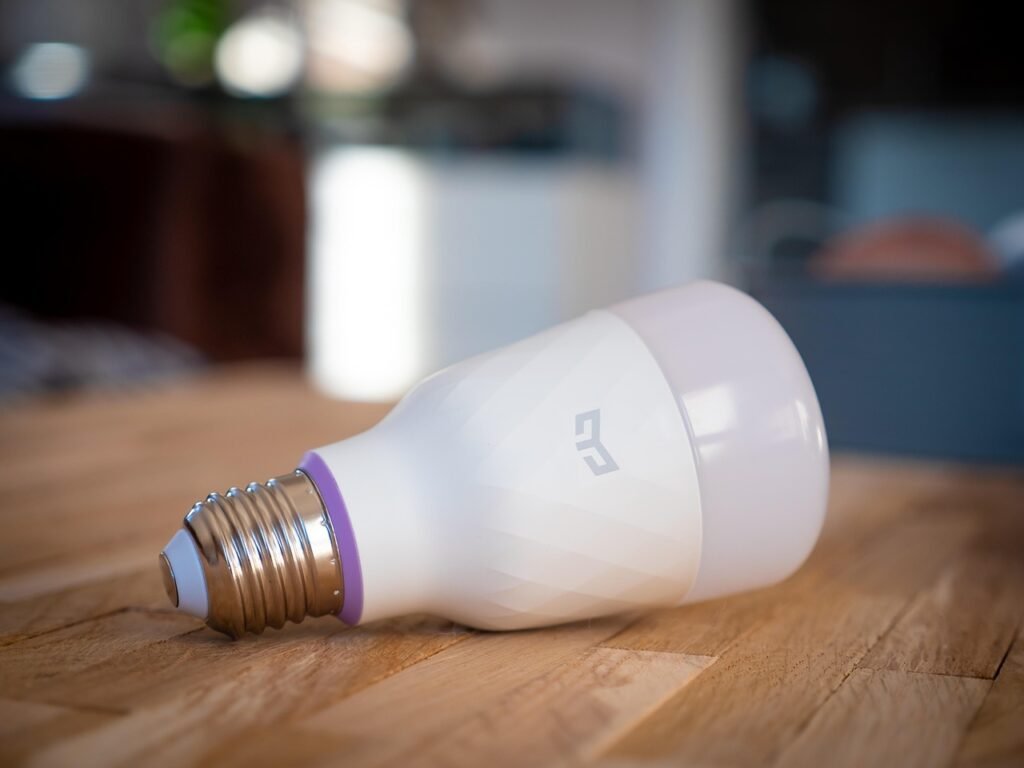
The Philips Hue White A19 LED Smart Bulb is the gold standard for smart lighting. Each bulb uses only 9 watts while producing the equivalent brightness of a 60-watt incandescent. With the Hue app, you can set schedules, create routines, and dim lights to reduce consumption further. The Philips Hue White and Color Ambiance A19 adds full-color output for those who want ambient lighting options alongside energy savings.
For a more budget-friendly approach, the Sengled Smart LED A19 Bulb offers similar functionality at roughly half the price. Sengled bulbs connect via Zigbee and include built-in energy reporting. The GE Cync Smart LED Bulb is another strong contender that connects directly to Wi-Fi without requiring a separate hub, making it ideal for smaller setups.
Beyond bulbs, smart light switches provide whole-room control without replacing every individual bulb. The Lutron Caseta Wireless Smart Lighting Dimmer Switch is widely regarded as the best smart switch available, offering reliable performance, smooth dimming, and compatibility with all major voice assistants. A dimmer set to 80% brightness can reduce energy consumption by approximately 20% compared to full brightness, and most people cannot perceive the difference.
To explore all available options in detail, read our best smart light bulbs for 2026 guide, which includes brightness measurements, color accuracy tests, and long-term durability ratings across every major brand.
Lighting Automation Ideas That Save Money
Set your bedroom lights to dim to 30% at 10 PM and turn off completely at 11 PM. Configure hallway lights to activate only when motion is detected. Program outdoor lights to turn on at sunset and off at sunrise using astronomical timers. These automations ensure lights are only on when needed, eliminating the common problem of lights burning in empty rooms for hours. You can also create a vacation mode that randomizes light schedules to simulate occupancy, combining security with energy awareness.
The Heat Reduction Bonus of LED Bulbs
An often overlooked benefit of LED bulbs is their minimal heat output. Incandescent bulbs release 90% of their energy as heat, which means your air conditioner must work harder to remove that heat during summer months. Switching from incandescent to LED bulbs reduces the cooling load on your HVAC system, providing additional energy savings beyond the direct electricity reduction of the bulbs themselves. In a home with 20 bulbs replaced, the reduced cooling load can save an additional $20 to $40 per year in warmer climates.
Home Energy Monitoring Systems: Know Where Every Watt Goes
You cannot manage what you do not measure. Home energy monitors install in your electrical panel and provide real-time data on exactly how much electricity your home consumes, broken down by circuit or even by individual appliance. This visibility is critical for identifying waste and prioritizing upgrades.
The Sense Energy Monitor uses machine learning to identify individual devices by their electrical signatures. Over time, it learns to distinguish your refrigerator from your air conditioner, your television from your dishwasher. The Sense app shows real-time consumption, historical trends, and sends notifications when unusual usage patterns are detected, which can also help identify failing appliances before they become expensive problems.
The Emporia Vue Whole Home Energy Monitor offers similar circuit-level monitoring at a lower price point. It includes 16 circuit sensors, allowing you to track individual breakers and see exactly which appliances and rooms consume the most power. The Emporia app provides real-time data, historical charts, and cost estimates based on your local electricity rates.
Both systems require installation inside your electrical panel, which should be performed by a licensed electrician. The data they provide, however, is invaluable for making informed decisions about where to invest in energy-saving upgrades. Many homeowners discover that their assumptions about which devices use the most power are wrong, and the monitor’s data helps redirect their investment toward the highest-impact changes.
For a complete comparison of available options, refer to our best home energy monitors for 2026 guide, which covers installation complexity, data accuracy, app quality, and long-term value.
What an Energy Monitor Reveals
Many homeowners are surprised to discover that their old refrigerator consumes three times as much electricity as expected, or that their pool pump runs longer than necessary. An energy monitor can reveal that a seemingly minor device, like an old cable box, draws 25 watts continuously, costing $37 per year in wasted electricity. These insights allow you to target your energy-saving investments where they will have the greatest impact. Some users report finding malfunctioning water heaters that were cycling continuously, wasting hundreds of dollars per year until the problem was identified and fixed.
Smart Blinds and Curtains: Passive Heating and Cooling
Windows are one of the biggest sources of heat gain in summer and heat loss in winter. According to the Department of Energy, about 30% of a home’s heating energy is lost through windows, and cooling energy gained through windows accounts for a similar percentage. Smart blinds and curtains automatically adjust based on the position of the sun, outside temperature, and interior climate conditions.
In summer, smart blinds close during the hottest part of the day to block solar heat gain, reducing the load on your air conditioner. In winter, they open during daylight hours to let warming sunlight in, then close at night to provide an insulating layer against cold glass. This passive approach to temperature management can reduce heating and cooling costs by 5% to 15% depending on your climate and window orientation.
The SwitchBot Curtain is a retrofit device that attaches to your existing curtain rod and motorizes it. No need to replace your curtains or rods. The SwitchBot app supports scheduling, light-based triggers, and temperature-based automation. Battery life lasts approximately 8 months on a single charge, and an optional solar panel can extend that indefinitely.
For a deeper look at motorized window treatments, including hardwired options and integrated solutions, read our best smart blinds for 2026 guide, which covers installation methods, fabric choices, and automation capabilities across all major brands.
Seasonal Blind Automation Strategies
During summer months, program your south-facing blinds to close between 10 AM and 4 PM when solar heat gain is highest. West-facing blinds should close in the afternoon when the low-angle sun hits directly. In winter, reverse the schedule: open blinds during the day to capture free solar heating, then close them at dusk to trap warmth inside. Integrating blind automation with your smart thermostat creates a coordinated system where the thermostat can trigger blinds to close before the air conditioner kicks in, reducing the cooling load proactively rather than reactively.
Smart Appliances: Efficient Dishwashers and Robot Vacuums
Modern smart appliances are designed with energy efficiency as a core feature, not an afterthought. Smart dishwashers, for example, can optimize water temperature, cycle length, and drying method based on load size and soil level. Many models connect to your home network to download software updates that further improve efficiency over time.
When shopping for an energy-efficient dishwasher, look for ENERGY STAR certification and features like soil sensors, which adjust water usage based on how dirty the dishes are. Half-load options let you wash a smaller load without wasting water and energy on a full cycle. Smart dishwashers can also delay start times to take advantage of off-peak electricity rates, if your utility company offers time-of-use pricing. Our best dishwashers for 2026 guide provides detailed efficiency ratings, noise levels, and cleaning performance data for top models.
Robot vacuums contribute to energy savings in an indirect but meaningful way. By maintaining clean floors automatically, they reduce the need for larger, more power-hungry upright vacuums. Most robot vacuums consume less than 60 watts during operation and return to their charging docks automatically, drawing minimal standby power between cleaning cycles. Smart scheduling ensures they run only when needed, and many models can map your home to clean efficiently without wasted movement. For detailed recommendations, check our comprehensive robot vacuum reviews and comparisons for 2026.
Smart Irrigation: Saving Water and the Energy to Heat It
While water conservation is the primary benefit of smart sprinkler controllers, there is a direct energy connection as well. Pumping water to your home requires electricity, and heating water for indoor use accounts for about 18% of residential energy consumption. By reducing outdoor water waste, smart irrigation systems lower the overall demand on municipal water systems, which translates to energy savings at the infrastructure level.
The Rachio 3 Smart Sprinkler Controller is the market leader in this category. It connects to local weather data and automatically skips watering sessions when rain is forecast. The Rachio app lets you create custom zones based on plant type, soil composition, sun exposure, and slope, ensuring each area receives precisely the right amount of water. Independent testing has shown that Rachio controllers can reduce outdoor water usage by 20% to 50% compared to traditional timer-based systems.
For homeowners with smaller yards or hose-based irrigation, the Rachio Smart Hose Timer provides similar smart features without the need for an in-ground sprinkler system. It connects via Wi-Fi hub and offers the same weather-based scheduling and zone management as the full controller.
Our best smart sprinkler controllers for 2026 guide includes flow rate data, compatibility information, and water savings calculations for every major model on the market.
Budget Energy Saving Kit: Under $100
You do not need to spend thousands of dollars to start saving energy with smart home technology. A carefully chosen selection of budget devices can deliver meaningful savings for less than $100 total. Here is a recommended starter kit:
- Smart Plugs (4-pack): Use the Amazon Basics Smart Plug (4-Pack) to eliminate standby power on your television, game console, coffee maker, and phone charger. Estimated annual savings: $25 to $40.
- Smart LED Bulbs (2-pack): Replace two frequently used incandescent bulbs with Sengled Smart LED Bulbs. Estimated annual savings: $15 to $25 per bulb replaced.
- Voice Assistant: The Amazon Echo Dot (5th Generation) serves as the central controller, enabling voice commands and routine automation. It also allows you to check energy usage and control all connected devices from one interface.
This basic kit costs approximately $80 to $95 depending on current Amazon pricing and can deliver $50 to $80 in annual energy savings, paying for itself within the first year. For more budget-friendly recommendations across all smart home categories, explore our best smart home devices under $100 guide.
Smart Home Security and Energy Efficiency Together
Security and energy efficiency might seem like separate concerns, but many smart home devices serve both purposes simultaneously. Smart door locks, motion sensors, and security cameras can trigger energy-saving automations when they detect that you have left the house.
For example, when your smart lock engages as you leave, it can trigger a routine that adjusts the thermostat to an away temperature, turns off all lights, and powers down smart plugs connected to entertainment devices. When you return and disengage the lock, the system reverses these actions, restoring comfort settings. This integration ensures that energy is not wasted heating or cooling an empty house.
Motion sensors designed for security can also control lighting. Instead of leaving porch lights on all night, a motion-activated smart light turns on only when someone approaches, saving energy while still providing security. Indoor motion sensors can ensure that lights in hallways, bathrooms, and closets turn off automatically when no one is present.
Our smart home security complete protection guide for 2026 covers how to build an integrated system that protects your home while simultaneously reducing energy waste through intelligent automation.
Automation Scenes That Maximize Energy Savings
The true power of smart home energy savings comes from automation, not individual device control. When devices work together through automated scenes and routines, the combined effect is much greater than the sum of individual savings. Here are several automation setups that deliver measurable energy reductions:
The Goodbye Routine
When you leave for work, a single command or geofence trigger sets the thermostat to an energy-saving away temperature, turns off all lights, powers down smart plugs connected to non-essential devices, and closes smart blinds to insulate windows. This routine alone can save 5% to 10% on heating and cooling costs.
The Sunset Routine
Using astronomical time data, your smart home system closes blinds at sunset to retain heat during winter months or block heat during summer evenings. Outdoor lights turn on at the same time, and indoor lights gradually dim as bedtime approaches. This routine eliminates the need for manual adjustments and ensures optimal conditions without wasted energy.
The Sleep Routine
At your designated bedtime, the system lowers the thermostat by 3 to 5 degrees (studies show people sleep better in cooler environments), turns off all lights except a dim hallway nightlight, and powers down entertainment devices. The thermostat begins warming the house 30 minutes before your alarm goes off.
The Vacation Mode
When you leave for an extended trip, the system sets the thermostat to a minimal maintenance temperature (55 degrees in winter to prevent pipes from freezing, 85 degrees in summer to prevent humidity damage), turns off all smart plugs, closes all blinds, and sets lights to random on-off patterns to simulate occupancy. This routine can save $30 to $60 per week in energy costs while you are away.
For dozens more automation ideas organized by room and scenario, see our smart home automation ideas for 2026 guide, which includes step-by-step setup instructions for Alexa, Google Home, and Apple HomeKit.
Choosing the Right Smart Home Ecosystem for Energy Efficiency
The ecosystem you choose for your smart home affects how easily devices work together and how effectively you can create energy-saving automations. The three major platforms are Amazon Alexa, Google Home, and Apple HomeKit. Each has strengths and limitations when it comes to energy management.
Amazon Alexa offers the broadest device compatibility, making it easy to mix and match products from different manufacturers. Alexa’s Hunches feature can automatically turn off lights or adjust thermostats when it detects that you have left home. Google Home excels at natural language commands and integrates deeply with Nest products, offering excellent thermostat control. Apple HomeKit provides the strongest privacy protections and supports complex automations through the Shortcuts app, though it works with fewer devices overall.
The emerging Matter standard is gradually bridging these ecosystems, allowing devices to work across platforms regardless of manufacturer. If interoperability is a priority, look for Matter-compatible devices to future-proof your investment. Our Alexa vs Google Home vs Apple HomeKit comparison for 2026 provides a detailed feature-by-feature breakdown to help you choose the right platform for your needs.
Energy Saving for Renters: No Wiring Required
Renters face unique challenges when it comes to smart home energy savings. You cannot replace thermostats, install smart switches, or modify electrical panels. Fortunately, many effective energy-saving devices require no permanent installation and can move with you when your lease ends.
Smart plugs are the renter’s best friend. They require nothing more than a wall outlet and a Wi-Fi connection. Smart LED bulbs screw into existing fixtures without any wiring. Window sensors can trigger automations without permanent mounting. The SwitchBot Curtain attaches to existing curtain rods with no tools required. Even portable air conditioners and space heaters can be controlled via smart plugs to prevent accidental all-day operation.
If your landlord permits thermostat replacement, offer to leave the smart thermostat behind when you move out. Many landlords are happy to have an upgraded thermostat, and you can often negotiate a small rent reduction in exchange for the improvement. Our renter-friendly smart home complete guide provides extensive recommendations for no-wiring, no-drilling smart home setups that maximize energy savings without risking your security deposit.
Calculating ROI: How Much Can You Actually Save?
To help you prioritize investments, here is a breakdown of typical costs and payback periods for common smart home energy-saving devices. These estimates assume an electricity rate of 17 cents per kilowatt-hour and average usage patterns.
Smart Thermostat
Average cost: $80 to $250. Estimated annual savings: $130 to $230 (10% to 15% of heating and cooling costs). Payback period: 4 to 18 months. Five-year net savings: $400 to $1,070.
Smart Plugs (set of 4)
Average cost: $25 to $50. Estimated annual savings: $25 to $50. Payback period: 6 to 24 months. Five-year net savings: $75 to $225.
Smart LED Bulbs (10 bulbs replacing incandescents)
Average cost: $50 to $150. Estimated annual savings: $100 to $150 (including reduced air conditioning load from less heat output). Payback period: 4 to 18 months. Five-year net savings: $350 to $700.
Home Energy Monitor
Average cost: $150 to $300 (including electrician installation). Estimated annual savings: $50 to $200 (through informed behavior changes and targeted upgrades). Payback period: 9 months to 6 years. Five-year net savings: $0 to $850.
Smart Sprinkler Controller
Average cost: $100 to $250. Estimated annual water savings: $80 to $200. Payback period: 6 to 30 months. Five-year net savings: $150 to $750.
Total Potential Savings
When combined, a comprehensive smart home energy system can reduce household electricity consumption by 15% to 30%, translating to annual savings of $300 to $800 for an average American household. Over five years, the cumulative savings can reach $1,500 to $4,000, easily offsetting the initial investment in hardware. These figures assume average conditions; homes in extreme climates or with particularly inefficient existing systems may see even greater returns.
How to Track Your Progress
Once your devices are installed and automations are running, the best way to measure actual savings is to compare your electricity bills before and after the upgrade. Look at the same months from the previous year to account for seasonal variation. If you have installed a home energy monitor, you can track daily and weekly consumption trends to see the immediate impact of each change. Many smart thermostat apps also provide monthly energy reports that estimate how much you saved compared to a fixed-schedule baseline. For homeowners who want to take automation to the next level, our smart home automation ideas guide includes advanced routines that coordinate multiple energy-saving actions into single triggers, maximizing the compound effect of your device investments.
It is also worth noting that utility companies in many states offer rebates for ENERGY STAR-certified smart thermostats, sometimes covering the entire purchase price. Check with your local electricity provider before buying to see if rebates are available, as this can dramatically reduce your payback period and increase the overall return on investment.
10 Common Energy Saving Myths Debunked
Myth 1: Smart Devices Use More Energy Than They Save
This is false. A smart thermostat consumes less than 1 kilowatt-hour per month, while saving 100 to 200 kilowatt-hours monthly through optimized heating and cooling schedules. The energy savings outweigh the device consumption by a factor of 100 or more.
Myth 2: Leaving Lights On Uses Less Energy Than Turning Them Off and On
This myth originated with older fluorescent tube lights that drew a surge of power during startup. Modern LED bulbs have negligible startup energy, and turning them off when not needed always saves energy.
Myth 3: Closing Vents in Unused Rooms Saves Energy
Closing vents increases pressure in your ductwork, which can cause leaks and force your HVAC system to work harder. A smart thermostat with room sensors is a better approach, as it adjusts airflow through the system rather than blocking it.
Myth 4: Screen Savers Save Energy
Screen savers were designed to prevent phosphor burn-in on old CRT monitors. They do not save energy. Modern displays should be set to turn off after a period of inactivity, or connected to a smart plug that cuts power entirely.
Myth 5: Devices Turned Off Use No Electricity
Many devices continue drawing power even when switched off. Televisions, game consoles, and smart speakers all consume standby power. Only a smart plug that physically breaks the circuit can eliminate this phantom draw.
Myth 6: Smart Home Automation Is Too Complicated for Average Users
Modern smart home apps are designed for simplicity. Basic routines like scheduling lights and adjusting thermostats require only a few taps. You can start with simple automations and gradually add complexity as you become more comfortable.
Myth 7: Smart Thermostats Work the Same in Every Home
Factors like insulation quality, window efficiency, and HVAC system age all affect how much a smart thermostat can save. Homes with poor insulation will see smaller percentage savings, though the absolute dollar amount may still be significant.
Myth 8: LED Bulbs Are Too Expensive to Justify the Switch
While individual LED bulbs cost more upfront than incandescents, they last 25 times longer and use 80% less energy. Over the life of a single bulb, the total cost of ownership is dramatically lower. Smart LED bulbs add scheduling and dimming capabilities that further increase savings.
Myth 9: Energy Monitoring Is Only for Large Homes
Even small apartments benefit from energy monitoring. Identifying a single inefficient appliance can save $50 to $100 per year, which often covers the cost of the monitor within the first year.
Myth 10: Smart Home Devices Compromise Privacy and Security
While any internet-connected device carries some risk, reputable manufacturers encrypt data and offer privacy controls. Choosing devices that support local processing (like Apple HomeKit) can minimize cloud dependency. Always use strong passwords and enable two-factor authentication on your smart home accounts.
Frequently Asked Questions
1. How much can I realistically save with smart home energy devices?
Most households can expect to save 15% to 30% on their electricity bills by implementing a combination of smart thermostats, smart plugs, smart lighting, and energy monitoring. For a household spending $150 per month on electricity, this translates to $270 to $540 in annual savings. The exact amount depends on your climate, current energy usage patterns, and which devices you install.
2. Do I need a smart home hub to save energy?
No, many smart home devices work independently through Wi-Fi and their own apps. However, a central hub or voice assistant like the Amazon Echo Dot makes it easier to create automations that coordinate multiple devices, which typically results in greater energy savings.
3. Are smart thermostats compatible with all HVAC systems?
Most smart thermostats work with standard 24-volt HVAC systems, which cover the majority of homes in the United States. However, some older systems, high-voltage systems, and proprietary systems may require adapters or professional installation. Always check compatibility before purchasing.
4. Can smart plugs handle high-wattage appliances?
Most smart plugs are rated for 10 to 15 amps, which covers devices up to approximately 1,800 watts. This is sufficient for televisions, lamps, and small appliances. For high-wattage devices like space heaters or air conditioners, check the plug’s maximum load rating carefully before use.
5. Will smart LED bulbs work during a power outage?
No, smart bulbs require continuous power to function. During an outage, they will not turn on regardless of their smart settings. When power is restored, most smart bulbs return to their last state or default to on, depending on the model.
6. How long do smart home devices typically last?
Smart thermostats generally last 8 to 10 years. Smart LED bulbs are rated for 25,000 hours of use, which translates to approximately 22 years at 3 hours per day. Smart plugs typically last 3 to 5 years before the mechanical relay wears out. Software support varies by manufacturer, so choose brands with a track record of long-term updates.
7. Do smart home devices work without internet?
Basic on-device controls, like pressing the button on a smart plug or adjusting a thermostat manually, work without internet. However, remote control, scheduling, and automation features require an internet connection. Some systems, like Apple HomeKit with a HomePod hub, can maintain local automations even without internet.
8. Are energy savings from smart devices tax-deductible?
In the United States, certain energy-efficient home improvements may qualify for federal tax credits under the Inflation Reduction Act. Smart thermostats with ENERGY STAR certification may qualify. Consult a tax professional or check the IRS website for current eligibility requirements.
9. Can I use smart home devices with solar panels?
Yes, smart home devices pair excellently with solar panel systems. Energy monitors like the Sense Energy Monitor offer solar-specific versions that track both production and consumption. By aligning energy-intensive activities with peak solar production hours, you can maximize self-consumption and minimize grid purchases.
10. What is the single most impactful smart home device for energy savings?
A smart thermostat provides the largest and fastest return on investment. Because heating and cooling account for nearly half of home energy use, even a 10% reduction in this category yields more absolute savings than completely eliminating phantom power or upgrading all your light bulbs. Start with a smart thermostat and build from there.