
Disclosure: As an Amazon Associate, deeperthing.com earns from qualifying purchases. This means we may receive a commission when you buy products through links on this page, at no extra cost to you. We only recommend products we have tested or thoroughly researched. Our editorial opinions remain independent and are not influenced by any advertiser or affiliate partner.
Introduction: Why Smart Home Sustainability Matters in 2026
The average American household consumes approximately 10,500 kilowatt-hours (kWh) of electricity per year, generating roughly 8.5 metric tons of carbon dioxide emissions annually. Heating and cooling account for nearly half of that energy use, while lighting, appliances, and water heating make up most of the remainder. The environmental impact of residential energy consumption is significant, and reducing it requires deliberate action.
Smart home technology offers one of the most practical paths to residential carbon footprint reduction. Unlike solar panels or electric vehicle purchases, which require substantial upfront investment, smart home devices can deliver measurable energy savings at a fraction of the cost. A well-configured smart thermostat alone can reduce heating and cooling energy consumption by 10 to 23 percent, according to studies from the Environmental Protection Agency. When you combine thermostats with smart plugs, intelligent lighting, automated blinds, and water management systems, the cumulative savings can reach 30 percent or more on annual energy bills.
A smart water leak detector can save you thousands in potential water damage repairs.
This guide covers every major category of eco-friendly smart home technology available in 2026. Each section explains how the technology reduces energy waste, which specific products deliver the best results, and how to integrate multiple devices for maximum environmental benefit. Whether you are starting from scratch or adding to an existing smart home setup, you will find actionable recommendations for every budget. If you are new to smart home technology, our beginner complete setup guide provides a solid foundation before you invest in sustainability-focused devices.
For homeowners who want a broad overview of energy-saving strategies, our complete energy saving guide covers additional topics not discussed here. This article focuses specifically on sustainability, carbon footprint reduction, and the environmental impact of smart home choices.
Smart Thermostats for Energy Efficiency
Heating and cooling represent the largest single category of residential energy consumption in most homes. A smart thermostat addresses this directly by learning your schedule, adjusting temperatures automatically, and eliminating the waste that occurs when you forget to turn down the heat or AC before leaving home. The Department of Energy estimates that adjusting your thermostat by 7 to 10 degrees Fahrenheit for eight hours a day can save up to 10 percent on heating and cooling costs annually. Smart thermostats do this automatically.
How Smart Thermostats Reduce Energy Waste
Three key technologies make smart thermostats effective at reducing energy consumption. First, learning algorithms analyze your temperature adjustments over time and build a schedule that matches your habits. After a week or two of manual adjustments, the thermostat begins making those changes on its own. Second, geofencing uses your smartphone location to detect when you leave home and return, automatically switching to an energy-saving away mode and then restoring comfort settings before you arrive. Third, remote sensors placed in different rooms help the thermostat balance temperatures throughout the house, preventing hot and cold spots that lead to overcompensation and wasted energy.
Additional features like humidity sensing, air filter reminders, and energy reports help you maintain HVAC efficiency over time. Some models also integrate with utility company demand-response programs, which reduce energy use during peak hours when the grid is under maximum stress (and when electricity is often generated by the dirtiest power plants).
Recommended Smart Thermostats
1. Google Nest Thermostat – The Google Nest Thermostat offers solid energy savings at a competitive price point. It uses the Google Home app for scheduling and includes a Savings Finder feature that suggests schedule adjustments to reduce energy use. The Nest Thermostat does not have learning capabilities like the premium Nest Learning Thermostat, but its straightforward scheduling interface makes it easy to program. Energy Star certification confirms that it meets strict efficiency guidelines.
2. Amazon Smart Thermostat – At under $80, the Amazon Smart Thermostat is one of the most affordable options on the market. It works with Alexa and offers a feature called Thermostat Hunches, which detects when nobody is home or when everyone is asleep, then adjusts the temperature accordingly. The Alexa app provides an energy dashboard where you can monitor usage patterns. This thermostat requires a C-wire for most installations, so check your wiring compatibility before purchasing.
3. ecobee Smart Thermostat – The ecobee Smart Thermostat includes a remote sensor in the box, which is a significant advantage for homes with uneven temperature distribution. The sensor detects both temperature and occupancy, allowing the thermostat to prioritize comfort in occupied rooms while saving energy in empty ones. ecobee also integrates with utility demand-response programs and provides detailed energy reports through its app.
4. Google Nest Learning Thermostat (4th Gen) – The Google Nest Learning Thermostat 4th Gen is the premium option for homeowners who want maximum automation. After about a week of use, it learns your schedule and begins adjusting temperatures on its own. The 4th generation model includes a Nest Temperature Sensor and supports Matter, making it compatible with Apple HomeKit, Alexa, and Google Home. While it costs more than other options, the learning capability can deliver energy savings that justify the investment over time.
For a comprehensive comparison of all available options, see our best smart thermostats guide, which includes testing results and detailed specifications.
Smart Plugs and Energy Monitoring
Phantom power, also known as vampire draw or standby power, is the electricity consumed by devices that are plugged in but turned off or in standby mode. The Department of Energy estimates that phantom power accounts for 5 to 10 percent of residential electricity consumption. Over a year, this can add up to $100 or more on your electricity bill. Smart plugs provide a simple, affordable solution to this problem.
Eliminating Standby Power with Smart Plugs
A smart plug sits between your wall outlet and any electrical device, giving you remote control over power. You can schedule devices to turn off completely at night or when you leave for work, cutting phantom power to zero. Many smart plugs also include energy monitoring features that show you exactly how much power each connected device consumes, helping you identify the worst offenders in your home.
Common sources of phantom power include televisions, game consoles, cable boxes, computers, monitors, printers, coffee makers with digital displays, and phone chargers left plugged in. A single cable box can draw 25 to 45 watts even when the TV is off. A desktop computer in sleep mode can still draw 5 to 10 watts. Multiply these across every device in your home, and the waste becomes substantial.
Recommended Smart Plugs and Energy Monitors
1. TP-Link Kasa Smart Plug Mini (HS103) – The TP-Link Kasa Smart Plug Mini is one of the most popular smart plugs on the market. Its compact design leaves the second outlet free, and it supports scheduling, away mode, and voice control through Alexa and Google Assistant. While it does not include energy monitoring, it excels at the core function of cutting power to devices on a schedule.
2. Amazon Smart Plug – The Amazon Smart Plug integrates tightly with Alexa, making it an excellent choice for households already invested in the Alexa ecosystem. Setup takes less than a minute, and you can create routines that combine multiple plugs and other Alexa-compatible devices. The compact design works well in tight spaces.
3. Sense Energy Monitor – For whole-home energy monitoring, the Sense Energy Monitor installs in your electrical panel and uses machine learning to identify individual devices by their electrical signatures. Over time, it can tell you exactly how much power your refrigerator, air conditioner, television, and other major appliances consume. This information helps you prioritize which devices to address first for maximum energy savings. The Sense app provides real-time data, historical trends, and alerts when devices behave unusually.
4. Sense Flex Smart Energy Monitor – The Sense Flex Smart Energy Monitor includes flexible sensors that make installation easier in panels where the standard Sense monitor might not fit. It also supports monitoring of two additional 120V or 240V circuits, which is useful if you want to track specific high-consumption circuits like an electric vehicle charger, well pump, or solar generation separately.
Our comprehensive smart plug testing guide covers reliability, safety certifications, and energy monitoring accuracy across dozens of models.
Smart Lighting for Energy Savings
Lighting accounts for approximately 9 percent of household electricity use. While the shift from incandescent bulbs to LEDs already reduced lighting energy consumption by 75 to 80 percent, smart lighting takes those savings further through automation, dimming, scheduling, and occupancy sensing. A smart bulb that automatically dims to 60 percent brightness when natural light is available, turns off when a room is empty, and adjusts color temperature throughout the day can save an additional 20 to 40 percent compared to a standard LED bulb.
How Smart Lighting Reduces Waste
Smart lighting saves energy through four primary mechanisms. Dimming reduces power consumption proportionally, a bulb at 50 percent brightness uses roughly half the electricity of one at full brightness. Scheduling ensures lights are only on when needed, eliminating the waste of lights left on in empty rooms. Occupancy and vacancy sensors automate this process further by detecting whether a room is in use. Finally, color temperature scheduling can reduce melatonin disruption at night while maximizing visual comfort during the day, which also means you need less light overall.
For outdoor lighting, smart controls are especially valuable. Motion-activated security lights that only illuminate when someone approaches use far less energy than lights that stay on all night. Our outdoor smart home guide covers outdoor lighting strategies in detail.
Recommended Smart Lighting Products
1. Philips Hue White and Color Ambiance – The Philips Hue White and Color Ambiance bulbs are the premium option in smart lighting. They offer full color control, tunable white, smooth dimming, and a mature ecosystem with extensive third-party integration. The Hue Bridge supports up to 50 bulbs and enables advanced features like routines, geofencing, and away mode. While the upfront cost is higher than competitors, the reliability and software experience are unmatched. Hue bulbs also work with motion sensors (sold separately) for automatic occupancy-based lighting control.
2. Sengled Smart LED – The Sengled Smart LED bulbs offer excellent value for budget-conscious buyers. They provide tunable white control, scheduling, and energy reporting through the Sengled Home app. A starter kit with hub and two bulbs costs significantly less than the Philips Hue equivalent, making it an attractive entry point for smart lighting. The bulbs also report their energy consumption, which is useful for tracking savings over time.
3. Wyze Bulb Color – The Wyze Bulb Color delivers 1100 lumens of brightness with 16 million colors and tunable white. At roughly $10 per bulb, it is one of the most affordable color smart bulbs available. The Wyze app supports scheduling, sleep routines, and vacation mode. No hub is required, as the bulbs connect directly to Wi-Fi.
4. Lutron Caseta Smart Dimmer – For whole-room lighting control, the Lutron Caseta Smart Dimmer is an excellent choice. Unlike smart bulbs, a smart dimmer switch controls all the lights on a circuit, which is more practical for rooms with multiple recessed lights or ceiling fixtures. The Caseta system works with Alexa, Apple Home, Google Home, and Ring. It does not require a neutral wire in most installations, making it compatible with older homes.
Another option for switch-based dimming is the Kasa Smart Dimmer Switch HS220, which offers WiFi control without a hub, scheduling, and energy monitoring through the Kasa app. It requires a neutral wire but is otherwise easy to install. For more options and detailed testing results, see our best smart light bulbs guide.
Smart Blinds for Natural Climate Control
Window coverings play a surprisingly large role in home energy efficiency. In summer, sunlight streaming through windows can raise indoor temperatures by 10 degrees Fahrenheit or more, forcing your air conditioner to work harder. In winter, windows are a major source of heat loss, and proper insulation through closed blinds can reduce heating demand. The Department of Energy estimates that properly managed window treatments can reduce heat gain by 33 percent in summer and heat loss by 10 percent in winter.
Smart blinds automate this process by adjusting their position based on the time of day, season, outdoor temperature, and sunlight intensity. During summer afternoons, they close to block solar heat gain. On winter mornings, they open to let warming sunlight in. At night in winter, they close to provide an extra layer of insulation against cold windows.
Recommended Smart Blinds
1. SwitchBot Blind Tilt – The SwitchBot Blind Tilt is a retrofit device that attaches to existing horizontal blinds with a wand tilt mechanism. This means you do not need to replace your current blinds, which saves both money and waste. The built-in light sensor automatically adjusts blind angles based on sunlight intensity, and the included solar panel provides continuous charging without any wiring. A 2000mAh battery lasts approximately 10 months without solar, and nearly indefinitely with the solar panel attached.
The SwitchBot Blind Tilt supports scheduling, sunrise and sunset automation (when paired with a SwitchBot Hub), and group control for managing multiple blinds simultaneously. The motor operates at approximately 40dB, which is quiet enough for bedrooms. For a broader comparison of smart blind options, see our best smart blinds guide.
2. SwitchBot Curtain – While not a blind per se, the SwitchBot Curtain (also available on Amazon) offers similar benefits for homes with curtain rods. It is a motorized robot that pulls curtains open and closed on a track or rod, with solar charging and scheduling support. For homes with heavy drapes that provide good insulation, automating curtain operation can deliver meaningful energy savings.
Smart Water Management
Water conservation is an often-overlooked aspect of home sustainability. The Environmental Protection Agency reports that household leaks waste nearly 1 trillion gallons of water annually nationwide. A single leaking toilet can waste 200 gallons per day. Smart water management devices detect leaks early, monitor consumption patterns, and automate irrigation to prevent overwatering.
Leak Detection and Prevention
Smart water leak sensors are small devices placed near water heaters, washing machines, dishwashers, sinks, toilets, and sump pumps. When they detect moisture, they send immediate alerts to your phone, allowing you to address the problem before it causes significant water damage or waste. Some advanced systems can even shut off your water supply automatically when a leak is detected.
1. Govee WiFi Water Sensor – The Govee WiFi Water Sensor is a popular and affordable leak detection system. The 3-pack includes a WiFi gateway and three sensors, each with a 100dB alarm and app notifications. You can expand the system up to 10 sensors per gateway, making it suitable for larger homes. The sensors are IP66 waterproof and can detect even small amounts of water.
2. GoveeLife Water Leak Detector 1s – The GoveeLife Water Leak Detector 1s is an upgraded version with a 105dB adjustable alarm, 1804-foot long-range monitoring, and an impressive 5-year battery life. The Sub-1G communication technology provides better range and wall penetration than WiFi, making it ideal for basements and detached structures.
Smart Irrigation Control
Outdoor water use accounts for about 30 percent of total household water consumption, and much of it is wasted through overwatering, watering at the wrong time of day, or watering during rain. Smart sprinkler controllers use local weather data, soil moisture sensors, and plant-specific watering schedules to deliver exactly the right amount of water at the optimal time.
3. Rachio 3 Smart Sprinkler Controller – The Rachio 3 Smart Sprinkler Controller is widely regarded as the best smart sprinkler controller available. It connects to WiFi and uses real-time weather data to skip watering before rain, during freezing conditions, or when high winds would blow water away from target areas. The Rachio app lets you create custom watering schedules based on plant type, soil type, sun exposure, and slope, ensuring each zone gets precisely the water it needs.
Rachio estimates that its controllers save an average of 15 to 30 percent on outdoor water use. The 8-zone model covers most residential properties, and a 16-zone version is available for larger yards. For more options, see our best smart sprinkler controllers guide.
Smart Appliances and Eco Modes
Major appliances, including refrigerators, dishwashers, washing machines, and dryers, account for approximately 13 percent of household energy use. Smart appliances with eco modes, energy monitoring, and scheduling capabilities can reduce this consumption significantly. The key advantage of smart appliances is their ability to optimize operation timing and resource usage based on real-time conditions.
How Smart Appliances Save Energy
Smart washing machines can adjust water level and cycle duration based on load size and soil level, preventing the waste of running a full-length cycle for a small load. Smart dishwashers can skip the heated dry cycle when you are not in a hurry, using air drying instead and saving significant energy. Smart refrigerators can optimize compressor operation based on usage patterns and door opening frequency, and they can alert you when the door is left ajar or when the seal needs replacement.
One of the most valuable features of smart appliances is the ability to schedule energy-intensive operations during off-peak hours. Many utility companies charge lower rates during nighttime hours when demand is low. Running your dishwasher or washing machine at 2 AM instead of 6 PM can save money and reduces strain on the electrical grid, which often relies on the dirtiest power plants during peak demand periods.
Samsung appliances with SmartThings Energy integration can monitor power usage in real time and offer an AI Energy Mode that reduces consumption by up to 35 percent on certain cycle types. The SmartThings app provides energy reports and suggestions for further optimization. While specific models change frequently, look for ENERGY STAR certified appliances with WiFi connectivity and manufacturer app support for the best energy management experience.
For homes with robot vacuums, scheduling cleaning sessions during off-peak hours can also contribute to overall energy management. Our robot vacuum guide covers models with scheduling and energy-efficient charging.
Solar Integration and Smart Energy Management
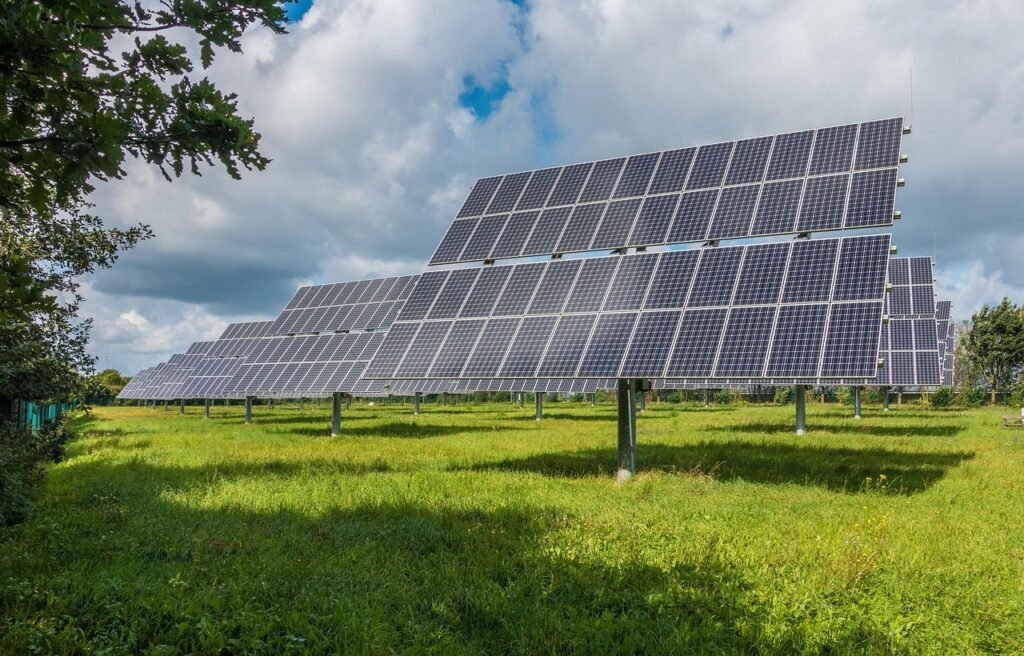
Solar power is the most direct way to reduce your home carbon footprint, and smart home technology makes solar systems more efficient and user-friendly. While rooftop solar panel installation is a major project, smart energy management systems help you maximize the value of the electricity you generate by monitoring production, optimizing consumption timing, and managing battery storage.
Whole-Home Energy Monitoring
The Sense Energy Monitor (mentioned earlier) supports solar monitoring when installed with solar current sensors. This allows you to track both energy consumption and solar production in real time, helping you shift energy-intensive activities to periods when your panels are generating excess power. For example, running your dishwasher or charging an electric vehicle during peak solar production hours means you are using clean energy directly rather than drawing from the grid.
The Sense Flex Smart Energy Monitor is particularly well-suited for solar homes because its flexible sensors can monitor both the main service and the solar feed separately, giving you a clear picture of net energy flow.
Battery Storage and Backup Power
Home battery storage systems like the Tesla Powerwall, Enphase Encharge, and EcoFlow Delta series allow you to store excess solar energy for use at night or during power outages. While specific product availability varies by region and installer, portable power stations offer a more accessible entry point. These devices can be charged from solar panels during the day and used to power essential appliances at night, reducing grid dependence.
Smart energy management becomes even more powerful when combined with time-of-use electricity rates. By charging batteries during low-rate periods (or from solar) and discharging during high-rate periods, you can reduce both your electricity bill and your reliance on grid power generated from fossil fuels during peak demand.
Indoor Air Quality and Health
For a detailed comparison of the best smart air purifiers available in 2026, including total cost of ownership analysis and CADR ratings, check out our best smart air purifiers guide.
While air quality monitoring may not directly reduce your carbon footprint, it plays an important role in sustainable home management. Understanding your indoor air quality helps you optimize ventilation, which in turn affects how you use your HVAC system. Poor indoor air quality often leads people to open windows or run air purifiers unnecessarily, both of which waste energy. Monitoring helps you make informed decisions about when ventilation is actually needed.
What to Monitor
Key indoor air quality metrics include particulate matter (PM2.5), volatile organic compounds (VOCs), carbon dioxide (CO2), carbon monoxide (CO), temperature, and humidity. High CO2 levels indicate that a room needs ventilation, while high PM2.5 or VOC levels may indicate the need for air purification or source reduction (such as switching to low-VOC cleaning products).
Recommended Air Quality Monitors
1. Amazon Smart Air Quality Monitor – The Amazon Smart Air Quality Monitor tracks five key metrics: PM2.5, VOCs, carbon monoxide, humidity, and temperature. It integrates with Alexa to provide voice updates and can trigger routines, such as turning on an air purifier when air quality drops below a threshold. The device has no display, relying entirely on the Alexa app and an LED color indicator. Setup is straightforward for households already using Alexa.
2. Airthings Wave Plus – The Airthings Wave Plus is a more comprehensive air quality monitor that includes radon detection in addition to PM2.5, VOCs, CO2, temperature, humidity, and air pressure. Radon is a naturally occurring radioactive gas that is the second leading cause of lung cancer after smoking, and testing for it is recommended by the EPA. The Wave Plus connects via Bluetooth to the Airthings app, which provides detailed charts and trends. A wave of your hand over the device triggers a color-coded visual indicator showing current air quality status.
Smart Home Automation for Sustainability
The true power of smart home sustainability comes from automation, the practice of connecting multiple devices so they work together without manual intervention. When your thermostat, lights, blinds, plugs, and appliances coordinate automatically, energy savings happen consistently without requiring you to remember every adjustment.
Sustainability Automation Ideas
Goodbye Routine: When you leave home (detected by geofencing or a door sensor), the thermostat switches to away mode, all lights turn off, smart plugs cut power to entertainment devices, and the robot vacuum starts cleaning. This single routine can save 5 to 10 percent on daily energy consumption.
Solar Optimization Routine: When your solar panels are generating excess power (detected by an energy monitor), high-energy appliances like the dishwasher or washing machine start automatically. This ensures you use clean solar energy rather than drawing from the grid.
Seasonal Blind Routine: In summer, blinds close during peak sun hours (10 AM to 4 PM) to block heat gain, then open in the evening for ventilation. In winter, blinds open during the day to capture solar heat and close at night for insulation. The seasonal smart home guide provides detailed month-by-month recommendations.
Air Quality Ventilation Routine: When CO2 levels exceed 1000 ppm (detected by an air quality monitor), a smart plug activates an exhaust fan or opens a window actuator. When levels return to normal, the fan turns off. This prevents over-ventilation and the energy waste associated with running fans continuously.
Night Mode: At bedtime, lights dim gradually over 15 minutes, the thermostat adjusts to sleeping temperature, smart plugs cut power to entertainment devices, and blinds close for insulation and privacy. This routine improves sleep quality while reducing energy consumption.
For more automation ideas, our smart home automation guide covers dozens of scenarios with step-by-step setup instructions.
Budget Eco-Friendly Setup (Under $150)
You do not need to spend thousands of dollars to start reducing your carbon footprint with smart home technology. The following budget setup delivers meaningful energy savings for under $150 total. This is an excellent starting point for renters, apartment dwellers, or anyone who wants to test the waters before making a larger investment.
| Product | Approximate Price | Energy Saving Potential | Key Feature |
|---|---|---|---|
| Amazon Smart Thermostat | $79.99 | 10 to 23 percent on HVAC | Alexa Thermostat Hunches |
| TP-Link Kasa Smart Plug Mini (2-pack) | $14.99 | 5 to 10 percent on phantom power | Scheduling and away mode |
| Wyze Bulb Color (1-pack) | $9.99 | 20 to 40 percent on lighting | Dimming and scheduling |
| Govee WiFi Water Sensor (1-pack) | $24.99 | Prevents water waste from leaks | Instant app alerts |
| Total | $129.96 | 15 to 25 percent overall | Full eco starter kit |
This setup covers the four most impactful areas for energy savings: temperature control, phantom power elimination, lighting efficiency, and leak prevention. All four devices work with Alexa, so you can create routines that coordinate their actions. For example, an away routine can set the thermostat to eco mode, turn off the smart plug (cutting power to your TV and entertainment center), turn off the light, and still alert you if a water leak is detected.
For more budget-friendly options, see our best smart home devices under $100 guide.
Calculating Your Carbon Footprint Reduction
To measure the actual impact of your smart home sustainability efforts, you need to understand how electricity consumption translates to carbon emissions. In the United States, the average carbon intensity of electricity is approximately 0.85 pounds of CO2 per kWh, though this varies significantly by region. In areas with heavy coal dependence, the figure can exceed 1.5 pounds per kWh, while in areas with abundant hydroelectric or nuclear power, it can be as low as 0.3 pounds per kWh.
Step-by-Step Calculation
Step 1: Baseline Measurement – Before installing any smart home devices, record your average monthly electricity consumption from utility bills over a 12-month period. This establishes your baseline.
Step 2: Post-Installation Measurement – After installing and configuring your smart home devices for at least 3 months, calculate your new average monthly consumption. Compare this to the same months in your baseline period to account for seasonal variations.
Step 3: Convert to Carbon – Multiply your monthly energy savings (in kWh) by your local carbon intensity factor. You can find your local factor on the EPA Power Profiler website by entering your ZIP code.
Example Calculation: If your smart home setup saves 200 kWh per month and your local carbon intensity is 0.85 lbs CO2 per kWh, your monthly carbon reduction is 170 pounds of CO2. Over a year, that equals 2,040 pounds, or just over 1 metric ton of CO2 avoided. To put this in perspective, it is equivalent to driving approximately 2,300 fewer miles in a gasoline-powered car.
Step 4: Factor in Water Savings – If you have smart irrigation or leak detection, calculate water savings and convert to the energy used to treat and pump that water. The EPA estimates that it takes approximately 0.0026 kWh to treat and deliver one gallon of water, so saving 1,000 gallons per month saves an additional 2.6 kWh and the associated carbon emissions.
Step 5: Include Appliance Efficiency – If you replaced old appliances with ENERGY STAR certified smart models, use the Energy Guide labels to estimate annual savings and add those to your total.
Common Mistakes That Waste Energy
Even with smart home technology installed, certain mistakes can undermine your energy savings. Avoiding these pitfalls is just as important as choosing the right devices.
1. Setting the Thermostat Too Aggressive on Away Temperature – If you set your away temperature too far from your comfort setting, your HVAC system must work overtime to restore comfort when you return, potentially using more energy than it saved. A 5 to 8 degree adjustment is generally optimal.
2. Leaving Smart Devices in Manual Mode – Smart plugs, lights, and thermostats only save energy if they are actually automating. If you install devices but never set up schedules or routines, you are paying for technology without reaping its benefits. Spend an hour configuring automation rules after installation.
3. Ignoring Energy Reports – Many smart devices generate detailed energy reports, but most users never look at them. Reviewing these reports monthly helps you identify new sources of waste, such as an appliance that is drawing more power than expected (which could indicate it needs maintenance or replacement).
4. Over-Automating to the Point of Inefficiency – Some users create so many automation rules that devices constantly cycle on and off, which can actually increase energy consumption. Motors, compressors, and many electronics use more power during startup than during steady operation. Avoid creating rules that cause rapid on-off cycling.
5. Forgetting About Seasonal Adjustments – Automation that works well in summer may be counterproductive in winter. Review and adjust your automation rules at the start of each season. Our seasonal smart home guide provides a month-by-month checklist.
6. Placing Sensors in Poor Locations – Temperature sensors placed near vents, windows, or heat-generating appliances will give inaccurate readings, causing your thermostat to make poor decisions. Place sensors on interior walls at approximately chest height, away from direct sunlight and airflow.
For a more comprehensive list of pitfalls, our smart home mistakes to avoid guide covers over 30 common errors.
Privacy Considerations
Smart home devices collect significant amounts of data about your daily habits, including when you are home, when you sleep, what rooms you use, and how much energy you consume. This data is valuable for optimizing device performance, but it also raises privacy concerns that every smart home owner should consider.
Data Collection and Security
Smart thermostats know your daily schedule. Smart speakers process voice commands. Smart cameras record video. Energy monitors can infer what appliances you use and when. While this data enables automation and optimization, it also creates a detailed profile of your household that could be exploited if it falls into the wrong hands.
To protect your privacy while still benefiting from smart home sustainability features, consider the following steps. First, review the privacy settings in each device app and disable data sharing for marketing or analytics purposes where possible. Second, use strong, unique passwords for each smart home account and enable two-factor authentication. Third, consider using a local hub (such as Home Assistant or Hubitat) instead of cloud-dependent services for devices that support local control. Fourth, regularly check for firmware updates, as manufacturers patch security vulnerabilities through these updates.
Choosing Privacy-Respecting Products
When selecting smart home devices, look for products that support local processing (Matter over Thread, Zigbee, or Z-Wave protocols) rather than requiring constant cloud connectivity. The Airthings Wave Plus, for example, stores data locally and syncs via Bluetooth rather than WiFi. Lutron Caseta devices communicate through a local hub rather than directly to the cloud. These design choices reduce the amount of data transmitted to and stored on manufacturer servers.
Be cautious about devices with always-listening microphones or always-on cameras, especially in private areas like bedrooms and bathrooms. If you use a voice assistant for smart home control, consider muting the microphone when it is not actively needed, or use a physical button trigger instead of a wake word.
Frequently Asked Questions