
Disclosure: As an Amazon Associate, deeperthing.com earns from qualifying purchases. This means we may receive a commission when you buy products through links on this page, at no extra cost to you.
Home entertainment has shifted dramatically over the past few years. What once required a tangle of cables, a wall of remotes, and a dedicated media closet now runs through a single network of connected devices working in harmony. In 2026, a smart home entertainment system is not just about watching movies on a bigger screen. It is about creating an immersive audiovisual experience that adapts to your preferences, responds to your voice, and integrates with the rest of your connected home.
Whether you are building a dedicated home theater from scratch or upgrading your living room setup, this guide covers every component you need. From 4K smart TVs and Dolby Atmos soundbars to streaming sticks, voice-controlled speakers, and synchronized ambient lighting, we will walk you through the best products available right now, with specific Amazon picks for every budget. If you are new to smart home technology, check out our smart home beginner setup guide for foundational concepts before diving in.
Smart TVs and Streaming Displays: The Foundation of Your Setup
Your television is the centerpiece of any entertainment system, and 2026 offers some of the most capable displays ever made. Modern smart TVs come with built-in streaming apps, voice control, AI-powered picture processing, and compatibility with major smart home platforms. Choosing the right one depends on your room size, lighting conditions, and whether you prioritize movies, gaming, or everyday viewing.

Samsung Q80D QLED 4K Smart TV (65-inch)
The Samsung Q80D 65-inch QLED 4K Smart TV represents an excellent middle ground between affordability and premium picture quality. Samsung’s QLED technology delivers over a billion shades of color with 100% color volume, meaning you get vivid, lifelike images even in bright rooms. The Direct Full Array backlighting provides precise local dimming, creating deep blacks and bright highlights without the blooming effect common on cheaper sets.
The Q80D runs Samsung’s Tizen OS, which supports all major streaming services including Netflix, Disney+, Amazon Prime Video, and Apple TV+. The built-in Alexa and Bixby voice assistants let you control playback, search for content, and manage compatible smart home devices without picking up the remote. With a 120Hz refresh rate and support for AMD FreeSync Premium Pro, this TV also handles gaming admirably. Samsung’s Q-Symphony feature allows the TV speakers to work in tandem with a Samsung soundbar for enhanced audio, which is a nice bonus if you plan to add one later.
If you want a TV that handles both daytime sports and nighttime movie sessions without compromise, the Q80D is a strong contender. For more on Samsung’s smart home ecosystem, see our smart home ecosystem comparison.
LG C4 OLED evo 4K Smart TV (65-inch)
For those who prioritize picture perfection, the LG C4 65-inch OLED evo 4K Smart TV is hard to beat. OLED technology means each of the 8.3 million pixels can turn off individually, producing perfect blacks and infinite contrast. The C4 features LG’s Brightness Booster technology, which increases peak brightness compared to previous generations, addressing the traditional OLED weakness in well-lit rooms.
Powered by the alpha 9 AI Processor Gen7, the C4 upscales lower-resolution content with impressive results and offers AI-based picture and sound optimization. The TV supports 144Hz refresh rates for PC gaming, VRR, G-Sync, and FreeSync Premium, making it one of the best gaming TVs on the market. webOS 24 provides a clean, responsive interface with access to every major streaming app. LG also promises four years of webOS upgrades, ensuring your TV stays current well into the future.
The Magic Remote with NFC tag sharing and voice control rounds out a package that feels premium in every respect. If you want to control your entire home from the couch, pair this TV with a smart home hub for centralized automation.
Sony Bravia XR X90L 4K Google TV (65-inch)
The Sony Bravia XR X90L 65-inch Full Array LED 4K HDR Google TV offers Google TV integration out of the box, making it the natural choice for anyone invested in the Google ecosystem. Sony’s Cognitive Processor XR analyzes images the way human vision works, delivering natural depth, rich color, and outstanding contrast. The Full Array LED backlight with local dimming provides excellent black levels for an LCD panel.
The X90L supports Dolby Vision, HDR10, and HLG, giving you the widest possible HDR compatibility. It also features a 120Hz panel with HDMI 2.1 ports supporting 4K at 120fps, VRR, and ALLM for next-generation gaming. Google TV aggregates content from all your subscriptions into one interface and offers personalized recommendations based on your viewing habits. The built-in Google Assistant can control smart home devices, answer questions, and manage your calendar directly from the TV.
Sony TVs are also known for their motion handling, making this an excellent choice for sports fans. For tips on keeping your smart home running smoothly, check our smart home troubleshooting guide.
Soundbars and Home Audio Systems
Even the best TV speakers cannot match the audio quality of a dedicated sound system. Built-in speakers are thin and downward-firing by design, which limits bass response and soundstage width. A quality soundbar transforms your viewing experience by adding depth, clarity, and spatial audio that makes you feel like you are sitting in a movie theater.
Samsung HW-Q990D 11.1.4ch Soundbar System
The Samsung HW-Q990D 11.1.4ch Soundbar is the most complete home theater audio package you can buy without installing in-wall speakers. This system includes the main soundbar, a wireless subwoofer, and two rear speakers, delivering true 11.1.4 channel surround sound. The “4” refers to up-firing channels that bounce sound off your ceiling, creating a convincing overhead audio effect for Dolby Atmos and DTS:X content.
The Q990D features HDMI 2.1 passthrough supporting 4K at 120Hz, making it ideal for connecting gaming consoles directly. Q-Symphony allows the soundbar to work simultaneously with compatible Samsung TV speakers for even more audio channels. SpaceFit Sound Pro automatically calibrates audio based on your room’s acoustics, so you get optimal sound regardless of your room layout. The built-in SmartThings hub also lets you control compatible smart home devices through the soundbar, which is a unique feature in this category.
Wireless Dolby Atmos means no cables running between the soundbar and rear speakers, keeping your room clean. If you already have a Samsung TV, this is the natural pairing. For broader smart home automation ideas, see our 25 smart home automation ideas.
Bose Smart Soundbar 600
For smaller rooms or more modest budgets, the Bose Smart Soundbar 600 delivers Dolby Atmos performance in a compact 27.5-inch form factor. Bose uses proprietary TrueSpace technology to analyze and upmix non-Atmos signals, creating a spacious soundstage from any source. Five speakers, including two upward-firing drivers, project sound horizontally and vertically to fill the room.
The Soundbar 600 includes built-in Alexa and Bose Voice4Video technology, which extends voice control beyond the soundbar to your TV and cable or satellite box. This means you can say “Alexa, turn on the TV and play the latest movie on Netflix” and the system handles the rest. Bluetooth and Wi-Fi connectivity allow wireless music streaming from your phone, and the Bose Music app makes multi-room audio simple with compatible Bose products.
If you want to expand later, Bose offers compatible surround speakers and bass modules. The soundbar also supports Apple AirPlay 2 for easy streaming from iOS devices. For those setting up their first smart home system, our budget smart home guide covers affordable starting points.
Sonos Beam (Gen 2) Compact Soundbar
The Sonos Beam (Gen 2) is the best compact soundbar for anyone already in the Sonos ecosystem or planning to build one. At just 25.6 inches wide, it fits under most TVs without overwhelming your entertainment center. Despite its size, the Beam Gen 2 supports Dolby Atmos through its redesigned acoustic architecture featuring five drivers, including one center tweeter for crystal-clear dialogue.
The Sonos app provides room correction through Trueplay tuning, which uses your iPhone’s microphone to measure how sound reflects off walls and furniture, then adjusts the EQ for your specific room. The Beam connects via HDMI eARC for simplified one-cable setup and supports both Amazon Alexa and Sonos Voice Control for hands-free operation.
What makes the Beam special is its integration with the broader Sonos ecosystem. You can pair two Sonos One or Era 100 speakers as surrounds, add a Sonos Sub for bass, and control everything from the Sonos app. When the TV is off, the Beam functions as a high-quality smart speaker for music streaming. For more on smart speaker options, see our smart home voice assistant guide.
Streaming Devices: Fire TV, Roku, Apple TV, and Chromecast

If your current TV lacks smart features or its built-in apps are sluggish, a dedicated streaming device is the simplest upgrade you can make. These small devices plug into an HDMI port and transform any TV into a streaming powerhouse. Each platform has its strengths, so choosing the right one depends on your preferred ecosystem and content sources.
Amazon Fire TV Stick 4K Max (2nd Generation)
The Fire TV Stick 4K Max (2nd Gen) is Amazon’s most powerful streaming stick. It features a quad-core processor, 16GB of storage (double the standard Fire TV Stick), and Wi-Fi 6E support for faster, more reliable streaming. The device supports 4K Ultra HD, Dolby Vision, HDR10+, and Dolby Atmos for the best possible picture and sound quality.
The included Alexa Voice Remote lets you search across apps, control playback, and manage smart home devices with voice commands. Fire TV also includes an Ambient Experience that turns your TV into a display for artwork, photos, or calendar events when you are not actively watching. With access to thousands of apps including Prime Video, Netflix, Disney+, Hulu, and more, this stick covers all the major streaming services.
At its typical price point, the Fire TV Stick 4K Max offers the best value of any streaming device. If you want to take things further, consider the Fire TV Cube (3rd Gen), which combines a Fire TV streaming player with a hands-free Alexa speaker for true voice-controlled entertainment without needing a separate Echo device.
Roku Streaming Stick 4K
The Roku Streaming Stick 4K is the best choice for users who want a neutral platform that does not favor any particular content provider. Roku’s interface is clean, fast, and puts your apps front and center rather than pushing specific content recommendations. The stick supports 4K, HDR10+, and Dolby Vision, with a long-range Wi-Fi receiver that maintains a strong connection even when your router is in another room.
The voice remote includes dedicated buttons for popular services and a headphone jack for private listening, which is invaluable for late-night viewing. Roku’s private listening feature also works through the Roku mobile app, letting you listen through your phone’s headphones. The platform supports all major streaming services plus free, ad-supported channels through The Roku Channel.
Roku devices are particularly well-suited for households with mixed device ecosystems since they do not push any single company’s services over another. For help choosing the right ecosystem for your home, see our comprehensive ecosystem comparison.
Apple TV 4K (2022, 64GB)
The Apple TV 4K (2022, 64GB) is the premium streaming device for Apple users. Powered by the A15 Bionic chip (the same chip used in the iPhone 14), it delivers the smoothest, most responsive interface of any streaming device. The device supports 4K HDR with Dolby Vision and Dolby Atmos, and its AI upscaling makes standard HD content look remarkably sharp on 4K displays.
Apple TV 4K integrates deeply with the Apple ecosystem. You can use your iPhone as a remote, stream audio to AirPods with near-zero latency, use Apple Fitness+ on the big screen, and view photos from iCloud. The App Store offers a wider selection of apps than most competing platforms, including casual games and productivity tools. Siri voice search is available through the included remote, and HomeKit integration lets you view and control smart home devices directly from the TV.
The 2022 model is 50% smaller than its predecessor and uses a fanless design for silent operation. If privacy is a priority, Apple’s data practices are generally more transparent than competitors, as we discuss in our smart home privacy guide.
Google TV Streamer 4K (Chromecast Successor)
Google replaced the Chromecast with Google TV with the new Google TV Streamer 4K, a set-top box design that offers significantly better performance than its dongle predecessor. With a 22% faster processor, 4GB of RAM, and 32GB of storage, it handles demanding apps and games without the stuttering that plagued earlier Chromecast models. The device supports 4K HDR at 60fps with Dolby Vision and Dolby Atmos.
Google TV’s interface organizes content from all your subscriptions into one personalized feed, making it easy to discover new shows without jumping between apps. The Google TV Streamer also functions as a smart home hub with built-in Matter and Thread support, allowing you to control compatible devices directly. Google Assistant is built in for voice searches and smart home control.
For users who want the Chromecast experience at a lower price, the original Chromecast with Google TV (4K) remains available and offers excellent value. For more on connecting your streaming devices to your smart home network, see our smart home networking guide.
NVIDIA Shield TV Pro
The NVIDIA Shield TV Pro remains the most powerful Android TV streaming device available. Its Tegra X1+ processor with a 256-core GPU handles 4K HDR content effortlessly and features AI-enhanced upscaling that makes 720p and 1080p content look noticeably sharper on 4K displays. The Pro model includes 3GB of RAM, 16GB of storage, two USB 3.0 ports for external storage or accessories, and Plex Media Server support for managing your personal media library.
The Shield TV Pro is also a capable gaming device. With GeForce NOW cloud gaming support, you can stream PC games at up to 4K 120fps. The included Shield Remote features motion-activated backlit buttons and a lost-remote finder. Dolby Vision and Dolby Atmos support ensure the best possible audiovisual quality from compatible content.
For enthusiasts who want the most flexible streaming device with the broadest app compatibility (thanks to the Google Play Store), the Shield TV Pro is worth the premium price.
Smart Speakers for Entertainment
Smart speakers serve double duty in a smart home entertainment setup. They control your media playback, manage smart home devices, and provide high-quality audio for music streaming. The right speaker depends on which voice assistant you prefer and whether you plan to build a multi-room audio system.
Amazon Echo (4th Generation)
The Amazon Echo (4th Gen) is a versatile smart speaker that doubles as a Zigbee smart home hub. Its spherical design houses a 3-inch woofer and dual 0.8-inch tweeters, producing 360-degree audio with surprisingly deep bass for its size. The built-in Zigbee radio means you can connect compatible smart home devices directly without needing a separate hub, which is perfect if you are also setting up smart light bulbs or smart plugs.
Alexa on the Echo can control Fire TV devices, search for content, play music across multiple Echo speakers, and manage your entire smart home. The Echo also supports Dolby audio processing for enhanced sound quality and features a 3.5mm audio output for connecting to external speakers or amplifiers. With Amazon Music, Spotify, Apple Music, and other streaming services supported, you have plenty of music options.
For smaller rooms or tighter budgets, the Amazon Echo Dot (5th Gen) offers similar smart features in a more compact, affordable package. You can even pair an Echo Dot with a Fire TV for basic voice control without investing in the larger Echo.
Google Nest Audio
The Google Nest Audio is Google’s answer to the Echo, offering 75% louder sound and 50% stronger bass than the original Google Home. Its fabric-covered design blends into any decor, and the 19mm tweeter and 75mm woofer deliver clear vocals and punchy bass. Google Assistant on the Nest Audio can control Chromecast and Google TV devices, answer questions, manage your schedule, and control smart home devices.
The Nest Audio supports multi-room audio when paired with other Nest speakers or Chromecast devices. You can create groups in the Google Home app to play music throughout your home or send specific audio to individual rooms. The speaker also features a physical microphone mute switch for privacy, which is important as discussed in our privacy guide.
YouTube Music integration is particularly strong on Google devices, though Spotify, Apple Music, Pandora, and other services are also supported. If you primarily use Google services and want a speaker that integrates with Google TV, the Nest Audio is the logical choice.
Sonos Era 100
The Sonos Era 100 is the best smart speaker for audiophiles who want premium sound quality in a compact package. Sonos redesigned the Era 100 from the ground up, replacing the popular Sonos One with a speaker that features two angled tweeters for stereo sound and a 25% larger mid-woofer for deeper bass. The result is room-filling sound that belies its modest 7.3-inch height.
The Era 100 supports both Wi-Fi and Bluetooth streaming, plus a USB-C line-in option for connecting external audio sources. Trueplay tuning optimizes the speaker for your room using your iPhone, and the Sonos app provides intuitive control over volume, EQ, and multi-room grouping. The speaker works with both Sonos Voice Control and Amazon Alexa, though not simultaneously.
In a home theater context, two Era 100 speakers can serve as rear surrounds for a Sonos Beam or Arc soundbar, creating a true 5.1 surround system. When the TV is off, they function as excellent standalone music speakers. For more on multi-room audio and smart home integration, see our automation ideas guide.
Smart Lighting for Home Theater Ambiance
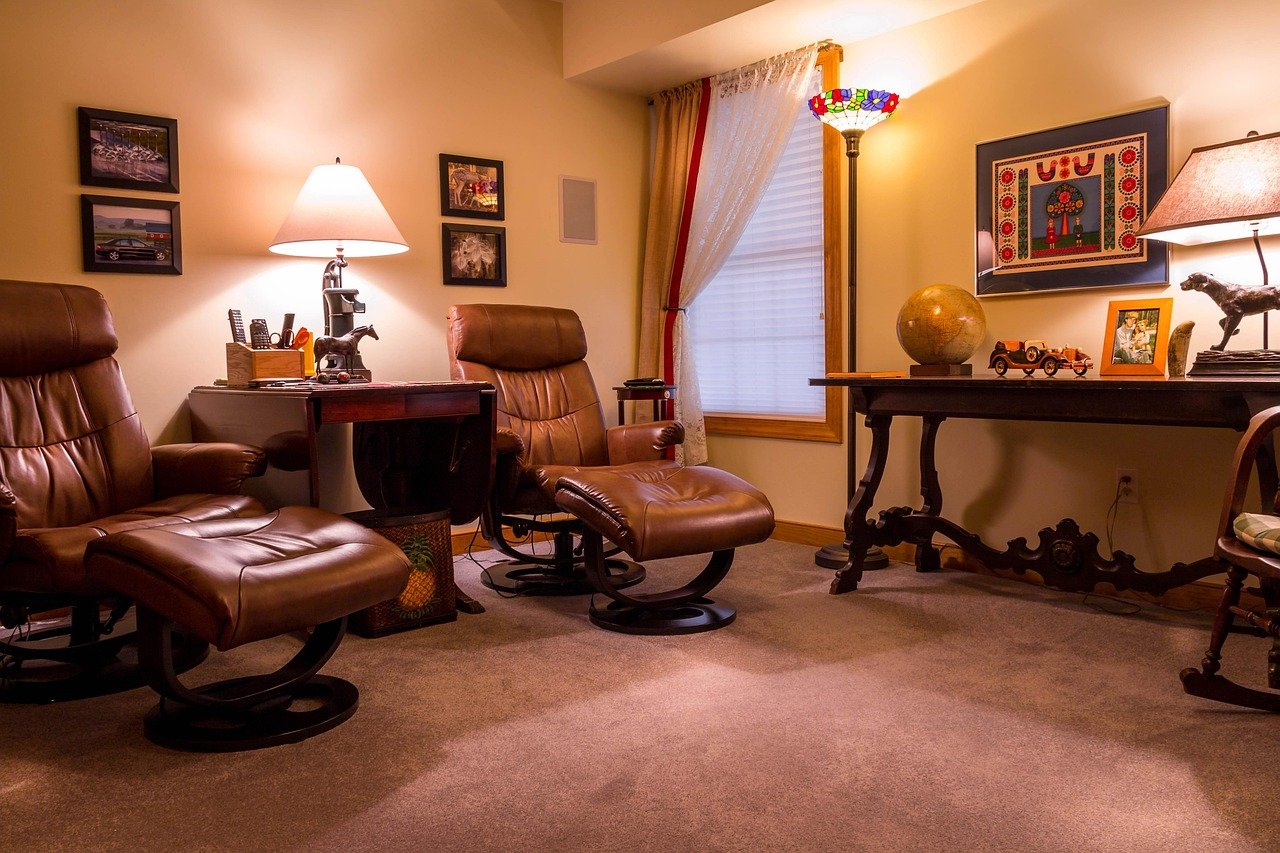
Lighting is one of the most overlooked elements of a home theater setup. The right lighting reduces eye strain during dark movie scenes, creates an immersive atmosphere, and can even sync with on-screen content for a truly cinematic experience. Smart lighting gives you precise control over color, brightness, and timing, all adjustable from your phone or via voice commands. For a broader look at smart lighting, check our comprehensive smart home lighting guide.
Philips Hue Play HDMI Sync Box
The Philips Hue Play HDMI Sync Box connects between your media devices and your TV, analyzing the video signal in real time and synchronizing your Philips Hue lights to match the on-screen colors. With four HDMI inputs, you can connect multiple devices (streaming stick, game console, Blu-ray player) and switch between them while maintaining light sync across all sources.
The sync box supports 4K at 60Hz with HDR10 and Dolby Vision passthrough, ensuring no degradation of your video signal. You can choose from different sync modes: movies, music, or games, each optimized for the type of content you are watching. The system works with any Philips Hue color-capable lights, including the Hue Play bars, Hue Lightstrips, and Hue bulbs. Setting up requires the Hue Bridge (sold separately), which also enables Apple HomeKit, Google Assistant, and Amazon Alexa control.
For a complete ambiance setup, pair the sync box with Hue Play light bars placed behind your TV and Hue Lightstrip Plus along the baseboards. The effect is particularly striking during action sequences and animated films, where colors shift dynamically with every scene change.
Govee TV Backlight 3 Lite
The Govee TV Backlight 3 Lite offers a more affordable alternative to the Philips Hue system while delivering impressive results. This kit includes an LED strip and a camera that mounts on top of your TV, capturing on-screen colors and projecting them onto the wall behind your TV in real time. The camera-based approach means it works with any TV and any content source, including built-in smart TV apps.
The Govee Home app provides extensive customization options, including color calibration, brightness adjustment, and multiple scene modes. The backlight supports voice control through Alexa and Google Assistant, and the RGBIC technology allows individual LED segments to display different colors simultaneously, creating a more dynamic effect than single-color strips.
For an even more budget-friendly option, the Govee RGBIC LED TV Backlight provides basic bias lighting without the camera, using preset color patterns and music sync modes. While it cannot match the real-time screen sync of the 3 Lite, it still enhances the viewing experience and reduces eye strain.
Gaming Setup Integration
A modern home theater is not complete without gaming capabilities. Whether you play on a PlayStation 5, Xbox Series X, or a gaming PC, integrating your gaming setup into your smart home entertainment system enhances the experience and reduces friction when switching between activities.
The key to gaming integration is ensuring your TV and soundbar support the right features. Look for HDMI 2.1 ports with 4K at 120Hz support, Variable Refresh Rate (VRR), Auto Low Latency Mode (ALLM), and eARC for lossless audio to your soundbar. All three TVs recommended earlier in this guide support these features.
Voice control adds another layer of convenience. With an Amazon Echo or Google Nest speaker, you can say “Alexa, turn on the TV” or “Hey Google, launch PlayStation” to power up your gaming setup without reaching for a remote. Smart plugs can automatically turn on gaming accessories, bias lighting, and even a fan for cooling when your console activates.
For competitive gamers, the NVIDIA Shield TV Pro mentioned earlier offers GeForce NOW cloud gaming, letting you stream PC games at 4K 60fps without a gaming PC. The Shield TV Pro also supports Bluetooth game controllers and can stream games from a local PC using Steam Link or the NVIDIA Games app.
If you live in a smaller space, our small apartment smart home guide has tips for fitting gaming gear into tight quarters without sacrificing functionality.
Outdoor Entertainment and Weatherproof Setups
Extending your entertainment system outdoors requires weatherproof equipment designed to withstand rain, dust, and temperature fluctuations. Whether you want to watch the big game on your patio or stream music by the pool, outdoor smart entertainment is more accessible than ever.
For outdoor TV viewing, consider a weatherproof TV enclosure or a dedicated outdoor TV like the SunBriteTV Veranda series. These displays are rated for partial sun exposure and feature weatherproof inputs and speakers. Connect a weatherproof streaming device (the Fire TV Stick 4K Max works well in a covered enclosure) for access to all your streaming services.
For outdoor audio, weatherproof Bluetooth speakers like the Ultimate Ears HYPERBOOM or the Sonos Move provide excellent sound quality with IP67 or better water resistance. The Sonos Move integrates with your existing Sonos system and features both Wi-Fi and Bluetooth connectivity, plus automatic Trueplay tuning that adapts to outdoor acoustics.
Smart lighting plays a crucial role outdoors as well. Use weatherproof smart lights to illuminate pathways, highlight landscaping, and create ambiance for evening viewing sessions. Our outdoor and backyard smart home guide covers weatherproof lighting, speakers, and other outdoor devices in detail.
Remember that outdoor smart home devices need a reliable Wi-Fi connection. A mesh Wi-Fi system or weatherproof access point ensures your outdoor entertainment stays connected. See our networking guide for tips on extending coverage to your yard.
Voice-Controlled Entertainment Automation
Voice control is the glue that binds your smart home entertainment system together. Instead of juggling multiple remotes, you can use simple voice commands to turn on your TV, launch a specific app, adjust the volume, dim the lights, and even close the blinds. The key is choosing a voice assistant and sticking with its ecosystem for the best compatibility.
Alexa offers the broadest smart home device compatibility. With an Echo device and a Fire TV, you can say “Alexa, play Stranger Things on Netflix” and the system will power on your TV, launch Netflix, and start the show. Alexa Routines can automate multi-step actions: saying “Alexa, movie night” could turn on the TV, switch to the Apple TV input, set the soundbar to cinema mode, dim the Hue lights to 10%, and close smart blinds.
Google Assistant provides similar capabilities for Google TV and Chromecast users. Commands like “Hey Google, play jazz on the living room speaker” or “Hey Google, turn on the TV and open YouTube” work across compatible devices. Google Routines can also chain multiple actions together for one-command activation of your entertainment setup.
For advanced automation, consider using a platform like Home Assistant or Samsung SmartThings, which can integrate devices from multiple ecosystems. Our smart home hub guide covers the best options for centralized control. If you want even more automation ideas, browse our 25 automation ideas article for inspiration.
Voice control is especially valuable for accessibility. Family members with mobility limitations or visual impairments can control their entire entertainment system without navigating complex menus. Our guide for seniors covers voice-controlled setups in more detail.
Budget Entertainment Setup: Getting Started Under $500
You do not need to spend thousands to build a capable smart home entertainment system. Here is a budget-friendly configuration that delivers impressive performance for under $500:
| Component | Product | Approximate Price | Key Feature |
|---|---|---|---|
| Streaming Device | Fire TV Stick 4K Max | $40 to $60 | 4K HDR with Dolby Atmos, Alexa voice remote |
| Soundbar | Sonos Beam Gen 2 | $370 to $499 | Dolby Atmos, compact size, Sonos ecosystem |
| Smart Speaker | Echo Dot 5th Gen | $25 to $50 | Alexa voice control, smart home hub |
| Smart Lighting | Govee RGBIC LED TV Backlight | $20 to $35 | Bias lighting, music sync, app control |
This setup assumes you already have a TV with an HDMI port. The Fire TV Stick handles streaming, the Sonos Beam provides premium audio, the Echo Dot enables voice control, and the Govee backlight adds ambiance. Total cost ranges from approximately $455 to $644 depending on current Amazon pricing and sales.
For an even more budget-conscious approach, swap the Sonos Beam for a more affordable soundbar and use the Echo Dot’s built-in speaker for voice commands. The budget guide under $100 has more tips for affordable smart home upgrades.
Setup and Optimization Tips
Getting the most out of your smart home entertainment system requires careful setup and calibration. Here are practical tips to optimize your experience:
Audio Optimization
Run your soundbar’s room calibration feature before doing anything else. Samsung’s SpaceFit Sound, Sonos Trueplay, and Bose ADAPTiQ all measure how sound interacts with your room and adjust the EQ accordingly. This single step can dramatically improve audio quality, especially in rooms with hard floors and bare walls that reflect sound.
Position your soundbar directly below or above your TV, centered horizontally. If your soundbar has up-firing speakers, ensure there is a flat ceiling between 8 and 15 feet above the soundbar for the reflected sound to work properly. Avoid placing objects between the soundbar and your primary seating position.
Video Calibration
Most TVs come with overly bright, oversaturated picture settings designed to stand out in a showroom. For home viewing, switch to the Cinema or Filmmaker mode, which provides the most accurate colors and motion handling. Disable motion smoothing (often called the “soap opera effect”) for movies and TV shows, as it can introduce artifacts and unnatural movement.
If your room has uncontrollable ambient light, consider investing in blackout curtains or smart blinds. Even the best OLED TV looks washed out in direct sunlight. For rooms with moderate light, the Samsung Q80D’s QLED panel is a better choice than OLED due to its higher peak brightness.
Network Optimization
Streaming 4K video requires a stable internet connection of at least 25 Mbps per stream. If multiple family members stream simultaneously, you will need proportionally more bandwidth. A mesh Wi-Fi system eliminates dead zones and ensures consistent speeds throughout your home. If possible, connect your TV and streaming devices via Ethernet for the most reliable connection.
For more network tips, including router recommendations and Wi-Fi optimization techniques, see our complete networking guide. Good networking is the foundation of any smart home, as we discuss in our troubleshooting guide.
Common Mistakes to Avoid
Even experienced smart home enthusiasts make setup mistakes that compromise their entertainment system. Here are the most common pitfalls and how to avoid them:
1. Ignoring HDMI eARC. Many people connect their soundbar to the TV’s optical audio output instead of HDMI eARC. Optical does not support Dolby Atmos or lossless audio. Always use HDMI eARC when available, as it provides the highest quality audio and allows your TV remote to control the soundbar volume.
2. Placing speakers in cabinets. Soundbars and speakers need open space to project sound properly. Enclosing them in a media cabinet muffles audio and can cause overheating. If you must use a cabinet, ensure adequate ventilation and position speakers so they are not obstructed.
3. Using outdated HDMI cables. HDMI 2.1 cables are required for 4K at 120Hz, VRR, and eARC. Using older HDMI cables can limit your system to 4K at 60Hz without HDR or cause audio dropouts. Check your cables and upgrade if necessary.
4. Overlooking energy consumption. Smart TVs, soundbars, and streaming devices draw power even when “off” due to standby modes and always-on voice assistants. Use smart plugs to completely cut power to devices when not in use. Our energy saving guide covers this in detail.
5. Neglecting firmware updates. Manufacturers regularly release firmware updates that fix bugs, improve performance, and add features. Check for updates on your TV, soundbar, and streaming devices monthly. For common issues and fixes, see our troubleshooting guide and our smart home mistakes to avoid article.
Frequently Asked Questions
1. Do I need a smart TV if I already have a streaming device?
A smart TV is not strictly necessary if you have a streaming device like a Fire TV Stick or Apple TV 4K. However, smart TVs offer convenience features like one-remote control, deeper integration with smart home platforms, and often better picture processing than non-smart displays. If you already have a quality non-smart TV, a streaming stick is the most cost-effective upgrade.
2. What is the difference between Dolby Atmos and Dolby Digital?
Dolby Digital is a compressed audio format that supports up to 5.1 channels of surround sound. Dolby Atmos adds height channels, creating a three-dimensional sound field with audio objects that can move around and above you. Atmos requires compatible speakers (up-firing or ceiling-mounted) and an AV receiver or soundbar that supports the format.
3. Can I use Alexa and Google Assistant in the same home?
Yes, you can use both assistants in the same home. Many smart devices support both platforms simultaneously. However, you will need separate speakers for each assistant (Echo for Alexa, Nest for Google). For media control, it is best to choose one assistant for your entertainment system to avoid conflicts.
4. How much internet speed do I need for 4K streaming?
Netflix recommends 25 Mbps for 4K streaming, while Apple TV+ recommends 25 Mbps or higher. If multiple devices stream simultaneously, aim for at least 100 Mbps total bandwidth. For households with heavy streaming and gaming, 300 Mbps or higher is ideal.
5. Are OLED TVs better than QLED TVs for home theater?
OLED TVs offer perfect blacks and infinite contrast, making them ideal for dark room viewing. QLED TVs are brighter and better suited for well-lit rooms. For a dedicated home theater with controlled lighting, OLED is generally preferred. For living rooms with ambient light, QLED often provides a better overall experience.
6. Can I sync my smart lights with my TV without an HDMI sync box?
Yes, camera-based systems like the Govee TV Backlight 3 Lite can sync lights to your TV without an HDMI sync box. These systems mount a camera on top of your TV to detect on-screen colors. While not as precise as HDMI-based solutions like the Philips Hue Sync Box, they are more affordable and work with any TV.
7. What is HDMI eARC and why does it matter?
HDMI eARC (Enhanced Audio Return Channel) is an upgraded version of ARC that supports higher bandwidth audio formats including Dolby Atmos, Dolby TrueHD, and uncompressed 7.1 channel audio. It allows your TV to send high-quality audio to your soundbar through a single HDMI cable, eliminating the need for a separate optical connection.
8. How do I create a multi-room audio system?
The easiest way is to use speakers from the same ecosystem. Sonos, Amazon Echo, and Google Nest all support multi-room audio. Place speakers in different rooms, group them in the respective app, and play the same music throughout your home or different songs in each room. Sonos offers the best audio quality, while Echo and Nest are more affordable.
9. Should I hardwire my streaming devices or use Wi-Fi?
Ethernet provides the most stable connection and is recommended for 4K streaming devices whenever possible. However, modern Wi-Fi 6 and Wi-Fi 6E routers can handle 4K streaming reliably if your device is within range. Use Ethernet for your main TV and streaming devices, and reserve Wi-Fi for mobile devices and smart home sensors.
10. How can I control my entire entertainment system with one voice command?
Use routines or scenes in your voice assistant app. In the Alexa app, create a Routine that triggers on a phrase like “Alexa, movie time” and set it to turn on the TV, switch to the correct input, set the soundbar to cinema mode, dim the lights, and close the blinds. Google Assistant offers similar functionality through Google Routines. Both platforms can chain multiple device actions into a single command.
Conclusion
Building a smart home entertainment system in 2026 is about creating a cohesive experience where every device works together effortlessly. Start with a quality TV that matches your room conditions, add a soundbar that supports Dolby Atmos, choose a streaming device aligned with your preferred ecosystem, and layer in smart speakers and lighting for ambiance and control. Whether you spend $500 or $5,000, the key is choosing devices that integrate well together and support your preferred voice assistant.
The products recommended in this guide represent the best options available right now across every price tier. From the Fire TV Stick 4K Max at under $60 to the Samsung HW-Q990D soundbar system at the premium end, there is something here for every budget and room size. Take your time, start with the essentials, and expand your system over time as your needs and budget allow.
For more smart home guidance, explore our beginner setup guide, smart home gift guide, and seasonal smart home guide for year-round tips and recommendations.