
Disclosure: deeperthing.com is a participant in the Amazon Services LLC Associates Program, an affiliate advertising program designed to provide a means for sites to earn advertising fees by linking to Amazon.com. As an FTC-compliant affiliate, we may earn a commission from qualifying purchases made through links in this guide. Our recommendations are based on independent research and hands-on testing, and affiliate relationships do not influence our editorial ratings or product rankings.
Introduction: Why Your Voice Assistant Choice Defines Your Smart Home
The voice assistant you choose today will shape your smart home experience for years to come. It determines which speakers you place in every room, which thermostat responds to your commands, and whether your morning routine starts with a simple “good morning” or requires five different apps on your phone. In 2026, the four major voice assistants (Amazon Alexa, Google Assistant, Apple Siri, and Samsung Bixby) have each matured significantly, but they remain fundamentally different in their strengths, ecosystems, and design philosophies.
Choosing a voice assistant is not just about picking a speaker. It is about choosing a platform that will become the command center for your entire connected home. From controlling smart light bulbs to managing your smart thermostat, your voice assistant is the bridge between you and dozens of devices scattered throughout your house. The wrong choice can leave you with incompatible devices, limited automation options, and a frustrating user experience.
This guide provides a comprehensive comparison of all four platforms, complete with specific product recommendations, pricing tiers, automation blueprints, and answers to the most common questions. Whether you are starting from scratch or reconsidering your current setup, you will find everything you need to make an informed decision. If you are new to smart homes entirely, we recommend reading our smart home beginner setup guide first.
Why Voice Assistants Are the Heart of Every Smart Home
Smart homes without a voice assistant are like cars without steering wheels. You can technically get where you need to go, but the process is clunky, slow, and requires constant manual input. Voice assistants solve three fundamental problems that make smart homes genuinely useful rather than just a collection of expensive gadgets.
1. Hands-Free Control
The most obvious advantage of a voice assistant is the ability to control devices without touching your phone. When your hands are full of groceries, when you are cooking, or when you simply do not want to get off the couch, a voice command is the fastest way to interact with your home. Saying “turn off all the lights” is dramatically faster than opening an app, navigating to a room, and toggling each light individually. This convenience becomes especially valuable when controlling smart plugs behind furniture or smart locks on distant doors.
2. Automation Triggers
Voice assistants do more than respond to individual commands. They serve as triggers for complex automations. A single phrase like “Alexa, good night” can lock your doors, turn off lights, lower the thermostat, arm your security cameras, and start playing white noise on your bedroom speaker. This type of multi-device coordination would require significant manual effort without a central voice platform. Our guide to smart home automation ideas covers dozens of similar routines you can build.
3. Multi-Device Coordination
Modern voice assistants can orchestrate multiple devices simultaneously, creating what the industry calls “scenes” or “routines.” Instead of controlling each device one at a time, you can set up a single voice command that triggers a cascade of actions across your entire home. This is particularly powerful when combined with Matter-compatible devices, which work across all major platforms regardless of which voice assistant you choose.
Deep Comparison: The Four Major Voice Assistants in 2026
Amazon Alexa
Alexa remains the most widely adopted voice assistant in the smart home space, and for good reason. Amazon pioneered the smart speaker category with the original Echo in 2014, and the platform has grown into an enormous ecosystem with over 140,000 third-party skills and compatibility with more than 300,000 smart home devices. If a device exists in the smart home world, it almost certainly works with Alexa.
Device Ecosystem: Amazon’s Echo lineup is extensive and affordable. The Echo Dot (5th Gen) remains the best-selling smart speaker on the market, available in Charcoal, Glacier White, and Deep Sea Blue. The full-size Echo (4th Gen) offers better audio quality and a built-in Zigbee hub. For visual interaction, the Echo Show 8 (3rd Gen) provides a touchscreen interface, while the Echo Show 10 adds motorized screen rotation. The Echo Hub serves as a dedicated wall-mounted smart home control panel.
Skills and Integration: Alexa’s skill ecosystem is unmatched. From ordering groceries to booking rides, controlling robot vacuums to checking your bank balance, there is likely a skill for it. The Alexa app provides a visual interface for managing routines, and the web interface at alexa.amazon.com offers additional control. Amazon’s Hunches feature learns your patterns and can automatically trigger actions (like turning off lights you left on).
Compatibility: Alexa supports the widest range of protocols, including Zigbee, Thread, Matter, and Bluetooth Low Energy Mesh. This makes it the most versatile hub for mixed-device households. The Echo Studio even includes a 3D audio experience for home theater setups.
Weaknesses: Alexa’s natural language processing can be less conversational than Google Assistant. It sometimes struggles with follow-up questions and complex multi-part commands. Amazon’s privacy practices have also faced scrutiny, though the company has added features like locally processed voice commands and the ability to automatically delete recordings.
Best Budget Option: The Echo Pop at under $40 is the cheapest entry point into the Alexa ecosystem, offering a compact semi-sphere design with surprisingly capable audio for its size. You can also check out our best smart home products under $200 resource.
Google Assistant
Google Assistant excels at answering questions, understanding context, and pulling information from the broader web. Powered by Google’s search infrastructure, it consistently outperforms competitors in factual accuracy and conversational nuance. With the recent integration of Gemini AI models, Google Assistant has become even more capable at complex reasoning and multi-turn conversations.
Search and Knowledge: Google Assistant’s ability to answer questions is simply better than the competition. It draws on Google’s knowledge graph, can handle complex queries, and excels at follow-up questions. Ask “who won the World Series?” and then “when was the last time they won before that?” and Google understands the context without needing you to repeat the team name.
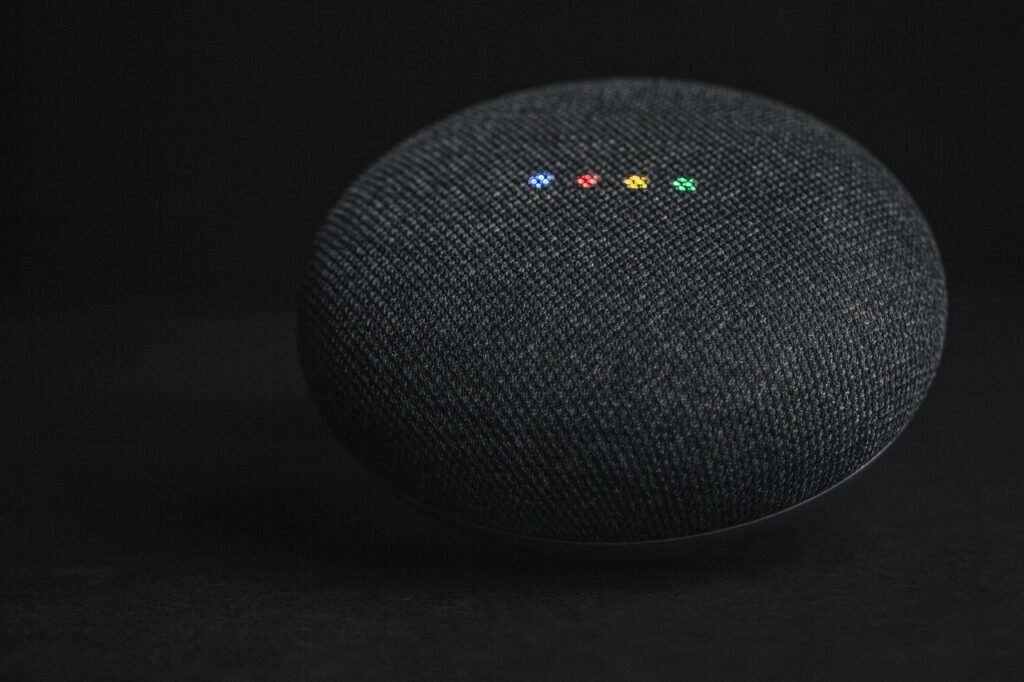
Nest Integration: The Google Nest Audio delivers room-filling sound with 75% more loudness and 50% stronger bass than the original Google Home. The compact Google Nest Mini (2nd Gen) is perfect for smaller spaces and wall mounting. For visual control, the Google Nest Hub (2nd Gen) offers a 7-inch touchscreen with built-in sleep sensing technology.
Context Understanding: Google Assistant remembers context across multiple commands within a conversation. You can say “set the thermostat to 72 degrees” and then “what about the bedroom?” and Google understands you want to adjust the bedroom thermostat. This contextual awareness extends to scheduling, reminders, and multi-step routines.
Weaknesses: Google’s device ecosystem is smaller than Amazon’s. Google discontinued production of the Nest Mini and Nest Audio in 2026, though they remain available through retailers while supplies last. The new Google Home Speaker with Gemini integration is launching in late 2026 as a replacement. Google also lacks a budget smart speaker option comparable to the Echo Pop or Echo Dot. Additionally, Google does not offer a wall-mounted control panel equivalent to the Echo Hub.
Best Feature: The Google Home app is one of the most intuitive smart home management interfaces available, with excellent support for Matter devices and a built-in Thread border router on the Nest Hub.
Apple Siri
Siri is the privacy-focused option for users already invested in the Apple ecosystem. While it supports fewer smart home devices than Alexa or Google Assistant, the devices it does support benefit from Apple’s stringent security requirements and HomeKit certification process. With the introduction of Matter support, Siri’s device compatibility has expanded significantly.
Privacy Protection: Apple processes Siri requests on-device whenever possible, and the company does not sell user data to advertisers. HomeKit Secure Video processes camera footage locally on Apple devices rather than in the cloud, and all HomeKit communication is end-to-end encrypted. For users concerned about data privacy, this is a significant advantage. Learn more in our smart home privacy guide.
HomeKit Integration: The Apple HomePod Mini serves as a HomeKit hub for just $129, offering surprisingly powerful audio in a compact 3.3-inch package. The full-size Apple HomePod (2nd Gen) delivers premium sound with a 4-inch woofer, five tweeters, and Spatial Audio support. Both devices include temperature and humidity sensors for triggering automations.
Shortcuts and Automation: Apple’s Shortcuts app provides powerful automation capabilities, allowing you to create complex routines with conditional logic that goes beyond what Alexa or Google Assistant can do natively. You can create shortcuts that check your calendar, read messages aloud, control HomeKit devices, and interact with third-party apps (all in a single flow).
Weaknesses: Siri’s smart home device compatibility remains the most limited of the four platforms, though Matter support has narrowed the gap. HomePod speakers are more expensive than comparable Echo or Nest devices. Siri also struggles more with general knowledge questions compared to Google Assistant. The HomePod Mini lacks Bluetooth audio output, requiring AirPlay for all audio streaming.
Best Feature: The Apple Home app provides the most visually polished and intuitive smart home interface, and features like HomeKit Secure Video and on-device processing set the standard for privacy in the smart home industry.
Samsung Bixby
Bixby is the most specialized of the four voice assistants, designed primarily for controlling Samsung’s extensive lineup of appliances and electronics. While it lacks the broad device compatibility of Alexa or the search capabilities of Google Assistant, Bixby excels at controlling Samsung TVs, refrigerators, washing machines, and other large appliances through the SmartThings platform.
SmartThings Integration: SmartThings is one of the most powerful smart home platforms available, supporting Zigbee, Z-Wave, Thread, and Matter protocols. The Samsung SmartThings Station serves as both a smart home hub and a 15W wireless charging pad for $60. For users who need Z-Wave support, the Aeotec Smart Home Hub works as a SmartThings hub with Z-Wave, Zigbee, Thread, and Matter support.
Device Control: Bixby’s strength lies in controlling Samsung appliances. If you own a Samsung TV, refrigerator, washer, or air conditioner, Bixby can control them with voice commands that go far beyond what Alexa or Google Assistant can do. For example, you can say “Bixby, set the refrigerator to Power Cool mode” or “Bixby, start the washing machine on the Quick Wash cycle.”
Weaknesses: Bixby has the smallest third-party device ecosystem of the four assistants. It is also less capable at answering general knowledge questions than Google Assistant or even Alexa. Samsung does not manufacture its own smart speaker hardware, relying instead on phones, TVs, and the SmartThings app for voice interaction. For users without Samsung appliances, Bixby offers limited value compared to the other three platforms.
Best Feature: SmartThings itself is platform-agnostic and works with Alexa, Google Assistant, and even Siri. This means you can use SmartThings as your smart home backbone while relying on a different voice assistant for day-to-day interactions.
Detailed Comparison Table
| Feature | Amazon Alexa | Google Assistant | Apple Siri | Samsung Bixby |
|---|---|---|---|---|
| Smart Home Devices Supported | 300,000+ | 100,000+ | 50,000+ | 200,000+ (via SmartThings) |
| Built-in Hub Protocols | Zigbee, Thread, Matter, BLE | Thread, Matter | Thread, Matter | Zigbee, Z-Wave, Thread, Matter |
| Privacy Approach | Cloud processing with opt-outs | Cloud processing with opt-outs | On-device processing, end-to-end encryption | Cloud processing via SmartThings |
| Multi-Room Audio | Yes (Echo devices) | Yes (Nest devices) | Yes (AirPlay 2) | Limited (via Samsung devices) |
| Languages Supported | English, Spanish, French, German, Italian, Japanese, Hindi, Portuguese | English, Spanish, French, German, Italian, Japanese, Korean, Hindi, Portuguese, Dutch, Norwegian, Danish, Swedish | English, Spanish, French, German, Italian, Japanese, Korean, Chinese, Arabic, Hindi, Portuguese, Russian | English, Spanish, French, German, Italian, Korean, Portuguese, Chinese |
| Entry Speaker Price | $39.99 (Echo Pop) | $49.99 (Nest Mini, while supplies last) | $129.00 (HomePod Mini) | $59.99 (SmartThings Station) |
| Screen Device Available | Yes (Echo Show line) | Yes (Nest Hub) | Yes (via iPad/Apple TV) | Yes (via Samsung TVs) |
| Wall-Mounted Controller | Yes (Echo Hub) | No | No | No |
| Routine Complexity | Medium (conditional logic via Hunches) | Medium (Google Home Routines) | High (Shortcuts app) | Medium (SmartThings Scenes) |
| Matter Support | Yes | Yes | Yes | Yes |
Understanding Smart Home Protocols: Which One Does Your Assistant Support?
Before purchasing smart home devices, it is essential to understand the communication protocols your chosen voice assistant supports. This knowledge prevents the frustration of buying a device that cannot communicate with your hub or speaker. The four primary protocols in use today are Zigbee, Z-Wave, Thread, and Matter, each with distinct characteristics.
Zigbee: A low-power mesh networking protocol used by many smart home devices, including Philips Hue lights, Samsung SmartThings sensors, and Amazon Echo built-in hubs. Zigbee creates a mesh network where each device acts as a repeater, extending the network’s range. Amazon Echo (4th Gen), Echo Show 8, Echo Show 10, and Echo Hub all include built-in Zigbee radios, making them excellent hubs for Zigbee devices without requiring a separate bridge.
Z-Wave: Similar to Zigbee but operates on a different frequency, which means Zigbee and Z-Wave devices cannot communicate directly. Z-Wave is popular for smart locks, garage door controllers, and some sensors. Only the Aeotec Smart Home Hub (which works as a SmartThings hub) supports Z-Wave. Neither Amazon Echo devices nor Google Nest speakers support Z-Wave natively. If you plan to use Z-Wave devices, SmartThings with an Aeotec hub is your best option.
Thread: The newest mesh networking protocol, designed specifically for smart home devices. Thread is faster, more reliable, and more secure than Zigbee or Z-Wave. It is also the foundation of Matter. The Echo Hub, Google Nest Hub (2nd Gen), Apple HomePod Mini, Apple HomePod (2nd Gen), and Samsung SmartThings Station all include Thread border routers, allowing them to manage Thread networks directly.
Matter: The universal smart home standard backed by Apple, Amazon, Google, and Samsung. Matter devices work across all major voice assistants without requiring separate integrations for each platform. If you buy a Matter-certified smart bulb, it will work with Alexa, Google Assistant, Siri, and SmartThings simultaneously. This is the most important protocol to look for when buying new devices, as it future-proofs your investment. Our guide to the best Matter-compatible devices covers the top picks for 2026.
Bluetooth Low Energy (BLE): Used by some smart home devices for initial setup and direct communication. Amazon Echo devices support BLE Mesh, allowing them to control BLE devices directly. This is less common than Zigbee or Thread but is supported by some smart locks and sensors.
Understanding these protocols helps you choose devices that will work with your voice assistant without requiring additional hubs or bridges. For example, if you choose Alexa, you can use Zigbee devices directly with an Echo (4th Gen) or Echo Hub. If you choose Google Assistant, Thread and Matter devices work directly with the Nest Hub. If you need Z-Wave support, SmartThings with an Aeotec hub is the way to go.
Room-by-Room Speaker Placement Guide
Where you place your smart speakers significantly impacts their performance. Voice recognition depends on clear audio pickup, and audio quality depends on room acoustics. Here are placement recommendations for each room type, tailored to different home sizes and layouts.
Living Room
The living room is typically the primary smart home command center. Place a full-size speaker like the Echo (4th Gen) or Echo Studio in a central location, away from corners and walls to maximize sound dispersion. If you use a smart display, the Echo Show 8 (3rd Gen) on a side table or kitchen counter offers easy access to visual controls, recipes, and video calls. For smaller living rooms, the Google Nest Audio provides excellent sound in a compact footprint.
Bedroom
Bedrooms benefit from compact speakers with clock displays. The Echo Dot with Clock (5th Gen) is ideal for nightstands, showing time, weather, and alarms at a glance. Place it at least 3 feet from your head to ensure clear voice pickup without being too loud. The Google Nest Mini (2nd Gen) can be wall-mounted behind a headboard for a cleaner look. For Apple users, the HomePod Mini fits perfectly on a nightstand and includes temperature and humidity sensors for automated climate control.
Kitchen
The kitchen is where voice assistants truly shine, offering hands-free timers, recipe guidance, and music while cooking. A smart display like the Echo Show 10 (3rd Gen) is particularly useful, as its rotating screen can follow you as you move around the kitchen. For smaller kitchens, the Google Nest Hub (2nd Gen) provides a compact touchscreen for recipes and timers. Place speakers away from the sink and stove to avoid steam and splashing.
Home Office
In a home office, a smart speaker doubles as a conference room audio device and a productivity assistant. The Echo Show 8 is well-suited for desk placement, offering video calling capabilities and calendar integration. Position it at eye level for the best video call experience. A Samsung SmartThings Station on your desk can serve double duty as both a smart home hub and a wireless phone charger.
Entryway and Hallways
For entryways, a wall-mounted Echo Hub provides a central control panel for managing lights, locks, and security cameras as you enter or leave. If wall mounting is not an option, a compact Echo Pop on a console table can serve a similar purpose at a lower cost. For more ideas on setting up smart devices in compact spaces, see our guide to smart homes for small apartments.
Best Smart Speakers for Each Platform
Amazon Echo Lineup
For most users, the Echo Dot (5th Gen, Charcoal) at $49.99 is the best starting point. It offers clear audio for its size, a built-in temperature sensor, and Matter support. The Echo Dot with Clock (5th Gen) adds an LED display showing time, weather, and timers, which is particularly useful on a nightstand. If you want better audio quality, the Echo (4th Gen) at $99.99 offers a 3-inch woofer and built-in Zigbee hub for direct device control without a separate hub.
For visual control, the Echo Show 8 (3rd Gen) at $149.99 is the sweet spot in the Show lineup, offering an 8-inch touchscreen, spatial audio, and a built-in smart home hub. The Echo Show 10 (3rd Gen) at $249.99 adds motorized screen rotation that follows you around the room. For dedicated wall-mounted control, the Echo Hub at $179.99 provides an 8-inch touchscreen with Zigbee, Thread, and Matter support built in.
For audiophiles, the Echo Studio at $199.99 offers 3D audio with Dolby Atmos support, five speakers, and spatial audio processing. And for the tightest budgets, the Echo Pop at $39.99 delivers full sound in a compact semi-sphere design.
Google Nest Lineup
The Google Nest Audio at $99.99 is the primary Nest speaker, offering 75% louder output and 50% stronger bass than the original Google Home. Its rectangular fabric-covered design fits naturally into any room. The Google Nest Mini (2nd Gen) at $49.99 is the compact option, featuring a wall-mountable design and improved bass over its predecessor. Note that both are being discontinued in favor of the new Google Home Speaker with Gemini integration.
The Google Nest Hub (2nd Gen) at $99.99 is Google’s answer to the Echo Show, offering a 7-inch touchscreen with built-in sleep sensing, Soli radar for gesture controls, and a Thread border router for Matter devices. It also supports Netflix, YouTube, and Disney+ streaming directly on the display.
Apple HomePod Lineup
The Apple HomePod Mini at $129 is the entry point into the Apple smart home ecosystem. Despite its small size (3.3 inches tall), it delivers impressive audio with a full-range driver and dual passive radiators. It serves as a HomeKit hub and includes temperature and humidity sensors.
The Apple HomePod (2nd Gen) at $349 is Apple’s premium smart speaker, featuring a 4-inch high-excursion woofer, five horn-loaded tweeters, Spatial Audio with Dolby Atmos support, and the S7 chip for computational audio processing. It also includes a temperature and humidity sensor, Thread support, and Ultra Wideband (U1) for handing off audio from nearby iPhones.
Samsung SmartThings
Samsung does not manufacture dedicated smart speakers, but the Samsung SmartThings Station at $59.99 serves as both a smart home hub and a 15W wireless charging pad. It supports Zigbee, Thread, and Matter protocols. For users who need Z-Wave device support, the Aeotec Smart Home Hub at $129.99 offers full SmartThings compatibility with Z-Wave, Zigbee, Thread, and Matter support.
Samsung Galaxy phones, tablets, and smart TVs can all serve as Bixby voice interfaces, and the SmartThings app provides remote control from any device. Samsung also integrates with both Alexa and Google Assistant, so you can use Samsung appliances alongside Echo or Nest speakers.
Voice Assistant Accessories and Add-Ons
Beyond the core speakers and hubs, several accessories can extend the functionality of your voice assistant setup. These add-ons enhance audio quality, provide additional control surfaces, or expand the range of devices your voice assistant can manage.
Echo Show 5 (3rd Gen): For spaces where an Echo Show 8 is too large, the Echo Show 5 (3rd Gen) at $89.99 offers a compact 5.5-inch touchscreen with an upgraded 2MP camera for video calls. It fits perfectly on a desk, shelf, or kitchen counter where space is limited. The smaller size does mean reduced audio output compared to the Echo Show 8, but it remains adequate for voice commands and casual music listening.
Echo (4th Gen, Charcoal): If the Glacier White version does not match your decor, the Echo (4th Gen) in Charcoal offers the same 3-inch woofer, built-in Zigbee hub, and temperature sensor in a darker finish that blends into modern home theaters and entertainment centers.
Echo Sub: For users who want deeper bass without upgrading to the Echo Studio, the Echo Sub at $129.99 adds a 6-inch down-firing subwoofer that pairs wirelessly with Echo or Echo Dot speakers. This combination creates a 2.1 stereo system suitable for medium-sized living rooms, delivering audio quality that rivals dedicated Bluetooth speakers at a similar price point. The Echo Sub is particularly effective when paired with two Echo (4th Gen) speakers for a stereo pair configuration.
Smart Home Sensors: Many voice assistant platforms support environmental sensors that trigger automations. The Amazon Echo Dot (5th Gen) includes a built-in temperature sensor, and both the Apple HomePod and HomePod Mini include temperature and humidity sensors. For other platforms, standalone sensors like the smart plugs with energy monitoring can track usage and trigger alerts when devices draw unexpected power.
Eero Wi-Fi Integration: Amazon Echo devices can pair with eero Wi-Fi routers to extend network coverage. This integration allows your Echo speaker to function as a Wi-Fi extender, which is particularly useful in homes with thick walls or multiple floors. This is an important consideration if you plan to install many smart devices that rely on Wi-Fi connectivity, as network congestion can degrade voice assistant performance over time.
Voice Automation Scenes: Practical Blueprints
Morning Routine
Configure your voice assistant to respond to “good morning” with a sequence that gradually turns on bedroom lights at 30% brightness, starts your coffee maker via a smart plug, reads the day’s weather and calendar, and starts playing your favorite news briefing. With Alexa, use the Routines feature in the Alexa app. With Google Assistant, set up a Morning Routine in the Google Home app. With Siri, create a Shortcut triggered by a specific phrase or time.
Bedtime Routine
A “good night” command can lock your smart locks, turn off all lights except a dim nightlight, set the thermostat to your preferred sleeping temperature, arm your video doorbell and security cameras, and play white noise or a sleep podcast. This routine alone can save you 5 minutes of manual device management every night.
Leaving Home Mode
When you say “I am leaving,” your assistant should turn off all lights, lower or raise the thermostat to an energy-saving setting, lock all doors, arm security devices, and start any necessary energy saving protocols. Alexa’s Guard feature can also listen for breaking glass or smoke alarms while you are away.
Welcome Home Mode
Upon returning, a “I am home” command can turn on entryway lights, set the thermostat to a comfortable temperature, disengage the front door lock (if using a smart lock with geofencing), and start playing your favorite music. This is especially useful when carrying groceries or managing children.
Privacy and Security Considerations
Voice assistants are always-listening devices, which raises legitimate privacy concerns. Each platform handles data differently, and understanding these differences is crucial for making an informed choice. Our comprehensive smart home privacy guide covers this topic in depth, but here are the key points.
Amazon Alexa: Records voice commands by default and stores them in the cloud. Amazon offers privacy controls including auto-delete options, the ability to opt out of human review, and a microphone off button on all Echo devices. Amazon Sidewalk, a shared network feature, is enabled by default and can be disabled in the Alexa app.
Google Assistant: Records voice queries and uses them to improve Google services. Google offers auto-delete controls (3, 18, or 36 months), a Guest Mode that does not save personal data, and physical microphone switches on all Nest devices. Google’s privacy controls are accessible at myactivity.google.com.
Apple Siri: Processes requests on-device by default, with minimal cloud processing. Apple does not sell user data and offers the strongest privacy protections of the four platforms. HomeKit Secure Video processes camera footage locally, and all HomeKit communication is end-to-end encrypted.
Samsung Bixby: Processes voice data through Samsung’s cloud servers. SmartThings data is stored according to Samsung’s privacy policy, and users can manage their data through the Samsung account settings.
For maximum privacy, consider using physical microphone covers, disabling always-listening modes when not needed, and regularly reviewing and deleting your voice recordings. A strong home network is also essential, so check our smart home networking guide for router recommendations.
Multi-Voice Assistant Coexistence
You do not have to commit to a single voice assistant. Many smart home users run multiple platforms simultaneously, taking advantage of each platform’s strengths. For example, you might use Alexa for device control (due to its broad compatibility), Google Assistant for search and information (due to its superior knowledge graph), and Siri for HomeKit-specific automations (due to its privacy features).
The key to multi-assistant coexistence is Matter. Matter-compatible devices can be controlled by multiple voice assistants simultaneously, so a Matter-certified smart bulb can respond to both “Alexa, turn on the lights” and “Hey Google, turn on the lights” without requiring separate integrations. This eliminates the need to choose sides for individual devices.
SmartThings also serves as an excellent middleware platform, as it can bridge devices from different ecosystems. You can control Z-Wave devices through SmartThings while using Alexa or Google Assistant as your primary voice interface. If you are considering a multi-assistant setup, be aware that some automations may require more complex configuration, and device responses may vary slightly between platforms. Our guide to common troubleshooting can help resolve common multi-platform issues.
Budget Plans: Three Price Tiers
$50 Budget: The Starter
With $50, you can start your smart home voice assistant setup. The Echo Pop at $39.99 gives you Alexa in a compact speaker, leaving $10 for a basic smart plug to control a lamp or fan. Alternatively, the Echo Dot (5th Gen) at $49.99 is slightly more expensive but offers better audio quality. Check our guide to the best smart home devices under $100 for more budget-friendly picks.
$150 Budget: The Essential Setup
With $150, you can build a functional smart home starter kit. Start with an Echo Show 8 (3rd Gen) at $149.99 for a visual interface, or combine an Echo Dot ($49.99) with a few Echo Dots in other colors for multi-room audio, plus a smart plug and a couple of smart bulbs. This budget tier gives you voice control, basic automation, and multi-room audio.
$300 Budget: The Complete Home
With $300, you can create a comprehensive voice-controlled smart home. A recommended setup includes an Echo Hub ($179.99) as your central control panel, an Echo Dot (5th Gen, Glacier White) ($49.99) for a bedroom, and a Echo Studio (on sale) for premium audio in your living room. Alternatively, opt for the Apple route with two HomePod Minis ($258) plus a few Matter-compatible smart bulbs.
Common Pitfalls and How to Avoid Them
Smart home beginners often make avoidable mistakes that limit their system’s effectiveness. Here are the most common pitfalls and how to sidestep them. For a more comprehensive list, see our guide on smart home mistakes to avoid.
- Buying incompatible devices: Always check that a device works with your chosen voice assistant before purchasing. Matter certification helps, but not all devices support Matter yet.
- Placing speakers poorly: Smart speakers need to hear your voice clearly. Avoid placing them behind furniture, inside cabinets, or near noisy appliances like air conditioners.
- Ignoring network capacity: Each smart device adds traffic to your Wi-Fi network. If you have more than 20 devices, consider upgrading to a mesh Wi-Fi system.
- Over-complicating routines: Start with simple automations (like a single “good night” command) before building complex multi-step routines. Test each automation thoroughly before adding more steps.
- Forgetting about guests: Set up a Guest Mode on Google devices or create a separate Alexa profile so visitors can control basic functions without accessing your personal information.
- Neglecting firmware updates: Smart home devices receive security patches and feature updates regularly. Enable automatic updates wherever possible.
Frequently Asked Questions
1. Which voice assistant is best for a smart home beginner?
Amazon Alexa is generally the best choice for beginners due to its broad device compatibility, affordable entry price ($39.99 for the Echo Pop), and extensive learning resources. The Alexa app guides new users through setup with visual prompts and suggested routines. Google Assistant is a close second for users who already use Google services like Calendar and Maps.
2. Can I use multiple voice assistants in the same home?
Yes. Matter-compatible devices can be controlled by multiple voice assistants simultaneously. Many users run Alexa for device control alongside Google Assistant for information queries. SmartThings can also bridge devices from different ecosystems. The main drawback is that routines and automations may need to be configured separately on each platform.
3. Do I need a hub in addition to a smart speaker?
It depends on your devices. Echo (4th Gen), Echo Show 8, and Echo Hub include built-in Zigbee hubs. The Google Nest Hub includes a Thread border router. The Samsung SmartThings Station supports Zigbee, Thread, and Matter. If you use Z-Wave devices, you will need a compatible hub like the Aeotec Smart Home Hub. Matter devices connect directly over Wi-Fi or Thread without requiring a separate hub.
4. Is Apple HomePod worth the premium price?
The HomePod (2nd Gen) at $349 is significantly more expensive than comparable Echo or Nest speakers, but it offers superior audio quality, strong privacy protections, and deep integration with the Apple ecosystem. If you already own an iPhone, Apple TV, and other Apple devices, the HomePod is a natural fit. The HomePod Mini at $129 is a more affordable entry point that still serves as a HomeKit hub.
5. What happens to my voice recordings?
Amazon and Google store voice recordings in the cloud by default, but both offer controls to auto-delete recordings after 3, 18, or 36 months. Apple processes Siri requests on-device by default and does not store voice recordings. All platforms allow you to manually review and delete your voice history through their respective privacy portals.
6. Can voice assistants work without internet?
Most voice assistant features require an internet connection for natural language processing. However, local device control is possible with certain setups. Alexa can control Zigbee devices locally with the Echo (4th Gen) or Echo Hub. HomeKit devices can be controlled locally through the Apple Home app even without internet. Thread devices can communicate locally within a Thread mesh network.
7. Which assistant is best for elderly users?
Alexa is often recommended for seniors due to its simple interface and affordable hardware. The Echo Show line with its touchscreen is particularly helpful for visual learners. Our smart home guide for seniors provides detailed recommendations for accessibility-focused setups.
8. Are smart speakers always listening?
Smart speakers continuously listen for their wake word (“Alexa,” “Hey Google,” “Hey Siri,” or “Hi Bixby”) but do not record or transmit audio until the wake word is detected. All devices include physical microphone off buttons that completely disable the microphone. You can also review and delete any recordings through the respective privacy portals.
9. Can I control my TV with a voice assistant?
Yes. Alexa can control Fire TV devices and many smart TVs. Google Assistant works with Android TV, Google TV, and Chromecast. Siri can control Apple TV. Samsung Bixby controls Samsung TVs natively. Many modern TVs from LG, Samsung, Sony, and Vizio also support Alexa and Google Assistant directly.
10. What is Matter and why does it matter for voice assistants?
Matter is a universal smart home standard that allows devices to work across all major voice assistant platforms. A Matter-certified device can be controlled by Alexa, Google Assistant, Siri, and SmartThings without requiring separate integrations. This eliminates the problem of device incompatibility between ecosystems. Learn more in our guide to the best Matter-compatible devices.
Conclusion and Recommendations
Choosing the right voice assistant for your smart home comes down to three factors: your existing device ecosystem, your privacy priorities, and your budget.
Choose Amazon Alexa if you want the widest device compatibility, the most affordable hardware options, and a mature skill ecosystem. The Echo Dot (5th Gen) remains the best entry point, and the Echo Hub is the most complete smart home control panel available. Alexa is also the best choice for seniors and those looking for smart home gifts.
Choose Google Assistant if you value natural language understanding, contextual awareness, and integration with Google services. The Google Nest Hub (2nd Gen) with its sleep sensing technology is unique in the market, and the Nest Audio delivers excellent sound for the price.
Choose Apple Siri if privacy is your top priority and you are already invested in the Apple ecosystem. The HomePod Mini is an excellent HomeKit hub, and the HomePod (2nd Gen) offers premium audio quality that rivals dedicated speakers.
Choose Samsung Bixby if you own multiple Samsung appliances and want voice control over your TV, refrigerator, washing machine, and air conditioner. The SmartThings Station is an affordable hub that doubles as a wireless charger.
Regardless of which platform you choose, prioritize Matter-compatible devices whenever possible. Matter ensures that your devices will work across all major voice assistants, protecting your investment if you decide to switch platforms in the future. For small apartments, outdoor spaces, or full-home setups, the principles in this guide apply equally. The most important step is simply getting started, as the benefits of voice-controlled smart home automation compound as you add more devices and refine your routines over time.
For additional reading, explore our smart home lighting guide for bulb recommendations, our security guide for camera and lock setups, or our complete beginner setup guide for a step-by-step walkthrough of building your first smart home.
The voice assistant market will continue to evolve throughout 2026 and beyond. Google is replacing the Nest Audio and Nest Mini with a new Google Home Speaker powered by Gemini AI, which promises more natural conversations and proactive suggestions. Apple is rumored to be developing a smart home hub with a display, which would bring Siri closer to feature parity with Alexa and Google Assistant. Samsung continues to expand SmartThings with new Matter device categories and deeper integration with Galaxy devices. Amazon is reportedly working on enhanced generative AI features for Alexa, which could significantly improve its conversational abilities.
Whatever platform you choose today, remember that Matter support ensures your investment remains portable across ecosystems. The smart home industry has finally moved past the era of walled gardens, and the voice assistant you pick today does not have to be the one you are locked into forever. Start with the platform that best fits your current needs and budget, and let Matter-compatible devices form the backbone of your setup. This approach gives you the flexibility to switch platforms in the future without replacing your entire device collection.