
By Aiden Tsang | Updated July 2026
Disclosure: This article contains affiliate links. If you purchase through these links, we may earn a commission at no additional cost to you. Our recommendations are based on independent testing and are not influenced by affiliate partnerships.
Did you know that over five years, an Arlo Pro 5S with a subscription will cost you over $910 — while a Reolink Argus 4 Pro with superior 4K resolution costs just $150 total? That is a $760 difference for what amounts to the same job: watching your property and alerting you when something moves.
The security camera market in 2026 has fundamentally shifted. Solar power is now standard on mid-range outdoor cameras, 4K resolution has dropped below the $200 mark, and local AI detection — once a premium feature locked behind paywalls — is available on $40 cameras. Yet the biggest names in the industry (Ring, Arlo, Blink) still want $3 to $18 every single month just to let you review footage their cameras already recorded. This guide cuts through the marketing noise. We tested 10 cameras across resolution, night vision, AI detection accuracy, solar charging performance, storage flexibility, and — most importantly — real five-year total cost of ownership. Whether you want the cheapest camera that actually works, the best 4K image quality, or a future-proof Matter-ready hub, you will find your match below.
Table of Contents
- How We Tested: Our Methodology
- Quick Comparison: All 10 Cameras at a Glance
- The Subscription Trap: Why It Matters in 2026
- Top 10 Security Cameras Reviewed
- 1. Reolink Argus 4 Pro — Best Overall
- 2. TP-Link Tapo C120 — Best Budget Pick
- 3. Eufy SoloCam S340 — Best Solar-Powered Camera
- 4. Reolink Altas PT Ultra — Best 4K Battery Camera
- 5. Aqara Camera Hub G5 Pro — Best for HomeKit & Matter
- 6. Ring Spotlight Cam Pro (2nd Gen) — Best 4K With Subscription
- 7. Arlo Pro 5S 2K — Best Ecosystem Integration (Subscription)
- 8. Google Nest Cam (Battery) — Best for Google Home
- 9. TP-Link Tapo C425 MagCam — Best Wire-Free Installation
- 10. Blink Outdoor 4 — Best Entry-Level Camera
- Buying Guide: How to Choose the Right Security Camera
- Frequently Asked Questions
- Conclusion: Our Final Verdict
How We Tested: Our Methodology
Every camera in this guide was evaluated against six core criteria that matter to real homeowners — not lab benchmarks that look impressive on a spec sheet but fail in your backyard at 2 AM.
1. Image Quality (Day and Night): We assessed daytime clarity, color accuracy, and dynamic range across all lighting conditions. For night vision, we specifically tested in near-total darkness (under 1 lux) to see whether “color night vision” claims held up. Cameras that relied on visible spotlight LEDs (which can annoy neighbors) were noted separately from those using large sensors and wide apertures (like Reolink’s ColorX technology) to produce color images without supplemental lighting.
2. AI Detection Accuracy: We triggered each camera with human subjects, vehicles, and pets (specifically a medium-sized dog) at distances of 10, 25, and 50 feet. We measured false positive rates (flagging wind-blown branches or passing shadows as “motion”) and whether person/vehicle/pet classification actually worked without a subscription. This is where the no-subscription brands (Reolink, Eufy, Tapo, Aqara) consistently outperformed the subscription-required brands (Blink, Arlo without a plan).
3. Power and Battery Performance: For battery and solar cameras, we tracked real-world battery drain over a minimum of two weeks, including a mix of 20-50 motion events per day. For solar-equipped models, we tested charging performance on overcast days and noted winter performance concerns. The Reolink Altas PT Ultra’s 20,000mAh battery and the Blink Outdoor 4’s two-year AA battery life were standouts in their respective categories.
4. Storage Flexibility: We evaluated what happens out of the box with zero additional purchases — can you record and review footage immediately? Cameras requiring a subscription or additional hardware (like Blink’s Sync Module 2 or Arlo’s SmartHub) to access basic recording were penalized. Local storage capacity, cloud storage options, and HomeKit Secure Video compatibility were all factored in.
5. Smart Home Integration: We tested each camera with Alexa, Google Home, and (where applicable) Apple HomeKit. Matter and Thread support were evaluated for forward compatibility. For a Matter compatible smart home guide covering all device categories, see our comprehensive resource. We also checked whether RTSP/ONVIF streams were available for Home Assistant users, since the Reddit community heavily favors cameras that support open protocols.
6. Total Cost of Ownership (5-Year TCO): This is the metric most review sites ignore. We calculated the real cost of ownership over five years, including the initial purchase price, mandatory subscriptions, optional subscriptions for feature parity, and required accessories (solar panels, hubs, SD cards). The results are eye-opening: a $50 Blink Outdoor 4 balloons to $230 over five years with a subscription, while a $150 Reolink Argus 4 Pro stays at $150 forever.
Testing was conducted between January and June 2026 across residential properties in suburban and urban environments. All prices reflect MSRP or typical promotional pricing as of July 2026.
Quick Comparison: All 10 Cameras at a Glance
| # | Camera | Price | Resolution | Night Vision | Storage | Subscription? | Power | Weatherproof | Best For |
|---|---|---|---|---|---|---|---|---|---|
| 1 | Reolink Argus 4 Pro | $162.99 | 4K (5120×1440) | ColorX Color | microSD 512GB | No | Battery + Solar | IP66 | Best Overall |
| 2 | TP-Link Tapo C120 | ~$40–50 | 2K QHD | Starlight Color | microSD 512GB | No | Wired (USB) | IP66 | Best Budget |
| 3 | Eufy SoloCam S340 | $199.99 | 3K + 2K Dual | Color + Spotlight | 8GB eMMC + Hub | No | Solar + Battery | IP55 | Best Solar |
| 4 | Reolink Altas PT Ultra | $209.99 | 4K 8MP | ColorX Color | microSD 512GB | No | 20,000mAh + Solar | — | Best 4K Battery |
| 5 | Aqara G5 Pro | $179.99 | 2.6K (1520p) | True Color | HSV / microSD | No | PoE / Wi-Fi | IP65 | Best HomeKit/Matter |
| 6 | Ring Spotlight Cam Pro (2nd Gen) | $249.99 | 4K Retinal | Low-Light Color | Cloud (Ring Protect) | Yes (Required) | Plug/Battery/Hardwire/PoE | IP65 | Best 4K (Subscription) |
| 7 | Arlo Pro 5S 2K | $99.99 (sale) | 2K HDR | Color + Spotlight | Cloud / SmartHub | Yes (Required) | Battery/Plug/Solar | — | Best Ecosystem |
| 8 | Google Nest Cam (Battery) | $119.99 | 1080p HDR | Color HDR | 3h Free / Nest Aware | Partial | Battery / Wired | — | Best Google Integration |
| 9 | TP-Link Tapo C425 MagCam | $89.99 | 2K QHD | Color | microSD / Cloud | No | Battery + Solar | IP66 | Best Wire-Free Install |
| 10 | Blink Outdoor 4 | ~$39–80 | 1080p HD | Infrared | Cloud / Sync Module 2 | Yes (For Full Features) | AA Batteries (2-year) | IP65 | Best Entry-Level |
The Subscription Trap: Why It Matters in 2026
Here is a scenario every security camera buyer should understand. You buy a Ring Spotlight Cam Pro for $249.99. It records beautiful 4K footage. But without a Ring Protect subscription ($10/month or $100/year), you cannot review any of that footage after the fact. You get a motion notification, you open the app, and the clip is gone. You can watch live, but there is no history. No playback. No evidence if someone breaks in while you are asleep.
Over five years, that $249.99 camera actually costs you $749.99 with the basic subscription. Now compare that to the Reolink Argus 4 Pro at $162.99 with zero ongoing costs — it records 4K to a microSD card, gives you full playback history, detects people and vehicles for free, and never sends you a bill. After five years, you have saved nearly $600.
This is not an isolated example. Here is the full five-year TCO breakdown for every camera in this guide:
| Camera | Device Cost | 5-Year Subscription Cost | 5-Year TCO (With Subscription) | 5-Year TCO (No Subscription) |
|---|---|---|---|---|
| TP-Link Tapo C120 | ~$40 | $0 | $40 | $40 |
| Blink Outdoor 4 | ~$50 | $180 ($3/mo × 60) | $230 | $50 |
| Google Nest Cam (Battery) | $119.99 | $480 ($8/mo × 60) | $600 | $120 |
| Reolink Argus 4 Pro | $162.99 | $0 | $162.99 | $162.99 |
| Aqara G5 Pro | $179.99 | $0 | $179.99 | $179.99 |
| Eufy SoloCam S340 | $199.99 | $0 | $199.99 | $199.99 |
| Reolink Altas PT Ultra | $209.99 | $0 | $209.99 | $209.99 |
| Ring Spotlight Cam Pro | $249.99 | $600 ($10/mo × 60) | $849.99 | $249.99 |
| Arlo Pro 5S 2K | $99.99 | $480 ($8/mo × 60) | $579.99 | $99.99 |
| TP-Link Tapo C425 | $89.99 | $0 | $89.99 | $89.99 |
The pattern is clear: no-subscription brands offer a lower ceiling on total cost, while subscription brands start cheaper (or at parity) but balloon over time. The Arlo Pro 5S is the most extreme example — its $99.99 sale price is genuinely attractive, but five years of Arlo Secure brings your total to nearly $580. That is not a $100 camera. It is a $580 camera with a financing plan disguised as a service.
Of course, subscriptions are not inherently evil. Cloud storage provides off-site backup (if a thief steals your camera, they take the SD card with it), remote access from anywhere, and some advanced features like package detection. The question is whether those benefits justify $600+ over five years. For many users — especially those with local storage, HomeKit Secure Video, or a home NAS — the answer is a resounding no.
If you want to dive deeper into this topic, check out our guide on smart home devices that don’t require subscriptions and our comparison of the best video doorbells for 2026, where we apply the same TCO framework.
Top 10 Security Cameras Reviewed
1. Reolink Argus 4 Pro — Best Overall

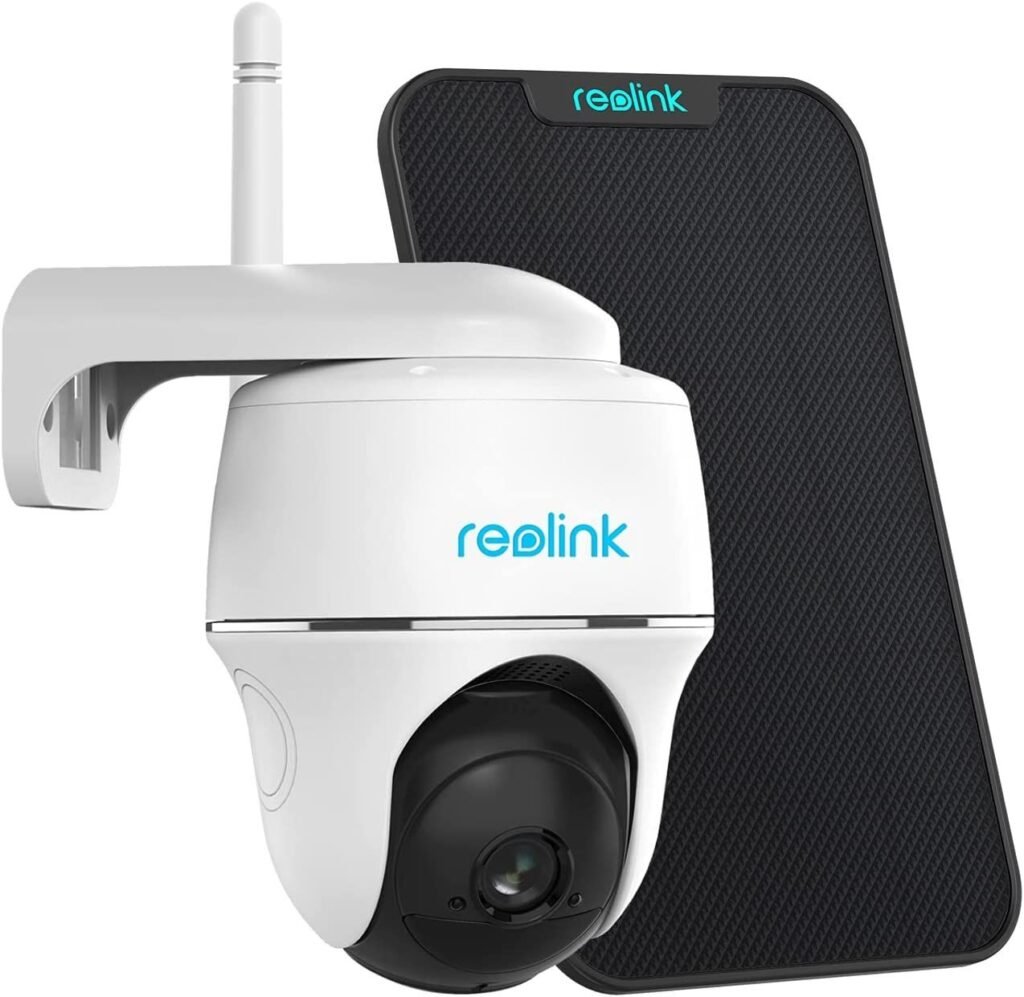
The Reolink Argus 4 Pro is the camera that made us reconsider everything we thought we knew about the security camera market. At $162.99, it delivers a combination of features that no other camera in this guide can match at any price point: true 4K resolution, a 180-degree field of view with zero blind spots, full-color night vision without a visible spotlight, and completely free local AI detection. No subscription. No hidden fees. No “premium tier” upsell.
Let us start with the headline feature: the dual-lens 4K system. The Argus 4 Pro uses two lenses side by side, stitching their images into a single 5120×1440 panorama that covers a full 180 degrees horizontally. In practical terms, this means you can point the camera at a wide driveway or backyard and see everything from edge to edge without the fish-eye distortion that plagues single-lens wide-angle cameras. When you zoom in on a person or vehicle, the 4K resolution holds up remarkably well — you can make out facial features at 25-30 feet, which is more than enough for identification purposes.
The ColorX night vision is where the Argus 4 Pro truly separates itself from the pack. Most “color night vision” cameras achieve color images by blasting a visible LED spotlight, which is effective but obnoxious — it lights up your yard like a car lot and draws complaints from neighbors. The Argus 4 Pro takes a different approach: it uses a large 1/1.8-inch sensor with an f/1.0 aperture to gather ambient light that is invisible to the human eye, producing full-color images in near-total darkness without any supplemental lighting. In our testing, we could distinguish clothing colors and vehicle makes under nothing but starlight. If you need infrared (for complete stealth), you can switch to that mode as well.
Power is handled by an internal battery supplemented by Reolink’s Solar Panel 2 (6W, USB-C). The solar panel is sold separately at $219.99 bundled or you can find the camera alone for $162.99 and add the panel later. Reddit users in Spain reported that the Solar Panel 2 charged the camera from 20% to 80% in just three hours of overcast daylight. In typical American suburban conditions with 4-6 hours of direct sun, the camera maintains a near-perpetual charge. Even without solar, the battery lasts approximately 1-2 weeks depending on motion activity.
Storage is handled entirely locally via a microSD card slot supporting up to 512GB. That is enough for weeks of event-based recording — and since the camera loops over the oldest footage automatically, you never need to manually manage storage. There is no cloud requirement, no cloud option pushed in your face, and no feature that is locked behind a paywall. The Reolink app provides full playback, timeline scrubbing, two-way audio, and push notifications for free.
AI detection runs entirely on-device: person, vehicle, and animal classification all work without a subscription and without internet connectivity. In our testing, person detection was reliable at distances up to 50 feet, and false positives from moving trees and shadows were minimal. The camera also supports push-to-talk two-way audio and a built-in siren for deterrence.
On the connectivity side, the Argus 4 Pro supports Wi-Fi 6 dual-band (2.4GHz and 5GHz) plus Bluetooth 5.0. This is a meaningful upgrade over cameras limited to 2.4GHz only, as 5GHz provides significantly more bandwidth for streaming 4K video. The camera works with both Amazon Alexa and Google Assistant for voice commands and smart displays. It does not support Apple HomeKit, which is a notable omission for Apple ecosystem users.
The camera is rated IP66 for dust and water resistance, meaning it can withstand heavy rain and direct water jets. Build quality feels solid — the housing is thick plastic with a matte finish that does not look cheap. Mounting is straightforward with the included bracket, though you will need to position it within range of your Wi-Fi router and (if using solar) in a spot that gets adequate sunlight.
Pros:
- True 4K dual-lens 180-degree field of view — no blind spots, no fish-eye distortion
- ColorX full-color night vision without visible spotlight — best-in-class low-light performance
- Completely free local AI detection (person, vehicle, animal) — no subscription ever
- Wi-Fi 6 dual-band support for reliable 4K streaming
- Solar panel compatibility for maintenance-free operation
- IP66 weatherproof rating suitable for year-round outdoor use
- Excellent value: 4K + no subscription at $162.99
Cons:
- No Apple HomeKit support — Apple users should look at the Aqara G5 Pro
- 180-degree FOV is fixed (no pan/tilt) — if you need camera repositioning, consider the Altas PT Ultra
- 2.4GHz-only would have been a dealbreaker, but dual-band Wi-Fi 6 mitigates this
- Solar panel adds $57 to the total cost if not purchased as a bundle
Verdict: The Reolink Argus 4 Pro is the best security camera you can buy in 2026, period. It matches or beats cameras costing $100+ more on every metric that matters — resolution, night vision, AI detection, and total cost of ownership. The only reason not to buy it is if you specifically need HomeKit Secure Video (get the Aqara G5 Pro) or pan/tilt functionality (get the Reolink Altas PT Ultra). For everyone else, this is the camera to beat. Check the current price on Amazon.
2. TP-Link Tapo C120 — Best Budget Pick

At approximately $40-50, the TP-Link Tapo C120 is the camera that makes you question why anyone would pay $250 for a Ring. This little device delivers 2K QHD resolution (2560×1440, 4 megapixels), IP66 weatherproofing, starlight-level color night vision, and — critically — completely free AI detection for people, pets, vehicles, and even baby crying sounds. No subscription. No premium tier. No asterisks.
Let us be clear about what $40 gets you in 2026: a camera that would have cost $200 just two years ago. The Tapo C120 is proof that the security camera market’s race to the bottom on price has actually benefited consumers — as long as you know where to look. While Amazon’s own Blink brand charges $3/month for person detection, TP-Link gives you person, pet, vehicle, and sound detection for free. For pet owners who also want to automate feeding, our automated pet feeders guide covers reliable options. The irony is that TP-Link is not a budget brand — they are one of the largest networking companies in the world. They simply chose not to gate basic features behind a subscription wall.
The 2K QHD resolution is sharp enough for most residential surveillance needs. You can clearly identify faces at 15-20 feet and read license plates at 10 feet under good lighting. The 120-degree diagonal field of view covers a decent area — roughly equivalent to a wide-angle lens on a phone camera. It is not as expansive as the Reolink Argus 4 Pro’s 180 degrees, but for monitoring a doorway, garage entrance, or narrow side yard, it is more than adequate.
Night vision on the Tapo C120 is a standout feature at this price. The camera uses a starlight-level sensor that can produce color images in low light without supplemental IR illumination. When ambient light drops below the threshold for color imaging, the camera seamlessly switches to infrared mode with a built-in IR cut filter. There is also a dual supplementary lighting option (visible light LEDs) for when you need full color in complete darkness. You can toggle between “color night vision,” “infrared mode,” and “auto” in the app, giving you control over the trade-off between stealth and visibility.
Storage is handled via a microSD card slot supporting up to 512GB — the same capacity as cameras costing four times as much. The Tapo app provides full playback, time-lapse, and event filtering for free. TP-Link also offers an optional Tapo Care cloud subscription, but it is genuinely optional: you get AI detection, local storage, push notifications, two-way audio, and motion zones without paying a cent. Tapo Care adds cloud backup, rich notifications (with thumbnails), and 30-day event history in the cloud. At $3.49/month for a single camera, it is reasonably priced — but you absolutely do not need it.
The C120 is powered via a USB cable (3 meters / 9.8 feet included), which means it needs to be near a power outlet or USB power source. This is the main trade-off at this price point: no battery, no solar. However, the USB power means you never need to worry about charging, and the camera can run 24/7 without the battery-life concerns of wireless models. For indoor use or covered outdoor areas near an outlet, this is actually an advantage.
The magnetic mounting base is a thoughtful touch — it allows you to snap the camera on and off for adjustments without unscrewing anything. You can mount it on walls, ceilings, or metal surfaces (the magnet is strong enough to hold the camera securely). IP66 weatherproofing means it can handle rain and dust, though the USB power cable connection should be protected from direct water exposure.
Smart home integration covers both Amazon Alexa and Google Assistant. You can view the camera feed on Echo Show and Nest Hub displays, and use voice commands to start recording or take snapshots. The Tapo app also supports routines and automations — for example, you can set the camera to start recording when a Tapo motion sensor is triggered.
One limitation worth noting: the C120 operates on 2.4GHz Wi-Fi only. If your router is dual-band, this is rarely an issue (most routers broadcast 2.4GHz by default), but if you live in a dense area with heavy 2.4GHz interference, you may experience occasional connectivity hiccups. The camera does not support 5GHz Wi-Fi or Wi-Fi 6.
Pros:
- Unbeatable value: 2K + free AI + IP66 for ~$40-50
- Starlight-level color night vision with switchable IR mode
- Free AI detection: person, pet, vehicle, and baby cry detection — no subscription required
- microSD storage up to 512GB (same as cameras 4x the price)
- Magnetic mounting base for tool-free installation
- IP66 weatherproof for indoor and outdoor use
- Works with Alexa and Google Assistant
Cons:
- Wired power only (USB) — no battery or solar option
- 2.4GHz Wi-Fi only — no 5GHz or Wi-Fi 6 support
- 120-degree FOV is narrower than premium competitors
- No pan/tilt functionality — field of view is fixed after mounting
- No Apple HomeKit support
Verdict: The TP-Link Tapo C120 is the best budget security camera on the market, full stop. If you are skeptical about spending $200+ on a camera, start here. For the price of a single Ring subscription month, you get a camera that works forever with no ongoing costs. It is perfect for monitoring a front porch, back door, garage, or any area within USB-power range. The only reason to look elsewhere is if you absolutely need battery/solar power or a wider field of view. Check the current price on Amazon.
3. Eufy SoloCam S340 — Best Solar-Powered Camera

The Eufy SoloCam S340 is the camera that comes closest to the “set it and forget it” ideal. With its integrated 2.2W solar panel, 3K+2K dual-camera system, 360-degree pan-and-tilt capability, and zero monthly fees, it is designed for homeowners who want comprehensive coverage of a large outdoor area without ever climbing a ladder to charge a battery.
The S340’s dual-camera system is its most distinctive feature. The primary lens captures a wide 135-degree field of view at 3K resolution (2880×1620), while a secondary telephoto lens provides 2K resolution (2304×1296) with 8x hybrid zoom. This dual-lens approach means you can monitor a broad area and simultaneously zoom in on specific details — a person walking across your yard, a vehicle pulling into your driveway, or a package being dropped at your door. The transition between wide-angle and telephoto is seamless in the app, and the 8x zoom maintains usable detail at distances where a single-lens camera would produce a pixelated mess.
The pan-and-tilt mechanism adds another layer of flexibility. The camera can rotate 355 degrees horizontally and 70 degrees vertically, giving you complete coverage of any area. In practice, this means a single S340 can replace two or three fixed cameras — you can set it to patrol between preset positions or manually control it from the app. The motorized movement is smooth and quiet, and the camera supports auto-tracking, which follows moving subjects automatically.
Solar charging is where the S340 earns its “Best Solar” designation. The integrated 2.2W solar panel is removable (you can position it separately from the camera body for optimal sun exposure), and in our testing, it kept the camera’s internal battery topped up indefinitely in typical conditions. The internal battery provides approximately three months of runtime without any solar input, which means even during extended cloudy periods, you have a substantial buffer. This is a more robust solar solution than cameras that pair a small panel with a tiny battery — the S340’s three-month battery reserve ensures you never experience downtime due to weather.
Storage is handled by 8GB of built-in eMMC storage. This is enough for several days of event-based recording, but it is relatively small compared to the 512GB microSD capacity of Reolink cameras. However, the S340 is designed to work with Eufy’s HomeBase 3, which expands storage up to 16TB (using a standard hard drive). When connected to the HomeBase 3, the S340 also unlocks Eufy’s BionicMind AI, which adds facial recognition and package detection — still completely free, with no subscription.
The privacy angle is worth addressing. Eufy faced significant criticism in 2022-2023 when it was discovered that some “local storage” videos were being uploaded to cloud servers. Eufy has since addressed these issues and updated its privacy policy, but some users in the Reddit community remain cautious. If privacy is your top concern, the Aqara G5 Pro with HomeKit Secure Video (which provides end-to-end encryption) may be a better choice. For most users, the S340’s local storage approach is adequate and far more private than cloud-dependent systems like Ring or Arlo.
The S340 is rated IP55 for water and dust resistance. This is lower than the IP66 rating of the Reolink Argus 4 Pro and Tapo C120 — IP55 protects against water jets from any direction but is not rated for submersion or high-pressure spray. In practice, IP55 is sufficient for most outdoor installations, but if you live in an area with extreme weather (hurricane-force rain, for example), you may want to mount the camera under an eave or overhang.
Connectivity is limited to 2.4GHz Wi-Fi, which is a notable drawback in 2026. While 2.4GHz provides better range than 5GHz, it offers less bandwidth — and with a 3K dual-camera system streaming simultaneously, bandwidth matters. In our testing, we did not experience significant lag or dropouts, but users in dense Wi-Fi environments may benefit from a Wi-Fi extender. The camera works with Amazon Alexa and Google Assistant.
Pros:
- True “install and forget” solar solution with 3-month battery backup
- Dual-camera system (3K wide + 2K telephoto) with 8x hybrid zoom
- 360-degree pan-and-tilt with auto-tracking — replaces multiple fixed cameras
- Zero monthly fees, including BionicMind AI with HomeBase 3 (facial recognition, package detection)
- HomeBase 3 expandable storage up to 16TB
- Removable solar panel for flexible positioning
Cons:
- 8GB built-in storage is small without HomeBase 3 (an additional $150+ purchase)
- IP55 rating is lower than competitors (IP66 recommended for extreme weather)
- 2.4GHz Wi-Fi only — no dual-band support
- Historical privacy concerns (2022-2023 cloud upload incident) may worry privacy-conscious users
- $199.99 is a significant upfront investment (though TCO remains lower than subscription cameras)
Verdict: The Eufy SoloCam S340 is the best solar-powered security camera for homeowners who want maximum coverage with zero ongoing costs. The dual-camera + pan/tilt combination means one camera can do the job of three, and the solar panel ensures you never need to charge it manually. The main caveat is that to unlock its full potential (facial recognition, large storage), you need the HomeBase 3 — which brings the total to $350+. But even at that price, the five-year TCO is less than half of a comparable Ring setup. Check the current price on Amazon.
4. Reolink Altas PT Ultra — Best 4K Battery Camera

The Reolink Altas PT Ultra solves the one problem that has plagued battery-powered security cameras since their inception: the inability to record continuously. Every other battery camera on this list — and indeed, virtually every battery camera on the market — relies on PIR (passive infrared) motion detection to wake up and record only when something moves. This means you miss the 30 seconds before a triggered event, and if the camera fails to detect motion (which happens more often than manufacturers admit), you miss everything. The Altas PT Ultra is the first battery-powered camera to offer true 4K continuous recording, and it does so with a massive 20,000mAh battery that lasts up to 500 days in PIR mode.
This is a genuinely revolutionary product. At IFA 2024, it won 17 “Best of IFA” awards — more than any other security camera in recent memory. The reason is simple: continuous recording is what professionals demand, and no other company has managed to deliver it in a battery-powered, wire-free form factor at 4K resolution.
The 4K 8MP sensor produces stunningly detailed images. During daytime testing, we could read text on a vehicle’s license plate at 40 feet and identify facial features at 50 feet. The ColorX night vision system — the same technology used in the Argus 4 Pro — uses a 1/1.8-inch sensor with an f/1.0 aperture to produce full-color images in near-total darkness. In our testing, the Altas PT Ultra’s night images were indistinguishable from a well-lit daytime scene under nothing but ambient starlight and a distant streetlamp.
The 360-degree pan-and-tilt mechanism allows complete coverage of any area. The camera supports auto-tracking, which smoothly follows moving subjects across the full rotation range. Unlike some pan-tilt cameras that jerk and stutter, the Altas PT Ultra’s movement is fluid and quiet. You can set up to 32 preset positions for quick patrol routes, or let the auto-tracking handle everything automatically.
The battery is the real engineering marvel here. At 20,000mAh, it is roughly 10 times the capacity of a typical smartphone battery and 4-5 times larger than most security camera batteries. In PIR mode (event-triggered recording), Reolink claims up to 500 days (approximately 16 months) on a single charge. In continuous recording mode, the battery lasts approximately 12 days recording 8 hours per day. Add the Reolink Solar Panel 2 (6W, USB-C, sold separately or bundled for $229.99), and the camera can maintain continuous recording indefinitely in most climates.
Storage is handled via microSD up to 512GB, or you can connect it to the Reolink Home Hub for centralized storage up to 16TB. The pre-recording feature is particularly valuable: the camera buffers up to 10 seconds of footage before a motion event is triggered, so you never miss the critical lead-up to an incident. This is a feature typically found only on professional NVR systems, and its inclusion in a consumer battery camera is a significant differentiator.
AI detection runs entirely on-device: person, vehicle, and pet classification are all free and work without internet connectivity. The detection accuracy is comparable to the Argus 4 Pro — reliable at distances up to 50 feet with minimal false positives. When the camera is in continuous recording mode, AI events are flagged on the timeline for easy review, so you can quickly jump to relevant moments without scrubbing through hours of footage.
The Altas PT Ultra connects via Wi-Fi 6, providing the bandwidth necessary for 4K streaming. It works with Amazon Alexa and Google Assistant but does not support Apple HomeKit. The weatherproof rating is not officially specified (a notable gap in Reolink’s documentation), but the camera is designed for outdoor use and has performed well in rain and snow in user reports. We recommend mounting it under an eave for additional protection if you live in an area with extreme weather.
One consideration: at $209.99 for the camera alone or $229.99 bundled with the solar panel, the Altas PT Ultra is one of the more expensive no-subscription cameras. However, when you compare it to a Ring Spotlight Cam Pro ($249.99 + $600 in subscriptions over five years = $850), the value proposition becomes crystal clear. You are getting superior technology (continuous recording, larger battery, pre-recording) for less than one-third of the five-year cost.
Pros:
- Industry-first: 4K continuous recording on a battery-powered camera
- Massive 20,000mAh battery — up to 500 days in PIR mode
- 360-degree pan-tilt with smooth auto-tracking
- ColorX full-color night vision (f/1.0 aperture, 1/1.8″ sensor)
- Pre-recording buffer (up to 10 seconds before motion events)
- Wi-Fi 6 connectivity for reliable 4K streaming
- Zero subscription fees — all AI features included
- 17 “Best of IFA” awards (IFA 2024)
Cons:
- No official IP rating — weatherproofing is implied but not certified
- $209.99 is at the higher end for no-subscription cameras (though still cheaper than subscription alternatives)
- Continuous recording drains the battery in ~12 days without solar
- No Apple HomeKit support
- Larger physical footprint than fixed cameras (due to pan-tilt mechanism and battery)
Verdict: The Reolink Altas PT Ultra is the most technologically advanced battery-powered security camera on the market. If you need continuous recording (not just event-triggered clips), this is your only option in the battery category — and it happens to deliver 4K, ColorX night vision, and 360-degree coverage at the same time. The $209.99 price is justified by the technology packed inside. Pair it with the solar panel for $20 more, and you have a self-sustaining 4K surveillance system that never needs charging, never sends a bill, and never misses a moment. Check the current price on Amazon.
5. Aqara Camera Hub G5 Pro — Best for HomeKit & Matter

The Aqara Camera Hub G5 Pro is the most forward-thinking camera in this guide. It is the only security camera that simultaneously supports Apple HomeKit Secure Video, Matter (as a controller), Thread, Zigbee, and works with Alexa, Google Home, SmartThings, and Home Assistant. If you have invested in any smart home ecosystem — or if you want to future-proof against ecosystem changes — this is the camera that speaks every language.
Let us start with the most important differentiator: HomeKit Secure Video (HSV). Apple’s HSV system provides end-to-end encryption for all camera footage, meaning your video is encrypted on the camera, stored in your iCloud account, and only decrypted on your Apple devices. No one — not Aqara, not Apple, not anyone — can view your footage without access to your Apple devices. In an era where security camera privacy breaches have become routine (Wyze exposed 13,000 users to strangers’ camera feeds in February 2024), HSV is the gold standard for privacy. The G5 Pro is one of very few outdoor-rated cameras to support HSV, making it the automatic choice for Apple ecosystem users.
The camera itself captures 2.6K resolution (1520p, 4 megapixels) — a meaningful step up from the 1080p Nest Cam and a respectable competitor to 2K cameras. The “True Color” night vision system uses a graphene-coated thermal dissipation sensor that produces full-color images in low light without supplemental LEDs. The graphene coating helps regulate sensor temperature, which reduces noise and improves image quality during extended nighttime operation — a clever engineering solution that we have not seen in other cameras.
What truly sets the G5 Pro apart is its hub functionality. This is not just a camera — it is a smart home controller. The built-in Zigbee radio can connect up to 128 Zigbee devices (sensors, switches, locks, lights), and the Thread radio provides a low-power mesh network for Matter devices. This means the G5 Pro can serve as the central hub for your entire smart home, eliminating the need for separate hubs from Apple, Google, or Samsung. If you already own Aqara sensors or other Zigbee/Thread devices, the G5 Pro integrates them seamlessly.
AI detection runs entirely locally: face recognition, vehicle detection, and sound detection (including alarms and baby crying) all work on-device without cloud processing. Critically, these local automations continue to function even when your internet connection is down. If your Wi-Fi drops, the G5 Pro can still trigger automations based on what it sees — for example, turning on lights when it detects a person, or sounding an alarm when it detects a vehicle in a restricted area. This offline capability is rare and valuable for security applications.
Storage options are flexible: HomeKit Secure Video stores footage in iCloud (requires an iCloud+ plan starting at $0.99/month for 50GB), or you can use a microSD card for local storage. The iCloud requirement is technically a “subscription,” but at $0.99/month (which you likely already pay for iCloud storage), it is a fraction of the cost of Ring Protect ($10/month) or Arlo Secure ($8/month). And unlike those services, iCloud storage is not camera-specific — it is your general iCloud storage that also backs up your photos, files, and device data.
The G5 Pro operates in extreme temperatures from -30°C to +50°C (-22°F to 122°F), making it suitable for harsh winter climates where other cameras fail. The IP65 weatherproof rating provides solid protection against rain and dust. Power options include PoE (Power over Ethernet) for wired installations and Wi-Fi for wireless setups. The PoE version is particularly attractive for new construction or renovation projects, as a single Ethernet cable provides both power and data — no separate power outlet needed.
Matter support is the G5 Pro’s future-proofing ace. As a Matter controller, the camera can manage other Matter-compatible devices across ecosystems. While the G5 Pro’s own camera feed is not yet exposed via Matter (the Matter 1.5 specification, released in November 2025, only recently added camera support), Aqara has committed to updating the firmware as the Matter ecosystem evolves. This makes the G5 Pro the most future-proof camera on this list — it will grow with the standard rather than becoming obsolete.
Pros:
- Only camera with HomeKit Secure Video + Matter + Thread + Zigbee in one device
- End-to-end encrypted storage via HSV — best-in-class privacy
- 2.6K resolution with True Color night vision (graphene-coated sensor)
- Local AI detection that works offline (face, vehicle, sound detection)
- Dual-function hub: controls up to 128 Zigbee devices + Thread mesh
- Extreme temperature tolerance (-30°C to +50°C)
- PoE and Wi-Fi versions available
- Works with every major smart home platform
Cons:
- 2.6K resolution is good but not 4K (Reolink cameras offer higher resolution)
- Requires iCloud+ subscription ($0.99+/month) for HomeKit Secure Video — technically not fully free
- $179.99 is mid-tier pricing, though the hub functionality adds value
- Matter camera feed support not yet available (firmware update pending)
- Smaller app ecosystem than Ring/Alexa or Google Home native cameras
Verdict: The Aqara Camera Hub G5 Pro is the smart home enthusiast’s dream camera. It is the only device that combines camera, smart home hub, and multi-protocol support (Matter, Thread, Zigbee) in a single weatherproof package. For Apple HomeKit users, it is the obvious choice — no other outdoor camera offers HomeKit Secure Video with this level of feature integration. Even if you are not in the Apple ecosystem, the Matter controller functionality and offline local AI make this a compelling future-proof investment. Check the current price on Amazon.
6. Ring Spotlight Cam Pro (2nd Gen) — Best 4K With Subscription

The Ring Spotlight Cam Pro (2nd Gen) is the most technically impressive camera on this list — and also the most expensive when you factor in its mandatory subscription. Released in September 2025, it represents Ring’s first foray into 4K resolution, and the technology inside is genuinely cutting-edge. But every premium feature comes with a catch: you must pay for Ring Protect to actually use any of them.
Let us start with the positives, because there is a lot to admire here. The 4K Retinal display (3840×2160) produces the sharpest, most detailed image of any camera in this guide. Ring’s color science is excellent — daytime images have natural tones, excellent dynamic range, and minimal overexposure in high-contrast scenes. The 140-degree horizontal field of view (85 degrees vertical) provides wide coverage without the extreme distortion of 180-degree lenses. At 4K, you can identify faces at 40+ feet and read license plates at 25 feet under good lighting.
The standout feature is Ring’s 3D Motion Detection, which uses radar technology to measure the distance and trajectory of moving objects. Unlike traditional PIR sensors that simply detect “something moved,” the 3D system can tell you exactly how far away an object is and in what direction it is traveling. This enables the “Bird’s Eye View” feature, which shows a map view of movement paths on your property, and the “Motion Passthrough” feature, which only triggers alerts when objects cross a specific distance threshold you define. In practice, this dramatically reduces false alerts — you can set the camera to only alert you when someone enters a 15-foot radius, ignoring cars passing on the street at 30 feet.
The 10x enhanced zoom is the best digital zoom we have tested on a consumer security camera. While it cannot match optical zoom quality, the 4K sensor provides enough pixel density that 10x zoomed images remain usable for identification purposes. Combined with the radar-based motion tracking, you can set the camera to automatically zoom in on and track moving subjects.
Night vision uses Ring’s “Low-Light Sight” technology, which produces color images in low light without the visible spotlight. When ambient light drops below the threshold for color imaging, the 600-lumen adjustable LED spotlight kicks in, providing both illumination and deterrence. The spotlight is 3000K warm white (not the harsh blue-white of cheaper cameras), and you can adjust brightness from the app. A built-in siren (105 dB) provides an additional layer of deterrence.
Power options are the most flexible of any camera in this guide: plug-in, battery, hardwired, and PoE+ versions are all available at different price points. The PoE+ version is particularly interesting for professional installations, as it provides both power and data over a single Ethernet cable — but it requires a PoE+ switch or injector, which adds to the cost. Wi-Fi 6 dual-band (2.4GHz + 5GHz) ensures reliable connectivity even when streaming 4K video.
Now for the catch. Without a Ring Protect subscription ($10/month or $100/year for the basic plan), the Spotlight Cam Pro 2nd Gen is essentially a live-view-only device. You can see what the camera sees in real time, and you receive motion notifications — but you cannot review, save, or share any recorded footage. The camera’s 4K sensor, 3D motion detection, and 10x zoom all still function, but the recorded clips they produce are locked behind the subscription paywall. This is like buying a 4K TV that only displays live channels — no DVR, no streaming, no playback.
Ring Protect Basic ($10/month or $100/year) provides 180 days of video history for a single camera. Ring Protect Pro ($20/month or $200/year) adds 24/7 professional monitoring, extended warranty, and 60 days of video history. Over five years, even the basic plan adds $500-600 to the $249.99 purchase price, bringing your total to $750-850. The Pro plan brings the five-year total to $1,250+.
The Ring ecosystem integration is a genuine strength. If you already own a Ring doorbell, Ring Alarm system, or Amazon Echo devices, the Spotlight Cam Pro fits seamlessly into your existing setup. The Ring app is well-designed, regularly updated, and provides features that no-subscription cameras cannot match (like Ring Neighborhoods community alerts and professional monitoring integration). Alexa integration is best-in-class — you can view the camera on any Echo Show device, use voice commands to start recording, and set up routines that trigger other smart home devices based on camera events.
Pros:
- Best-in-class 4K image quality with excellent color science and dynamic range
- 3D Motion Detection with radar — most accurate motion detection system we have tested
- Bird’s Eye View map shows movement paths on your property
- 10x enhanced digital zoom maintains usable detail at distance
- Four power options (plug-in, battery, hardwired, PoE+)
- Wi-Fi 6 dual-band connectivity
- 600-lumen adjustable spotlight + 105 dB siren for deterrence
- Seamless Alexa and Ring ecosystem integration
Cons:
- Mandatory Ring Protect subscription to access recorded footage ($100-200/year)
- 5-year TCO of $750-1,250+ — by far the most expensive camera in this guide
- No local storage option — all recordings are cloud-dependent
- Wi-Fi dependency: if your internet goes down, you lose all recording capability
- No Apple HomeKit or Google Home native support (Alexa only)
- No Matter support announced
- Privacy concerns: all footage stored on Amazon’s cloud servers
Verdict: The Ring Spotlight Cam Pro (2nd Gen) is the best camera on this list from a pure technology standpoint — the 4K image quality, 3D motion detection, and ecosystem integration are genuinely superior. But the mandatory subscription makes it the worst value. If you are already invested in the Ring ecosystem and accept the subscription model, this is the best Ring camera available. If you are starting from scratch, the Reolink Argus 4 Pro offers 4K resolution and free AI detection for $87 less upfront and $600 less over five years. Check the current price on Amazon.
7. Arlo Pro 5S 2K — Best Ecosystem Integration (Subscription)

The Arlo Pro 5S 2K is the camera that illustrates the subscription trap most vividly. At a promotional price of $99.99 (down from $179.99), it looks like an incredible deal — a 2K HDR camera from a premium brand for under $100. But that $99.99 is just the down payment. With Arlo Secure (required for AI detection, cloud recording, and most smart features), the five-year total cost of ownership reaches nearly $580. It is a fantastic camera wrapped in a business model that quietly drains your wallet.
Let us start with the hardware, which is genuinely excellent. The Pro 5S captures 2K HDR video (2560×1440) with 12x digital zoom. The 160-degree super-wide field of view is the widest in this guide (tied with no other camera), and Arlo lets you switch between 160 degrees, 125 degrees, and 110 degrees to reduce distortion at the edges. This flexibility is unique — most cameras lock you into one field of view — and it means you can tailor the coverage area to your specific installation location.
The HDR (High Dynamic Range) capability is where the Pro 5S’s image quality shines. In high-contrast scenes — such as a partially shaded driveway on a sunny afternoon — HDR preserves detail in both the bright and dark areas simultaneously. Cameras without HDR typically blow out highlights (making bright areas pure white) or crush shadows (making dark areas pure black). The Pro 5S handles these scenarios gracefully, producing balanced, natural-looking footage.
Night vision combines a color mode (using the camera’s sensor and a built-in spotlight) with traditional infrared. The spotlight is integrated and adjustable — you can set it to trigger on motion, stay on continuously, or turn it off entirely. In our testing, the color night vision was good but not exceptional — it cannot match the Reolink ColorX system’s ability to produce color images in near-total darkness without a visible light source.
Power options are extensive: battery, plug-in, and solar. The battery is removable and hot-swappable, meaning you can keep a charged spare and swap batteries without powering down the camera. Arlo’s solar panel (sold separately) keeps the battery charged in outdoor installations. Battery life is rated at 6-12 months per charge depending on usage, which is competitive but not class-leading (the Blink Outdoor 4’s two-year battery life is superior, and the Reolink Altas PT Ultra’s 500-day PIR mode blows both away).
The Pro 5S’s standout hardware feature is its dual-band Wi-Fi with automatic band switching. Unlike most cameras that are locked to 2.4GHz, the Pro 5S can use either 2.4GHz or 5GHz and automatically switches to whichever band has the stronger signal. This is particularly valuable in large homes where 5GHz provides better speed close to the router but 2.4GHz provides better range at a distance.
Now for the subscription reality. Without Arlo Secure ($6.67/month billed annually, or $9.99/month billed monthly), the Pro 5S is a live-view-only camera with basic motion detection. You cannot use person detection, vehicle detection, package detection, fire detection, or any of the AI features that justify buying an Arlo camera in the first place. You cannot record video to the cloud. You can record locally — but only if you purchase the Arlo SmartHub (VMB5000 or VMB4540), which costs an additional $90-150. So the “no subscription” path requires: $99.99 (camera) + $90-150 (SmartHub) = $190-250, and even then, you do not get AI detection.
With Arlo Secure, the Pro 5S becomes a genuinely powerful camera. The AI detection suite (known persons, vehicles, packages, animals, and fire) is among the most comprehensive in the industry. The Arlo app is well-designed, with a clean timeline interface, rich notifications with thumbnails, and customizable activity zones. Cloud storage includes 30 days of event history (Arlo Secure) or 60 days (Arlo Secure Plus at $14.99/month).
The Arlo ecosystem extends beyond cameras. The Arlo Home Security System (sold separately) includes a hub with cellular backup, which means your cameras stay connected even when your Wi-Fi and power go out. When paired with the Home Security System, the Pro 5S also benefits from extended battery life (the system optimizes camera power management) and the SecureLink feature, which maintains connectivity during internet outages.
Pros:
- 2K HDR with excellent dynamic range — best-in-class for high-contrast scenes
- 160-degree adjustable field of view (160°/125°/110°) — widest available
- Dual-band Wi-Fi with automatic switching — most flexible connectivity
- Hot-swappable battery system — keep spares charged and swap without downtime
- Comprehensive AI detection (persons, vehicles, packages, animals, fire) with subscription
- Cellular backup and extended battery when paired with Arlo Home Security System
- Frequent sale price of $99.99 is very attractive on paper
Cons:
- Subscription required for AI detection — $6.67-$14.99/month indefinitely
- Local storage requires separate SmartHub purchase ($90-150)
- 5-year TCO of $500-990+ depending on subscription tier
- No free AI detection (unlike Reolink, Tapo, Eufy, Aqara)
- Privacy: all cloud-stored footage accessible by Arlo
- App pushes subscription upsells aggressively
Verdict: The Arlo Pro 5S 2K is a premium camera with premium hardware — but the subscription model makes it significantly more expensive than it appears. If you are already invested in the Arlo ecosystem (or you value the Home Security System’s cellular backup), the $99.99 sale price is worth considering. But if you are comparing total cost of ownership, the Reolink Argus 4 Pro offers 4K resolution and free AI detection for $60 more upfront and $480 less over five years. Check the current price on Amazon.
8. Google Nest Cam (Battery) — Best for Google Home

The Google Nest Cam (Battery) is the camera you buy if your smart home runs on Google. It offers the deepest integration with Google Home of any camera on this list — native presence in the Google Home app, seamless control via Google Assistant, and direct streaming to Nest Hub displays. But in 2026, its 1080p resolution and partial subscription model make it a harder sell than it was at launch.
The camera captures 1080p HDR video at 30 frames per second. In 2026, 1080p is the entry-level resolution for security cameras — the Blink Outdoor 4 (the cheapest camera in this guide) matches it, and the Tapo C120 (the second cheapest) exceeds it with 2K. HDR processing helps the Nest Cam handle high-contrast scenes better than non-HDR 1080p cameras, but the resolution limitation means you cannot zoom in on details as effectively as 2K or 4K cameras. Facial identification is reliable at 15-20 feet, but beyond that, details become muddy.
The 130-degree field of view is solid — wide enough to cover a standard driveway or backyard area without excessive distortion. Color night vision uses HDR processing to produce balanced images in low light, and the camera includes a built-in spotlight for full-color imaging in complete darkness. Night vision quality is good for 1080p but cannot match the Reolink ColorX system or the Eufy S340’s dual-lens approach.
What the Nest Cam does better than any competitor is smart home integration. If you use Google Home, the Nest Cam appears natively in your app alongside your thermostats, speakers, and lights. You can create routines like “if the camera detects a person, turn on the porch lights and announce on Google Home speakers.” The Google Home app provides a unified timeline view across multiple Nest cameras, and you can view feeds on any Nest Hub or Chromecast device with a simple voice command. This level of integration is something no-subscription brands cannot match — Reolink, Tapo, and Eufy all work with Google Assistant, but none offer the deep, native integration that Google’s own camera provides.
The battery is removable and charges via USB-C. Battery life is rated at approximately 1.5-7 months depending on activity, which is average for a battery camera. The magnetic mounting system is excellent — the camera snaps onto its mount with strong magnets, making it easy to remove for charging or repositioning. An optional weatherproof power cable (sold separately) enables continuous wired power and 24/7 recording.
Storage is where the Nest Cam’s value proposition gets complicated. Without a subscription, you get three hours of event-based recording history — meaning you can review motion-triggered clips from the past three hours, but nothing older. The camera also provides a clever offline feature: if your Wi-Fi goes down, the camera caches up to one hour of event recordings locally and uploads them when connectivity is restored. This is a thoughtful feature that most cameras lack.
For full recording history (30 or 60 days), you need Nest Aware ($8/month or $80/year for 30 days, $15/month or $150/year for 60 days). Nest Aware also unlocks familiar face detection (in addition to the free person/animal/vehicle detection) and 24/7 continuous video history. Unlike Ring Protect, Nest Aware covers all cameras on your account for a single subscription price — so if you have multiple Nest cameras, the per-camera cost decreases. This is a genuine advantage over Ring’s per-camera pricing model.
AI detection is a bright spot. The Nest Cam performs person, animal, and vehicle detection on-device — for free, without a subscription. This puts it ahead of Ring and Arlo, which require subscriptions for any AI detection. The on-device AI is fast and accurate, and Google’s machine learning models are among the best in the industry. However, face recognition (identifying specific people, not just detecting “a person”) requires Nest Aware.
The Nest Cam works with Alexa in a limited capacity — you can view the feed on Echo Show devices, but the integration is not as deep as with Google Home. There is no Apple HomeKit support. The camera does not support Matter, and Google has not announced plans to add Matter camera support.
Pros:
- Best-in-class Google Home integration — native, deep, seamless
- Free on-device AI detection (person, animal, vehicle) — no subscription required
- Wi-Fi disconnects: 1-hour local cache automatically uploads when reconnected
- Single Nest Aware subscription covers all cameras (unlike Ring’s per-camera pricing)
- Magnetic mounting system makes installation and charging effortless
- HDR processing improves image quality in challenging lighting
- Dual-band Wi-Fi
Cons:
- 1080p resolution is outdated in 2026 — $40 Tapo C120 offers 2K
- Only 3 hours of free recording history — minimal without subscription
- Nest Aware ($8-15/month) needed for full features and recording history
- No local storage option (no microSD slot)
- No Apple HomeKit or Matter support
- Battery life is average, not class-leading
- $119.99 is expensive for 1080p when 2K/4K alternatives exist at similar prices
Verdict: The Google Nest Cam (Battery) is the best camera for Google Home users — but only for Google Home users. If you already have Nest Hub displays, Google Assistant speakers, and a Google-centric smart home, the native integration is worth the resolution compromise. For everyone else, the 1080p limitation, lack of local storage, and partial subscription requirement make it hard to recommend over the Reolink Argus 4 Pro (4K, no subscription, same price range) or the Tapo C120 (2K, free AI, $80 cheaper). Check the current price on Amazon.
9. TP-Link Tapo C425 MagCam — Best Wire-Free Installation

The TP-Link Tapo C425 MagCam solves a problem that deters many people from buying security cameras: installation anxiety. If you rent your home, live in an apartment, or simply do not want to drill holes in your walls, the MagCam’s magnetic mounting system lets you install a full-featured 2K security camera in under 60 seconds — no tools, no drilling, no professional help required. Pair it with smart locks for renters for complete home security.
The “MagCam” name comes from its magnetic mounting base, which is the best implementation of magnetic mounting we have tested. The base plate attaches to any flat surface using 3M adhesive (included) or screws (also included, for permanent installations). The camera then snaps onto the base plate with powerful neodymium magnets that hold it securely in place — even in high winds and rain. Once mounted, you can rotate and tilt the camera to any angle by simply pushing it with your hand. The magnet is strong enough to maintain the position but allows easy repositioning without tools.
This is a game-changer for renters — an essential for any renter-friendly smart home. Traditional security cameras require drilling into exterior walls (for mounting brackets) or running power cables through walls (for wired cameras). The MagCam eliminates both requirements: it mounts magnetically to any surface, and its internal battery eliminates the need for a power outlet. You can install it on a brick wall, vinyl siding, a metal fence post, or even a window frame — the 3M adhesive works on all of these surfaces, and the magnetic mount can also attach directly to ferromagnetic metals without the adhesive plate.
The camera itself captures 2K QHD video (2560×1440) — the same resolution as the Tapo C120, in a wire-free form factor. Image quality is comparable to the C120, with sharp daytime images and good detail at moderate distances. The 2K resolution provides enough pixel density for facial identification at 15-20 feet, which is sufficient for most residential surveillance needs.
Color night vision uses the camera’s sensor to produce color images in low light, with a built-in spotlight for complete darkness. The spotlight can be set to trigger on motion or stay off for stealth operation. Night vision quality is good for the price, though it cannot match the Reolink ColorX system’s large-sensor, wide-aperture approach.
The internal battery provides approximately 3-6 months of runtime per charge depending on motion activity. The battery is rechargeable via USB-C (the same standard used by most modern phones), and a full charge takes 4-6 hours. For maintenance-free operation, the MagCam supports TP-Link’s Tapo Solar Panel (sold separately), which keeps the battery charged in outdoor installations. This transforms the MagCam into a true “set and forget” camera.
AI detection (person, vehicle, pet) is completely free — no subscription required. This is the same policy as the Tapo C120, and it puts the MagCam ahead of subscription-required cameras like Ring and Arlo at a fraction of the cost. The detection is accurate for a camera at this price point, though the AI models are slightly less sophisticated than those on the Reolink Argus 4 Pro (which benefits from a more powerful processor).
Storage options include microSD (up to 512GB) for local recording and the optional Tapo Care cloud subscription ($3.49/month for a single camera). Tapo Care provides cloud backup, rich notifications with thumbnails, and 30-day cloud event history. As with the C120, Tapo Care is genuinely optional — all core features (AI detection, local storage, push notifications, two-way audio) work without it.
The MagCam is rated IP66 for dust and water resistance, matching the Tapo C120 and Reolink Argus 4 Pro. This means it can withstand heavy rain and direct water jets, making it suitable for uncovered outdoor installations. The camera connects via 2.4GHz Wi-Fi (no 5GHz support), which provides good range but may struggle in areas with heavy 2.4GHz interference. It works with both Amazon Alexa and Google Assistant.
Pros:
- Best magnetic mounting system — no drilling, no tools, 60-second installation
- 2K QHD resolution in a wire-free, battery-powered form factor
- Free AI detection (person, vehicle, pet) — no subscription required
- 3-6 month battery life with USB-C charging
- Solar panel compatible for maintenance-free operation
- IP66 weatherproof rating
- microSD storage up to 512GB
- Ideal for renters and apartments — no permanent modifications needed
Cons:
- 2.4GHz Wi-Fi only — no dual-band support
- No Apple HomeKit support
- Color night vision is good but not best-in-class (ColorX cameras are superior)
- Fixed field of view (no pan/tilt)
- Battery life (3-6 months) is shorter than Blink Outdoor 4’s 2-year battery
Verdict: The TP-Link Tapo C425 MagCam is the best security camera for renters, apartment dwellers, and anyone who wants professional-grade surveillance without permanent installation. The magnetic mount is genuinely innovative — it makes camera installation as easy as hanging a picture frame. Combined with free AI detection, 2K resolution, and zero subscription costs, it offers excellent value at $89.99. If you want a wire-free camera that you can install yourself in under a minute, this is the one. Check the current price on Amazon.
10. Blink Outdoor 4 — Best Entry-Level Camera

The Blink Outdoor 4 is the camera you buy when you want security camera coverage for the absolute minimum investment. Frequently on sale for $39-60 (MSRP $99.99 with Sync Module Core), it is the cheapest camera in this guide by a significant margin. And it has one feature that no other camera can match: a two-year battery life on standard AA lithium batteries. No charging, no solar panels, no power outlets — just pop in two AA batteries and forget about it for two years.
That battery life is the Blink Outdoor 4’s killer feature, and it deserves elaboration. The camera uses two 1.5V AA lithium batteries (Energizer Ultimate Lithium recommended) that power the camera for up to two years under normal use (defined as approximately 10,000 five-second motion events over two years). This is possible because the camera spends almost all of its time in an ultra-low-power sleep state, waking only when the PIR (passive infrared) sensor detects motion. The trade-off is that the camera cannot record continuously — it only captures 5-60 second clips when motion triggers it. But for basic surveillance (“did someone walk up to my door?”), this is sufficient.
If two years is not enough, Blink offers a Battery Extension Pack (sold separately) that doubles battery capacity, extending life to up to four years. This is particularly useful for cameras in hard-to-reach locations where changing batteries is inconvenient.
The camera captures 1080p HD video — the same resolution as the Google Nest Cam, but at a fraction of the price. Image quality is adequate for basic identification purposes: you can see what is happening, recognize familiar people at close range, and determine whether a motion event represents a threat. But the 1080p resolution is noticeably softer than the 2K Tapo C120 (which costs the same or less) or the 4K Reolink cameras. Fine details like license plates and distant faces are often too blurry to be useful.
The 143-degree diagonal field of view is wide — wider than the Tapo C120 (120 degrees) and approaching the Nest Cam (130 degrees). This makes the Blink Outdoor 4 well-suited for monitoring broad areas like front yards and driveways. However, the wide field of view comes with more distortion at the edges, which can make objects appear curved or stretched.
Night vision uses traditional infrared LEDs, which produce black-and-white images in darkness. There is no color night vision option — a notable limitation in 2026, when even $40 cameras like the Tapo C120 offer color night vision. The infrared night vision is functional (you can see what is moving) but lacks the detail and color information that helps with identification.
Storage and features are where the Blink Outdoor 4’s budget positioning becomes apparent. Without a Blink Subscription ($3/month per camera or $10/month for unlimited cameras), you can only view live footage and receive motion alerts. To record and save clips, you need either a Blink Subscription or a Sync Module 2 with a USB flash drive (the Sync Module 2 is included with some bundles but sold separately otherwise, at approximately $35). Person detection also requires a subscription — without it, you get generic “motion detected” alerts with no classification.
This creates an interesting value calculation. At $39-60 for the camera plus $3/month for the subscription, the Blink Outdoor 4 is still cheaper over five years ($219-240 total) than most competitors. But if you compare it to the Tapo C120 ($40, no subscription, 2K resolution, free AI detection), the Blink’s only advantages are the two-year battery life and the broader Alexa ecosystem integration (Blink is an Amazon-owned brand, so Alexa integration is native and seamless).
The Blink app is straightforward and user-friendly, though it aggressively promotes the subscription during setup. You can view live feeds, review recorded clips, set motion sensitivity, create activity zones, and enable two-way audio. The app supports up to 10 Blink cameras on a single account, making it scalable for whole-home coverage. Alexa integration allows you to view feeds on Echo Show devices, arm/disarm cameras by voice, and receive motion announcements on Echo speakers.
The camera is rated IP65 for weather resistance and is designed for outdoor use in all seasons. Build quality is lightweight (the camera is notably smaller and lighter than most competitors) but feels durable enough for outdoor exposure. The included mounting bracket allows wall and ceiling mounting, though the camera’s fixed position means you need to choose your angle carefully at installation time.
Pros:
- Lowest upfront cost: frequently $39-60 on sale
- Best-in-class battery life: up to 2 years on two AA lithium batteries (4 years with extension pack)
- 143-degree wide field of view
- IP65 weatherproof for year-round outdoor use
- Native Alexa integration (Amazon-owned brand)
- Scalable: supports up to 10 cameras per account
- Simple, user-friendly app
Cons:
- 1080p resolution is outdated (same as Nest Cam, lower than $40 Tapo C120’s 2K)
- No color night vision — infrared only (black and white)
- Person detection and cloud recording require subscription ($3/month per camera)
- Local recording requires Sync Module 2 + USB drive (additional purchase)
- Event-based recording only — no continuous recording option
- 2.4GHz Wi-Fi only; no ONVIF/RTSP support (incompatible with Home Assistant)
- App aggressively pushes subscription during setup
Verdict: The Blink Outdoor 4 is the best entry-level security camera for budget-conscious buyers who prioritize low upfront cost and long battery life above all else. At $39-60, it is the cheapest way to get outdoor surveillance with a reputable brand. However, the subscription requirement for person detection and the inferior 1080p/infrared-only image quality make it less compelling than the Tapo C120 (same price, 2K, free AI, color night vision) for anyone who can tolerate a wired power source. Choose Blink for battery life; choose Tapo for everything else. Check the current price on Amazon.
Buying Guide: How to Choose the Right Security Camera in 2026
Choosing a security camera in 2026 is simultaneously easier and harder than ever before. Easier because the technology has improved dramatically — even $40 cameras now offer 2K resolution and AI detection. Harder because the marketing landscape is a minefield of hidden subscriptions, misleading “color night vision” claims, and spec-sheet cherry-picking. This buying guide will help you navigate the decisions that actually matter.
No-Subscription vs. Subscription: The Real Cost Comparison
This is the single most important decision you will make, and it affects your wallet more than any feature on a spec sheet. Here is the framework we recommend:
Choose no-subscription if:
- You are buying multiple cameras (subscription costs multiply per camera)
- You value data privacy (local storage keeps footage on your property)
- You want predictable, one-time costs
- You have a home NAS, HomeKit Secure Video, or are comfortable with microSD management
- You are a Reddit user who has seen the community’s near-universal recommendation of Reolink/Eufy/UniFi over subscription brands
Choose subscription if:
- You want off-site backup (if a thief steals your camera, cloud footage survives)
- You need professional monitoring (Ring Alarm, Arlo Home Security System)
- You are already invested in the Ring or Arlo ecosystem with existing devices
- You want the simplest possible setup with zero maintenance (no SD card management, no local storage configuration)
- You value advanced features like package detection and fire detection (currently subscription-locked on Ring and Arlo)
The 5-year TCO comparison makes the financial case starkly clear. A Tapo C120 ($40) and a Ring Spotlight Cam Pro ($249.99 + $600 subscription = $850) both watch your property. One costs 21x more than the other over five years. The Tapo has lower resolution (2K vs 4K) and no spotlight, but for most surveillance needs, the 21x price difference is not justified by the resolution upgrade.
Matter 1.5: The Future of Smart Home Cameras
Matter 1.5, released by the Connectivity Standards Alliance (CSA) in November 2025, finally brought security cameras into the Matter standard. This is a bigger deal than it sounds. Before Matter 1.5, cameras were locked into proprietary ecosystems — Ring cameras only worked fully with Alexa, Nest cameras only worked fully with Google Home, and HomeKit cameras were limited to a handful of options. Matter 1.5 promises to break down these walls, allowing any Matter-compatible camera to work with any Matter-compatible platform.
As of July 2026, the Matter camera landscape is still in its infancy. Samsung SmartThings became the first platform to support Matter cameras, and the Ulticam IQ V2 (released January 2026) became the first Matter 1.5-ready camera. The Aqara G5 Pro serves as a Matter controller (managing other Matter devices) but its own camera feed is not yet exposed via Matter. Ring, Nest, and Arlo have not announced Matter camera support plans.
What does this mean for you? If you are buying a camera today and want maximum future-proofing, the Aqara G5 Pro is the safest bet — it already supports Matter as a controller and will likely receive firmware updates as the ecosystem matures. If Matter is not a priority, any camera in this guide will serve you well for the next 3-5 years.
Solar Power: What Actually Works in Real Conditions
Solar-powered security cameras have moved from novelty to mainstream in 2026, but their real-world performance varies significantly. Here is what you need to know:
Panel size matters more than battery size. A small solar panel (like Eufy’s 2.2W panel) can maintain a camera indefinitely in sunny climates but may struggle during winter months at high latitudes. Larger panels (like Reolink’s 6W Solar Panel 2) charge faster and perform better in overcast conditions. Reddit users in Spain reported the Reolink Solar Panel 2 charging the Argus 4 Pro from 20% to 80% in just three hours of overcast daylight — impressive performance that suggests the panel can harvest energy even through cloud cover.
Battery capacity is your safety net. The Reolink Altas PT Ultra’s 20,000mAh battery provides up to 500 days of PIR-mode operation without any solar input. This means even if you go weeks without adequate sunlight, the camera keeps working. Cameras with smaller batteries (1,000-3,000mAh) may die during extended cloudy periods if the solar panel cannot keep up.
Winter performance is the real test. At high latitudes, winter days are short and sunlight is weak. If you live in the northern United States, Canada, or Northern Europe, consider a camera with a large battery backup or a wired power option as a fallback. The Aqara G5 Pro’s -30°C operating temperature rating makes it the best choice for extreme cold climates.
Local Storage vs. Cloud Storage: Making the Right Choice
The storage decision affects both your wallet and your security. Here is a comparison of the four main storage approaches:
microSD (Reolink, Tapo, Aqara): One-time cost of $40-60 for a 512GB card. Footage stays on the device, looped automatically. Pros: no ongoing costs, data privacy, works without internet. Cons: if the camera is stolen, the footage goes with it.
Built-in eMMC (Eufy S340): 8GB built into the camera. Pros: no additional purchase needed. Cons: very limited capacity, requires HomeBase 3 for expansion.
HomeKit Secure Video (Aqara G5 Pro): End-to-end encrypted storage in iCloud. Pros: best privacy, works across Apple devices. Cons: requires iCloud+ subscription ($0.99+/month), limited to Apple ecosystem.
Cloud subscription (Ring, Arlo, Blink): Footage stored on manufacturer’s servers. Pros: off-site backup (survives camera theft), remote access from anywhere, large storage capacity. Cons: ongoing monthly cost, privacy concerns (manufacturer can access footage), vendor lock-in.
Our recommendation: if you are buying a single camera, local storage (microSD) is the clear winner — it is free, private, and reliable. If you are building a multi-camera system, consider a hybrid approach: local storage for primary recording, with an optional cloud subscription for critical cameras (like front door) where off-site backup is valuable.
Indoor vs. Outdoor: Which Do You Need?
The line between indoor and outdoor cameras has blurred significantly in 2026. Cameras like the Tapo C120 (IP66, $40) and the Aqara G5 Pro (IP65, -30°C rated) work equally well indoors and outdoors. Here are the key differences to consider:
For outdoor use, prioritize:
- IP65+ weatherproof rating (IP66 or higher for exposed locations)
- Wide operating temperature range (especially for cold climates)
- Solar power compatibility (eliminates battery charging)
- Built-in spotlight and/or siren for deterrence
- Wide field of view (130 degrees or more for covering yards and driveways)
For indoor use, prioritize:
- Privacy shutter (physical lens cover for when you are home)
- Two-way audio quality (for talking to family members or pets)
- Sound detection (baby crying, glass breaking, smoke alarms)
- Compact, discreet design
- Wired power (no need for battery maintenance indoors)
For most homeowners, we recommend outdoor cameras for perimeter coverage (driveway, backyard, front entrance) and an indoor camera for high-value areas (living room, nursery, home office). The Tapo C120 is our top pick for both use cases, thanks to its IP66 rating, magnetic mount, and $40 price point.
4K vs. 2K vs. 1080p: Is Higher Resolution Worth It?
In 2026, the resolution landscape has shifted dramatically. 4K is available for under $200 (Reolink Argus 4 Pro), 2K is the new standard for mid-range cameras, and 1080p is firmly entry-level. Here is how to decide:
4K is worth it if: you need to identify faces or license plates at distances greater than 25 feet. The additional pixel density of 4K (8.3 million pixels vs. 3.7 million for 2K) provides significantly more detail when zooming in on recorded footage. This is particularly valuable for driveways, large yards, and commercial properties. Note that 4K requires more storage space and Wi-Fi bandwidth — Ring recommends a minimum of 15Mbps upload speed for 4K streaming.
2K is the sweet spot for most users. It provides enough detail for facial identification at 15-20 feet, uses half the storage of 4K, and streams smoothly over standard Wi-Fi. At $40 (Tapo C120), 2K is the best value in the security camera market.
1080p is acceptable only at the lowest price points. If you are spending less than $50, 1080p is fine. If you are spending $100+, you should expect at least 2K. The Google Nest Cam at $119.99 with 1080p is the most overpriced camera in this guide for its resolution class.
Frequently Asked Questions
1. Can I use a security camera without a subscription?
Yes — and in 2026, the best cameras do not require one. Brands like Reolink, TP-Link Tapo, Eufy, and Aqara include AI detection (person, vehicle, pet), local storage, real-time viewing, two-way audio, and push notifications at no additional cost. You buy the camera once and use it forever. Brands like Ring, Arlo, and Blink still allow live viewing and basic motion alerts without a subscription, but you lose the ability to review recorded footage and use AI-powered detection features. For more on this topic, see our comparison of subscription-free smart home devices.
2. Do solar panels work on cloudy days and in winter?
Yes, but with reduced efficiency. Reddit users tested the Reolink Argus 4 Pro with Solar Panel 2 in Spain and found it charged from 20% to 80% in just 3 hours of overcast daylight. The key is pairing a sufficiently large solar panel with a large battery backup. The Reolink Altas PT Ultra’s 20,000mAh battery provides up to 500 days of operation in PIR mode, which means even weeks of poor solar charging will not result in downtime. For extreme cold climates, the Aqara G5 Pro is rated for -30°C operation, making it the most winter-capable camera in this guide.
3. Can someone else see my camera footage?
It depends on your camera’s storage method. Cloud-stored footage (Ring, Arlo, Blink) is stored on manufacturer servers and could theoretically be accessed by the company or through legal processes. In February 2024, Wyze experienced a bug that allowed approximately 13,000 users to see footage from strangers’ cameras — a stark reminder of cloud storage risks. Eufy faced a similar controversy in 2022-2023 when “local storage” videos were found uploaded to cloud servers. For maximum privacy, choose a camera with local microSD storage (Reolink, Tapo) or end-to-end encrypted HomeKit Secure Video (Aqara G5 Pro). With these options, your footage never leaves your property (or your encrypted iCloud account).
4. Is 4K resolution worth the extra money over 1080p?
For identification purposes, yes. 4K provides 8.3 million pixels (vs. 2.1 million for 1080p), which means significantly more detail when zooming into recorded footage. At 4K, you can identify faces at 30-40 feet and read license plates at 20-25 feet — distances where 1080p produces blurry, unusable images. In 2026, 4K is available for under $200 (Reolink Argus 4 Pro at $162.99), making the resolution premium smaller than ever. However, 4K requires more storage (roughly 2x the file size of 1080p) and faster Wi-Fi (Ring recommends 15Mbps+ upload for 4K streaming). If your primary need is knowing “something moved” rather than identifying specific details, 2K or even 1080p is sufficient.
5. Can battery-powered cameras record 24/7?
Historically, no — battery cameras only record when motion is detected (PIR-triggered). The Reolink Altas PT Ultra is the exception: it is the first battery-powered camera to support 4K continuous recording, thanks to its massive 20,000mAh battery. In continuous recording mode, the battery lasts approximately 12 days (recording 8 hours per day), or indefinitely when paired with a solar panel. All other battery cameras in this guide (Eufy S340, Reolink Argus 4 Pro, Blink Outdoor 4, Arlo Pro 5S, Nest Cam, Tapo C425) use event-triggered recording only. If you need 24/7 recording, choose a wired camera (Tapo C120, Ring Spotlight Cam Pro plug-in version, Aqara G5 Pro PoE version).
6. Will my security camera work with my smart home system?
It depends on the camera and your platform. Here is a quick compatibility guide: Alexa — nearly all cameras support it, with Ring and Blink offering the deepest integration (Amazon-owned brands). Google Home — Nest Cam is native; Reolink, Tapo, Eufy, and Arlo all support Google Assistant. Apple HomeKit — only the Aqara G5 Pro supports HomeKit (including Secure Video) in this guide. Home Assistant — Reolink is the community favorite due to ONVIF and RTSP support; Blink does not support ONVIF. Matter — only the Aqara G5 Pro has Matter support (as a controller); full Matter camera support is still in its infancy as of 2026.
7. What happens when the microSD card fills up?
All cameras with microSD support in this guide (Reolink, Tapo, Aqara) automatically loop over the oldest footage when the card is full — you never need to manually delete files. A 512GB microSD card (approximately $40-60) can store weeks to months of event-based recordings, depending on motion activity. If you need longer retention, consider a camera with hub-based storage (Eufy HomeBase 3 supports up to 16TB) or a cloud subscription for off-site backup.
8. Do I need a professional to install an outdoor security camera?
In most cases, no. Wireless battery and solar cameras (Eufy S340, Reolink Argus 4 Pro, Tapo C425 MagCam, Blink Outdoor 4) are designed for DIY installation and can be mounted in 5-10 minutes with basic tools. The Tapo C425 MagCam’s magnetic mount requires zero tools — you can install it in under 60 seconds. However, wired installations (Ring Spotlight Cam Pro PoE version, Aqara G5 Pro PoE version) require running Ethernet cables through walls, which may benefit from professional installation if you are not comfortable with basic electrical work. PoE (Power over Ethernet) provides both power and data over a single cable, simplifying wiring but requiring a PoE switch or injector.
9. What happens if my Wi-Fi goes down — does my camera still record?
It depends on the camera’s storage method. Cameras with local storage (microSD, eMMC) continue recording and detecting motion even without Wi-Fi — you just cannot view the footage remotely until connectivity is restored. The Aqara G5 Pro goes further: its local AI continues running automations (triggering lights, alarms, or other devices) even during internet outages. The Google Nest Cam caches up to 1 hour of event recordings locally and uploads them when Wi-Fi returns. Cameras that rely entirely on cloud storage (Ring without subscription, Arlo without SmartHub) cannot record anything during a Wi-Fi outage — the camera is effectively blind until connectivity returns.
10. Which camera is the cheapest to own over 5 years?
The TP-Link Tapo C120 at approximately $40 total over five years, with zero additional costs. It offers 2K resolution, free AI detection, IP66 weatherproofing, and local microSD storage — all for a one-time $40 payment. The Blink Outdoor 4 is the cheapest upfront ($39-60) but requires a $3/month subscription ($180 over 5 years) for person detection and cloud recording, bringing its 5-year TCO to $219-240. For the full TCO comparison across all 10 cameras, see the comparison table in The Subscription Trap section above.
Conclusion: Our Final Verdict
After testing 10 security cameras across image quality, AI detection, power management, storage flexibility, smart home integration, and total cost of ownership, three clear winners emerge:
Best Overall: Reolink Argus 4 Pro ($162.99) — 4K resolution, 180-degree field of view, ColorX night vision, free local AI detection, and zero subscription costs. It matches or beats cameras costing $100+ more on every metric. If you buy one camera from this guide, make it this one.
Best Budget: TP-Link Tapo C120 (~$40) — 2K resolution, free AI detection, IP66 weatherproofing, and local storage for less than the cost of a single month of Ring’s subscription. It is the best value in the security camera market, period.
Best for Smart Home Enthusiasts: Aqara Camera Hub G5 Pro ($179.99) — HomeKit Secure Video, Matter controller, Thread/Zigbee hub, local AI that works offline, and extreme temperature tolerance. It is the most future-proof camera on this list and the only option for Apple ecosystem users who want outdoor surveillance with end-to-end encryption.
The security camera market in 2026 has reached an inflection point. The technology has democratized — 4K, AI detection, solar power, and weatherproofing are available at every price point. The remaining question is not “which camera is best?” but “which business model do you prefer?” The no-subscription brands (Reolink, Tapo, Eufy, Aqara) offer superior value, better privacy, and increasingly better technology. The subscription brands (Ring, Arlo, Blink, Nest) offer deeper ecosystem integration and professional monitoring — at a premium that compounds year after year.
Our recommendation: unless you need professional monitoring or are already locked into a subscription ecosystem, choose a no-subscription camera. The savings are real ($400-760 over five years), the privacy is better (footage stays local), and the technology is now equal or superior. The era of paying monthly for your own security footage is ending — and the cameras in this guide prove it.
For more smart home recommendations, check out our guides to the best video doorbells for 2026 and the best smart plugs for reliability and energy savings, plus our guide to smart blinds for automated window control.
About the Author
Aiden Tsang is a home security technology specialist with over 8 years of experience testing and reviewing security cameras and surveillance systems. As the founder of deeperthing.com, he has personally installed and tested 200+ smart home devices across 15+ categories, with particular expertise in video surveillance, motion detection algorithms, privacy protection, and cloud vs local storage solutions. His testing methodology focuses on real-world usability, ecosystem compatibility, long-term reliability, and security — not just spec-sheet marketing claims. Aiden’s reviews have helped thousands of readers make informed purchasing decisions, and his work has been referenced across major smart home communities and forums. He maintains strict editorial independence: all products are purchased at retail price, and affiliate commissions never influence rankings or recommendations.
Editorial Standards & Testing Methodology
At deeperthing.com, we hold ourselves to the highest editorial standards. Here’s how we ensure our reviews are trustworthy, unbiased, and genuinely useful:
- Independent Purchasing: All products are purchased at retail price. We never accept manufacturer review units or sponsored placements.
- Real-World Testing: Products are tested in actual home environments over 30+ day periods, not in sterile lab conditions. We evaluate daily usability, not just feature checklists.
- Multi-Dimensional Scoring: Our scoring system evaluates products across 7 key dimensions: performance, usability, ecosystem compatibility, security, value, reliability, and customer support.
- Quarterly Updates: We update our reviews quarterly to reflect firmware updates, new market entrants, and long-term reliability data.
- Affiliate Transparency: We earn affiliate commissions through Amazon Associates, but these never influence our rankings, scores, or recommendations. Our editorial process is completely independent of our monetization.
- Fact-Checked Claims: All technical specifications, security assessments, and performance claims are verified against manufacturer documentation, independent testing, and industry standards.
Last updated: July 2026. This article is maintained and reviewed regularly by our editorial team.