
Affiliate Disclosure: As an Amazon Associate, deeperthing.com earns from qualifying purchases. This means we may receive a commission when you buy products through links on this page, at no additional cost to you. We only recommend products we have tested or thoroughly researched. Our recommendations are based on performance, value, and reliability, not commission rates.
Why Smart Lighting Is the Best Starting Point for Your Smart Home
If you are thinking about building a smart home, lighting is where you should begin. Smart lighting offers the clearest, most immediate, and most satisfying improvement to your daily life among all smart home categories. You press a button on your phone, and your living room shifts from bright work mode to warm movie night ambiance. You tell your voice assistant to dim the bedroom to 20%, and it happens instantly. You walk through the front door, and the hallway lights are already on because your location triggered an automation.
That immediate gratification is rare in smart home technology. A smart home beginner setup guide often suggests starting with smart plugs or thermostats, but lighting provides something those categories cannot: visible, instant feedback. When you change a thermostat setting, you wait hours to feel the difference. When you turn on a smart plug, the connected device simply has power. Smart lighting, on the other hand, transforms your environment the moment you interact with it.
Beyond the immediate satisfaction, smart lighting delivers genuine practical value. It reduces energy consumption by dimming and scheduling. It improves home security by simulating occupancy when you are away. It supports better sleep through circadian rhythm color tuning. And it does all this without requiring professional installation in most cases. You can start with a single bulb, expand room by room, and eventually build a whole home lighting system that responds to your routines automatically.
The smart lighting market has matured significantly by 2026. The smart home ecosystem comparison shows that major platforms (Amazon Alexa, Google Home, Apple HomeKit, and Samsung SmartThings) all support lighting as a core category. The Matter protocol has unified device communication across platforms, meaning you no longer need to worry about whether a bulb works with your ecosystem. Prices have dropped across the board, with capable smart bulbs available for under $10 each.
This guide covers everything you need to know about smart lighting in 2026. We compare bulbs, switches, and strips. We examine communication protocols. We recommend specific products with direct purchase links. We discuss automation, energy savings, security, privacy, and budget options. By the end, you will have a complete understanding of how to transform your home with smart lights.
Smart Bulbs vs Smart Switches vs Smart Strips: Which Should You Choose?
The three primary categories of smart lighting each serve different purposes and work best in different situations. Understanding the strengths and limitations of each type will help you build a system that fits your home and your habits.
Smart Bulbs
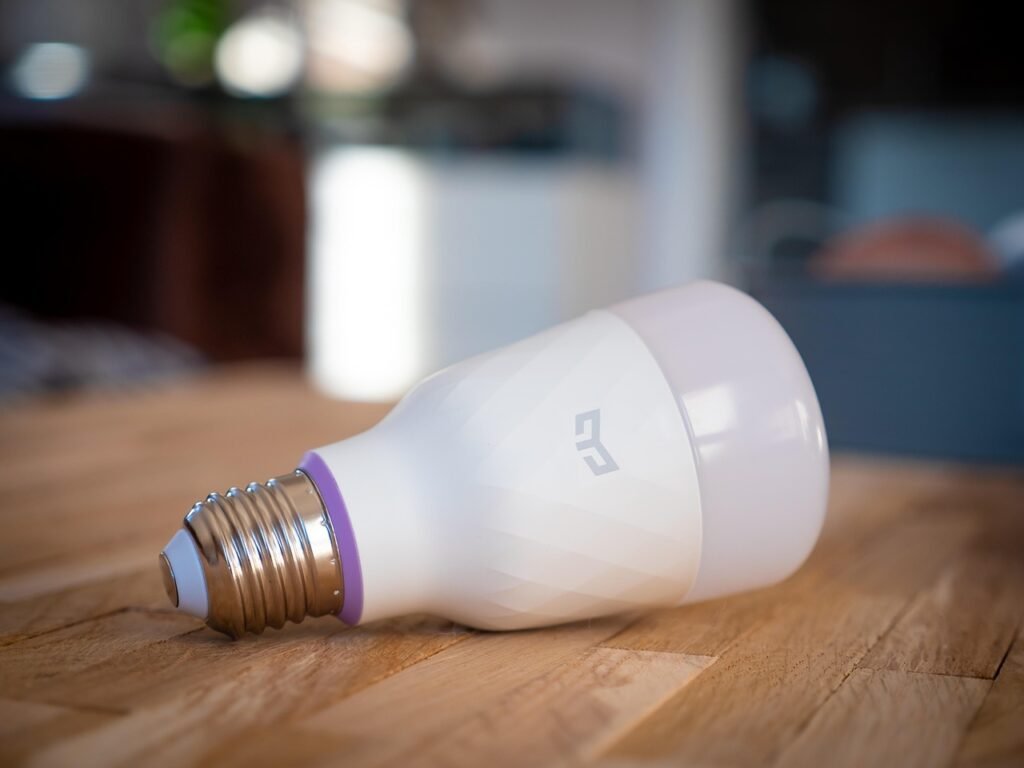
Smart bulbs are the most popular entry point into smart lighting. They replace your existing light bulbs and connect to your home network via Wi-Fi, Zigbee, or Matter. You control them through an app, voice assistant, or automation rules. Most smart bulbs offer dimming, color temperature adjustment (warm to cool white), and many support full RGB color.
The biggest advantage of smart bulbs is simplicity. You unscrew your old bulb, screw in the smart bulb, download an app, and you are done. No wiring, no electrician, no wall modifications. This makes them ideal for renters and anyone who wants to test smart lighting without commitment.
The main disadvantage is that smart bulbs require constant power. If someone turns off the wall switch, the bulb loses power and cannot respond to app or voice commands. This means your household members need to leave switches in the on position, which can be confusing for guests and family members who are not familiar with your smart home setup. For a deeper look at common pitfalls like this, check our guide on smart home mistakes to avoid.
Smart Switches
Smart switches replace your existing wall switches and provide smart control over the lights connected to them. They require wiring into your electrical system, which means you may need an electrician if you are not comfortable working with household electrical circuits. Some models require a neutral wire, which is present in most homes built after 1985 but may be absent in older construction.
The advantage of smart switches is that they solve the power problem. Because the switch itself is always powered, household members can use the wall switch normally. The smart functionality is layered on top, so the switch works both as a physical switch and as a smart device. This is ideal for high traffic areas like hallways, kitchens, and bathrooms where people naturally reach for the switch.
Smart Light Strips
Smart light strips are flexible LED strips with adhesive backing that you can place under cabinets, behind televisions, along staircases, or anywhere you want accent lighting. They connect to your network like smart bulbs and offer the same control options including dimming, color, and scheduling.
Light strips excel at ambient and accent lighting. They are not designed to replace your primary room lighting but rather to add atmosphere and depth. A strip behind your TV can reduce eye strain during dark room viewing. Under cabinet strips provide practical task lighting in the kitchen. A strip along your baseboards creates a subtle pathway light for nighttime trips to the bathroom.
Comparison Table
| Feature | Smart Bulbs | Smart Switches | Smart Strips |
|---|---|---|---|
| Installation difficulty | Easy (screw in) | Moderate (wiring required) | Easy (peel and stick) |
| Requires electrician | No | Recommended | No |
| Works with existing fixtures | Yes | Yes (controls fixtures) | Additional only |
| Physical switch still works | No (must stay on) | Yes | N/A |
| Color options | Yes (RGB models) | No (controls brightness) | Yes (RGB standard) |
| Dimming support | Yes | Yes (dimmable models) | Yes |
| Typical price per room | $30 to $120 | $25 to $80 per switch | $20 to $60 |
| Best for | Living rooms, bedrooms | Hallways, kitchens, baths | Accent and ambient lighting |
Which Should You Start With?
For most people, starting with smart bulbs in one or two rooms is the best approach. Once you understand how smart lighting works and which features matter to you, you can expand to switches for high traffic areas and add strips for ambiance. Many households end up with a mix of all three types, each serving its optimal purpose in different rooms.
For a broader look at affordable smart home products, our best smart home devices under $100 guide includes several lighting options that will not strain your budget.
Smart Lighting Protocol Comparison: Wi-Fi vs Zigbee vs Z-Wave vs Matter
The communication protocol your smart lights use determines how they connect to your network, how many devices you can support, how reliable the connection is, and which ecosystems they work with. Understanding these differences is critical for building a lighting system that performs reliably at scale.
Wi-Fi
Wi-Fi is the most common protocol for budget smart bulbs. These bulbs connect directly to your home Wi-Fi router without requiring a separate hub. Setup is typically as simple as connecting the bulb to your network through the manufacturer app.
The advantage of Wi-Fi is simplicity and low initial cost. No hub means no extra purchase. The disadvantage is that each bulb consumes an IP address on your network and generates traffic. If you install 30 or 40 Wi-Fi bulbs, your router may struggle to handle the load, leading to slow response times and dropped connections. For guidance on optimizing your network for smart home devices, see our smart home networking guide.
Zigbee
Zigbee is a low power mesh networking protocol designed specifically for smart home devices. Each Zigbee device can relay signals to other Zigbee devices, extending the network range. This means the more devices you add, the stronger your network becomes.
Zigbee requires a hub or bridge to connect to your home network. The Philips Hue Bridge, Amazon Echo (4th Gen and later), and Samsung SmartThings Hub all include Zigbee radios. Zigbee bulbs are generally more reliable than Wi-Fi bulbs at scale because the mesh network handles traffic efficiently. Philips Hue, IKEA Tradfri, and Sengled (hub based models) all use Zigbee.
Z-Wave
Z-Wave is another mesh networking protocol similar to Zigbee but operating on a different radio frequency (908 MHz in the US versus Zigbee’s 2.4 GHz). The lower frequency means Z-Wave has better range through walls and is less susceptible to interference from Wi-Fi and Bluetooth.
Z-Wave is less common in smart lighting than Zigbee but is popular in smart switches and dimmers. It also requires a hub. Z-Wave networks are limited to 232 devices per controller, while Zigbee can theoretically support over 65,000 devices. In practice, both protocols work well for residential lighting systems.
Matter
Matter is the newest smart home protocol, developed by the Connectivity Standards Alliance (CSA) with backing from Apple, Google, Amazon, and Samsung. Matter runs over Wi-Fi or Thread (a low power mesh protocol) and provides unified cross platform compatibility.
The primary advantage of Matter is interoperability. A Matter certified bulb works with Alexa, Google Home, Apple HomeKit, and SmartThings without requiring separate integrations for each platform. You commission the device once, and it appears in all your chosen ecosystems. Matter also supports multi admin functionality, meaning multiple people can control the same device from their own accounts.
By 2026, Matter has become the standard for new smart lighting products. Most major manufacturers have updated their product lines to include Matter support. If you are buying new smart lights, choosing Matter certified products gives you the most flexibility for future platform changes.
Protocol Comparison Table
| Feature | Wi-Fi | Zigbee | Z-Wave | Matter |
|---|---|---|---|---|
| Requires hub | No | Yes | Yes | No (over Wi-Fi) or Yes (Thread) |
| Max devices | Router dependent | 65,000+ | 232 | Network dependent |
| Power consumption | High | Low | Low | Low (Thread) or High (Wi-Fi) |
| Mesh networking | No | Yes | Yes | Yes (Thread) |
| Cross platform | Brand dependent | Hub dependent | Hub dependent | Yes (universal) |
| Interference risk | High (2.4 GHz) | Moderate (2.4 GHz) | Low (908 MHz) | Varies |
| Setup complexity | Low | Medium | Medium | Low |
| Best for | Small setups (under 15 devices) | Medium to large setups | Switches and sensors | New installations |
Top Smart Bulb Recommendations for 2026
Choosing the right smart bulb depends on your budget, your ecosystem, and the features you value most. We have tested and researched dozens of smart bulbs, and these are our top recommendations for 2026. For our complete rankings and detailed testing methodology, visit our comprehensive best smart light bulbs guide.
1. Philips Hue White and Color Ambiance A19
Philips Hue White and Color Ambiance A19 remains the gold standard for smart lighting in 2026. The Hue ecosystem offers the most mature app, the widest range of accessories, and the most reliable performance we have tested. These bulbs produce 800 lumens of light with 16 million colors and tunable white from 2000K to 6500K.
The Hue system uses Zigbee through the Hue Bridge, which means your bulbs communicate over a dedicated mesh network rather than crowding your Wi-Fi. The Bridge supports up to 50 lights and 12 accessories, making it suitable for whole home installations. Hue bulbs also support Bluetooth for direct control without the Bridge, though this limits you to 10 bulbs and removes automation features.
The main drawback is price. Hue bulbs cost significantly more than competitors, and the Bridge is an additional purchase if you do not already have one. However, the reliability, app quality, and ecosystem depth justify the premium for users who want a trouble free experience.
2. Feit Electric Smart WiFi RGBW Bulb
Feit Electric Smart WiFi RGBW Bulb is our top budget pick. At a fraction of the cost of premium brands, Feit delivers solid performance with Wi-Fi connectivity, full RGB color, and tunable white. The bulb works with Alexa and Google Assistant without requiring a hub.
Feit bulbs are widely available and frequently go on sale, making them ideal for outfitting multiple rooms on a tight budget. The app is not as polished as Philips Hue, and the color accuracy is slightly less precise, but for the price, the value is exceptional. If you want to try smart lighting without a significant investment, Feit is the way to go.
3. Nanoleaf Essentials A19 Matter Smart Bulb
Nanoleaf Essentials A19 Matter Smart Bulb is our top recommendation for future proofing. As a native Matter device over Thread, this bulb works with all major platforms out of the box. It supports 16 million colors and tunable white from 2700K to 6500K.
The Nanoleaf Essentials bulb is particularly appealing if you use Apple HomeKit, as it is one of the few affordable bulbs that offers native Thread support for fast, responsive control. The bulb also works as a Thread border router for other Thread devices in your network, extending your mesh automatically.
4. TP-Link Tapo L535E Smart Wi-Fi Multicolor Light Bulb
TP-Link Tapo L535E Smart Wi-Fi Multicolor Light Bulb succeeds the popular Kasa KL135 with Matter support and improved brightness. TP-Link has positioned the Tapo line as its primary smart home brand, and the L535E delivers 1050 lumens of brightness with full color and tunable white.
The Tapo app is well designed and supports schedules, scenes, and automation routines. The bulb also supports Matter, making it compatible with Apple HomeKit for the first time in the TP-Link ecosystem. At its price point, this is one of the best value color bulbs available.
5. Sengled Matter Smart Wi-Fi LED Bulb A19
Sengled Matter Smart Wi-Fi LED Bulb A19 brings Matter support to an already affordable product line. Sengled has invested heavily in smart lighting, and this Matter certified bulb offers 800 lumens, full color, and tunable white at a competitive price.
The Sengled Matter bulb connects directly to Wi-Fi without a hub and supports Alexa, Google Home, Apple HomeKit, and SmartThings through Matter. The bulb also includes energy monitoring in the app, allowing you to track power consumption over time.
6. Linkind Matter Smart RGBTW Bulb
Linkind Matter Smart RGBTW Bulb is part of the AiDot ecosystem and offers 1100 lumens of brightness, making it one of the brightest bulbs in this price range. The bulb supports Matter and works with all major platforms.
Linkind is a brand that flies under the radar of most smart home enthusiasts, but their Matter bulb delivers excellent brightness and color accuracy at a budget price. The AiDot app provides scheduling, scenes, and group control, and the Matter certification means you can also control the bulb through your preferred platform’s native app.
Budget Smart Bulb Picks
For those looking to save even more, these options provide great value:
- Govee A19 Smart LED Bulbs (2-Pack) offers Wi-Fi connectivity, RGB color, and app control at an unbeatable per bulb price. Govee has built a reputation for quality budget lighting, and these bulbs are a great starting point.
- Wyze Bulb White (2-Pack) provides tunable white (2700K to 6500K) without color, but at a price that makes whole home installation affordable. Wyze bulbs support Alexa, Google Assistant, and IFTTT.
- Sengled Smart LED Bulb is a hub based Zigbee bulb that offers excellent reliability and energy efficiency. It requires a Sengled hub or compatible Zigbee hub but delivers consistent performance.
- Wyze Bulb Color adds full RGB to the Wyze lineup with 1100 lumens of brightness. It connects via Wi-Fi and supports Alexa and Google Assistant.
Smart Switches and Dimmers
Smart switches solve the biggest problem with smart bulbs: the power loss issue. When you install a smart switch, the switch is always powered and connected to your network. Family members can use the physical switch normally, and the smart features layer on top without any behavioral changes required.
Why Choose Smart Switches?
Smart switches are ideal for rooms where multiple people use the lights and where the physical switch is the natural control method. Kitchens, hallways, bathrooms, and entryways are prime candidates. In these spaces, asking people to leave the switch on and use an app instead is impractical and frustrating.
Smart switches also work with any bulb type. You do not need to replace your existing bulbs with smart bulbs, which can save money if you have many fixtures. A single smart switch can control multiple recessed lights, ceiling fixtures, or outdoor lights simultaneously.
The trade off is installation. Smart switches require wiring into your electrical system, and many models require a neutral wire. If your home was built before 1985, you may not have neutral wires in your switch boxes, which limits your options. Some newer switch models, like the Lutron Caseta line, do not require a neutral wire, making them suitable for older homes.
Top Smart Switch and Dimmer Recommendations
TP-Link Kasa HS220 Smart Dimmer Switch is our top pick for a Wi-Fi connected smart dimmer. It requires a neutral wire and connects directly to your 2.4 GHz Wi-Fi network without a hub. The Kasa app supports scheduling, away mode (random on/off patterns for security), and voice control through Alexa and Google Assistant. The dimmer works with dimmable LED, incandescent, and halogen bulbs up to 150W.
Lutron Caseta Smart Hub (L-BDG2-WH) is the foundation of the Lutron Caseta ecosystem, which is widely regarded as the most reliable smart switch system available. The Caseta hub connects to your router and communicates with Lutron switches using a proprietary Clear Connect protocol that operates on a different frequency from Wi-Fi and Zigbee, virtually eliminating interference. The hub supports up to 75 devices, including dimmers, switches, shades, and sensors.
Lutron Caseta dimmers do not require a neutral wire, making them compatible with older homes. They also work with more bulb types than any other smart dimmer we have tested, including most LED, CFL, incandescent, and halogen bulbs. The main drawback is cost: the hub and individual switches are more expensive than Wi-Fi alternatives.
Smart Plugs as Lighting Controllers
For lamps and other plug in lighting, smart plugs offer a simple alternative to smart bulbs and switches. A smart plug sits between your lamp and the wall outlet, giving you on/off control (and in some cases dimming) through an app or voice assistant.
Amazon Smart Plug is the simplest option for Alexa users. It requires no hub and sets up in seconds through the Alexa app. While it only supports on/off control (no dimming), it is perfect for table lamps and floor lamps where you want voice or scheduled control.
TP-Link Tapo Smart Plug Mini offers a compact design that does not block adjacent outlets. It supports energy monitoring, scheduling, and away mode. The Tapo app is well designed and integrates with Alexa and Google Assistant.
TP-Link Kasa Smart Plug Mini (HS103P2) is a two pack option that provides excellent value. These plugs have been among our top recommendations in the best smart plugs guide for their reliability and ease of use.
Smart Light Strips and Ambient Lighting
Smart light strips add a dimension to your lighting that bulbs and switches cannot: they place light exactly where you want it, in any shape or configuration. Whether you want backlighting behind your television, under cabinet task lighting in the kitchen, or a subtle glow along your stairway, light strips provide flexibility that no other lighting type can match.
What to Look for in Smart Light Strips
When choosing a smart light strip, consider these key factors:
- Brightness: Measured in lumens per meter. Look for at least 600 lumens per meter for task lighting, 300 or more for accent lighting.
- Color zones: The number of independently controllable segments. More zones mean smoother color transitions and more complex effects. RGBIC strips (like Govee) have individually addressable LEDs for the most vibrant effects.
- Length and extensibility: Most strips come in fixed lengths. Check whether the strip can be extended and what the maximum length is.
- Connectivity: Wi-Fi strips connect directly to your network. Bluetooth only strips are cheaper but have shorter range. Matter compatible strips offer cross platform support.
- Indoor vs outdoor: Outdoor strips have IP65 or higher waterproof ratings. If you plan to use strips on patios, decks, or under eaves, make sure you choose an outdoor rated product.
- Adhesive quality: Poor adhesive is the number one complaint with budget strips. Look for 3M adhesive or plan to use mounting clips for permanent installation.
Top Light Strip Recommendations
Nanoleaf Shapes Hexagons Starter Kit is not a traditional strip but a modular panel system that creates stunning wall art with lighting. Each hexagon is individually controllable and can be arranged in any pattern. The system supports touch interaction, music sync, and screen mirror modes. While expensive, it transforms a blank wall into an interactive lighting installation that serves as both decor and functional lighting.
For traditional strip lighting, Govee is the market leader in affordable RGBIC strips. The Govee A19 Smart LED Bulbs (2-Pack) line also includes excellent strip options, but for the best strip experience, look at Govee’s RGBIC line which offers individually addressable LEDs for rainbow effects and dynamic scenes.
If you are invested in the Philips Hue ecosystem, the Hue Lightstrip Plus is the natural choice. It offers 16 million colors, tunable white, and the reliability of the Hue Zigbee network. The strip is extendable up to 10 meters and can be cut to size at designated cutting points.
Creative Uses for Light Strips
Here are some creative ways to use smart light strips in your home:
- TV backlighting: Reduces eye strain during dark room viewing and adds immersion when watching movies. Many strips can sync with your TV’s content for dynamic color matching.
- Under cabinet lighting: Provides practical task lighting in the kitchen. Use warm white for a cozy feel or cool white for food preparation.
- Stairway lighting: Install strips along the underside of each stair tread for safe nighttime navigation. Pair with a motion sensor for automatic activation.
- Closet lighting: A short strip in your closet activates when you open the door, making it easy to find clothes in the dark.
- Outdoor pathway lighting: Use waterproof strips along garden paths or deck edges for both safety and aesthetics.
- Gaming setup: Create an immersive gaming environment with strips behind your monitor and under your desk. Many strips sync with popular games for real time color effects.
Smart Blinds and Curtains
Smart blinds and curtains are the often overlooked component of a complete smart lighting system. They control natural light, which affects both the ambiance and the functionality of your artificial lighting. A room with smart blinds can automatically adjust natural light levels throughout the day, reducing glare on screens, protecting furniture from UV damage, and working in concert with your smart bulbs to maintain consistent lighting levels.
For our complete rankings and detailed reviews, visit our best smart blinds guide. Here are our top picks for smart blinds that integrate with your lighting system:
1. SmartWings Motorized Roller Shades
SmartWings Motorized Roller Shades offer the best combination of features, quality, and value in the smart blinds market. These shades support Matter over Thread, making them compatible with all major smart home platforms. They offer multiple fabric options including light filtering and blackout, and the rechargeable battery lasts up to 6 months on a single charge.
The SmartWings app supports scheduling, scenes, and automation. You can set blinds to open at sunrise and close at sunset, or create custom schedules for different days of the week. The shades also work with Alexa, Google Assistant, and Apple HomeKit for voice control.
2. SwitchBot Blind Tilt
SwitchBot Blind Tilt is a retrofit device that motorizes existing tilt blinds without replacing them. If you have horizontal blinds with tilt wands, this device clips onto the wand and provides motorized tilt control. It is an affordable way to add smart control to existing blinds without buying new ones.
The Blind Tilt works with the SwitchBot Hub, which adds Wi-Fi connectivity and voice control. With the hub, you can schedule tilt adjustments, create scenes, and integrate with other SwitchBot devices. This is an excellent option for renters or anyone who wants smart blinds without replacing their existing window treatments.
3. SwitchBot Roller Shade
SwitchBot Roller Shade is the world’s first adjustable smart roller shade. Unlike custom sized shades that take weeks to manufacture, the SwitchBot Roller Shade can be adjusted to fit your window, making it available immediately. It supports Matter and works with all major platforms.
4. IKEA FYRTUR
IKEA FYRTUR is the product that brought smart blinds to the masses. At approximately $39 to $99 depending on size, it offers the lowest entry point into motorized window treatments. The FYRTUR uses Zigbee and works with the IKEA Dirigera hub, Amazon Echo (built in Zigbee), and other Zigbee compatible hubs.
While the FYRTUR does not support Matter and has limited fabric options, its affordability makes it the best choice for outfitting multiple windows on a budget. The battery lasts up to 4 to 6 months per charge, and the included remote provides simple control without requiring a hub.
5. AOSKY Cordless Roller Shades
AOSKY Cordless Roller Shades offer motorized blinds at a budget price point. These shades support app control and scheduling through the Tuya app, and they are compatible with Alexa and Google Assistant. The cordless design is safer for homes with children and pets.
For more options, including the Graywind Rechargeable Roller Shade and Yoolax Motorized Blackout Shade, see our full smart blinds guide.
Lighting Automation and Scene Setup
The true power of smart lighting emerges when you move beyond manual control and begin automating your lights. Automation means your lights respond to triggers without you pressing a button or issuing a voice command. They turn on when you arrive home, dim when you start watching a movie, and gradually brighten in the morning to wake you naturally.
For a comprehensive collection of automation ideas that go beyond lighting, see our guide on 25 ways to automate your home.
Understanding Lighting Scenes
A lighting scene is a saved combination of brightness and color settings across multiple lights. Instead of adjusting each light individually, you recall a scene that sets all lights to predetermined values. For example, a “Movie Night” scene might dim the living room lights to 10%, set the TV backlight to a cool blue, and turn off the kitchen lights entirely.
Most smart lighting apps support scenes, and they are the building block of daily automation. Common scenes include:
- Morning: Bedroom lights gradually brighten from 0% to 60% over 15 minutes, color temperature shifts from warm to cool white to simulate sunrise.
- Work Mode: Office or study lights set to 100% brightness at 4000K to 5000K for optimal focus and alertness.
- Relax: Living room lights dim to 40%, color temperature warms to 2700K, accent strips set to a soft amber.
- Movie Night: Main lights off or dimmed to 5%, TV backlight on with a cool color, pathway lights to bathroom at 10% warm white.
- Dinner: Dining room lights at 70% warm white, kitchen lights at 50%, ambient music starts (if integrated with a smart speaker).
- Away: All lights off, then random lights turn on and off at varying intervals to simulate occupancy.
- Bedtime: All lights gradually dim to off over 10 minutes, bedroom light shifts to very warm 2000K at low brightness.
Types of Automation Triggers
Smart lighting automations can be triggered by various events:
- Time based: Lights turn on or off at specific times. Simple but effective for daily routines.
- Sunrise/sunset: Lights adjust based on the actual position of the sun, which changes throughout the year. This is ideal for outdoor lighting and circadian rhythm support.
- Location based (geofencing): Lights turn on when you arrive home and turn off when you leave. Requires location services on your phone.
- Motion sensor: Lights turn on when motion is detected and turn off after a period of inactivity. Ideal for hallways, bathrooms, and closets.
- Door/window sensor: Lights turn on when a door opens, such as the front door or a closet door.
- Voice command: Trigger a scene with a specific phrase like “Alexa, goodnight” to activate your bedtime routine.
- Device state: Lights respond to the state of other devices. For example, when your TV turns on, the living room lights dim automatically.
- Weather: Lights adjust based on weather conditions, such as turning on earlier on cloudy days.
Building Your First Automation
Start with a simple time based automation for your bedroom. Set your lights to gradually brighten starting 15 minutes before your alarm, using warm color temperature that shifts to cooler white as brightness increases. This simulates a natural sunrise and can improve your wake up experience significantly compared to an abrupt alarm.
Next, create a geofencing automation that turns on your entryway and living room lights when you arrive home. This is both convenient (you walk into a lit home) and secure (lights are on before you enter). Most smart home apps support geofencing through your phone’s location services.
Finally, set up a motion sensor automation in a high traffic area like a hallway or bathroom. When motion is detected at night, the lights turn on at low brightness (10 to 20%) in warm white. After 2 minutes of no motion, they turn off. This is one of the most appreciated automations in any smart home, as it eliminates the need to fumble for a light switch in the dark.
Advanced Automation with Routines
Once you have mastered basic scenes and triggers, you can combine multiple actions into routines. A routine might trigger when you say “Good morning” to your voice assistant and then:
- Gradually brighten bedroom lights over 10 minutes
- Turn on the coffee maker (via smart plug)
- Open the smart blinds to 50%
- Set the thermostat to your preferred daytime temperature
- Read the weather forecast and news headlines
- Turn on the kitchen lights at 80%
This type of multi device routine is where smart lighting truly shines as part of an integrated smart home. The ecosystem comparison guide can help you choose the right platform for complex routines.
Smart Lighting Energy Saving Tips
Smart lighting is inherently more energy efficient than traditional lighting, but you can maximize savings with the right settings and habits. LED smart bulbs use 75% to 80% less energy than incandescent bulbs, and smart features like dimming and scheduling can reduce consumption even further.
For a comprehensive look at reducing your home’s energy consumption, see our smart home energy saving guide.
1. Replace Incandescent Bulbs with LED Smart Bulbs
The single biggest energy saving comes from replacing incandescent bulbs with LED smart bulbs. A 60W incandescent bulb produces about 800 lumens. A smart LED bulb producing the same 800 lumens uses only 8 to 10 watts. If you replace 20 incandescent bulbs with smart LEDs, you save over 1,000 watts of power whenever all lights are on.
2. Use Dimming to Reduce Consumption
Dimming a bulb reduces its power consumption proportionally. A bulb dimmed to 50% brightness uses approximately 50% less energy. In rooms where full brightness is rarely needed, set your default scene to 70% or 80%. You will barely notice the difference in light level, but you will notice the energy savings over time.
3. Schedule Lights to Turn Off Automatically
One of the most common energy wastes is leaving lights on in empty rooms. Set schedules to turn off lights at specific times, or use motion sensors to ensure lights are only on when someone is present. For outdoor lighting, use sunrise/sunset triggers so lights are never on during daylight hours.
4. Use Motion Sensors in Low Traffic Areas
Install motion sensors in rooms and areas where lights are frequently left on unnecessarily: closets, garages, basements, laundry rooms, and hallways. Set the lights to turn on when motion is detected and turn off after 2 to 5 minutes of no activity. This can reduce lighting energy consumption in these areas by 60% to 80%.
5. Monitor Energy Usage with Smart Bulbs
Some smart bulbs and plugs include energy monitoring features. The Sengled Matter bulb and TP-Link Tapo devices both report power consumption in their apps. Use this data to identify which lights are consuming the most energy and adjust your usage accordingly.
6. Coordinate with Smart Thermostats
Smart lighting and smart thermostats can work together to optimize energy usage. In summer, closing smart blinds during peak sunlight hours reduces both lighting and cooling costs. In winter, opening blinds during sunny days provides natural warmth while reducing lighting needs.
7. Use Circadian Rhythm Lighting
Circadian rhythm lighting adjusts color temperature throughout the day to match natural light patterns. While this feature is primarily about health and wellbeing, it also saves energy. Warm light (2700K) at lower brightness levels in the evening uses less energy than full brightness cool light, and the softer light is more appropriate for the time of day.
Smart Lighting Security Considerations
Smart lighting can enhance your home security, but it also introduces new considerations around data privacy and device security. Understanding both aspects helps you build a lighting system that protects rather than exposes your home.
Using Lighting for Home Security
Smart lighting is one of the most effective deterrents against burglary. A home that appears occupied is far less likely to be targeted. Here are specific security applications:
- Away mode: Most smart lighting apps include an away mode that randomly turns lights on and off to simulate occupancy. This is more convincing than a simple timer because the pattern varies.
- Geofencing automation: Lights turn on as you approach home, so you never arrive at a dark house. This is both a safety and security benefit.
- Door sensor integration: When your smart lock is opened, entryway lights turn on. When a door or window sensor is triggered at night, all lights turn on at full brightness.
- Security camera integration: When your home security system detects motion, exterior lights turn on to illuminate the area and improve camera visibility.
- Vacation simulation: Create a week long schedule that varies lighting patterns to mimic your normal routines while you are away.
Protecting Your Smart Lighting Data
Smart lighting devices collect data about your habits: when you are home, when you go to bed, when you wake up, and which rooms you use most. This data is valuable to manufacturers and potentially to third parties. To protect your privacy:
- Review app permissions: Check what data your lighting app collects and disable unnecessary data sharing in the app settings.
- Use local processing when available: Some hubs (like Philips Hue Bridge and Home Assistant) process automation locally rather than sending data to the cloud. This reduces the amount of data that leaves your home.
- Disable cloud features you do not use: If you only control lights at home, you may not need remote access. Disabling cloud connectivity reduces data exposure.
- Use strong passwords and two factor authentication: Protect your smart home account with a strong, unique password and enable 2FA if available.
- Keep firmware updated: Manufacturers release security patches through firmware updates. Enable automatic updates or check regularly.
For comprehensive guidance on protecting your smart home data, see our smart home privacy guide. If you experience connectivity issues with your lighting devices, our troubleshooting guide covers common problems and fixes.
Budget Smart Lighting Solutions
You do not need to spend a fortune to get started with smart lighting. Here is how to build an effective smart lighting system on a budget, room by room.
The $50 Starter Kit
For under $50, you can begin your smart lighting experience with:
- Two Govee A19 Smart LED Bulbs (approximately $25 for a 2 pack)
- One Amazon Smart Plug (approximately $25) for controlling a lamp
This gives you smart control over three light sources in your home. Use the Govee app to control the bulbs and the Alexa app to control the plug. If you have an Echo device, you can add voice control at no additional cost.
The $150 Room Makeover
For approximately $150, you can fully outfit a living room with smart lighting:
- Four Wyze Bulb White (2-Pack) (approximately $40 for 4 bulbs)
- One smart light strip for TV backlighting (approximately $30 to $40)
- One TP-Link Tapo Smart Plug Mini for a floor lamp (approximately $15)
- One motion sensor for automated lighting (approximately $20 to $25)
This setup gives you dimmable white lighting, accent lighting, automated control, and voice activation for less than the cost of a single Philips Hue starter kit.
Budget vs Premium: What Do You Get for the Extra Money?
Premium smart lighting systems like Philips Hue cost more, but they offer tangible benefits over budget alternatives:
- Reliability: Hue bulbs rarely drop off the network. Budget Wi-Fi bulbs occasionally disconnect, requiring a power cycle to restore.
- Color accuracy: Premium bulbs produce more vivid, accurate colors. Budget RGB bulbs often have a limited color gamut.
- App quality: Premium apps are more polished, with better scene management, scheduling, and integration options.
- Ecosystem depth: Philips Hue offers accessories like dimmer switches, motion sensors, and contact sensors that integrate natively with the Hue system.
- Longevity: Premium bulbs tend to last longer, both in terms of hardware lifespan and manufacturer software support.
For more budget friendly smart home recommendations, see our guide to the best smart home devices under $100.
Smart Lighting Audit Checklist
Use this checklist to evaluate your current lighting setup and identify areas for improvement. Whether you are just starting or have an existing smart lighting system, this audit will help you optimize your setup.
Room by Room Assessment
| Room | Current Lighting | Smart Upgrade Priority | Recommended Product Type |
|---|---|---|---|
| Living Room | Overhead + lamps | High | Smart bulbs (color) + strip |
| Bedroom | Overhead + bedside | High | Smart bulbs (tunable white) |
| Kitchen | Recessed + under cabinet | Medium | Smart switches + strips |
| Bathroom | Overhead + vanity | Low | Smart switch + motion sensor |
| Hallway | Overhead | Medium | Smart switch + motion sensor |
| Home Office | Overhead + desk lamp | High | Smart bulbs (tunable white) + strip |
| Outdoor | Porch + garden | Medium | Smart bulbs (weatherproof) + switch |
| Garage | Overhead | Low | Smart switch + motion sensor |
System Health Checklist
- Are all smart lights responding within 1 second of a command?
- Do all lights appear in your smart home app without any showing as offline?
- Are firmware updates current on all devices?
- Have you created at least 3 lighting scenes (morning, evening, away)?
- Is there a geofencing automation for arriving and leaving home?
- Are motion sensors installed in hallways, bathrooms, and closets?
- Do outdoor lights use sunrise/sunset triggers?
- Is your lighting system backed up in case of internet outage (local processing)?
- Have you reviewed which apps have access to your lighting data?
- Are lights coordinated with other smart home devices (thermostat, locks, cameras)?
Performance Optimization
If your smart lights are slow to respond or occasionally drop off the network, consider these optimizations:
- Reduce Wi-Fi congestion: If you have more than 15 Wi-Fi smart bulbs, consider migrating to a Zigbee or Matter over Thread system to reduce router load.
- Add a dedicated smart home hub: A hub like the Lutron Caseta Smart Hub or Philips Hue Bridge handles communication locally, reducing latency.
- Check for interference: Other 2.4 GHz devices (baby monitors, microwaves, Bluetooth devices) can interfere with Wi-Fi and Zigbee signals. Relocate devices if necessary.
- Update your router: A modern router with better range and device capacity can dramatically improve smart lighting reliability. See our networking guide for recommendations.
- Group lights by room: Most apps allow you to group lights by room, which reduces the number of individual commands and improves response time.
Frequently Asked Questions
1. Do I need a hub for smart lighting?
It depends on the protocol your bulbs use. Wi-Fi bulbs connect directly to your router and do not require a hub. Zigbee bulbs (like Philips Hue) and Z-Wave devices require a compatible hub. Matter bulbs can connect over Wi-Fi without a hub or over Thread with a border router (which may be built into your smart speaker or Apple TV). If you have more than 15 smart bulbs, a hub based system is recommended for reliability.
2. Can I mix different smart bulb brands in the same home?
Yes, but with caveats. If all bulbs support Matter, they can be controlled through a single platform app regardless of brand. Without Matter, each brand typically requires its own app, though you can control multiple brands through a smart home platform like Alexa, Google Home, or Apple HomeKit if the brands support those platforms. Mixing brands may result in inconsistent features (some may support color while others only support white tuning).
3. Will smart bulbs work if my internet goes down?
Wi-Fi bulbs will continue to respond to physical switches and local app control if your phone is on the same local network, even without internet. However, cloud based features like remote control and voice assistant integration will not work. Hub based systems (Philips Hue, Lutron Caseta) store automations locally on the hub, so schedules and scenes continue to function during an internet outage.
4. How long do smart LED bulbs last?
Most smart LED bulbs are rated for 25,000 hours of use, which translates to approximately 22 years at 3 hours per day. However, the electronic components that enable smart features (Wi-Fi radio, microcontroller) may fail before the LED itself. In practice, expect 5 to 10 years of reliable service from quality smart bulbs. Premium brands like Philips Hue tend to last longer than budget alternatives.
5. Can I use smart bulbs in enclosed fixtures?
Most smart bulbs are not rated for fully enclosed fixtures because the electronics need ventilation to prevent overheating. Using a smart bulb in an enclosed fixture can shorten its lifespan and may void the warranty. Check the manufacturer specifications for each bulb. Some bulbs, like certain Sengled and Feit models, are rated for enclosed fixtures.
6. Do smart bulbs use electricity when turned off?
Yes, smart bulbs draw a small amount of power (typically 0.2 to 0.5 watts) when turned off but still connected to power. This is necessary to maintain the network connection so the bulb can respond to commands. Over a year, this standby power costs approximately $0.50 to $1.00 per bulb, which is negligible compared to the energy savings from LED efficiency and smart scheduling.
7. What is the difference between tunable white and full color smart bulbs?
Tunable white bulbs adjust the color temperature of white light from warm (2700K, similar to incandescent) to cool (6500K, similar to daylight). Full color (RGB) bulbs can produce 16 million colors in addition to tunable white. Tunable white bulbs are less expensive and suitable for most residential applications. Full color bulbs are ideal for accent lighting, entertainment spaces, and holiday decorations.
8. Can I control smart lights with multiple phones?
Yes. Most smart lighting apps support multiple users through account sharing or family features. You can invite household members to control the lights through their own phones. With Matter, multi admin support allows multiple people to control the same devices from their own accounts across different platforms.
9. Are smart switches better than smart bulbs?
Neither is universally better. Smart switches are better for high traffic areas where people naturally use wall switches, and for rooms with multiple bulbs controlled by a single switch. Smart bulbs are better for rooms where you want individual control of each light, color changing capability, or where wiring a smart switch is not feasible. Many homes benefit from a combination of both.
10. How do I set up circadian rhythm lighting?
Circadian rhythm lighting adjusts color temperature throughout the day to match natural light patterns. Cool, bright light in the morning promotes alertness, while warm, dim light in the evening supports relaxation and sleep. Most smart lighting apps offer this as a built in feature (sometimes called “circadian,” “natural,” or “daylight” mode). You can also create custom schedules that adjust color temperature at specific times. Smart lighting for seniors particularly benefits from circadian rhythm support, as it can help regulate sleep patterns.
Conclusion
Smart lighting is the most impactful and accessible entry point into home automation. Whether you start with a single budget bulb or invest in a whole home system with switches, strips, and automated blinds, the improvement to your daily life is immediate and tangible. You gain convenience, energy savings, security benefits, and the ability to create atmospheres that traditional lighting simply cannot achieve.
The key to a successful smart lighting setup is starting small and expanding thoughtfully. Begin with one or two rooms, learn how automation works, and gradually add devices as you identify your needs. Choose a protocol that matches your scale (Wi-Fi for small setups, Zigbee or Matter over Thread for larger installations), and select products that work with your preferred smart home platform.
As you build your system, remember that smart lighting does not exist in isolation. It works best when coordinated with other smart home devices: thermostats that adjust temperature, blinds that control natural light, locks that trigger entryway lights, and cameras that activate exterior lighting. The true value of smart lighting emerges when it becomes part of an integrated home automation system.
For further reading, explore our guides on home automation ideas, energy saving strategies, and smart home gift ideas for friends and family who want to start their own smart lighting experience.
If you encounter issues during setup, our troubleshooting guide covers the most common smart lighting problems and their solutions. And for those setting up smart lighting for older family members, our smart home guide for seniors provides age friendly setup recommendations.