
Affiliate Disclosure: deeperthing.com is a participant in the Amazon Services LLC Associates Program. When you buy through links on our site, we may earn an affiliate commission at no additional cost to you. We only recommend products we believe provide real value for families. Our recommendations are based on hands-on testing, research, and real-world use.
Introduction: How Smart Home Technology Protects Children
Every parent knows the feeling. You are cooking dinner, and your toddler wanders toward the back door. You are at work, and your teenager is supposed to be home by 4:00 PM. You are asleep, and a pipe bursts in the bathroom upstairs. Smart home technology cannot replace parental supervision, but it can extend your awareness and give you tools to respond faster when something goes wrong.
In 2026, the smart home market offers more family-focused devices than ever before. Smart locks can prevent children from wandering outside unsupervised. Security cameras let you check on sleeping babies from your phone. Door sensors alert you the moment a curious child opens a window. Smart plugs can cut power to dangerous outlets remotely. Water leak sensors catch plumbing problems before they flood your home. Smoke and carbon monoxide detectors send phone alerts even when you are away.
This guide covers every major smart home category that matters for child safety. We will walk through specific products, setup tips, and real family scenarios. Whether you are building a smart home from scratch or adding safety devices to an existing setup, you will find practical advice here. For a broader overview of smart home basics, check out our smart home beginner setup guide.
We also cover the mistakes parents commonly make, privacy concerns specific to families, and budget-friendly options under $200. By the end of this guide, you will have a clear roadmap for making your home safer with smart technology. If you are also setting up devices for elderly family members, our smart home guide for seniors complements this article.
Smart Locks for Child Safety
Smart locks are one of the most impactful safety upgrades for families with young children. Traditional deadbolts require a key, which kids can lose or forget to use. Smart locks let you monitor and control your doors from anywhere, ensuring your children stay safely inside and unwanted visitors stay out.
Keeping Kids Inside
The biggest concern for parents of toddlers and preschoolers is wandering. A child who can reach the deadbolt can open the front door and walk outside in seconds. Smart locks solve this problem in several ways. First, you can set the lock to auto-lock after a set period, so the door always secures itself even if someone forgets. Second, many smart locks offer a “locked from inside” mode that requires a code or app command to open from the interior. Third, you receive a phone notification every time the door locks or opens, so you know immediately if your child is trying to go outside.
The August Wi-Fi Smart Lock is our top pick for families. It attaches to your existing deadbolt on the inside of the door, so installation takes about 10 minutes with a screwdriver. The August app lets you create virtual keys for babysitters and family members, set auto-lock timers, and receive door activity notifications. The DoorSense feature tells you whether the door is physically closed and locked, not just whether the lock is engaged.
For families who want a full deadbolt replacement, the ULTRALOQ U-Bolt Pro WiFi Smart Lock offers fingerprint unlocking, keypad codes, and app control. You can program up to 200 user codes, making it easy to assign unique codes to each family member and track who comes and goes. The fingerprint sensor is fast enough that older children can let themselves in after school without fumbling for keys.
Restricting Access to Sensitive Areas
Beyond the front door, consider smart locks for interior doors that lead to dangerous areas. Garage doors, basement entries, and home offices with firearms or medications all benefit from smart lock protection. You can set schedules so certain doors only open during specific hours, or require your phone approval before opening.
For a complete comparison of the best smart locks available, read our best smart locks 2026 review. It covers 10 models tested for reliability, ease of use, and family-friendly features.
Security Cameras for Monitoring Kids
Indoor security cameras serve double duty for parents. They provide peace of mind when you are in another room, and they let you check on your children when you are away from home. The key is choosing cameras with the right features for family use: two-way audio, night vision, motion alerts, and privacy modes.
Indoor Cameras for Common Areas
Placing a camera in the living room or playroom lets you monitor activities without hovering. The Blink Mini Compact Indoor Security Camera is an affordable choice at around $15. It offers 1080p HD video, motion detection, two-way audio, and night vision. The compact size means you can place it on a shelf without it dominating the room. For families who want newer features, the Blink Mini 2 adds color night vision, a wider field of view, and a built-in spotlight.
If you need pan-and-tilt functionality to cover a larger room, the Wyze Cam Pan v3 offers 360-degree horizontal rotation and 93-degree vertical tilt. This means you can track movement across an entire playroom from your phone. It also includes color night vision and two-way audio. For a higher-resolution option, the Wyze Cam v4 delivers 2.5K QHD video with enhanced color night vision and a motion-activated spotlight.
Baby Monitoring with Smart Cameras
Traditional baby monitors work well, but smart cameras offer significant advantages. You can view the feed from anywhere, not just from the included parent unit. The Infant Optics DXR-8 Video Baby Monitor remains a top choice for parents who prefer a non-WiFi system. It uses a dedicated 2.4 GHz FHSS connection that cannot be hacked over the internet, and it includes interchangeable lenses for different room sizes. The 3.5-inch color screen gives you a clear view of your baby without relying on your phone.
For parents who want WiFi connectivity and remote viewing, smart cameras like the Blink Mini or Wyze Cam work well as baby monitors. Just be sure to enable privacy features, use strong passwords, and consider turning off the camera during sensitive moments. Our home security cameras review covers 10 models with detailed comparisons.
Camera Placement Tips for Families
- Place cameras high enough that small children cannot reach them
- Avoid pointing cameras at cribs or changing tables where diaper changes occur
- Use privacy masking features to block sensitive areas of the room
- Set motion detection zones to focus on doorways and hallways
- Enable privacy mode during family time when you do not need monitoring
Smart Door and Window Sensors
Door and window sensors are simple devices that pack a big safety punch for families. Each sensor consists of two pieces: one attaches to the door or window, and the other attaches to the frame. When the two pieces separate, the sensor triggers an alert on your phone. For parents of curious toddlers and sleepwalking children, these sensors provide an early warning system.
Why Door Sensors Matter for Child Safety
Children are naturally curious, and doors that lead outside or to unsafe areas are irresistible. A door sensor on the back door, side gate, or basement entry gives you instant notification the moment it opens. You can set different alert types for different doors. For example, a front door alert might be a gentle chime, while a pool gate alert triggers a loud siren on your phone.
The Ring Alarm Contact Sensor (2nd Gen, 2-Pack) integrates with the Ring Alarm system and sends instant alerts to your phone when doors or windows open. If you have Ring Alarm professional monitoring, the sensors can also trigger emergency response. For a single sensor, the Ring Alarm Contact Sensor (1-Pack) is available individually.
The newest Ring Window and Door Sensor uses Amazon Sidewalk for connectivity, which means it does not require a Ring Alarm base station. This makes it more accessible for families who just want door monitoring without a full security system.
For Apple HomeKit users, the Ecolink Wireless Door/Window Sensor offers an 8-year battery life and works with HomeKit automations. You can set up notifications like “if the back door opens after 9 PM, flash the bedroom lights.”
Window Sensor Strategy for Multi-Story Homes
In homes with multiple stories, window sensors are especially important. Second-floor windows pose fall risks for adventurous children. Place sensors on every accessible window, particularly those near furniture that children could climb. Set alerts to trigger immediately rather than with a delay, so you can respond before a child gets into a dangerous situation. For comprehensive home security planning, see our smart home security guide.
Smart Plugs for Outlet Safety
Electrical outlets are a classic hazard for young children. While outlet covers help, smart plugs add a layer of control that physical covers cannot match. With smart plugs, you can cut power to any device remotely, set schedules for when outlets are active, and monitor energy usage to detect unusual consumption.
Remote Shutoff for Dangerous Devices
Imagine your child turns on a space heater in their room while you are downstairs. With a smart plug, you can turn off the heater from your phone instantly. The TP-Link Kasa Smart Wi-Fi Plug (HS103) lets you control any plugged device from the Kasa app. You can set schedules, create scenes, and use voice commands with Alexa or Google Assistant. The compact design means it does not block adjacent outlets.
For families in the Amazon ecosystem, the Amazon Smart Plug offers plug-and-play setup with the Alexa app. It requires no separate hub, and you can control it with simple voice commands like “Alexa, turn off the heater.”
Scheduling for Safety and Energy Savings
Smart plugs shine when you use scheduling. You can set dangerous devices like irons, space heaters, and hair tools to only have power during specific hours. For example, the flat iron in the bathroom can be scheduled to lose power at 8:00 AM, ensuring it cannot be accidentally turned on later by a curious child. This also saves energy, which is a nice bonus.
Our best smart plugs 2026 review covers 10 models tested for reliability, safety certifications, and energy monitoring features. If you are setting up your entire home, also check our budget smart home guide for cost-saving bundle recommendations.
Smart Lighting for Kids Rooms
Lighting plays a surprising role in child safety. Night lights prevent tripping hazards during midnight bathroom trips. Scheduled lighting simulates occupancy when the family is away. Color-changing bulbs can signal bedtime without arguments. Smart lighting gives parents control over all of these scenarios from their phone or voice assistant.
Night Lights and Sleep Schedules
Smart bulbs in children’s bedrooms can follow a gradual dimming schedule that helps signal bedtime. You can program the lights to start at full brightness at 6:30 PM, dim to 50 percent at 7:00 PM, and turn off completely at 7:30 PM. This visual cue helps children wind down without you having to manually adjust the lights every night.
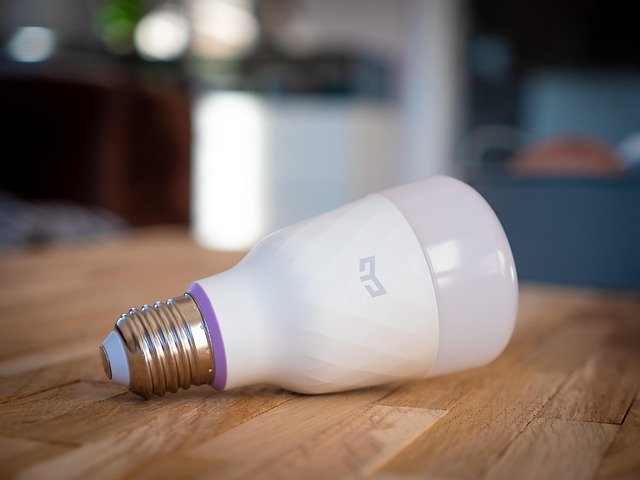
The Philips Hue White and Color Ambiance A19 Smart Bulb is the gold standard for smart lighting. With 16 million colors and tunable white light, you can create the perfect environment for playtime, homework, and sleep. The Hue ecosystem supports schedules, scenes, and automations that trigger based on time, motion, or other smart home events.
For a budget-friendly option, the Sengled Smart LED Starter Kit includes a hub and color-changing bulbs at a fraction of the Hue price. It works with Alexa and Google Assistant, and the Sengled app supports scheduling and scenes.
Hallway and Staircase Lighting
Motion-activated smart lights in hallways and staircases prevent falls during nighttime trips. You can set the lights to turn on at 10 percent brightness between 10 PM and 6 AM, providing enough light to see without fully waking anyone up. This is particularly helpful for children who are potty training or prone to sleepwalking.
For more lighting ideas and product recommendations, read our smart home lighting guide and our best smart light bulbs 2026 review.
Water Leak Sensors for Bathroom and Kitchen Safety
Water damage is one of the most common and costly home disasters. For families, the risks go beyond property damage. Standing water creates slip hazards, and undetected leaks can lead to mold that affects respiratory health. Water leak sensors provide early detection that can save thousands of dollars and protect your family’s health.
Where to Place Water Leak Sensors
- Under sinks in the kitchen and bathrooms
- Behind the washing machine and dishwasher
- Near the water heater and sump pump
- Under ice makers and refrigerator water lines
- In the basement near plumbing entries
- Behind toilets, especially those used by young children
The GoveeLife Smart Water Leak Detector 1s (3-Pack) is our top recommendation for families. It includes a Wi-Fi gateway and three sensors with an ultra-long 1,804-foot range. When water is detected, you receive alerts via app push notifications, SMS, email, and a 105-decibel alarm. The IP67 waterproof rating means the sensors survive submersion, and the 5-year battery life means minimal maintenance.
For a more affordable option, the Govee WiFi Water Sensor Alarm (3-Pack) offers similar functionality with a 100-decibel alarm and app notifications. It supports up to 10 sensors connected to one gateway, making it easy to expand coverage as your family grows.
For comprehensive emergency planning beyond water leaks, our smart home emergency preparedness guide covers fire, flood, power outage, and medical emergency scenarios.
Smart Smoke and CO Detectors for Family Protection
Smoke and carbon monoxide detectors are non-negotiable safety devices in any home with children. Smart versions add phone notifications, self-testing, and integration with other smart home devices. When a smart smoke detector triggers, it can turn on all your lights to help your family evacuate, open smart locks for emergency responders, and send alerts to your phone even when you are miles away.
Why Smart Detectors Are Worth the Investment
Traditional smoke detectors only alert people inside the home. If you are at work and a fire starts, you will not know until you return. Smart detectors close this gap by sending immediate phone notifications. They also perform self-tests automatically, eliminating the “low battery chirp at 3 AM” problem that leads many parents to remove batteries entirely (a dangerous practice).
The First Alert SC5 Battery Smart Smoke and CO Alarm is the official replacement for the discontinued Google Nest Protect. It connects to Wi-Fi and sends phone alerts for smoke and carbon monoxide events. The alarm interconnects wirelessly with other First Alert and Nest Protect units, so when one sounds, they all sound. Voice alerts tell you the type and location of the danger, which is critical for evacuating children quickly.
Carbon Monoxide: The Silent Threat to Families
Carbon monoxide is odorless, colorless, and particularly dangerous for children whose smaller bodies absorb it faster. Every home with a furnace, water heater, fireplace, or attached garage needs CO detectors on every floor and near sleeping areas. Smart CO detectors provide an extra layer of protection by alerting you remotely, so you can call for help even if no one is home to hear the alarm.
For a complete family emergency plan that integrates smart detectors with other safety devices, see our emergency preparedness guide.
Voice Assistant Parental Controls
Voice assistants like Amazon Alexa and Google Assistant are common in family homes. They play music, answer homework questions, and control smart devices. But without proper parental controls, they can also access inappropriate content, make unauthorized purchases, and collect more data than parents realize.
Amazon Alexa Parental Features
The Amazon Echo Dot Kids (5th Gen, Owl) is designed specifically for children ages 3 and up. It includes a one-year subscription to Amazon Kids+, which provides kid-friendly content and automatically filters explicit songs. The Parent Dashboard lets you set daily time limits, review activity, and approve contacts for voice and video calls. Alexa automatically gives kid-friendly responses and cannot make purchases without a voice code.
For parents who want a standard Echo device, the Amazon Echo Dot (5th Gen, Charcoal) can be configured with parental controls through the Alexa app. You can enable FreeTime, set bedtime limits, and disable voice purchasing. The key is setting up a child profile so Alexa knows to filter content appropriately.
Google Assistant Family Features
The Google Nest Mini (2nd Gen, Chalk) offers Family Link integration, which lets parents create Google accounts for children under 13 with managed settings. Google Assistant can distinguish between family members’ voices, so it gives age-appropriate responses to each person. You can set content filters, disable certain features, and review activity through the Family Link app.
Essential Voice Assistant Settings for Parents
- Disable voice purchasing or set a PIN code
- Enable content filtering for music and web searches
- Set do-not-disturb hours for bedtime
- Review and delete voice recordings regularly
- Limit which smart home devices children can control
- Set up approved contacts for calling features
For a detailed comparison of voice assistants and their family features, read our voice assistant guide.
Smart Home Routines for Families
Routines are where smart home devices truly shine for families. Instead of controlling each device individually, routines let you trigger multiple actions with a single command, time, or event. For busy parents, this means less micromanagement and more automatic safety.
Morning Routine
A family morning routine might include: at 6:30 AM, the bedroom lights gradually brighten, the thermostat adjusts to 72 degrees, the kitchen coffee maker turns on via a smart plug, and the news plays on the living room Echo. For children, their room lights turn on at 7:00 AM, and Alexa announces “Good morning! Time to get ready for school.” Door sensors on the front door switch from night mode to away mode, so you get alerts if someone leaves before the routine completes.
Bedtime Routine
A bedtime routine is equally powerful. At 7:30 PM, the living room TV turns off via smart plug, children’s bedroom lights dim to 20 percent, the front door auto-locks, and all cameras switch to night vision mode. At 8:00 PM, the children’s lights turn off completely, and a white noise machine (connected to a smart plug) turns on. The thermostat drops to a comfortable sleeping temperature.
School Departure Routine
When your child says “Alexa, I’m leaving for school,” the routine locks the back door, arms the security cameras, turns off all lights except the porch light, and sends you a notification that your child has left. When they return and say “Alexa, I’m home,” the routine disarms the cameras, turns on the entry lights, and sends you a confirmation notification.
For dozens more automation ideas and step-by-step setup instructions, see our smart home automation ideas guide. Seasonal adjustments to your routines are covered in our seasonal smart home guide.
Budget-Friendly Family Safety Setup (Under $200)
You do not need to spend thousands to make your home safer for children. Here is a complete family safety setup for under $200 that covers the most critical needs:
| Device | Product | Estimated Price | Safety Function |
|---|---|---|---|
| Indoor Camera | Blink Mini | $15 | Monitor playroom or nursery |
| Door Sensor | Ring Contact Sensor | $15 | Alert when doors open |
| Smart Plug (2-pack) | TP-Link Kasa HS103 | $20 | Remote shutoff for dangerous devices |
| Water Leak Sensor (3-pack) | Govee Water Sensor | $40 | Detect leaks in kitchen and bath |
| Voice Assistant | Echo Dot 5th Gen | $30 | Voice control and routines |
| Smart Bulb | Sengled Smart LED | $25 | Night light and schedules |
| Pan/Tilt Camera | Wyze Cam Pan v3 | $40 | Cover large rooms with 360-degree view |
| Total | ~$185 |
This setup gives you camera monitoring in two rooms, door open alerts, remote power shutoff, water leak detection, voice control, and automated lighting. For more budget-conscious smart home tips, see our complete budget smart home guide.
Privacy Considerations for Family Smart Homes
Smart home devices collect data. Cameras record video, voice assistants store audio, and sensors log activity patterns. When you fill your home with smart devices to protect your children, you also create a digital footprint of your family’s daily life. Understanding and managing this trade-off is essential.
Camera Privacy
Indoor cameras are the biggest privacy concern for families. Video of your children playing, sleeping, and going about daily life is sensitive data. To minimize risks, choose cameras with physical privacy shutters, enable end-to-end encryption when available, and use strong unique passwords with two-factor authentication. Consider disabling cameras during family time and only enabling them when you are away.
Voice Data
Both Amazon and Google allow you to review and delete voice recordings. Set a routine of checking these recordings monthly and deleting anything you do not want stored. You can also configure settings to automatically delete recordings after a set period. Be aware that voice recordings help improve the assistant’s accuracy, so there is a trade-off between privacy and functionality.
Network Security Basics
- Change default passwords on all smart home devices
- Use a separate Wi-Fi network for smart home devices if your router supports it
- Keep firmware updated on all devices
- Disable features you do not use, like remote access on cameras
- Review app permissions regularly
- Use a password manager to maintain unique passwords
For an in-depth look at smart home privacy, including data collection practices by major brands and steps to protect your family, read our smart home privacy guide.
Common Mistakes Parents Make with Smart Home Safety
Even with the best devices, setup mistakes can leave your family vulnerable. Here are the most common errors parents make and how to avoid them:
1. Using Default Passwords
The single most dangerous mistake is leaving default passwords on smart home devices. Hackers scan for devices with factory credentials, and baby monitors with default passwords have been compromised in well-publicized incidents. Change every password to a unique, strong passphrase immediately after setup.
2. Over-Relying on Technology
Smart home devices supplement parental supervision, not replace it. A camera cannot physically stop a child from opening a door, and a sensor cannot pick up a toddler. Use technology as an early warning system, not as a substitute for active parenting.
3. Ignoring Firmware Updates
Manufacturers release firmware updates to patch security vulnerabilities. Ignoring these updates leaves your devices exposed to known exploits. Enable automatic updates wherever possible, and check monthly for devices that require manual updates.
4. Placing Cameras in Private Areas
Bathrooms, bedrooms where family members change clothes, and any area where privacy is expected should never have cameras. Even if you trust the security of the camera, the risk of a breach or accidental sharing is too high.
5. Forgetting to Test the System
A smart home safety system is only effective if it works when needed. Test your sensors monthly by opening doors and windows. Test your water leak sensors with a drop of water. Test your smoke detector monthly. If you have automation routines, verify they trigger correctly.
6. Not Having a Backup Plan
Smart home devices depend on Wi-Fi and power. If your internet goes down or power fails, smart locks may not respond remotely, cameras may stop recording, and sensors may not send alerts. Have a backup plan: physical keys hidden securely, battery backups for critical devices, and a cellular hotspot for internet redundancy.
For a comprehensive list of smart home mistakes (not just safety-related), see our smart home mistakes to avoid guide.
Frequently Asked Questions
1. At what age can children start using smart home devices safely?
Children as young as 3 can interact with voice assistants like the Echo Dot Kids, which includes parental controls and content filtering. For smart home control, ages 8 to 10 is a reasonable starting point, with parental oversight. Always set up child profiles and enable all available parental controls.
2. Are smart home cameras safe from hackers?
No internet-connected device is 100 percent secure, but you can significantly reduce risk by using strong unique passwords, enabling two-factor authentication, keeping firmware updated, and choosing cameras with end-to-end encryption. Avoid cheap, no-name brands with poor security track records.
3. Can smart locks be trusted for child safety?
Quality smart locks from reputable brands like August and ULTRALOQ are reliable for child safety. They include backup options like physical keys and battery-low warnings. However, always test the lock regularly and keep a spare key in a secure location in case of battery failure.
4. Do I need a hub for smart home family safety devices?
Many modern smart home devices connect directly to Wi-Fi and do not require a separate hub. Devices like the Blink Mini, Amazon Smart Plug, and Govee Water Sensor work with just your home Wi-Fi network. However, a hub can improve reliability and enable more complex automations.
5. How much does a basic smart home safety setup cost?
A basic family safety setup covering cameras, door sensors, smart plugs, water leak sensors, and a voice assistant can be assembled for under $200. See our budget setup section above for a specific product list and pricing.
6. Will smart home devices work during a power outage?
Most smart home devices require power and Wi-Fi to function. Battery-powered devices like sensors and some cameras will continue working temporarily. For critical devices like smart locks, consider models with battery backup. A UPS (uninterruptible power supply) can keep your router and hub running during short outages.
7. Can I monitor my children with smart home devices when I am at work?
Yes. Indoor cameras, door sensors, and voice assistants all support remote monitoring through their companion apps. You can receive real-time alerts when doors open, view live camera feeds, and even communicate through two-way audio on cameras and voice assistants.
8. Are smart smoke detectors worth the extra cost compared to traditional ones?
Smart smoke detectors cost more upfront but provide significant advantages: phone alerts when you are away, automatic self-testing, interconnectivity with other alarms, and integration with smart home routines. For families, the remote notification feature alone justifies the price difference.
9. How do I prevent my child from changing smart home settings?
Most smart home apps offer user profiles with different permission levels. Create a child profile with limited permissions so they can control approved devices (like their bedroom light) but cannot change security settings or disable sensors. Use PIN codes on voice assistants to prevent unauthorized changes.
10. What is the most important smart home device for new parents?
If we had to choose one device, it would be a smart door sensor on the main exit doors. This single device alerts you the moment your child tries to leave the house, which is the most critical safety concern for toddlers. Add a baby monitor camera as the second priority.