
FTC Disclosure: DeeperThing.com is a participant in the Amazon Associates Program. We may earn commissions from qualifying purchases made through links on this page. This does not affect the price you pay. We only recommend products we believe provide genuine value for seniors and caregivers.
Smart Home for Aging in Place: The Complete Guide to Staying Independent in 2026
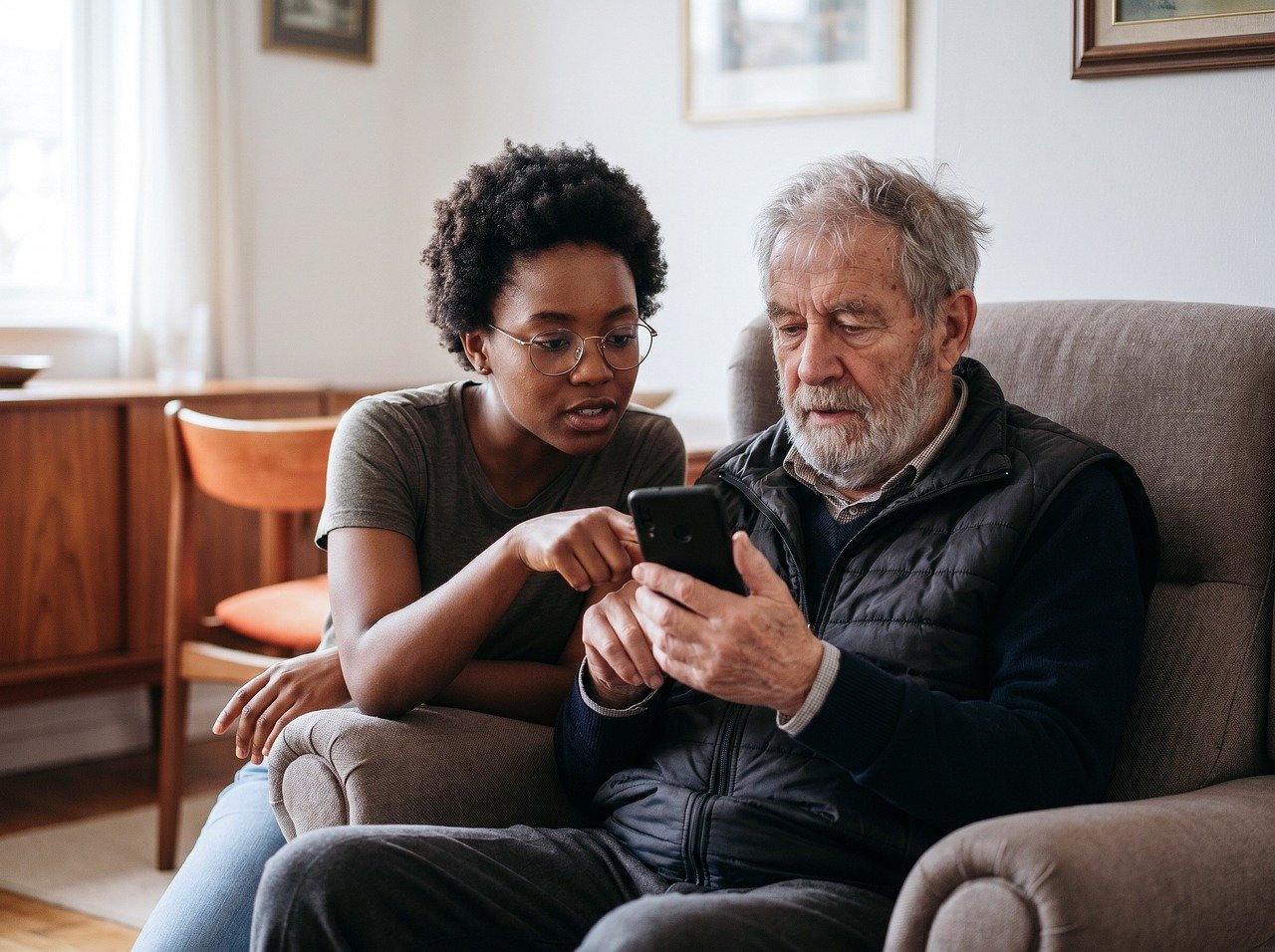
Aging in place means growing older in your own home rather than moving to an assisted living facility or nursing home. According to AARP, nearly 90 percent of adults over 65 want to stay in their current residence for as long as possible. The challenge is doing so safely, comfortably, and without overwhelming family caregivers. Smart home technology has become one of the most practical solutions for making this goal achievable.
In 2026, smart home devices are more affordable, easier to set up, and better integrated than ever before. From fall detection sensors that alert family members automatically to smart pill dispensers that organize medications for weeks at a time, these tools address the specific risks that come with aging. This guide covers every major category of smart home technology that supports aging in place, with specific product recommendations, budget comparisons, and practical setup advice.
Whether you are planning for your own future, helping an aging parent, or working as a professional caregiver, this guide will walk you through the essential devices and strategies. For a broader introduction to smart home basics, check out our smart home beginner guide.
Fall Detection and Prevention: The First Line of Defense
Falls are the leading cause of injury among older adults. The CDC reports that one in four Americans aged 65 and older falls each year, and falls account for over 3 million emergency department visits annually. Smart home technology offers multiple layers of protection against fall risks, from prevention to detection to emergency response.
Smart Activity Sensors with Fall Detection
Traditional medical alert pendants require the user to press a button after a fall. But what happens if the person is unconscious, confused, or unable to reach the button? Smart activity sensors solve this problem by automatically detecting falls without requiring any action from the user.
The AltumView Sentinare sensor is one of the most advanced options available. It uses an onboard AI chip to convert people into stick figure animations before transmission, meaning no actual video is recorded or sent. This privacy-preserving approach makes it suitable for bedrooms and bathrooms where cameras would be inappropriate. When a fall is detected, the sensor immediately sends an alert to designated caregivers through the mobile app. The device was a CES 2021 Innovation Award Honoree and has been selected by Amazon for integration with its Alexa Together urgent response service.
For those who already have an Amazon Echo Dot in the home, pairing it with a fall detection sensor creates a comprehensive emergency response system. Alexa Together provides 24/7 professional monitoring, and when paired with compatible fall detection devices, it can automatically contact emergency services if a fall is detected and the user does not respond to check-in prompts.
Motion Sensors for Activity Tracking
Beyond fall detection, motion sensors placed throughout the home can track daily activity patterns. A sudden change in these patterns, such as a senior not entering the kitchen at their usual mealtime, can signal a problem. The Ring Alarm Contact Sensor can be placed on doors and windows to monitor movement throughout the home. Similarly, the Aqara Zigbee Door and Window Sensor provides real-time alerts when doors or windows are opened, which is especially valuable for families concerned about wandering in cases of dementia.
For more advanced presence detection, the Aqara Presence Sensor FP300 uses millimeter wave technology to detect even subtle movements like breathing. This means it can tell whether someone is simply sitting still versus having left the room entirely, reducing false alarms significantly compared to traditional PIR motion sensors.
Water Leak Sensors for Bathroom Safety
Bathrooms are one of the most dangerous rooms in the home for seniors. Beyond fall risks, water leaks from fixtures can create slip hazards. The Aqara Water Leak Sensor can be placed near toilets, sinks, and bathtubs to detect water on the floor immediately. When paired with a smart home hub, these sensors can trigger automatic shut-off valves or send alerts to family members, preventing both water damage and potential slip-and-fall accidents.
If you are building a complete safety system, our smart home security guide provides additional strategies for protecting every area of the home.
Smart Medication Management: Never Miss a Dose

Medication errors are a serious health risk for older adults. The FDA estimates that medication non-adherence causes approximately 125,000 deaths per year in the United States. Smart pill dispensers address this problem by automating medication schedules, sending reminders, and alerting caregivers when doses are missed.
Automated Pill Dispensers
The LiveFine Smart WiFi Automatic Pill Dispenser is a popular choice for aging in place. It holds up to 28 days of medication with up to 9 daily doses. The device connects to WiFi and pairs with a mobile app that allows family members and caregivers to remotely monitor medication adherence. When it is time for a dose, the dispenser sounds an alarm and flashes a light. The next dose becomes accessible only at the scheduled time, which helps prevent double-dosing. The lockable cover ensures that medications cannot be accessed outside of the scheduled times, a critical safety feature for individuals with memory impairments.
The LiveFine dispenser also includes a large LCD display showing the current time, upcoming alarms, and battery status. This is particularly important for seniors with vision impairments who may struggle with smaller text. The app tracks whether each dose was taken on time, taken late, or missed entirely, and sends push notifications to caregivers accordingly.
Subscription-Based Medication Services
For more complex medication regimens, subscription-based services like Hero offer an all-inclusive approach. Hero stores, sorts, and dispenses up to 10 different medications with a 90-day supply. The service includes a mobile app for remote caregiver monitoring, medication interaction warnings, and adherence tracking. While Hero operates on a subscription model rather than a one-time purchase, the included features like 24/7 live support and a lifetime hardware warranty may justify the ongoing cost for families managing complex medication schedules.
Simple Reminder Solutions
For seniors with simpler medication needs, a basic reminder system may suffice. Smart speakers like the Amazon Echo Dot can be programmed with daily medication reminders using Alexa routines. The Amazon Echo Spot with its small screen display is particularly useful because it shows visual reminders alongside audio alerts, which helps seniors with hearing difficulties.
For more ideas on automating daily routines, see our smart home automation ideas guide.
Emergency Response Integration: Help When Seconds Count
When an emergency occurs, every second matters. Smart home technology can reduce response times by automating the process of calling for help. Traditional medical alert systems required the user to press a button, but modern systems can detect emergencies and initiate response protocols automatically.
Smart Speakers as Emergency Hubs
The Amazon Echo Show 5 serves as an excellent emergency response hub. With its built-in speaker and microphone, seniors can call for help using voice commands. Alexa Together, Amazon’s subscription service for seniors, adds 24/7 professional monitoring. If a fall detection device triggers an alert, the Echo will attempt to communicate with the senior, and if no response is received, a trained agent will contact emergency services.
The Amazon Echo Dot Max provides room-filling sound that ensures alerts and reminders are heard even in larger homes. For seniors with hearing aids, the louder speaker output is particularly valuable.
Panic Buttons and Wearable Alert Devices
While smart speakers provide voice-activated emergency calling, wearable panic buttons offer an additional layer of protection. These devices can be worn as pendants or wristbands and typically work both inside and outside the home. When paired with a smart home system, pressing the panic button can trigger multiple actions simultaneously: alerting family members, contacting emergency services, and turning on all smart lights to guide first responders to the home.
Automated Emergency Protocols
Smart home automation can create multi-step emergency response routines. For example, a single voice command or button press can:
- Call designated emergency contacts
- Unlock the smart front door for first responders
- Turn on all exterior and interior lights
- Send a notification to all family caregiver phones
- Begin recording from security cameras
Our emergency preparedness guide covers these protocols in greater detail, including how to set up automated routines for various emergency scenarios.
Smart Lighting for Safety: Preventing Falls Before They Happen
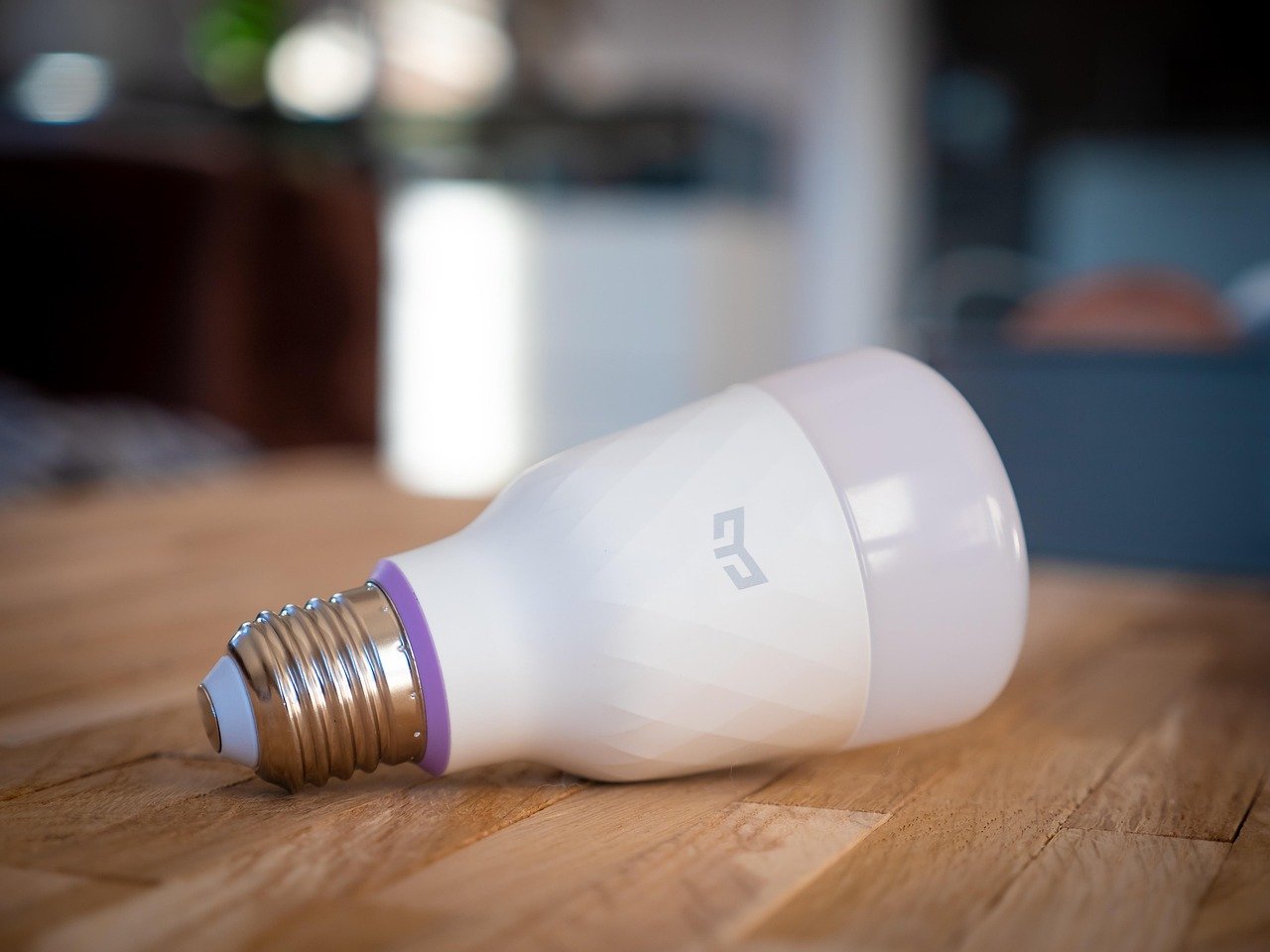
Proper lighting is one of the simplest yet most effective ways to prevent falls. Poor lighting contributes to approximately 30 percent of falls among older adults. Smart lighting systems address this by providing automatic illumination exactly when and where it is needed.
Motion-Activated Night Lights
The most common fall scenario involves seniors getting up at night to use the bathroom. Motion-activated night lights solve this by illuminating the path automatically. The AUVON Plug-in LED Night Light with Motion Sensor is a top-rated option that plugs directly into wall outlets. It features adjustable brightness from 1 to 50 lumens and a warm white color temperature that is gentle on the eyes at night. The dusk-to-dawn sensor ensures the lights only activate when needed, conserving energy during daylight hours.
For areas without convenient outlet access, the LOHAS LED Motion Sensor Night Light offers similar functionality with a compact design. These lights can be placed along hallways, in bathrooms, and near staircases to create a continuous illuminated pathway from the bedroom to the bathroom.
Smart Light Switches for Whole-Home Control
While plug-in night lights are convenient, replacing traditional light switches with smart switches provides more comprehensive lighting control. The Lutron Maestro Motion Sensor Light Switch automatically turns lights on when someone enters the room and off when the room is vacant. This is particularly useful in bathrooms, laundry rooms, and closets where seniors might forget to turn on lights before entering.
Smart Bulbs for Scheduling and Automation
Smart bulbs offer programmable lighting schedules that can mimic natural circadian rhythms. Warm, dim lights can be scheduled for evening hours to promote better sleep, while brighter, cooler lights can be programmed for morning hours to help with waking. For seniors who tend to wake up disoriented, having lights gradually brighten over 15 minutes before their alarm provides a gentler wake-up experience.
For a comprehensive comparison of smart lighting options, read our best smart light bulbs guide. You can also learn about budget-friendly smart plugs that can make any lamp smart in our best smart plugs guide.
Smart Door Locks for Caregiver Access: Keyless Entry Solutions
One of the biggest challenges for family caregivers is managing access to the home. Spare keys can be lost, copied, or forgotten. Smart door locks eliminate these problems by providing keyless entry through PIN codes, smartphone apps, and even biometric authentication.
Keypad Smart Locks for Caregiver Codes
Smart locks with keypad entry allow caregivers to be assigned unique access codes. This means a home health aide can be given a code that only works during their scheduled hours. If the caregiver relationship ends, the code can be revoked instantly without needing to rekey the lock. The Aqara Smart Lock U100 supports fingerprint entry, touchscreen keypad, and Apple Home Key, making it one of the most versatile options for seniors who may have difficulty with traditional keys due to arthritis or dexterity issues.
The eufy Security Smart Lock C220 is another strong option with built-in WiFi, fingerprint recognition, and app-based remote control. The eight-month battery life means less frequent maintenance, and the BHMA Grade 3 rating ensures reliable security.
Temporary Access Codes for Emergency Personnel
In an emergency, first responders need quick access to the home. Smart locks can be programmed with a temporary code that can be communicated to 911 dispatchers. Some systems can even unlock automatically when triggered by a fall detection alert or panic button press, ensuring that help can reach the senior without delay.
Auto-Lock and Door Status Alerts
For seniors with memory concerns, smart locks with auto-lock features provide peace of mind. The door automatically locks after a set period, ensuring it is never accidentally left unlocked. Door status alerts sent to caregiver phones can confirm that the door has been secured each night. For more information on choosing the right smart lock, see our best smart locks guide.
Remote Monitoring for Family Caregivers: Peace of Mind from Anywhere
Family caregivers often live hours away from their aging loved ones. Remote monitoring technology bridges this distance by providing real-time information about the senior’s wellbeing. These systems range from simple activity sensors to comprehensive camera setups.
Indoor Security Cameras for Non-Intrusive Monitoring
Cameras provide visual confirmation of a loved one’s condition, but privacy concerns are valid. The Blink Mini indoor camera offers 1080p HD video, night vision, and two-way audio at an affordable price. Motion detection alerts can be sent to caregiver phones, and privacy covers are available for times when monitoring is not needed.
The TP-Link Tapo C100 indoor camera is another budget-friendly option with local storage via microSD card, eliminating the need for monthly cloud subscriptions. This is particularly important for seniors on fixed incomes who may not want recurring costs.
Contact Sensors for Activity Tracking
For families who prefer non-camera monitoring, contact sensors placed on key doors and cabinets provide valuable activity data without visual surveillance. The ecobee Smart Sensor for Doors and Windows can track when the refrigerator is opened (indicating regular meals), when the medicine cabinet is accessed (indicating medication adherence), and when the front door opens (indicating the senior has left or returned home).
Activity patterns established over time create a baseline. Deviations from this baseline, such as the refrigerator not being opened by noon or the front door opening at an unusual hour, can trigger alerts to family members.
Video Doorbells for Visitor Verification
Door-to-door scammers often target elderly homeowners. Video doorbells allow caregivers to see who is at the door and communicate with visitors remotely. The Ring Battery Doorbell Plus provides a head-to-toe view with 2K resolution and enhanced night vision. The Ring Battery Doorbell offers a more affordable option with many of the same features.
For seniors who may be vulnerable to scams, the two-way audio feature allows family members to intervene if a suspicious visitor is detected. Motion alerts notify caregivers whenever someone approaches the door, even if they do not ring the bell.
For more on choosing the right security cameras, see our best security cameras guide and best video doorbells guide.
Smart Thermostats for Comfort: Automatic Temperature Management
Older adults are more sensitive to temperature extremes. The EPA reports that seniors account for a disproportionate number of heat-related and cold-related illnesses. Smart thermostats help maintain comfortable and safe temperatures automatically, reducing the risk of temperature-related health emergencies.
Learning Thermostats That Adapt
The Google Nest Learning Thermostat is the gold standard for adaptive temperature control. After a few days of manual adjustments, the thermostat learns the household’s preferred temperature patterns and begins making adjustments automatically. This is particularly valuable for seniors with cognitive impairments who may forget to adjust the thermostat or may set it to dangerous levels.
The Nest thermostat also includes remote control via the smartphone app, allowing caregivers to adjust the temperature from anywhere. If a caregiver notices that the home is too hot or too cold through activity sensors or camera feeds, they can adjust the temperature immediately without needing to visit in person.
Affordable Smart Thermostat Options
The Amazon Smart Thermostat provides many of the same features at a lower price point. It works with Alexa for voice control and includes energy-saving features like detecting when no one is home to adjust the temperature. The Alexa app provides step-by-step installation instructions, and 24/7 customer support is available for setup assistance.
For seniors on fixed incomes, the energy savings from smart thermostats can be significant. ENERGY STAR certified smart thermostats save an average of $50 per year on energy bills. Over the life of the device, these savings can offset the initial purchase cost.
For a complete comparison of smart thermostat options, see our best smart thermostats guide.
Voice Control for Limited Mobility: Hands-Free Home Management
For seniors with arthritis, Parkinson’s disease, or other conditions that affect mobility and dexterity, voice control is not just a convenience, it is a necessity. Voice assistants allow users to control lights, thermostats, door locks, and entertainment systems without needing to physically interact with switches or buttons.
Amazon Alexa for Seniors
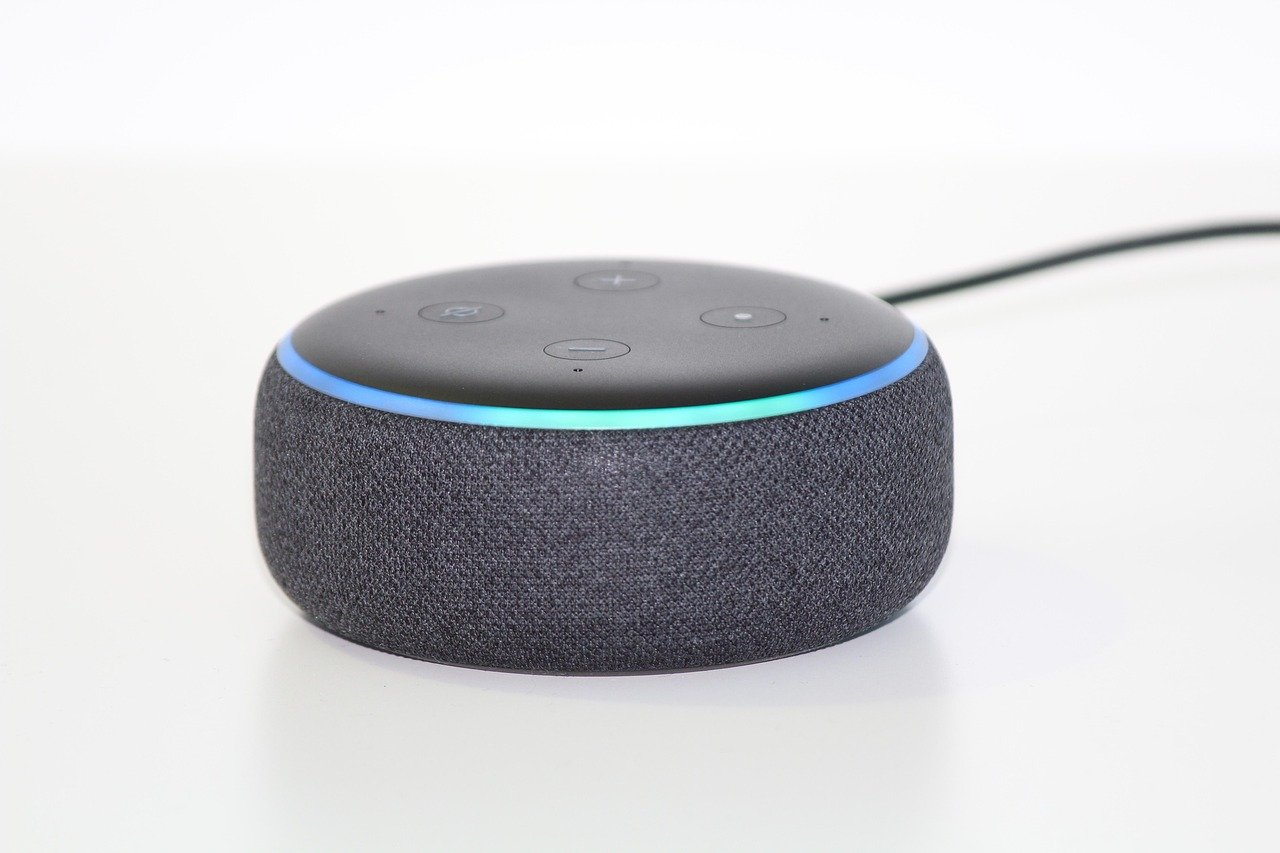
Amazon’s Alexa ecosystem is the most widely supported voice control platform for smart home devices. The Amazon Echo Dot provides affordable voice control in every room. With simple commands like “Alexa, turn on the bedroom lights” or “Alexa, set the thermostat to 72,” seniors can manage their environment without getting up or finding a remote.
The Amazon Echo Spot adds a small visual display that shows the time, weather, and visual confirmations of voice commands. This is helpful for seniors who may not hear the audio response clearly or who prefer visual feedback. The Spot also functions as a smart alarm clock with sunrise alarm features that gradually brighten the screen to simulate dawn, promoting better sleep patterns.
Google Assistant as an Alternative
Google Assistant offers similar functionality through devices like the Google Nest Hub. The Nest Hub provides a larger touchscreen display that can show video feeds from security cameras, display recipe instructions, and serve as a digital photo frame. Google’s natural language processing is particularly strong, making it more forgiving of speech variations that may come from stroke survivors or individuals with speech impediments.
Setting Up Voice Routines
Voice assistants can be programmed with routines that execute multiple actions from a single command. For example, saying “Alexa, good morning” can:
- Turn on bedroom and hallway lights
- Adjust the thermostat to a comfortable daytime temperature
- Read the weather forecast and daily schedule
- Start the coffee maker (if connected to a Kasa Smart Plug)
- Dispense the first medication of the day (if connected to a smart pill dispenser)
Similarly, a “good night” routine can lock all doors, turn off lights, set the thermostat to a sleeping temperature, and activate night lights. These routines reduce cognitive load and ensure consistent daily patterns, which is particularly beneficial for individuals with memory impairments.
For more information on voice assistant options, see our voice assistant guide.
Smart Home Hubs and Integration: Bringing It All Together
Individual smart devices are useful, but their true power emerges when they work together as an integrated system. A smart home hub serves as the central controller that coordinates communication between devices from different manufacturers and enables complex automation routines.
Choosing the Right Hub
For most seniors aging in place, an Echo device serves as both a voice assistant and a smart home hub. Amazon’s Zigbee integration allows Echo devices to control compatible smart home devices directly, without requiring a separate hub. This simplifies setup and reduces the total number of devices needed.
For families invested in the Google ecosystem, the Google Nest Hub serves a similar function. Apple HomeKit users can use an Apple TV or HomePod as a hub, which is ideal for families already deeply invested in Apple products.
For more advanced setups, dedicated hubs like Samsung SmartThings or Hubitat provide greater customization options. However, these may require more technical knowledge to set up and maintain. If you are new to smart home technology, start with our smart home hub guide for a detailed comparison.
The Amazon Basics Smart Wall Plug with Motion Sensor as a Simple Starting Point
For families who want to start small, the Amazon Basics Smart Wall Plug with motion sensor and night light is an excellent entry point. It combines three functions in one device: smart plug control, motion detection, and night light illumination. This single device can begin the process of making a home smarter without requiring a significant investment or technical expertise.
Expanding the System Over Time
One of the advantages of smart home technology is that it can be built incrementally. Start with the most critical safety devices, such as fall detection sensors and emergency response integration. Then add medication management, lighting, and climate control. Finally, integrate convenience devices like smart plugs and voice assistants. This phased approach spreads the cost over time and allows the senior to gradually adapt to new technology.
For a step-by-step approach to setting up a smart home for seniors, see our seniors setup guide and beginner setup guide.
Budget Comparison: Aging in Place vs Assisted Living
One of the most common questions families ask is whether the cost of smart home technology for aging in place is justified compared to assisted living. The table below provides a detailed cost comparison over a five-year period.
| Expense Category | Aging in Place with Smart Home Tech | Assisted Living Facility |
|---|---|---|
| Monthly Housing Cost | $1,200 (existing mortgage or rent) | $4,500 to $8,000 |
| Smart Home Device Investment (Year 1) | $1,500 to $3,000 (one-time) | $0 (included in facility cost) |
| In-Home Care (Part-Time) | $1,500 to $3,000 per month | $0 (included in facility cost) |
| Monthly Subscription Services | $50 to $150 (monitoring, cloud storage) | $0 (included in facility cost) |
| 5-Year Total Estimated Cost | $108,000 to $222,000 | $270,000 to $480,000 |
| Quality of Life Consideration | Familiar environment, community connections, independence | Social activities, 24/7 staff, structured environment |
While the initial investment in smart home technology may seem substantial, the long-term savings compared to assisted living can be significant. Even at the high end of aging in place costs ($222,000 over five years), the savings compared to a mid-range assisted living facility ($375,000 over five years) amount to $153,000. For budget-conscious families, our budget smart home devices guide highlights affordable options that provide essential safety features without breaking the bank.
Medicare and Insurance Considerations
Understanding what insurance will and will not cover is essential for planning aging in place technology investments. Medicare coverage for smart home devices is limited, but some options exist.
Medicare Coverage
Traditional Medicare (Parts A and B) generally does not cover smart home devices. However, some Medicare Advantage (Part C) plans offer expanded benefits that may include certain assistive technologies. These plans sometimes cover:
- Personal emergency response systems (PERS) with monthly monitoring
- Medication management devices prescribed by a physician
- Remote patient monitoring devices for chronic condition management
- Fall detection devices when prescribed as durable medical equipment
It is important to check with the specific Medicare Advantage plan for covered benefits, as coverage varies significantly between plans and regions.
Medicaid Waiver Programs
Medicaid Home and Community-Based Services (HCBS) waivers may cover certain assistive technologies that support aging in place. These waivers are designed to help individuals who would otherwise require institutional care to remain in their homes. Eligibility and covered services vary by state, so families should contact their local Medicaid office for specific information.
Health Savings Accounts and FSA
For seniors still working or with active Health Savings Accounts (HSAs) or Flexible Spending Accounts (FSAs), some smart home health devices may qualify for reimbursement. Devices that are primarily medical in nature, such as smart pill dispensers prescribed by a physician, are more likely to qualify than general smart home devices like speakers or light bulbs.
Veterans Benefits
Veterans may be eligible for assistive technology through the Veterans Health Administration. The VA offers several programs that can cover smart home modifications and devices for aging veterans, including the Home Improvement and Structural Alterations (HISA) grant and the Specially Adapted Housing (SAH) grant program.
Privacy and Data Security Considerations
Smart home devices collect significant amounts of personal data, including activity patterns, voice recordings, and video footage. For seniors aging in place, protecting this data is essential for both privacy and physical safety.
Securing the Home Network
The first step in protecting smart home data is securing the home WiFi network. This includes using a strong, unique password, enabling WPA3 encryption if available, and keeping the router firmware updated. Consider creating a separate WiFi network specifically for smart home devices, which isolates them from computers and phones that contain more sensitive personal information.
Reviewing Privacy Settings
Each smart home platform has different privacy policies and data retention practices. Amazon Alexa allows users to review and delete voice recordings, either individually or automatically on a rolling schedule. Google Assistant offers similar controls. Family members should review these settings during initial setup and periodically thereafter.
For cameras, consider models with local storage options rather than cloud-only storage. The TP-Link Tapo camera mentioned earlier supports microSD card storage, keeping video footage within the home rather than on external servers.
Protecting Against Hacking
Smart home devices can be entry points for hackers if not properly secured. Enable two-factor authentication on all smart home accounts, use strong unique passwords for each service, and keep device firmware updated. Some devices, particularly cheaper cameras and doorbells, may have weaker security protocols. Sticking with established brands like Ring, Blink, and Aqara generally provides better security than unknown alternatives.
For a comprehensive guide on smart home privacy, see our smart home privacy guide and our smart home mistakes to avoid guide.
For seniors with specific accessibility needs, our accessibility guide provides additional recommendations tailored to various physical and cognitive conditions. And for those who want to compare different brands and models before purchasing, our smart home buying guide offers a detailed comparison framework.
Smart Water Shutoff and Appliance Safety
Beyond the devices already discussed, smart water shutoff valves and appliance monitoring systems add another layer of protection for seniors aging in place. Water damage from overflowing sinks, leaking water heaters, or malfunctioning washing machines can lead to costly repairs and create hazardous conditions like slippery floors or electrical risks.
Smart water shutoff valves connect to the main water supply line and can automatically shut off water when a leak is detected by sensors placed throughout the home. This is particularly valuable for seniors who may not notice a small leak until it has caused significant damage. When paired with the water leak sensors mentioned earlier in this guide, the system can respond to leaks in seconds rather than hours or days.
Smart plugs like the {Kasa Smart Plug} can also monitor appliance energy usage. Unusual power consumption from a refrigerator, space heater, or other appliance can indicate a malfunction that requires attention. Some smart plugs can automatically shut off connected devices if they detect abnormal power draw, preventing potential fire hazards from appliances that have been left on accidentally.
For seniors who use space heaters or electric blankets, smart plugs with auto-off timers provide an additional safety measure. The plug can be programmed to turn off the connected device after a set period, eliminating the risk of an appliance being left on overnight. This is especially important for older adults who may forget to turn off heating devices, which are a leading cause of home fires among seniors.
Stove Safety Monitoring
Cooking-related fires are another significant risk for older adults. Smart stove monitors can detect when a stove has been left on without activity for an extended period and automatically shut off the gas or electric supply. Some systems use motion sensors to determine whether someone is actively cooking, while others use temperature sensors to detect abnormal heat levels. These devices can also send alerts to family caregivers, providing an opportunity to intervene before a fire occurs.
For families concerned about kitchen safety, combining a smart stove monitor with a smart smoke detector creates a comprehensive fire prevention system. Smart smoke detectors like those from Nest or First Alert can distinguish between cooking smoke and actual fire smoke, reducing false alarms while ensuring real threats are detected immediately. When a smart smoke detector triggers, it can automatically turn on all smart lights to illuminate escape routes and send notifications to all family members.
Smart Home Technology for Cognitive Decline
For seniors experiencing early-stage dementia or Alzheimer’s disease, smart home technology can address unique challenges that go beyond physical safety. Wandering prevention, medication management, and daily routine support become critical concerns.
Door contact sensors placed on exterior doors can alert caregivers if the door is opened during nighttime hours, helping prevent wandering episodes. The Aqara Door and Window Sensor mentioned earlier can be configured to send immediate alerts if any exterior door opens between specific hours, such as 10 PM to 6 AM. For more comprehensive monitoring, bed-occupancy sensors can detect when someone gets out of bed, triggering hallway lights to guide them safely to the bathroom while also alerting caregivers if the person does not return to bed within a reasonable timeframe.
Smart home routines can also provide structure and cues throughout the day. A morning routine can remind the senior to take medications, eat breakfast, and check the weather. An evening routine can confirm that doors are locked and lights are set for nighttime safety. These automated routines reduce the cognitive load on the senior while providing caregivers with confirmation that daily tasks have been completed.
Location tracking devices, while not strictly smart home devices, complement the home system by providing safety when the senior leaves the house. GPS-enabled watches or pendants can share location data with family members, and some devices include fall detection and two-way calling features. When combined with a comprehensive home monitoring system, these wearable devices ensure that seniors are protected both inside and outside the home.
For more information on setting up smart home technology for individuals with specific accessibility needs, our accessibility guide provides detailed recommendations tailored to various conditions and capabilities.
Floor Pressure Mats for Bed Exit Monitoring
Floor pressure mats placed beside the bed provide another non-intrusive monitoring option for nighttime safety. When a senior steps on the mat to get out of bed, the pressure sensor triggers a signal that can activate hallway lights and send a notification to caregivers. For seniors at risk of falling during nighttime bathroom trips, this early alert system gives caregivers the opportunity to provide assistance before a fall occurs. Some pressure mats can be configured to only alert caregivers if the mat is triggered during specific nighttime hours, reducing unnecessary daytime alerts.
Pressure mats can also be placed at the top of staircases, providing an additional safety measure for seniors who live in multi-level homes. If a senior approaches the stairs during nighttime hours, the mat can trigger stairway lights and send an alert to a family member, allowing them to check in remotely or call to offer assistance.
Environmental Monitoring Beyond Temperature
In addition to temperature control, environmental sensors can monitor air quality, humidity levels, and carbon monoxide. Poor air quality can exacerbate respiratory conditions common among older adults, including COPD and asthma. Smart air quality monitors can detect elevated levels of particulate matter, volatile organic compounds, and carbon dioxide, triggering air purifiers or sending alerts when ventilation is needed. For seniors who use supplemental oxygen, maintaining proper humidity levels is particularly important, as dry air can irritate nasal passages and increase the risk of nosebleeds and respiratory infections.
Carbon monoxide detectors are essential in any home with gas appliances, attached garages, or fireplaces. Smart carbon monoxide detectors like those from Nest or First Alert not only sound an audible alarm but also send smartphone notifications to family members and can trigger other smart home devices. For example, a carbon monoxide alert could automatically turn off the HVAC system to prevent circulating contaminated air and turn on smart lights to guide the senior toward exits.
Frequently Asked Questions About Smart Home for Aging in Place
1. What is the most important smart home device for aging in place?
The most important device depends on individual needs, but fall detection sensors and emergency response systems are generally considered the highest priority. A device like the AltumView Sentinare sensor, paired with Alexa Together, provides 24/7 fall detection and emergency response, addressing the most serious risk facing older adults living alone.
2. How much does it cost to set up a smart home for aging in place?
A basic setup with fall detection, smart lighting, a voice assistant, and a few sensors typically costs between $500 and $1,500. A more comprehensive system with smart locks, cameras, medication management, and thermostat control can range from $2,000 to $5,000. Ongoing subscription costs for monitoring services typically run $20 to $50 per month.
3. Can smart home devices replace a personal emergency response system (PERS)?
Smart home devices can supplement or, in some cases, replace a traditional PERS. Alexa Together with compatible fall detection sensors provides similar functionality to a PERS, with the added benefit of smart home integration. However, for seniors who spend significant time outside the home, a mobile PERS with GPS tracking may still be necessary.
4. Are smart home devices difficult for seniors to use?
Most modern smart home devices are designed for ease of use. Voice-controlled devices like the Amazon Echo Dot require no physical interaction beyond initial setup. Motion-activated lights and sensors operate automatically once installed. The main learning curve comes with the companion smartphone apps, which family caregivers typically manage remotely.
5. Does Medicare pay for smart home devices?
Traditional Medicare does not cover smart home devices. Some Medicare Advantage plans may cover certain assistive technologies as supplemental benefits. Medicaid HCBS waivers in some states may also cover specific devices. Veterans may be eligible for assistive technology through VA programs.
6. How do smart home devices help with medication management?
Smart pill dispensers like the LiveFine WiFi dispenser automatically organize and dispense medications at scheduled times, send audio and visual alerts, and notify caregivers if doses are missed. The lockable cover prevents double-dosing and unauthorized access, which is critical for individuals with memory impairments.
7. What happens if the internet goes down?
Most smart home devices have local fallback functionality. Smart locks typically include physical key backup. Motion-activated lights can function on their own sensors without WiFi. Smart thermostats continue to maintain temperature based on the last schedule. Fall detection sensors like the AltumView Sentinare can detect falls locally, though notifications may be delayed until connectivity is restored.
8. Can smart home technology prevent falls?
While no technology can prevent all falls, smart home lighting systems significantly reduce fall risk by illuminating pathways automatically. Motion-activated night lights like the AUVON Plug-in LED Night Light ensure that seniors never walk in the dark. Smart thermostats prevent extreme temperatures that can cause dizziness or weakness. Activity tracking sensors can identify changes in movement patterns that may indicate increased fall risk.
9. How do I set up remote monitoring for an aging parent?
Start with a smart home hub like an Amazon Echo device, then add contact sensors on key doors, a video doorbell for visitor verification, and indoor cameras in common areas (with the senior’s consent). Use a shared family app to receive alerts and monitor activity patterns. Our seniors setup guide provides step-by-step instructions.
10. Are there privacy concerns with smart home cameras for seniors?
Yes, privacy is a legitimate concern. Use cameras only in common areas with the senior’s informed consent. Consider privacy-preserving alternatives like the AltumView Sentinare, which transmits stick figure animations instead of video. Always use devices from reputable manufacturers with strong security protocols, and review privacy settings regularly.
Conclusion: Building a Safer Future at Home
Smart home technology has transformed what it means to age in place. In 2026, families have access to an unprecedented range of devices that address the specific risks and challenges of growing older at home. From fall detection sensors that protect privacy while monitoring safety, to smart pill dispensers that ensure medication adherence, to voice-controlled automation routines that simplify daily life, these tools make independent living safer and more comfortable than ever before.
The key to success is starting with the highest-priority safety devices and expanding the system over time. Fall detection, emergency response, and adequate lighting should come first. Medication management, remote monitoring, and climate control can follow. Voice assistants and smart home hubs tie everything together into an integrated system that is greater than the sum of its parts.
For families concerned about cost, the comparison with assisted living facility expenses shows that investing in smart home technology can save hundreds of thousands of dollars over five years while allowing seniors to remain in familiar surroundings. The emotional and psychological benefits of staying in one’s own home, near neighbors and community, cannot be overstated.
As technology continues to evolve, the tools available for aging in place will only become more capable, more affordable, and easier to use. By taking action now, families can create a safer environment that supports independence and dignity for years to come. The investment in smart home technology is an investment in quality of life, peace of mind, and the fundamental right to grow older in the comfort of one’s own home.
Top Smart Home Devices for Seniors: Product Picks for 2026
Based on extensive testing, here are the smart home devices that work best for seniors and aging in place. Each pick prioritizes ease of use, reliability, and accessibility features.
Why Smart Home Technology Is Transforming Senior Care
The Aging in Place Revolution: 90 Percent of Seniors Want to Stay Home
The numbers tell a clear story. According to AARP research, more than three-quarters of adults aged 50 and older want to remain in their homes and communities as they age. The preference is even stronger among those 75 and older. Assisted living facilities cost an average of $54,000 per year, and memory care can exceed $100,000 annually. No wonder families are looking for technology-based alternatives.
How Smart Devices Replace (and Improve) Traditional Care Solutions
Traditional senior safety meant a medical alert pendant and a Life Alert button. Those systems work, but the senior must remember to wear the pendant, and they can only call for help if conscious and able to press the button.
Who This Guide Is For: Adult Children Setting Up a Parent’s Home
This guide is for you if you live far from an aging parent, if your parent recently had a health scare, or if you are the family tech person everyone turns to. We cover which products to buy, how to configure alerts without notification fatigue, and how to share device access with siblings.
Layer 1: Voice Control (The Foundation)
A voice-controlled smart display is the command center. Your parent talks to it instead of using apps. They can call you, set medication reminders, and control lights by speaking. For you, it is how you check in, manage reminders, and receive sensor alerts.
Best Smart Displays for Seniors (The Command Center)
The smart display is the single most important device in a senior’s smart home. It replaces the phone for video calls, provides medication reminders, answers questions, controls other devices, and gives you a window into your parent’s daily life.
Amazon Echo Show 8 (3rd Gen): Best Overall for Seniors

Amazon Echo Show 15: Best for Families with Multiple Caregivers

Amazon Echo Show 5 (3rd Gen): Best Budget Option for Bedrooms

Why Smart Home Technology Is Transforming Senior Care
The Aging in Place Revolution: 90 Percent of Seniors Want to Stay Home
The numbers tell a clear story. According to AARP research, more than three-quarters of adults aged 50 and older want to remain in their homes and communities as they age. The preference is even stronger among those 75 and older. Assisted living facilities cost an average of $54,000 per year, and memory care can exceed $100,000 annually. No wonder families are looking for technology-based alternatives.
Smart home penetration reached nearly 90 percent of U.S. households in 2025, and the devices have gotten dramatically easier to use. Voice-controlled speakers mean your dad does not need to use a touchscreen. Motion sensors can detect if he has gotten out of bed without requiring him to wear a pendant or wristband. Smart locks let you let in the home health aide without hiding a key under the doormat.
How Smart Devices Replace (and Improve) Traditional Care Solutions
Traditional senior safety meant a medical alert pendant and a Life Alert button. Those systems work, but the senior must remember to wear the pendant, and they can only call for help if conscious and able to press the button.
Modern smart home hubs connected to presence sensors solve both problems. They detect if your mother has been in the bathroom for over 45 minutes and alert you on your phone. She does not need to press or wear anything.
For long-distance caregivers, this passive monitoring changes everything. You get daily activity summaries, door-open alerts, and stove reminders, all without cameras in every room.
Who This Guide Is For: Adult Children Setting Up a Parent’s Home
This guide is for you if you live far from an aging parent, if your parent recently had a health scare, or if you are the family tech person everyone turns to. We cover which products to buy, how to configure alerts without notification fatigue, and how to share device access with siblings.
The 4 Layers of a Senior-Safe Smart Home
After testing systems in dozens of homes with older adults, we have found that effective senior safety requires four layers, each building on the one below it. Skip any layer, and you will have gaps.
Layer 1: Voice Control (The Foundation)
A voice-controlled smart display is the command center. Your parent talks to it instead of using apps. They can call you, set medication reminders, and control lights by speaking. For you, it is how you check in, manage reminders, and receive sensor alerts.
Layer 2: Safety Monitoring (Without Cameras)
Presence sensors and door sensors detect motion and unusual patterns without cameras. They cost $20 to $60 each and alert you to things like the front door opening at 3 AM.
Layer 3: Automated Lighting (Fall Prevention)
Motion-activated smart lights turn on automatically when someone walks into a room at night. No fumbling for switches in the dark.
Layer 4: Emergency Response (When Seconds Count)
Smart smoke detectors with phone alerts, smart locks that let emergency services in, and voice-activated calling handle worst-case scenarios.
Best Smart Displays for Seniors (The Command Center)
The smart display is the single most important device in a senior’s smart home. It replaces the phone for video calls, provides medication reminders, answers questions, controls other devices, and gives you a window into your parent’s daily life.
Amazon Echo Show 8 (3rd Gen): Best Overall for Seniors
The Echo Show 8 (3rd Gen) has the best combination of screen size, sound quality, and senior-friendly features. The 8-inch screen is large enough to read easily but not so large that it dominates a kitchen counter. The built-in Zigbee and Matter hub means many sensors connect directly to it without needing a separate hub.
Why it works for seniors:
- Drop In: Video-call without your parent needing to answer. It feels like a visit, not surveillance.
- Adaptive display: Content size adjusts based on viewing distance.
- 13 MP auto-framing camera: The camera follows your parent during video calls.
- Emergency calling: “Alexa, call for help” dials a contact or 911.
For a detailed comparison of all current smart displays, see our best smart displays guide.
Amazon Echo Show 15: Best for Families with Multiple Caregivers
The Echo Show 15 (2nd Gen) is the big one: a 15.6-inch Full HD display designed to mount on a wall. For families coordinating care among multiple siblings, it serves as a shared family hub. The large screen shows the family calendar, medication schedules, and to-do lists in a format everyone can read from across the kitchen.
Best for seniors: Mount it in the kitchen. The built-in Fire TV replaces a separate streaming device, and widgets let you pin medication reminders on the home screen.
Amazon Echo Show 5 (3rd Gen): Best Budget Option for Bedrooms
The Echo Show 5 (3rd Gen) is the compact option. At 5.5 inches, it fits perfectly on a nightstand. Your parent can say “Alexa, good morning” from bed to hear the weather, their calendar, and medication reminders for the day. It also works as a digital photo frame, displaying rotating family photos when idle, which reduces loneliness for seniors living alone.
Amazon Echo Dot (5th Gen): Best Audio-Only Option

For seniors who do not want a screen, the Echo Dot (5th Gen) provides full Alexa functionality in a small speaker. Place one in the bedroom, one in the living room, and one in the kitchen for whole-home voice control. It also serves as a Matter hub, connecting directly to compatible sensors.
Echo Dot with Clock: Best for Time-Oriented Seniors
The Echo Dot with Clock (5th Gen) adds an LED display that shows the time, weather, and current song behind the fabric grille. For seniors who are oriented by routine and time, having the time always visible matters. The tap-to-snooze feature on top means they can silence alarms by tapping the device instead of pressing a small button.
Google Nest Hub (2nd Gen): Best for Google Users

If your family uses Google for email, calendar, and photos, the Google Nest Hub (2nd Gen) integrates better than any Echo device. It pulls Google Calendar events directly, shows Google Photos on the ambient display, and uses Google Assistant for voice commands. The Sleep Sensing feature tracks sleep patterns using sonar, which can provide useful health data for caregivers. For a full ecosystem comparison, read our Alexa vs Google Home vs Apple HomeKit comparison.
Key Features for Seniors: Drop-in, Video Calls, Large Text, Emergency Calling
No matter which device you choose, configure these features before handing it to your parent:
- Pre-load contacts: Add family members as shortcuts so your parent can say “Call Sarah” without managing a phonebook.
- Set up Drop In: Enable it for immediate family members so you can check in without your parent needing to accept a call.
- Create morning and evening routines: “Alexa, good morning” should turn on lights, read the weather, announce the date, and list medication reminders.
- Enable emergency calling: Set up “Alexa, call for help” to dial you first, then 911 if you do not respond.
- Turn on large text mode: Every Echo Show has an accessibility setting for larger font sizes. Enable it.
Best Safety Sensors (Monitor Without Intruding)
This is where smart home technology truly earns its keep for senior care. Safety sensors let you monitor your parent’s wellbeing without cameras, without wearables, and without your parent feeling watched.
Aqara FP2 Presence Sensor: Best for Fall Pattern Detection

The Aqara FP2 uses millimeter-wave radar to detect human presence without a camera. It can distinguish between a person standing, sitting, or lying on the floor. More importantly, it can divide a single room into multiple detection zones.
How to use it for senior safety:
- Bathroom inactivity alert: Set a zone covering the bathroom. If presence is detected for more than 30 to 45 minutes (longer than any normal bathroom visit), send an alert to the caregiver’s phone. This catches falls, medical events, and distress situations where the person cannot reach a panic button.
- Bedroom morning check: If no presence is detected in the bedroom by 10 AM, send an alert. This catches situations where the senior may have left the house unexpectedly or, worse, fallen somewhere the sensor is not covering.
- Wandering detection at night: For parents with dementia, set a zone at the front door. If presence is detected near the door between midnight and 6 AM, alert caregivers immediately. Research shows 6 out of 10 people living with Alzheimer’s will wander at some point.
The FP2 requires an Aqara hub such as the Aqara Hub M2 or a compatible HomeKit setup. See our guide on the best Matter-compatible devices for more ecosystem options.
Aqara Door/Window Sensor P2: Best for Wandering Alerts

The Aqara Door/Window Sensor P2 is a tiny sensor that sticks to any door or window frame. When the door opens, you get an instant notification. For senior care, place one on:
- The front door: Alerts you if your parent leaves the house at unusual hours (critical for dementia patients who wander).
- The medicine cabinet: Lets you know if medications are being accessed at the right times.
- The garage door: Tells you if your parent drove somewhere, which is useful for tracking unusual activity patterns.
YoLink Water Leak Sensor: Best for Flood Prevention

The YoLink Water Leak Sensor uses LoRa wireless technology instead of Wi-Fi, giving it a range of up to a quarter mile in open air and battery life of five or more years. Place these under sinks, near the water heater, by the washing machine, and in the bathroom.
For seniors, the risk is not just water damage. A flooded bathroom floor creates a slip-and-fall hazard that can be deadly. When the sensor detects water, it triggers your smart speaker to announce “Water detected in the bathroom” and sends you a phone notification so you can call your parent or a neighbor to help.
How to Set Up Inactivity Alerts for Caregivers
The most powerful use of sensors is the inactivity alert. Here is the general approach:
- Place an Aqara FP2 in the bathroom and one in the bedroom.
- Using the Aqara app or Home Assistant, create an automation: “If bathroom presence exceeds 40 continuous minutes, send notification to caregiver.”
- Create a second automation: “If no bedroom presence detected between 7 AM and 10 AM, send notification.”
- Add door sensor alerts for the front door during overnight hours.
These alerts are passive. Your parent does not wear anything, press anything, or know they are being monitored. You simply get notified when patterns deviate from normal.
Best Smart Lighting for Fall Prevention
Falls are the leading cause of injury-related death for adults over 65, and the majority of dangerous falls happen at night. A senior gets up to use the bathroom, does not turn on the light, trips on a rug or misjudges a step, and the result can be a hip fracture. For older adults, a hip fracture often triggers a cascade of decline. Smart lighting eliminates this risk.
If you need a full overview of smart lighting options, check our best smart light bulbs guide and best smart lighting for every room.
Wyze Bulb Color: Best Budget Smart Bulb

The Wyze Bulb Color (2-Pack) costs about $10 per bulb and connects directly to Wi-Fi. No hub required. Screw it into any lamp or overhead fixture, and it becomes a smart light you can control with voice or automation. For senior homes, the key feature is the ability to set brightness and color temperature schedules.
Philips Hue Motion Sensor: Best Motion-Activated Night Light

The Philips Hue Motion Sensor is the most reliable motion-activated lighting trigger we have tested. Mount one in the hallway between the bedroom and bathroom, and configure it to turn on lights at 20 percent brightness when motion is detected between 10 PM and 6 AM. The dim warm light is enough to see by without fully waking your parent up.
Smart Lighting Automation: The “Goodnight” Routine
Set up a single voice command that handles everything:
“Alexa, goodnight” triggers:
– All hallway and bathroom lights set to dim warm glow (20 percent brightness, 2700K color temperature)
– Front door locked (if using a smart lock)
– Stove confirmed off (if using smart plugs on kitchen appliances)
– Thermostat adjusted to comfortable sleeping temperature
– All exterior lights turned on
Your parent says one phrase before bed, and the entire house shifts into safe nighttime mode. The motion-activated night lights handle everything else if they get up during the night.
Circadian Rhythm Lighting for Better Sleep
Research consistently shows that older adults struggle with sleep, and poor sleep increases fall risk. Smart bulbs can be programmed to shift color temperature throughout the day: bright cool white in the morning (5000K) to promote alertness, gradually warming to soft amber by evening (2700K) to support melatonin production. Set this schedule once in the app, and it runs automatically.
Best Smart Locks for Senior Safety
Keys are a problem for older adults. Fumbling with small keys at the front door with arthritic hands, losing keys and locking themselves out, or hiding keys under mats where anyone can find them. Smart locks solve every one of these problems.
For a complete ranking, see our best smart locks guide.
August Wi-Fi Smart Lock (4th Gen): Best for Remote Access

The August Wi-Fi Smart Lock (4th Gen) installs over your existing deadbolt. Your parent can still use their normal key, but the lock also opens automatically when they approach, via keypad code, or remotely by you. The door auto-locks when closed.
The activity log shows every door event. If your parent usually returns from their walk at 9 AM and there is no activity by 11 AM, that is a useful signal.
Schlage Encode Plus: Best for Keypad Entry (No Keys to Lose)

The Schlage Encode Plus has a built-in keypad with large, backlit numbers. No keys, no phone, no app. For seniors with dementia, set a simple code like their birth year. It also works with Apple HomeKey for tap-to-open with an iPhone or Apple Watch.
Why Smart Locks Matter for Seniors: No Fumbling for Keys, Caregiver Access
Caregiver access alone is worth the investment. Let in the home health aide with a temporary code. If your parent locks themselves out, open the door from your phone.
Best Smart Plugs and Switches (Simple Automation)
A $10 smart plug can prevent a house fire by automatically turning off a space heater after two hours. See our best smart plugs guide for more options.
Kasa EP10: Best Basic Smart Plug

The Kasa EP10 (4-Pack) is compact, reliable, and cheap. Plug in your parent’s space heater, coffee maker, or curling iron, and set a timer so it automatically turns off after a set period. The 4-pack means you can cover the most dangerous appliances in one purchase.
Kasa EP25: Best With Energy Monitoring

The Kasa EP25 (4-Pack) adds energy monitoring to detect if appliances are running unexpectedly. Useful for seniors on fixed incomes, as we discuss in our energy savings guide.
Why Smart Plugs Matter: Auto-Shutoff for Space Heaters, Coffee Makers
Space heaters cause roughly 1,700 home fires each year in the United States. A smart plug with a timer prevents this entirely: set the heater to turn off after two hours. Coffee makers are another risk. Set the plug to cut power at 9 AM every day.
Setting Up “Leave No Appliance On” Automations
Here is a practical automation to set up:
- Space heater: Auto-off after 2 hours, no exceptions.
- Coffee maker: Auto-off at 9 AM or after 1 hour, whichever comes first.
- Curling iron or hair tools: Auto-off after 30 minutes.
- Space heater in bedroom: Turn off at bedtime via the “Goodnight” routine.
Your parent uses these appliances normally. The smart plug just makes sure they never stay on unattended.
Best Smart Security Cameras for Senior Monitoring
Cameras are a sensitive topic. Many seniors do not want cameras in their home, and for good reason. Our recommendation is a privacy-first approach: use cameras only where they serve a specific purpose, and always with the senior’s knowledge and consent.
For our full camera rankings, see the best smart security cameras guide.
Wyze Cam v4: Best Indoor Check-In Camera

The Wyze Cam v4 offers excellent video quality at a budget price. Use it in one specific location: the living room or kitchen, pointed at the main area. This lets you do a quick visual check-in when something feels off. The two-way audio means you can talk to your parent through the camera if they are near it.
Ring Video Doorbell (Battery): Best for Seeing Who Is at the Door

The Ring Video Doorbell (Battery) is one of the most useful senior safety devices because it solves a specific, dangerous problem: strangers coming to the door. Older adults are frequent targets for scams and fraudulent door-to-door salespeople. With a video doorbell:
- Your parent can see who is at the door on the Echo Show before opening it.
- You get notified when someone is at your parent’s door, even from another state.
- You can speak to the visitor through the doorbell’s two-way audio.
- The camera records all visitors, providing a record of who came to the house.
For more options, see our best smart doorbells guide.
Privacy-First Approach: Where to Place (and Not Place) Cameras
Our strong recommendation:
- Do place cameras: At the front door, in the living room or kitchen, pointing at the driveway.
- Never place cameras: In bedrooms or bathrooms. Use presence sensors instead.
- Always tell your parent: They should know where cameras are and be able to unplug them anytime.
Kitchen Safety: Smart Stove and Smoke Detection
Kitchen fires are the leading cause of home fires for older adults. Unattended cooking is the number one factor. This is not about negligence. It is about memory issues, distraction, or simply falling asleep with food on the stove.
Why Kitchen Safety Is Critical for Seniors
Cooking equipment is involved in nearly half of all home fires. For older adults, the risk is higher due to slower reaction times and memory issues.
Smart Stove Shutoff Devices
The best approach is automatic shutoff when danger is detected:
- Smart plug on electric stoves: A heavy-duty plug (rated for the stove’s wattage) cuts power after a timer expires.
- Voice reminders through Echo: Set a timer, and the Echo announces when it expires.
- Presence sensor in kitchen: If the Aqara FP2 detects no one in the kitchen for 15 minutes while the stove is on, send an alert and cut power.
Smart Smoke Detectors with Phone Alerts

The First Alert Smart Smoke and CO Alarm sends notifications to your phone when it detects smoke or carbon monoxide. Traditional smoke detectors just make noise. If your parent has hearing difficulty or is not home, they may not hear it. A smart alarm sends the alert to you, wherever you are, so you can call your parent, call a neighbor, or call 911.
For a complete overview of smart home automation possibilities, explore our smart home automation ideas guide.
Health Monitoring Without the Hassle
Smart health devices can track trends that matter: weight gain indicating heart failure progression, blood pressure trends, and medication adherence. If you are managing care for a parent in a smaller space, also check our smart home for small apartments guide and our best home energy monitors for additional devices that help monitor overall wellbeing. The key is choosing devices that sync data automatically.
Smart Scales for Weight Tracking
For seniors with heart failure, sudden weight gain of two or more pounds in a day signals fluid retention and a potential emergency. A smart scale that automatically sends the daily weight to your phone means you can catch these trends early. Your parent steps on the scale every morning, and the data goes to the app. No buttons to press, no Bluetooth pairing each time.
Blood Pressure Monitors with App Sync
Several blood pressure monitors now sync readings to smartphone apps via Bluetooth. Set one up on your parent’s kitchen table. They use it every morning, and the readings automatically appear in the app, which you can access from your own phone. This lets you and their doctor track blood pressure trends without your parent having to write numbers in a logbook.
Medication Reminders via Alexa/Google
This is one of the simplest and most impactful uses of a smart display. Set up recurring medication reminders:
“Alexa, remind Mom to take her blood pressure pill every day at 8 AM.”
“Alexa, remind Mom to take her evening medication at 8 PM.”
The Echo Show displays the reminder on screen and announces it aloud. You can also ask Alexa to confirm whether a reminder was acknowledged. For more complex medication schedules, consider a smart pill dispenser that dispenses the right pills at the right time and alerts you if a dose is missed.
Setup Guide: Building a Senior Smart Home in 3 Budget Tiers
Not every family needs (or can afford) the full system. Here are three tiers based on real-world deployment in senior homes.
Basic Safety Setup ($150): Echo Show + Smart Bulbs + Smart Plug
| Device | Quantity | Price | Purpose |
|---|---|---|---|
| Echo Show 5 (3rd Gen) | 1 | ~$80 | Voice control, video calls, reminders |
| Wyze Bulb Color | 2-pack | ~$20 | Bedroom and hallway night lights |
| Kasa EP10 Smart Plug | 4-pack | ~$25 | Space heater and coffee maker auto-shutoff |
| Philips Hue Motion Sensor | 1 | ~$40 | Automatic night lighting |
What this gives you: Voice-controlled everything, automatic night lights, appliance auto-shutoff, video calls and Drop In for daily check-ins, medication reminders.
Best for: Parents who are still quite independent but need some safety netting. This is also the right starting point if you are introducing technology for the first time.
Standard Safety Setup ($400): Add Camera + Door Sensor + Lock
Everything in Basic, plus:
| Device | Quantity | Price | Purpose |
|---|---|---|---|
| Wyze Cam v4 | 1 | ~$35 | Kitchen/living room visual check-in |
| Aqara Door/Window Sensor P2 | 2 | ~$40 | Front door and medicine cabinet |
| Aqara Hub M2 | 1 | ~$45 | Connects Aqara sensors |
| Ring Video Doorbell | 1 | ~$100 | See who is at the door |
| August Wi-Fi Smart Lock | 1 | ~$180 | Keyless entry, remote access |
What this gives you: Everything in Basic plus door activity monitoring, visual check-ins, visitor screening, and the ability to let caregivers in remotely. The smart lock alone is worth it for the convenience.
Best for: Parents who live alone, especially if you are in a different city and want passive monitoring.
Complete Care Setup ($800): Add Presence Sensor + Stove Shutoff + Hub
Everything in Standard, plus:
| Device | Quantity | Price | Purpose |
|---|---|---|---|
| Aqara FP2 Presence Sensor | 2 | ~$120 | Bathroom and bedroom inactivity alerts |
| YoLink Water Leak Sensor | 3 | ~$60 | Bathroom, kitchen, laundry |
| First Alert Smart Smoke/CO Alarm | 2 | ~$160 | Phone alerts for smoke and CO |
| Echo Show 8 (3rd Gen) | 1 | ~$150 | Upgrade to larger display with built-in hub |
| SwitchBot Bot | 2 | ~$60 | Push physical buttons on existing devices |
| SwitchBot Hub 2 | 1 | ~$50 | Connect SwitchBot devices |
What this gives you: Full safety coverage including inactivity detection, water leak alerts, smart fire detection, and the ability to automate physical buttons on devices that are not themselves smart. The SwitchBot Bot is a small robotic finger that physically presses buttons on appliances like the coffee maker or fan.
Best for: Parents with early-stage cognitive decline, wandering risk, or significant safety concerns. This is also appropriate if you are managing care remotely from another state.
If you are just starting to build a smart home from scratch, our beginner’s setup guide walks through every step.
Setting Up for Remote Caregiving
How to Monitor from Another State
Your daily remote caregiving routine:
- Morning: Check if the bedroom sensor showed Mom up at her usual time.
- Mid-morning: If no kitchen activity by 10 AM, call to check in.
- Afternoon: Quick Drop In on the Echo Show.
- Evening: If the stove was left on, turn it off remotely.
- Night: Front door open after 11 PM triggers an alert.
This takes five minutes a day, plus automated alerts when something is off.
Notification Setup: What to Alert On (and What to Ignore)
Alert fatigue is real. Configure alerts only for: bathroom presence over 40 minutes (possible fall), front door opening overnight (wandering), smoke or CO detection, water leaks, no morning activity by 10 AM, and stove left on over 2 hours. Ignore routine events like normal door openings and regular motion patterns.
Multi-Caregiver Access: Sharing Device Access with Siblings
Most smart home platforms support shared access:
- Alexa app: Add family members to your Amazon household. They can use Drop In, check device status, and manage routines.
- Ring app: Share access to the video doorbell with siblings so everyone can see who is at the door.
- Aqara app: Share your home with family members so everyone gets alerts.
- August app: Generate unique access codes for each caregiver and the home health aide, so you can track who entered and when.
Set up a family group chat specifically for caregiving alerts. When the smart home sends a notification, the person closest to your parent can respond first. This distributes the caregiving load instead of putting it on one person.
Overcoming the “I Don’t Want Technology” Resistance
You buy all these devices, and your parent says: “I don’t need any of that.” The resistance usually stems from fear of losing independence, technology anxiety, or feeling monitored. These are legitimate emotional responses.
How to Introduce Technology Gradually
Start with one device. In week one, install only the Echo Show. Frame it as a gift for video calling grandkids. Week two, add smart bulbs. Week three, add a smart plug on the space heater. By week four, your parent is comfortable and ready for door sensors and presence sensors.
Focus on Benefits, Not Features
Never say: “This is a presence sensor that uses millimeter-wave radar.” Say: “This way, if something happens, I will know right away.” Never explain encryption. Say: “You will never lose your keys again.”
Start with Voice Control (Most Intuitive)
Voice control is the one technology seniors consistently embrace. Talking to a device feels natural. Once your parent is comfortable saying “Alexa, turn off the lights,” the rest becomes less threatening.
Frequently Asked Questions
1. What is the single most important smart home device for a senior living alone?
The Amazon Echo Show 8 is the single most impactful device. It provides video calling with family, voice-controlled medication reminders, emergency calling, Drop In for caregiver check-ins, and control of all other smart devices. If you buy only one device, make it this one.
2. Do smart home devices require Wi-Fi to work?
Most smart home devices require Wi-Fi for full functionality. Echo displays, smart plugs, cameras, and smart locks all connect to your parent’s home Wi-Fi network. Some devices like the Aqara sensors use a hub that connects to Wi-Fi, while the sensors themselves use Zigbee, a low-power wireless protocol. The YoLink water leak sensor uses LoRa, which has its own long-range connection but still needs a hub connected to the internet for phone notifications.
3. How do I set up smart home devices for a parent who has never used technology?
Handle all setup yourself. Create the accounts, configure the Wi-Fi, set up the automations, and add family contacts. Your parent’s only interaction should be speaking voice commands and, optionally, tapping large buttons on a screen. Tape a small card next to the Echo Show with five or six commands they can use: “Alexa, call [name],” “Alexa, what time is it,” “Alexa, turn on the lights,” “Alexa, play music,” and “Alexa, call for help.”
4. Are smart home devices safe from hackers?
Reputable brands like Amazon, Google, Ring, August, and Philips take security seriously. They use encryption, regular firmware updates, and two-factor authentication. To maximize security, set up a separate Wi-Fi network for smart home devices, use strong unique passwords for each account, enable two-factor authentication on your Amazon and Google accounts, and keep all device firmware updated.
5. Can I monitor my parent without them knowing?
Presence sensors and door sensors are passive and unobtrusive. Your parent may not even notice them. However, we strongly recommend transparency. Tell your parent what devices are installed and why. Say something like: “I put a sensor on the front door so I know you are safe. It is not a camera. It just tells me if the door opens.” Secret monitoring destroys trust and damages the relationship.
6. What happens if the power goes out?
Most smart home sensors have battery backup lasting months or years. The Aqara sensors run on coin cell batteries lasting one to two years. The YoLink sensors use AAA batteries lasting five or more years. The Echo Show and smart plugs need AC power, so they go offline during an outage. However, smart locks like the August and Schlage Encode still work with their physical key override. For critical monitoring during outages, consider a small UPS (uninterruptible power supply) for the Wi-Fi router and Echo Show.
7. How much does a complete senior smart home setup cost?
A basic setup with voice control, smart lighting, and appliance safety costs about $150. A standard setup adding cameras, door sensors, and a smart lock runs about $400. A complete care setup with presence sensors, water leak detection, and smart smoke detectors costs around $800. None of these require monthly fees unless you opt for Ring Protect ($4 per month) for video storage.
8. Will these devices work in a rental or apartment?
Yes. Every device recommended in this guide is renter-friendly. Smart plugs plug into existing outlets. Smart bulbs screw into existing fixtures. Door sensors and presence sensors stick on with adhesive. Smart locks install over existing deadbolts without replacing them. Nothing requires drilling, wiring, or permanent modification. For more details, see our renter-friendly smart home guide.
9. My parent has dementia. Which devices are most important?
For dementia care, prioritize these: (1) Door sensors on all exits for wandering detection, (2) A presence sensor in the bedroom for morning wellness checks, (3) Smart stove shutoff to prevent kitchen fires, (4) A smart lock with auto-lock so the door is never accidentally left without a lock engaged, and (5) a video doorbell so you can screen visitors. The Echo Show is also useful for playing familiar music and showing family photos, which can reduce agitation.
10. Can these devices help if my parent has hearing or vision impairment?
Yes. Echo devices support hearing aid connectivity via Bluetooth. Volume can be set to maximum. Visual alerts (flashing lights) can be configured through smart bulbs to flash when the doorbell rings or when an alarm sounds. For vision impairment, the Echo Show’s large text mode and voice-first interface remove the need to read small screens. For more accessibility options, explore smart home automation ideas tailored to specific needs.
Final Recommendations and Getting Started
If you are just beginning the process of setting up a smart home for aging in place, the following priorities will guide your investment decisions. First priority should be safety devices that address the most serious risks. Fall detection sensors, emergency response systems, and adequate lighting form the foundation of any aging-in-place technology setup. Second priority includes medication management and remote monitoring systems that provide ongoing health and safety oversight. Third priority encompasses comfort and convenience devices like smart thermostats, voice assistants, and smart plugs that improve quality of life without directly addressing safety concerns.
Remember that technology should support independence, not replace it. The goal is to provide safety nets that allow seniors to maintain control over their daily lives while ensuring that help is available when needed. Involve the senior in device selection and setup decisions whenever possible. Their comfort with and acceptance of the technology will determine its long-term success.
Consider working with an aging-in-place specialist or occupational therapist who can recommend specific devices based on individual needs and home layout. Many Area Agencies on Aging offer free consultations and can connect families with local resources. Some may even have programs that provide free or discounted smart home safety devices for qualifying seniors.
The investment in smart home technology for aging in place is ultimately an investment in dignity, independence, and peace of mind. With thoughtful planning and the right devices, seniors can enjoy their golden years in the comfort and familiarity of their own homes, surrounded by the memories and possessions that make a house truly feel like home.
For more resources on smart home technology, explore our complete collection of guides, including recommendations for budget devices, automation ideas, and common mistakes to avoid.