
We may earn a commission from links on this page at no extra cost to you.
Why a Budget Smart Home Makes Sense in 2026
Building a smart home used to mean spending thousands of dollars on individual devices, hubs, and professional installation. That reality has shifted dramatically. In 2026, you can outfit your entire living space with connected devices for less than the cost of a single premium thermostat from five years ago. The market is flooded with capable, affordable options that deliver real everyday value without requiring a second mortgage.
Whether you live in a rented apartment or own your home, budget smart home devices offer practical benefits: lower energy bills, improved security, convenience automation, and peace of mind. The renter friendly smart home guide we published shows how even tenants can build a full setup without drilling holes or voiding leases. This guide focuses specifically on products that cost under $100 each, making them accessible to practically any budget. Check out our best smart home devices for seniors for more options.
We spent weeks researching Amazon listings, comparing specifications, reading verified customer reviews, and cross-referencing prices to compile this list. Every product below was confirmed to retail under $100 at the time of writing. Prices do fluctuate, especially during sale events, so we recommend checking current pricing before purchasing. If you want to explore any category in greater depth, our dedicated buying guides (linked throughout) cover premium options, in-depth testing, and long-term reliability data.
Quick Comparison: Best Smart Home Devices Under $100
| Product | Category | Approx. Price | Rating | Best For |
|---|---|---|---|---|
| Amazon Smart Plug | Smart Plug | $24.99 | 4.7/5 | Alexa households |
| TP-Link Kasa Smart Plug Mini (HS103P2) | Smart Plug | $19.99 | 4.7/5 | Multi-platform control |
| Govee A19 Smart LED Bulbs (2-Pack) | Smart Light Bulb | $32.99 | 4.6/5 | Color customization |
| Wyze Bulb White (2-Pack) | Smart Light Bulb | $23.99 | 4.6/5 | Tunable white light |
| Wyze Lock Bolt | Smart Lock | $74.98 | 4.5/5 | Fingerprint entry |
| Sifely Smart Door Lock | Smart Lock | $79.99 | 4.4/5 | Multiple access methods |
| Blink Video Doorbell | Video Doorbell | $34.99 | 4.4/5 | Battery-powered simplicity |
| Ring Video Doorbell Wired | Video Doorbell | $49.99 | 4.5/5 | Wired installations |
| Amazon Smart Thermostat | Smart Thermostat | $79.99 | 4.2/5 | Energy savings |
| RENPHO Bluetooth Body Fat Scale | Smart Scale | $22.99 | 4.6/5 | Body composition tracking |
| Germ Guardian Pluggable Air Purifier | Air Purifier | $49.99 | 4.5/5 | Small rooms |
| Lefant M210P Robot Vacuum | Robot Vacuum | $94.04 | 4.1/5 | Pet hair on hard floors |
| Coredy R500+ Robot Vacuum | Robot Vacuum | $99.00 | 4.3/5 | Budget floor cleaning |
Smart Plugs Under $100
Smart plugs are the gateway drug of the smart home world. They cost almost nothing, require zero technical skill to install, and instantly convert any dumb appliance into a connected device. Plug in a lamp, a fan, a coffee maker, or a space heater, and suddenly you can control it from your phone or with a voice command. For a deeper look at our top picks across all price points, check our comprehensive smart plugs guide.
1. Amazon Smart Plug
Amazon Smart Plug is the most straightforward option for anyone already invested in the Alexa ecosystem. At $24.99, it offers plug-and-play setup that takes about 30 seconds. You plug it in, open the Alexa app, and the device is detected automatically. No manual pairing, no WPS button pressing, no frustration.
The compact design means it will not block adjacent outlets, which is a common complaint with cheaper smart plugs. It supports scheduling, timers, and away routines that randomly turn lights on and off to simulate occupancy. The only real limitation is that it works exclusively with Alexa. If you use Google Home or Apple HomeKit, this is not the plug for you.
Key specs: 15A maximum load, Wi-Fi connectivity (no hub required), Alexa-only control, compact form factor.
2. TP-Link Kasa Smart Plug Mini (HS103P2)
TP-Link Kasa Smart Plug Mini is a 2-pack that typically retails around $19.99, making it one of the best value propositions in smart home tech. Each plug supports 15 amps and works with Alexa, Google Assistant, and Samsung SmartThings. Unlike the Amazon Smart Plug, this one is platform-agnostic.
The Kasa app is well-designed and offers energy monitoring on compatible models, so you can track how much power your connected devices consume. Scheduling is flexible, with away mode support and countdown timers. The compact design leaves the second outlet free in a standard duplex receptacle. TP-Link has been making networking equipment for decades, and their reliability shows in the stable firmware and consistent Wi-Fi connection.
Key specs: 15A load, 2-pack, Wi-Fi (no hub), Alexa and Google Assistant compatible, energy monitoring, UL certified.
3. TP-Link Tapo Smart Plug Mini
TP-Link Tapo Smart Plug Mini is the budget tier of the TP-Link ecosystem, typically priced around $16.99 for a single unit. It uses the newer Tapo app rather than the Kasa app, and the two ecosystems are not interchangeable. However, the Tapo line offers Matter support on newer models, which means it can work with Apple HomeKit, a feature that was missing from Kasa for years.
The Tapo plug supports scheduling, away mode, and voice control through both Alexa and Google Assistant. It handles up to 15 amps and includes built-in overload protection. For anyone looking to build a Matter-compatible smart home on a budget, the Tapo line is worth considering.
Key specs: 15A load, Matter compatible, Alexa and Google Assistant, compact design, no hub required.
Smart Light Bulbs Under $100
Smart lighting is where most people actually feel the impact of a smart home. The ability to dim lights without getting up, set schedules that match your daily routine, and change colors for movie night adds genuine quality-of-life improvement. Our smart light bulbs guide covers the full spectrum of options, but here are the best budget picks.
1. Govee A19 Smart LED Bulbs (2-Pack)
Govee A19 Smart LED Bulbs come in a 2-pack for around $32.99, which works out to about $16.50 per bulb. These are RGBIC bulbs, meaning they can display multiple colors simultaneously (not just one color at a time). With 800 lumens of brightness and 16 million color options, they are surprisingly capable for the price.
The Govee Home app offers extensive customization, including 64 preset scene modes, music sync (the bulbs react to audio played through your phone), and scheduling. They connect via Wi-Fi and Bluetooth, so you do not need a hub. Both Alexa and Google Assistant are supported for voice control. The main downside is that Govee bulbs tend to have slightly lower brightness than Philips Hue equivalents, but at a fraction of the cost.
Key specs: 800 lumens, 16 million colors, Wi-Fi and Bluetooth, 2-pack, Alexa and Google Assistant compatible.
2. Wyze Bulb White (2-Pack)
Wyze Bulb White is a 2-pack of tunable white bulbs priced at approximately $23.99. These bulbs let you adjust color temperature from a warm 2700K to a cool 6500K, which is more practical for everyday use than full RGB. Warm tones for relaxing evenings, cool tones for focused work sessions.
At 800 lumens with 90+ CRI (Color Rendering Index), these bulbs produce accurate, natural-looking light. The Wyze app supports scheduling, automation triggers (like turning on at sunset), and grouping multiple bulbs together. Wyze also offers a vacation mode that randomly toggles lights to deter break-ins. For renters who want affordable smart lighting, these bulbs pair perfectly with the strategies in our apartment smart home upgrades guide.
Key specs: 800 lumens, tunable white (2700K to 6500K), 90+ CRI, 2-pack, Wi-Fi connected, no hub required.
3. Sengled Smart LED Bulb
Sengled Smart LED Bulb offers full color and tunable white at a budget-friendly price point of approximately $22.99 for a 2-pack. Sengled has been a reliable budget brand in the smart lighting space for years, and their bulbs consistently rank among the best-selling smart bulbs on Amazon.
These bulbs connect via Bluetooth for direct phone control, or via a Sengled hub (sold separately) for full smart home integration including Alexa, Google Assistant, and remote access. Without the hub, you still get scheduling and color control through the Sengled app. The bulbs produce 750 lumens and offer 16 million colors plus tunable white from 2000K to 6500K.
Key specs: 750 lumens, 16 million colors, tunable white, Bluetooth and hub-compatible, 2-pack.
Smart Locks Under $100
Smart locks are one of the highest-impact upgrades you can make to your home. The ability to lock or unlock your door from anywhere, grant temporary access codes to guests or service providers, and never worry about lost keys again is genuinely transformative. Our complete smart locks guide covers premium options, but budget picks have gotten remarkably capable.
1. Wyze Lock Bolt
Wyze Lock Bolt is a keypad and fingerprint deadbolt that retails for $74.98. It is a full replacement deadbolt (not a retrofit like the original Wyze Lock), which means you need to remove your existing deadbolt to install it. The upside is that it works with any door that has a standard deadbolt bore hole.
The fingerprint reader stores up to 50 fingerprints and unlocks in under one second. The keypad supports permanent codes, temporary codes, and one-time codes. The lock is powered by 8 AA batteries that last approximately 9 to 12 months depending on usage. There is no Wi-Fi built in (which keeps the price low), but a Wyze Lock Bolt Gateway can be purchased separately for remote access. For renters, this lock is worth evaluating against the options in our best smart locks for renters guide.
Key specs: Fingerprint + keypad, 50 fingerprint capacity, anti-peep keypad, 8 AA batteries (9 to 12 month life), Bluetooth only (gateway sold separately).
2. Sifely Smart Door Lock
Sifely Smart Door Lock offers an impressive array of access methods for around $79.99. It includes fingerprint recognition, a physical keypad, an IC card (RFID key fob), a physical key, and app control via Bluetooth. For under $100, having five different ways to unlock your door is exceptional value.
The fingerprint sensor has a false acceptance rate of less than 0.0001% and can store up to 100 fingerprints. The lock supports passage mode (keeps the door unlocked during business hours or when you are home) and auto-lock (automatically locks after a set period). The Sifely app allows you to generate temporary codes for guests or Airbnb guests. Battery life is rated at 8 to 12 months on 4 AA batteries.
Key specs: 5 access methods (fingerprint, keypad, IC card, key, app), 100 fingerprint capacity, Bluetooth, 4 AA batteries, passage mode.
3. eufy Security Smart Lock C210
eufy Security Smart Lock C210 brings Anker’s build quality to the sub-$100 smart lock market at approximately $89.99. This lock features a fingerprint scanner, physical keypad, physical key backup, and Bluetooth app control. The fingerprint sensor is rated for 0.3-second recognition speed.
The eufy app supports temporary PIN codes with customizable schedules, making it easy to grant access to dog walkers, cleaners, or house guests. The lock is IP65 weather-resistant, so it holds up well on exterior doors exposed to rain. Battery life is rated at 12 months on 8 AA batteries. For more options, including comparison between brands, see our analysis of SwitchBot vs August vs Wyze.
Key specs: Fingerprint + keypad + key, 0.3s recognition, IP65 weather resistance, 8 AA batteries (12-month life), Bluetooth.
Video Doorbells Under $100
A video doorbell is one of the most effective security additions you can make to your home. Being able to see who is at your door, communicate with visitors remotely, and receive motion alerts on your phone provides both security and convenience. Our video doorbells guide covers all options in detail, but here are the best budget picks.
1. Blink Video Doorbell
Blink Video Doorbell is Amazon’s budget doorbell offering, typically priced around $34.99 standalone (or $69.99 bundled with a Sync Module). It records 1080p video during the day and uses infrared for night vision. The doorbell can run on two AA lithium batteries that last up to two years, or it can be wired into your existing doorbell wiring for continuous power.
The Blink app provides live view, two-way audio, and motion detection alerts. Without a Blink Subscription Plan (which starts at $3/month), you can store clips locally on a Sync Module with a USB drive. With a subscription, you get cloud storage. The doorbell supports Alexa routines, so you can have your Echo devices announce when someone rings the bell.
Key specs: 1080p video, infrared night vision, two-way audio, battery or wired power, Alexa compatible, local storage option.
2. Ring Video Doorbell Wired
Ring Video Doorbell Wired is Ring’s most affordable doorbell at $49.99. As the name implies, it requires existing doorbell wiring for power (there is no battery option). In exchange, you get a compact, reliable doorbell with 1080p HD video, two-way talk, and advanced motion detection.
The doorbell integrates tightly with Alexa. Echo devices can announce motion and show the live feed on Echo Show screens. Ring’s motion detection includes customizable motion zones, so you can reduce false alerts from street traffic. Cloud recording requires a Ring Protect plan ($3/month or $30/year). For renters concerned about lease compliance when installing smart devices, our lease compliance guide addresses common concerns. Our best smart displays 2026 article covers this in depth.
Key specs: 1080p HD video, advanced motion detection, two-way talk, wired power only, Alexa compatible, requires Ring Protect for cloud storage.
3. Blink Video Doorbell 2K
Blink Video Doorbell 2K is the newest addition to Blink’s lineup, offering upgraded 2K video resolution starting at $49.99. Available in both wired and battery versions, it delivers sharper image quality than the original Blink doorbell, making it easier to identify faces and read package labels.
The 2K doorbell includes head-to-toe field of view, which captures more of the area in front of your door (including packages on the ground). It supports AI-powered event summaries with a Blink Subscription, giving you quick text descriptions of what happened (like “person delivered a package” or “dog approached the door”). Both wired and battery options are available at this price point.
Key specs: 2K video resolution, head-to-toe view, wired or battery, two-way audio, AI event summaries (with subscription), Alexa compatible.
Security Cameras Under $100
Indoor and outdoor security cameras have become incredibly affordable. You no longer need to spend hundreds of dollars per camera or commit to expensive monthly monitoring contracts. Our security cameras guide highlights options that work without subscriptions, and the budget picks below follow that philosophy.
1. Wyze Cam v3
Wyze Cam v3 is a stalwart of the budget security camera market, priced around $29.99. It offers 1080p Full HD video, color night vision (using a Starlight sensor that works in very low light), and an IP65 weather resistance rating for outdoor use.
The camera supports two-way audio, motion detection with person detection (with Cam Plus subscription), and continuous recording with a microSD card (up to 256GB, sold separately). The Wyze app offers 14-day cloud storage for 12-second clips for free, though the clip length and cooldown period make the subscription more practical for serious use. At under $30, this camera delivers exceptional value.
Key specs: 1080p video, color night vision, IP65 weatherproof, two-way audio, microSD storage up to 256GB, Alexa and Google compatible.
2. TP-Link Tapo C200 Pan/Tilt Security Camera
TP-Link Tapo C200 is an indoor pan-and-tilt camera priced at approximately $24.99. It offers 360-degree horizontal panning and 114-degree vertical tilting, giving you complete room coverage from a single camera. The motorized movement can be controlled manually through the app or set to patrol automatically.
The camera records 1080p video with night vision up to 30 feet. It supports motion detection with customizable activity zones, and local storage via microSD card (up to 128GB). The Tapo app integrates with Alexa and Google Assistant for voice control. Two-way audio lets you communicate through the camera, which is useful for checking on pets or talking to family members.
Key specs: 1080p video, 360-degree pan, 114-degree tilt, night vision (30ft), two-way audio, microSD storage, Alexa and Google compatible.
3. Reolink E1 Zoom Security Camera
Reolink E1 Zoom is an indoor PTZ (pan-tilt-zoom) camera that offers 5MP Super HD resolution for around $34.99. The optical zoom capability sets it apart from other budget cameras that only offer digital zoom. You can zoom in on details like faces or license plates without losing image quality.
The camera supports person detection and pet detection without a subscription. Local storage works via microSD card (up to 128GB), and there are no mandatory monthly fees. The Reolink app is well-regarded for its reliability and lacks the aggressive upselling found in some competitor apps. Reolink also offers free firmware updates that add features over time.
Key specs: 5MP Super HD, 355-degree pan and 50-degree tilt, 4x optical zoom, person/pet detection, microSD storage, no subscription required.
Smart Thermostats Under $100
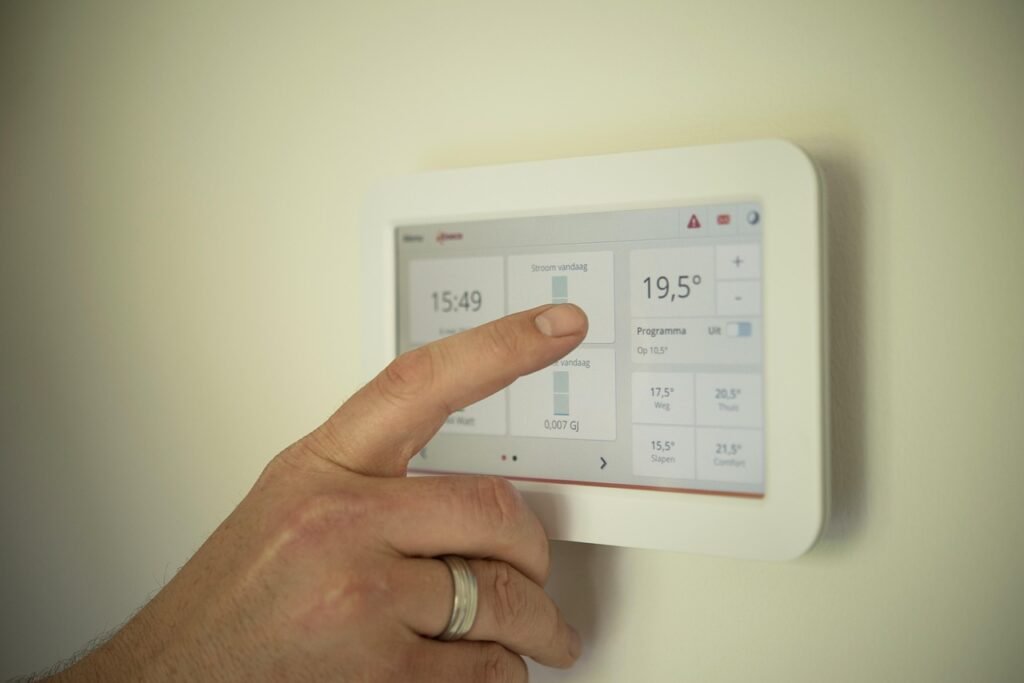
A smart thermostat is one of the few smart home devices that can literally pay for itself. By optimizing heating and cooling schedules, learning your patterns, and adjusting temperatures when you are away, a smart thermostat can save 10 to 23 percent on energy bills according to EPA estimates. Our smart thermostats guide covers the full range, but budget options have become surprisingly capable.
1. Amazon Smart Thermostat
Amazon Smart Thermostat is the most affordable smart thermostat from a major brand, priced at $79.99 (and frequently on sale for less). Developed in partnership with Honeywell’s parent company Resideo, it offers a surprisingly polished experience for the price.
The thermostat supports HVAC monitoring, which alerts you if your heating or cooling system appears to be malfunctioning. It learns your temperature preferences over time and creates a schedule automatically. The energy dashboard in the Alexa app shows your usage patterns and suggests ways to save. Installation is guided through the Alexa app with step-by-step video instructions, and most homes can complete the install in under 30 minutes without professional help.
The thermostat is ENERGY STAR certified and eligible for utility rebates in many areas, which can bring the effective cost even lower. It works exclusively with Alexa for voice control. For tracking energy consumption across your entire home, consider pairing it with one of the devices from our home energy monitors guide.
Key specs: C-wire required (or included adapter), ENERGY STAR certified, Alexa control, HVAC monitoring, learning schedule, utility rebate eligible.
2. Google Nest Thermostat
Google Nest Thermostat is the entry-level model in Google’s thermostat lineup, retailing at $99.99 (right at the $100 boundary). It offers a clean, minimalist design with a mirror-like display that shows temperature and basic information when you approach.
The Nest Thermostat uses the Google Home app for setup and control. It supports a feature called Savings Finder, which looks for opportunities to adjust your schedule and save energy. The thermostat does not have the learning capabilities of the more expensive Nest Learning Thermostat (which costs $249+), but it does offer basic scheduling and home/away detection using your phone’s location.
It works with Google Assistant and Alexa for voice control. The thermostat requires a C-wire (common wire) in most installations, though Google includes a C-wire adapter in the box for homes that lack one. ENERGY STAR certified.
Key specs: C-wire required (adapter included), ENERGY STAR certified, Google Assistant and Alexa control, Savings Finder, home/away assist, mirror display.
Smart Scales Under $100
Smart scales do much more than just tell you your weight. They measure body composition metrics like body fat percentage, muscle mass, bone density, and water percentage. Syncing this data to an app lets you track trends over time, which is far more useful than a single snapshot reading. Our smart scales guide covers the full range of options.
1. RENPHO Bluetooth Body Fat Scale
RENPHO Bluetooth Body Fat Scale is the best-selling smart scale on Amazon, and at approximately $22.99, it is also one of the most affordable. Despite the low price, it measures 13 body composition metrics including weight, body fat percentage, water percentage, muscle mass, bone mass, BMI, basal metabolism, and visceral fat index.
The RENPHO app syncs via Bluetooth and integrates with Apple Health, Google Fit, and Samsung Health. It supports unlimited user profiles, making it suitable for families. The app provides trend charts and historical data so you can see how your metrics change over weeks and months. The scale has a 396-pound capacity and uses four high-precision sensors for accurate readings.
Key specs: 13 body composition metrics, Bluetooth, 396 lb capacity, unlimited users, Apple Health and Google Fit integration, 4 precision sensors.
2. Etekcity Smart Scale for Body Weight and Fat
Etekcity Smart Scale offers 12 body composition measurements for around $28.99. Etekcity (a brand under VeSync, which also owns Cosori and Levoit) has built a reputation for affordable, well-designed health products.
The scale connects via Bluetooth to the VeSync app, which also controls other Etekcity and Cosori devices. It measures weight, body fat, body water, muscle mass, bone mass, BMI, BMR, visceral fat, protein, skeletal muscle, fat-free body weight, and subcutaneous fat. The app supports up to 20 user profiles and syncs with Apple Health, Google Fit, and Samsung Health. The scale has a 400-pound capacity and features a sleek tempered glass design.
Key specs: 12 body composition metrics, Bluetooth, 400 lb capacity, 20 user profiles, VeSync app, Apple Health and Google Fit integration.
3. Withings Body+ Smart Scale
Withings Body+ Smart Scale is positioned as a more premium budget option at approximately $49.95. Withings is known for their health-focused ecosystem, and the Body+ delivers a polished experience with Wi-Fi connectivity (not just Bluetooth), which means your data syncs automatically without needing your phone nearby.
The scale measures weight, body fat, water percentage, muscle mass, and bone mass. The Withings Health Mate app provides detailed trend analysis, goal setting, and integration with over 100 health and fitness apps including Apple Health, Google Fit, Fitbit, and MyFitnessPal. The scale supports up to 8 users and features position control technology to ensure accurate readings regardless of where you stand on the scale.
Key specs: 5 body composition metrics, Wi-Fi and Bluetooth, 396 lb capacity, 8 users, 100+ app integrations, position control technology.
Smart Diffusers Under $100
Smart diffusers combine aromatherapy with app control, letting you schedule scent release, adjust mist intensity, and even sync lighting with your essential oil routine. They are a surprisingly effective way to improve the ambiance of any room. Our smart diffusers guide includes detailed testing and TCO analysis.
1. ASAKUKI 300ml Premium Essential Oil Diffuser
ASAKUKI 300ml Essential Oil Diffuser is a best-seller in the category, priced around $25.99. While it is not “smart” in the Wi-Fi sense, it includes a remote control that lets you adjust mist settings, timer, and LED light color from across the room. The 300ml tank runs for up to 16 hours on intermittent mode.
The diffuser features 7 LED color options with adjustable brightness, making it double as a night light. It has an auto shut-off feature when the water runs out, which is essential for safety. The ultrasonic technology operates quietly, making it suitable for bedrooms and nurseries. Timer options include 1 hour, 3 hours, 6 hours, or continuous mode.
Key specs: 300ml capacity, 16-hour runtime, 7 LED colors, remote control, auto shut-off, ultrasonic technology, timer settings.
2. InnoGear 200ml Essential Oil Diffuser
InnoGear 200ml Essential Oil Diffuser is another popular option at approximately $22.99. It features a wood-grain design that blends well with most decor styles. The 200ml tank provides up to 11 hours of continuous mist on low setting.
The diffuser includes 7 color-changing LED lights with two brightness levels. It offers two misting modes (continuous and intermittent) and has whisper-quiet operation at under 35dB. The auto shut-off feature activates when the water level drops too low. While it lacks app control, the included remote lets you operate it from a distance, and the price makes it an easy impulse purchase.
Key specs: 200ml capacity, 11-hour runtime, 7 LED colors, remote control, 2 mist modes, auto shut-off, under 35dB noise level.
3. URPOWER 500ml Essential Oil Diffuser
URPOWER 500ml Essential Oil Diffuser offers a larger capacity for longer runtimes at around $29.99. The 500ml tank can run for up to 14 hours on high mist setting or 20 hours on low, making it ideal for larger rooms or overnight use without refilling.
The diffuser features 7 ambient light modes and supports both continuous and intermittent misting. It includes a timer function with 1-hour, 3-hour, and 6-hour options. The design is modern and unobtrusive, fitting well in living rooms, bedrooms, or offices. The auto shut-off feature provides peace of mind for overnight use.
Key specs: 500ml capacity, 14 to 20-hour runtime, 7 LED colors, timer function, 2 mist modes, auto shut-off, remote control.
Budget Air Purifiers Under $100
Air purifiers have become essential for many households, especially those dealing with allergies, pet dander, wildfire smoke, or urban pollution. A quality air purifier with a true HEPA filter can remove 99.97% of airborne particles as small as 0.3 microns. Our air purifiers guide covers options across all room sizes and budgets.
1. LEVOIT Compact Air Purifier
LEVOIT Compact Air Purifier is designed for small spaces, typically priced around $69.99. It uses a 3-stage filtration system: a pre-filter for large particles like pet hair, an activated carbon filter for odors and smoke, and a true HEPA filter for fine particles including dust, pollen, and allergens.
This purifier is rated for rooms up to 215 square feet, making it suitable for bedrooms, home offices, or nurseries. It operates quietly, with a sleep mode that reduces noise to 25dB (about as loud as a whisper). The compact design takes up minimal space, and the filter replacement indicator lets you know when it is time for a new filter (typically every 6 to 8 months). Replacement filters are affordable, which keeps the total cost of ownership reasonable.
Key specs: 3-stage HEPA filtration, 215 sq ft coverage, 25dB sleep mode, filter replacement indicator, compact design, ENERGY STAR certified.
2. Homedics HEPA Air Purifier (AP-T12)
Homedics HEPA Air Purifier is a tower-style purifier priced at $99.99. It covers rooms up to 302 square feet and uses a true HEPA filter to capture 99.97% of airborne particles. The tower design is slim and can fit in corners or against walls without taking up much floor space.
The purifier offers 3 speed settings plus an automatic mode that adjusts fan speed based on air quality. A built-in timer can be set for 2, 4, 8, or 12 hours. The UV-C light feature helps kill airborne bacteria and viruses, adding an extra layer of protection. An indicator light changes color based on air quality (blue for good, amber for moderate, red for poor), giving you at-a-glance feedback.
Key specs: True HEPA + UV-C, 302 sq ft coverage, 3 speeds + auto mode, timer (2/4/8/12 hours), air quality indicator, tower design.
3. Germ Guardian Pluggable Air Purifier
Germ Guardian Pluggable Air Purifier is a compact, wall-plug unit that is perfect for small spaces like bathrooms, laundry rooms, or small bedrooms. At approximately $49.99 (and frequently on sale for less), it is one of the most affordable ways to add air purification to a specific room.
The unit uses UV-C light technology to kill airborne bacteria and viruses, combined with an activated carbon filter to reduce odors. It plugs directly into a standard wall outlet, so there are no cords to manage. The compact design is ideal for spaces where a full-size purifier would be impractical. While it will not purify a large living room, it excels in small enclosed spaces where odors and germs tend to accumulate.
Key specs: UV-C light technology, activated carbon filter, plug-in design, small room coverage, no filter replacement needed (UV bulb replaces annually), compact form factor.
Budget Robot Vacuums Under $100
Robot vacuums were once a luxury item, but the market has evolved rapidly. While you will not get LiDAR mapping or self-emptying docks at this price point, you can still get a functional robot that handles daily floor maintenance. For our full coverage of robot vacuums at all price points, see our robot vacuums guide.
1. Lefant M210P Robot Vacuum
Lefant M210P Robot Vacuum is currently priced at $94.04, making it one of the few robot vacuums consistently available under $100. It features Wi-Fi connectivity, app control, and compatibility with both Alexa and Google Assistant. The slim 2.99-inch height allows it to clean under most furniture, reaching areas that traditional vacuums cannot access.
The M210P uses a brushless suction port design that is particularly effective at picking up pet hair without tangling. It offers 3 adjustable suction levels and 6 cleaning modes. The 500ml dust bin is relatively large for this price category, and the vacuum runs for up to 120 minutes before automatically returning to its charging dock. The FreeMove 3.0 technology uses infrared sensors to avoid obstacles and prevent falls down stairs.
Key specs: Wi-Fi connected, 120-minute runtime, 500ml dust bin, brushless suction, 3 suction levels, 6 cleaning modes, Alexa and Google compatible, 2.99-inch height.
2. Coredy R500+ Robot Vacuum
Coredy R500+ Robot Vacuum is priced at $99.00 and offers a solid set of features for budget-conscious buyers. It features 360-degree smart sensor protection, which includes anti-collision, anti-drop, and obstacle avoidance sensors. The vacuum comes with boundary strips that create no-go zones without requiring app setup.
The R500+ has a 1400Pa suction power, which is adequate for hard floors and low-pile carpet. It runs for up to 120 minutes on a single charge and automatically returns to the charging dock. The vacuum includes a remote control for scheduling and mode selection, which is useful since it lacks Wi-Fi connectivity. The package includes extra side brushes and HEPA filters, which adds value considering the already low price.
Key specs: 1400Pa suction, 120-minute runtime, 360-degree sensors, boundary strips included, remote control, 0.5L dust bin, extra accessories included.
Smart Home Setup Under $100: 3 Budget Combinations
Now that we have covered individual products, let us look at how you can combine them into complete smart home setups. Each combination below stays under $100 total and addresses a specific use case.
Combination 1: The Security Starter ($99.97)
- Blink Video Doorbell – $34.99
- Wyze Cam v3 – $29.99
- Amazon Smart Plug – $24.99
This combination gives you front door monitoring with the Blink doorbell, an indoor or outdoor security camera with the Wyze Cam v3, and a smart plug to automate a light on a schedule (creating the illusion that someone is home). The smart plug can also be used to control a radio or TV on a timer for added security. This setup is ideal for apartments or small homes and requires no monthly subscription if you use local storage.
Combination 2: The Comfort and Ambiance Kit ($97.96)
- Wyze Bulb White (2-Pack) – $23.99
- ASAKUKI Essential Oil Diffuser – $25.99
- TP-Link Kasa Smart Plug Mini (2-Pack) – $19.99
- Germ Guardian Air Purifier – $27.99 (sale price)
This kit transforms any room into a comfortable, automated space. Smart bulbs let you adjust lighting temperature and schedule wake-up routines. The diffuser adds aromatherapy, the air purifier keeps air clean, and smart plugs automate fans or other devices. Perfect for a bedroom or home office setup. This combination is especially suitable for renters, as explored in our renter friendly smart home guide.
Combination 3: The Health and Energy Bundle ($95.97)
- RENPHO Bluetooth Body Fat Scale – $22.99
- Amazon Smart Plug – $24.99
- Govee A19 Smart LED Bulbs (2-Pack) – $32.99
- TP-Link Tapo Smart Plug – $14.99 (estimated)
This bundle focuses on wellness and energy efficiency. The smart scale tracks your health metrics over time. Smart bulbs reduce electricity usage with LED efficiency and scheduling. Smart plugs let you cut power to energy-hungry devices when not in use. The combination of health tracking and energy management makes this ideal for anyone looking to make their home both smarter and healthier.
Buying Guide: What to Look For in Budget Smart Home Devices
Shopping for smart home devices on a budget requires understanding which features matter and which are marketing fluff. Here are the key factors to evaluate when choosing budget smart home products.
Ecosystem Compatibility
Before buying any smart home device, check which voice assistants and platforms it supports. The three major ecosystems are Amazon Alexa, Google Assistant, and Apple HomeKit. If you already own an Echo device, prioritize Alexa-compatible products. If you use Google Home, look for Google Assistant support. Devices that support Matter are the most future-proof, as Matter is a universal standard that works across all major platforms.
Connectivity Type
Most budget smart home devices connect via Wi-Fi, which is convenient because it requires no additional hub. However, devices that use Zigbee or Z-Wave (which do require a hub) tend to be more stable and use less bandwidth. Bluetooth-only devices have limited range and require your phone to be nearby for control. For the simplest setup, Wi-Fi devices with no hub requirement are the best choice for beginners.
No Subscription Required
Many smart home companies use a razor-and-blades model: cheap hardware, expensive subscriptions. Before buying, check whether the core features you need require a monthly fee. Security cameras and video doorbells are the most common culprits, with cloud storage often requiring $3 to $10 per month. Look for devices that support local storage via microSD cards to avoid ongoing costs.
Power Source
Consider how the device is powered. Battery-powered devices offer flexible placement but require periodic battery replacement or recharging. Wired devices are more reliable and do not need maintenance, but they require proximity to an outlet or existing wiring. For outdoor devices, check the IP rating (IP65 or higher is recommended for weather resistance).
Update Support and Security
Smart home devices are essentially small computers, and they need regular firmware updates for security and performance. Major brands like TP-Link, Wyze, Ring, and Amazon generally provide reliable update support. Obscure brands may abandon products quickly, leaving them with unpatched vulnerabilities. Stick with established brands when possible, even in the budget category.
Renter Considerations
If you rent your home, consider whether a device requires permanent installation. Smart plugs, bulbs, and cameras that sit on shelves are perfect for renters. Smart locks and thermostats require more permanent changes but are often reversible. Our lease compliance guide addresses the legal and practical aspects of installing smart devices in rental properties.
Frequently Asked Questions
1. Can I build a complete smart home for under $100?
Yes, you can build a functional smart home starter kit for under $100 by combining a smart plug, a smart bulb, and a budget security camera. This gives you lighting control, device automation, and basic security monitoring. You can expand over time by adding more devices as your budget allows.
2. Do budget smart home devices require a monthly subscription?
Not necessarily. While some devices like video doorbells and security cameras offer optional cloud storage subscriptions, most budget smart home devices work without any monthly fee. Look for devices that support local storage via microSD cards, and choose smart plugs, bulbs, and thermostats that offer full functionality through their free apps.
3. Are cheap smart plugs safe to use?
Smart plugs from reputable brands like TP-Link, Amazon, and Wyze are safety tested and UL or ETL certified. Avoid unknown brands with no safety certifications, as they may pose fire risks. Always check the amperage rating (15A is standard for US outlets) and never exceed the rated load. Smart plugs from established brands undergo the same safety testing as traditional electrical accessories.
4. What is the best budget smart home ecosystem for beginners?
Amazon Alexa is the most beginner-friendly ecosystem due to its wide device compatibility, affordable Echo hardware, and intuitive app. Google Assistant is a strong alternative, especially if you already use Android devices. For future-proofing, look for Matter-compatible devices, which work across all major platforms including Apple HomeKit.
5. Can I use smart home devices without a hub?
Yes, most budget smart home devices connect directly to your Wi-Fi network and do not require a separate hub. Devices like the Amazon Smart Plug, TP-Link Kasa plugs, Govee bulbs, and Wyze cameras all work without a hub. Some features like remote access may require connecting the device to your voice assistant’s app.
6. Do budget robot vacuums actually work?
Budget robot vacuums under $100 can effectively maintain hard floors and low-pile carpets between deeper cleanings. They lack advanced features like LiDAR mapping, room-specific cleaning, and self-emptying docks, but they handle daily dust, pet hair, and debris pickup well. Models like the Lefant M210P and Coredy R500+ offer app control and scheduling at this price point.
7. Are smart thermostats worth it for renters?
Smart thermostats can save 10 to 23 percent on energy bills, but installation requires replacing your existing thermostat. If your lease allows it and you can reinstall the original thermostat when moving out, the Amazon Smart Thermostat at $79.99 can pay for itself within a few months of energy savings. Always check your lease and get landlord permission before making changes to HVAC equipment.
8. What is the difference between Wi-Fi and Matter smart home devices?
Wi-Fi is a network protocol that connects devices to your router. Matter is a smart home standard that runs over Wi-Fi (or Thread) and ensures cross-platform compatibility. A Matter-certified device works with Alexa, Google Assistant, and Apple HomeKit simultaneously, while a standard Wi-Fi device may only work with one or two platforms. Matter is the future of smart home interoperability.
9. How long do budget smart home devices typically last?
Budget smart home devices from reputable brands typically last 3 to 5 years. Smart plugs and bulbs may last longer (5 to 10 years) since they have fewer moving parts. Security cameras and robot vacuums may have shorter lifespans due to mechanical wear. Battery-powered devices may need battery replacements every 6 to 12 months. Firmware update support from the manufacturer is a key factor in long-term usability.
10. Can I control budget smart home devices when I am away from home?
Yes, most Wi-Fi-connected smart home devices can be controlled remotely through their companion apps. This includes turning devices on and off, viewing camera feeds, adjusting thermostats, and receiving notifications. Devices that only use Bluetooth (like some smart locks without a gateway) have limited range and may require a separate bridge or hub for remote access.
Conclusion
Building a smart home on a budget has never been more practical. The products featured in this guide prove that you do not need to spend hundreds of dollars per device to enjoy the benefits of home automation, security monitoring, and energy management. From a $14 smart plug that automates your coffee maker to a $94 robot vacuum that keeps your floors clean, every product on this list delivers genuine value at a price point that is accessible to anyone.
The key to a successful budget smart home is starting small and expanding incrementally. Begin with a smart plug and a voice assistant, then add lighting, security, and climate control as your needs and budget evolve. Prioritize ecosystem compatibility from the start, and choose Matter-certified devices when possible to ensure your investments remain useful as technology advances.
Remember that the cheapest option is not always the best value. A $25 smart plug from a reputable brand like TP-Link will serve you better than a $10 no-name alternative that disconnects constantly and lacks safety certifications. Focus on established brands, check for safety certifications, and read verified customer reviews before making your purchase decisions.
Want to put your budget devices to work? See our 25 smart home automation ideas for ready-made routines.
For more detailed guidance on specific product categories, explore our dedicated buying guides linked throughout this article. Whether you are a renter looking for no-drill solutions or a homeowner planning a full smart home retrofit, the resources at DeeperThing will help you make informed decisions at every budget level.
Smart Home Starter Kit Bundles Under $100
Looking for curated bundles instead of individual devices? Here are the best starter kits you can build for under $100.
You do not need to spend hundreds of dollars to start building a smart home. In 2026, a budget of $100 can buy you a voice assistant, a security camera, a handful of smart plugs, a color-changing bulb, and even a contact sensor or two. The trick is choosing products that work together, avoiding unnecessary hubs, and skipping gadgets that lock you into a single ecosystem.
This guide breaks down five ready-to-buy starter kits, each built around a specific need: getting started, home safety, climate comfort, renter-friendly upgrades, and light security. Every product in this article costs under $100 on its own, and every kit totals at or below $100 at typical sale prices. We also include a full product list, a comparison table, a budget expansion path from $100 to $300, common mistakes to avoid, and answers to the questions beginners ask most.
If you are renting, you will be glad to know that nearly everything here installs without drilling or wiring. For a deeper dive on that topic, see our complete guide to renter-friendly smart homes and our tips on no-damage upgrades for apartments.
The “Just Starting Out” Kit (~$50)
What is in it: Echo Dot (5th Gen) + Amazon Basics Smart A19 Bulb + one smart plug from a multi-pack
This is the lowest-friction entry point into smart home automation. You get a voice assistant, a smart light you can control by speaking, and a smart plug that turns any ordinary lamp or appliance into a connected device.
| Product | Typical Sale Price | Amazon Link |
|---|---|---|
| Echo Dot (5th Gen) | $23 to $50 | View on Amazon |
| Amazon Basics Smart A19 LED Bulb | $8 | View on Amazon |
| Kasa Smart Plug Mini EP10 (one unit from 4-pack) | ~$6 per plug | View on Amazon |
Total at sale pricing: roughly $37 to $50. The Echo Dot frequently drops to $22.99 during Prime Day, Black Friday, and holiday sales. At full price ($49.99), the kit still comes in under $65, which is remarkable for a voice-controlled lighting setup.
Why this kit works
The Echo Dot (5th Gen) includes a built-in Zigbee smart home hub, which means it can directly control Zigbee devices such as certain Aqara and Philips Hue sensors without extra hardware. That is a big deal for a $50 device. It also has improved microphones, a temperature sensor, and better audio than previous generations.
The Amazon Basics Smart A19 Bulb connects directly to your Wi-Fi and works with Alexa out of the box. No hub is required. Screw it into any standard lamp, say “Alexa, turn off the living room light,” and you are done. At around $8, it is one of the cheapest ways to experience voice-controlled lighting.
The Kasa Smart Plug Mini EP10 4-pack brings the per-plug cost down to about $6. Plug a coffee maker, fan, space heater, or Christmas tree into it, and you gain app control, scheduling, and voice commands. Kasa (made by TP-Link) has one of the most reliable track records in the budget smart plug category, and the EP10 is UL certified for safety.
Who should buy this kit
- Complete beginners who want to try smart home tech without a big commitment
- Anyone who already uses Amazon Alexa and wants to add local voice control
- People furnishing a dorm room, bedroom, or small office on a tight budget
If you live in a small space, our smart home guide for small apartments has more ideas for maximizing a compact footprint. If you are new to all of this, start with our beginner guide to smart homes.
The “Safety First” Kit (~$80)
What is in it: Wyze Cam v3 + Aqara Door and Window Sensor + Wyze Plug
This kit focuses on awareness. You get an indoor/outdoor camera with color night vision, a contact sensor that tells you when a door or window opens, and a smart plug for simulating occupancy while you are away.
| Product | Typical Price | Amazon Link |
|---|---|---|
| Wyze Cam v3 | $35.98 | View on Amazon |
| Aqara Door and Window Sensor | $17.99 | View on Amazon |
| Wyze Plug (2-pack) | $19.99 | View on Amazon |
Total: roughly $74. The Aqara sensor requires a Zigbee hub to work, which is why we recommend pairing it with the Echo Dot (5th Gen) from the first kit. If you already own an Echo Dot 4th or 5th Gen, an Echo Show, or a SmartThings hub, the Aqara sensor connects directly. Otherwise, the Wyze Sense Entry Sensor (view on Amazon, ~$15 per sensor) works with the Wyze Sense Hub, which is often bundled with Wyze cameras.
Why this kit works
The Wyze Cam v3 remains one of the best values in home security cameras. It records 1080p Full HD video, has an IP65 weather resistance rating for indoor or outdoor use, offers color night vision with a starlight sensor, and supports continuous local recording via a microSD card (sold separately). The Wyze app sends motion and sound alerts to your phone, and you can view the live feed from anywhere. Two-way audio lets you talk through the camera, which is useful for telling a delivery person where to leave a package.
The Aqara Door and Window Sensor is a small, peel-and-stick device that sends an alert to your phone whenever the two pieces separate. Mount it on your front door, a sliding glass door, a medicine cabinet, or a garage door. When paired with a Zigbee hub, you can create automations such as “turn on the hallway light when the front door opens after sunset.” Aqara sensors use the Zigbee protocol, which means they respond faster and use less battery than Wi-Fi sensors. Battery life typically exceeds one year on a single CR1632 coin cell.
The Wyze Plug 2-pack gives you two energy-monitoring smart plugs for under $20. Use one to control a lamp on a schedule when you travel, creating the appearance that someone is home. The other can go on a coffee maker or space heater. The Wyze app shows real-time energy usage, which helps you identify devices that draw standby power.
Who should buy this kit
- Travelers who want to check on their home remotely
- Families who want to know when exterior doors open
- Pet owners who want to keep an eye on animals while at work
- Anyone looking for an affordable first layer of home security
For more advanced protection, see our comparison of renter-friendly smart lock options and our recommendations for the best smart locks for renters.
The “Comfort” Kit (~$90)
What is in it: Amazon Smart Thermostat + Kasa Smart Plug Mini (2 units) + Tuya Smart Temperature and Humidity Sensor
This kit is for anyone who wants to save on energy bills and come home to a comfortable house. The thermostat pays for itself over time, the plugs control fans and heaters, and the temperature sensor gives you room-by-room data.
| Product | Typical Price | Amazon Link |
|---|---|---|
| Amazon Smart Thermostat | $59.99 to $79.99 | View on Amazon |
| Kasa Smart Plug Mini EP10 (4-pack, use two) | $24.99 | View on Amazon |
| Tuya/Smart Life WiFi Temperature and Humidity Sensor | $14.99 | View on Amazon |
Total: roughly $90 to $100. The Amazon Smart Thermostat is ENERGY STAR certified and, according to Amazon, can save an average of $50 per year on energy bills. It requires a C-wire (common wire) for installation, though a C-wire adapter is included in the box for systems that lack one. Installation takes about 30 minutes with the guided Alexa app instructions.
Why this kit works
The Amazon Smart Thermostat, built with Honeywell Home technology, gives you scheduling, remote control via the Alexa app, and voice commands through any Alexa device. You can set different temperatures for waking hours, work hours, and sleep. It does not have a built-in speaker or microphone, which some users prefer for privacy reasons. If you want a display with speakers, our comparison of the best smart displays of 2026 covers the Echo Show, Nest Hub, and HomePod.
The Kasa plugs in this kit control standalone fans and portable heaters. For example, you can schedule a box fan to turn on at 7 a.m. and off at 9 a.m., or turn a space heater off automatically after two hours for safety. The EP10 supports 15A/1800W max load, enough for most small appliances.
The Tuya WiFi Temperature and Humidity Sensor connects to the Smart Life or Tuya app over your 2.4GHz Wi-Fi. It displays current temperature and humidity on a small e-ink or LCD screen, sends alerts when conditions fall outside your set range, and works with Alexa and Google Assistant for voice queries. Place it in a nursery, a basement, a wine closet, or any room where the temperature differs from the thermostat reading. This data helps you decide whether to close vents, run a fan, or adjust your schedule.
Who should buy this kit
- Homeowners who pay their own utility bills
- Anyone with rooms that run too hot or too cold
- People who want to reduce energy waste without a complex system
- Parents monitoring a nursery or child’s bedroom
For protecting your home from water damage while you optimize comfort, see our tested rankings of the best smart water leak detectors. If indoor air quality is a concern, our guide to the best smart air purifiers includes total cost of ownership analysis.
The “Renter Special” Kit (~$70)
What is in it: SwitchBot Bot + Govee Smart LED Bulb + TP-Link Tapo P100 Smart Plug
Every device in this kit installs with adhesive or screws into an existing outlet or light socket. Nothing requires drilling, wiring, or permanent modification. When your lease ends, you pack it all up and take it with you.
| Product | Typical Price | Amazon Link |
|---|---|---|
| SwitchBot Bot | $29.99 | View on Amazon |
| Govee Smart LED Bulb | $11.99 | View on Amazon |
| TP-Link Tapo P100 Mini Smart Plug | $12.99 | View on Amazon |
Total: roughly $55 to $70. The SwitchBot Bot works over Bluetooth right out of the box. For remote control when you are away from home, add the SwitchBot Hub Mini (view on Amazon, $34.99), which also acts as an infrared blaster for your TV, air conditioner, and other IR-controlled devices. The Hub Mini pushes the kit to about $90, still under $100.
Why this kit works
The SwitchBot Bot is a tiny robotic finger that sticks onto any rocker switch, toggle switch, or push button. Press it on your coffee maker, your garbage disposal switch, a hard-to-reach light switch, or even a garage door button. The SwitchBot app controls it via Bluetooth within your home, and with the Hub Mini, you can control it from anywhere and add voice commands through Alexa, Google Assistant, or Siri Shortcuts. Installation takes about 30 seconds: peel the 3M adhesive backing, press the Bot onto the switch, and calibrate the press force in the app. It runs on a replaceable CR2 battery for over a year.
The Govee Smart LED Bulb offers 16 million colors, 54 scene modes, dimming, and scheduling in a single A19 bulb. It connects over Wi-Fi without a hub, works with Alexa and Google Assistant, and has a music sync mode that changes colors to match whatever is playing. At around $12, it is an affordable way to add accent lighting to a bedroom, gaming setup, or home theater. For longer lighting runs, the Meross Smart LED Light Strip (view on Amazon, $19.99) provides 16.4 feet of RGBW lighting that adheres to walls or furniture.
The TP-Link Tapo P100 is a compact Wi-Fi smart plug that supports remote control, scheduling, timers, and away mode through the Tapo app. It works with Alexa and Google Assistant, and its small form factor does not block the second outlet on a standard wall plate. TP-Link is one of the most established names in networking, and the Tapo line offers solid reliability at budget prices.
Who should buy this kit
- Renters who cannot install permanent smart switches or locks
- Students living in dorms or shared housing
- Anyone who wants portability and zero-permission installation
- People who want to automate “dumb” appliances without replacing them
For a complete renter-focused approach, read our 2026 guide to smart homes for renters and our breakdown of lease compliance for smart home upgrades. If you are considering SwitchBot products alongside August or Wyze, see our head-to-head comparison: SwitchBot vs. August vs. Wyze.
The “Security Lite” Kit (~$100)
What is in it: Blink Mini + Ring Chime + SwitchBot Bot (as a smart lock/button alternative) + meross Smart Plug Mini
This kit adds a second camera, an audible door chime, remote button control, and a connected appliance. It is designed for someone who wants more security than a single camera but does not want to pay for a monthly monitoring service.
| Product | Typical Price | Amazon Link |
|---|---|---|
| Blink Mini Indoor Camera | $34.99 | View on Amazon |
| Ring Chime (2nd Gen) | $24.99 | View on Amazon |
| SwitchBot Bot | $29.99 | View on Amazon |
| meross Smart Wi-Fi Plug Mini | $14.99 | View on Amazon |
Total: roughly $95 to $105. The Blink Mini often goes on sale for $19.99 during major shopping events, which brings this kit well under $100. The Ring Chime pairs with Ring doorbells and cameras to play an audible alert inside your home, so you do not miss a delivery notification because your phone was in another room. The SwitchBot Bot here acts as a remote control for a garage door button, gate opener, or any hard-to-reach switch. The meross plug handles a lamp or appliance.
Why this kit works
The Blink Mini is a compact plug-in indoor camera that records 1080p video, has motion detection, two-way audio, and night vision. It integrates with Alexa, so you can view the live feed on an Echo Show or Fire TV. Local storage is available through the Blink Sync Module 2 (sold separately) with a USB drive. Without a subscription, you still get motion alerts and live viewing.
The Ring Chime plugs into any indoor wall outlet and connects to your Ring devices over Wi-Fi. When someone presses your Ring doorbell or triggers a Ring camera, the Chime plays a customizable tone throughout your home. Volume is adjustable, and you can set a do-not-disturb schedule. If your living space is large or your phone is often on silent, the Chime ensures you hear every alert.
The SwitchBot Bot in this kit fills a gap that most budget security kits ignore: remote control of existing buttons. If your garage door opener has a wired wall button, the Bot can press it for you through the app (with a Hub Mini for remote access). This is not the same as a smart lock, but it gives you remote control over access points without replacing any hardware.
The meross Smart Wi-Fi Plug Mini is a compact 15A plug with Bluetooth setup, scheduling, and compatibility with Alexa, Google Assistant, and SmartThings. It is a good value at under $15, and meross products generally receive regular firmware updates.
Who should buy this kit
- Homeowners or renters who want multi-room camera coverage
- People who own Ring devices and want an in-home chime
- Anyone who needs remote control of a garage door or gate button
- Shoppers who want a security setup without mandatory monthly fees
If you are shopping for someone else, our list of the best smart home gifts for 2026 has ideas for every budget. For older adults who want simplicity, see our easy smart home setup guide for seniors.
Full Product Recommendations: 21 Products Under $100
Below is every product mentioned in this guide, organized by category. Each one works with at least one major voice platform, and none requires professional installation.
Smart Plugs
1. Amazon Smart Plug – $24.99
https://www.amazon.com/dp/B084DRPPZJ?tag=zenglh-20
The original Amazon Smart Plug works exclusively with Alexa and sets up in seconds with Amazon’s frustration-free setup. It supports routines, schedules, and voice control. Good for households already invested in Alexa.
2. Amazon Basics Smart Plug (Matter compatible) – $14.99
https://www.amazon.com/dp/B0DP8KKHQB?tag=zenglh-20
The newer Amazon Basics plug supports Matter, which means it works with Alexa, Google Home, Apple Home, and SmartThings without platform-specific workarounds. At under $15, it is one of the cheapest Matter plugs available.
3. Kasa Smart Plug Mini EP10 (4-Pack) – $24.99
https://www.amazon.com/dp/B09P3YJ2N5?tag=zenglh-20
The best value per plug in this guide. Four UL-certified 15A mini plugs for about $6 each. Works with Alexa, Google Assistant, and IFTTT. No hub required.
4. TP-Link Tapo P100 Mini Smart Wi-Fi Socket – $12.99
https://www.amazon.com/dp/B08XZ8N6Y9?tag=zenglh-20
A compact, reliable single plug with away mode, scheduling, and voice control. Good for users who prefer the Tapo app ecosystem or need a plug that does not block adjacent outlets.
5. meross Smart Wi-Fi Plug Mini (MSS105) – $14.99
https://www.amazon.com/dp/B08V3WDM7Y?tag=zenglh-20
A 15A mini plug with Bluetooth-assisted setup and broad platform support. meross also offers a Matter-compatible version (MSS115) if future-proofing matters to you.
6. Wyze Plug (2-Pack) – $19.99
https://www.amazon.com/dp/B07XZT24B8?tag=zenglh-20
Two plugs with built-in energy monitoring for under $20. The Wyze app shows real-time and historical power usage, which helps you find energy wasters.
Cameras
7. Wyze Cam v3 – $35.98
https://www.amazon.com/dp/B09QCTS2T4?tag=zenglh-20
1080p indoor/outdoor camera with color night vision, IP65 weather resistance, two-way audio, and local microSD storage. The best all-around budget camera.
8. Blink Mini – $34.99
https://www.amazon.com/dp/B07XHK73L2?tag=zenglh-20
A compact plug-in indoor camera with 1080p video, motion detection, and Alexa integration. Often available in multi-packs at steep discounts.
Voice Assistants and Hubs
9. Echo Dot (5th Gen) – $49.99
https://www.amazon.com/dp/B09B8YS32J?tag=zenglh-20
The smart home hub of this guide. Built-in Zigbee, temperature sensor, improved audio, and eero Wi-Fi extender capability (if you have an eero router). Frequently on sale for under $25.
10. SwitchBot Hub Mini – $34.99
https://www.amazon.com/dp/B08S9YHQX9?tag=zenglh-20
Connects SwitchBot Bluetooth devices to the internet and acts as an IR blaster for TVs, air conditioners, and fans. Supports Alexa, Google Assistant, and Siri Shortcuts.
Lighting
11. Amazon Basics Smart A19 LED Bulb – $7.99
https://www.amazon.com/dp/B085GL5KP1?tag=zenglh-20
A basic soft white smart bulb that works with Alexa. No hub required. Good for lamps and overhead fixtures where color is not a priority.
12. Philips Hue White A19 – $14.99
https://www.amazon.com/dp/B07KDQQTNH?tag=zenglh-20
A reliable warm-white smart bulb from the most established brand in smart lighting. Works with Alexa, Google, and HomeKit (via a Hue Bridge or Zigbee hub). If you plan to build out a whole-home lighting system, Hue has the broadest product range and strongest third-party support.
13. Govee Smart LED Bulb – $11.99
https://www.amazon.com/dp/B07YCLG52M?tag=zenglh-20
Millions of colors, scene modes, and music sync for about the price of a pizza. Wi-Fi connected, no hub needed, and works with Alexa and Google.
14. Meross Smart LED Light Strip (16.4 ft) – $19.99
https://www.amazon.com/dp/B0CQP6FJN1?tag=zenglh-20
RGBW strip lighting with adhesive backing for under cabinets, behind TVs, or along ceilings. Supports dimming, scheduling, and voice control.
Sensors
15. Aqara Door and Window Sensor – $17.99
https://www.amazon.com/dp/B07DY9M9VZ?tag=zenglh-20
A Zigbee contact sensor with a small footprint and long battery life. Requires a Zigbee hub (Echo Dot 5th Gen works). Supports Apple HomeKit, Alexa, Google, and SmartThings when paired with an Aqara hub.
16. Wyze Sense Entry Sensor – $14.99
https://www.amazon.com/dp/B09QGM3J5R?tag=zenglh-20
A budget contact sensor for the Wyze ecosystem. Requires the Wyze Sense Hub (often bundled with Wyze cameras or monitoring plans). Good if you are already building a Wyze-based system.
17. Tuya/Smart Life WiFi Temperature and Humidity Sensor – $14.99
https://www.amazon.com/dp/B0DNMXD3SQ?tag=zenglh-20
A Wi-Fi-connected sensor that reports temperature and humidity to the Smart Life app. Supports Alexa and Google voice queries and sends alerts when readings go out of range.
Climate Control
18. Amazon Smart Thermostat – $59.99 to $79.99
https://www.amazon.com/dp/B08J634KVQ?tag=zenglh-20
An ENERGY STAR certified thermostat with Honeywell Home engineering inside. Alexa app control, scheduling, and C-wire adapter included. The highest-impact single device in this guide for energy savings.
Buttons and Actuators
19. SwitchBot Bot – $29.99
https://www.amazon.com/dp/B08YQR5827?tag=zenglh-20
A Bluetooth robotic button pusher that turns any switch or appliance into a smart device. Add a Hub Mini for remote access and voice control.
20. SwitchBot Curtain – $69.99 to $99.99
https://www.amazon.com/dp/B08S9Z6R3S?tag=zenglh-20
A motorized curtain controller that clips onto your existing curtain rod. No drilling, no wiring. Schedule curtains to open at sunrise and close at sunset. Often available at the $69 price point during sales. The Hub Mini is needed for voice control and remote access.
Tracking and Chimes
21. Ring Chime (2nd Gen) – $24.99
https://www.amazon.com/dp/B08JQKFJ4N?tag=zenglh-20
An audible indoor chime for Ring doorbells and cameras. Plug it into any outlet, customize the tone, and never miss a delivery alert again.
Bonus: eufy Security SmartTrack Link – $19.99
https://www.amazon.com/dp/B0D6VR8W3V?tag=zenglh-20
A Bluetooth item tracker that works with Apple Find My. Attach it to keys, a bag, or a remote, and find it using your phone. It is not a core smart home device, but it is a useful add-on under $20.
Budget Expansion Path: From $100 to $300
Once you have a starter kit working, adding devices is straightforward. Here is a phased approach that prevents wasteful spending.
Phase 1: $0 to $100 (Your Starter Kit)
Pick one of the five kits above. Focus on getting comfortable with the app, setting up voice commands, and creating two or three simple routines. For example:
- “Good morning” turns on the bedroom light and starts the coffee maker
- “Good night” turns off all lights and the TV
- “Away mode” turns off connected appliances and starts the camera recording
Do not buy more devices until you use these routines consistently for at least two weeks. This helps you understand what you actually want versus what sounded cool in a review.
Phase 2: $100 to $200 (Fill the Gaps)
Add devices that solve specific problems you have noticed:
- If your entryway is dark at night, add a motion sensor and a smart bulb
- If you travel often, add a second camera or a video doorbell
- If you worry about water damage, add a leak sensor near the water heater or washing machine (see our water leak detector guide)
- If indoor air feels stale, add a smart air purifier (see our air purifier rankings)
- If you want better lighting, add the SwitchBot Curtain for automated natural light
This is also the stage to add a smart display if you want a visual interface. The Echo Show 5 or Nest Hub both cost around $50 to $90 and serve as a control panel, photo frame, and video intercom. Our smart display comparison breaks down which one fits each ecosystem.
Phase 3: $200 to $300 (Whole-Home Coverage)
At this budget, you can expand into every room:
- Smart bulbs or smart switches in the living room, kitchen, and bedrooms
- Contact sensors on every exterior door and ground-floor window
- A smart thermostat if you did not buy one already
- A second or third camera for full coverage
- Smart plugs on energy-hungry appliances like window AC units and space heaters
- A smart lock for keyless entry (our best smart locks for renters guide has options that require no drilling)
If you have reached this point, you are no longer a beginner. The key is keeping your automations organized and avoiding devices from too many incompatible apps. Sticking to one or two ecosystems (Alexa + Matter, for example) makes management much easier.
Buying Comparison Table
| Kit | Best For | Key Products | Approx. Total | Hub Needed? |
|---|---|---|---|---|
| Just Starting Out | Beginners on a tight budget | Echo Dot, smart bulb, smart plug | $37 to $50 | No (Echo Dot is the hub) |
| Safety First | Awareness and remote monitoring | Wyze Cam v3, Aqara sensor, Wyze Plug | $74 | Yes for Aqara (Echo Dot works) |
| Comfort | Energy savings and climate control | Amazon Smart Thermostat, Kasa plugs, temp sensor | $90 to $100 | No |
| Renter Special | Zero-damage, portable setup | SwitchBot Bot, Govee bulb, Tapo plug | $55 to $70 | Optional (Hub Mini for remote) |
| Security Lite | Multi-room camera and alerts | Blink Mini, Ring Chime, SwitchBot Bot, meross plug | $95 to $105 | No |
Common Smart Home Starter Mistakes (And How to Avoid Them)
Even with a $100 budget, it is possible to waste money. Here are the mistakes we see most often from first-time buyers.
1. Buying Devices That Do Not Work With Your Voice Assistant
Before you click buy, check whether the product works with Alexa, Google Assistant, Apple Home, or all three. Every product in this guide lists its compatibility. A cheap device that only works with its own proprietary app will frustrate you quickly. Look for “Works with Alexa” or “Matter” badges on the product page.
2. Forgetting About the 2.4GHz Wi-Fi Requirement
Nearly every budget smart device requires a 2.4GHz Wi-Fi network. Most modern routers broadcast both 2.4GHz and 5GHz bands under the same name, which can confuse setup. If your device fails to connect, try temporarily disabling the 5GHz band in your router settings or creating a separate 2.4GHz network name. Once setup is complete, many devices work fine on a combined network.
3. Buying Too Many Devices From Different Brands
Each brand has its own app. If you buy a Kasa plug, a Govee bulb, a Wyze camera, a SwitchBot Bot, and a Tapo sensor, you will have five apps on your phone. That is manageable, but it is better to consolidate where possible. Pick a primary ecosystem (Alexa or Google) and choose devices that integrate with it, then use that voice assistant’s app as your main control center.
4. Ignoring Subscription Costs
Some cameras and security systems require a monthly subscription for cloud storage or advanced features. Wyze Cam v3 offers free 14-day event recording and local microSD storage. Blink Mini offers live view without a subscription but requires a plan for recorded clips. Factor these costs into your budget. A $20 camera that requires a $3 monthly subscription costs $56 in the first year, while a $36 camera with free local storage costs $36.
5. Placing Sensors and Cameras in the Wrong Spots
A contact sensor on a rarely opened window provides little value. Put sensors on the doors you use every day and any ground-floor window that is hidden from street view. Place cameras where they can see entry points, not just the middle of a room. Aim them at the front door, back door, or garage. Avoid pointing cameras at private areas like bedrooms and bathrooms.
6. Skipping Routine Setup
A smart device that you control manually is barely smarter than a regular device. The real value comes from automations: lights that turn on at sunset, a thermostat that sets back when you leave, a camera that starts recording when a door opens. Spend 20 minutes setting up even just two or three routines, and your devices start working for you rather than the other way around.
7. Neglecting Privacy and Security
Connected devices can collect data about when you are home, what you do, and how you live. Always change default passwords, enable two-factor authentication when available, and review what data each device collects. For more on this topic, read our guide on smart home privacy and keeping your data safe.
8. Overlooking Lease Restrictions
If you rent, some smart home upgrades may violate your lease, especially anything involving hardwiring, door lock replacement, or exterior mounting. Stick to peel-and-stick, plug-in, and screw-in devices. Our lease compliance guide explains what is generally allowed and what to ask your landlord before installing.
For more pitfalls, see our list of smart home mistakes to avoid in 2026.
Frequently Asked Questions
1. Can I really build a smart home for under $100?
Yes. For under $100, you can buy a voice assistant with a built-in hub (Echo Dot 5th Gen, often on sale for $23 to $30), a four-pack of smart plugs (around $25), and a smart bulb (under $10). This gives you voice control over lamps and appliances, scheduling, and the ability to add Zigbee sensors without buying a separate hub. You will not get whole-home coverage, but you get a functional, expandable foundation.
2. Do I need a smart home hub?
Not always. Many budget devices connect directly to Wi-Fi and work with Alexa or Google without a hub. However, devices that use Zigbee (such as Aqara sensors and Philips Hue bulbs) require a Zigbee hub. The Echo Dot 5th Gen has one built in, which is why it is our top recommendation for beginners. The SwitchBot Hub Mini is needed only if you want remote access to SwitchBot Bluetooth devices when you are away from home.
3. Which voice assistant should I choose: Alexa, Google, or Siri?
If you want the broadest device compatibility and the cheapest hardware, choose Alexa. Echo devices frequently go on sale for 50 percent off, and the Echo Dot includes a Zigbee hub. Google Assistant is strong at natural language queries and works well with Nest products. Siri and Apple HomeKit offer the strongest privacy posture but generally require more expensive hardware and work best with an Apple TV or HomePod as a home hub. All three support Matter, which reduces lock-in.
4. Are cheap smart plugs safe?
Stick to brands with UL or ETL certification, such as Kasa, TP-Link, Amazon Basics, and meross. These plugs undergo safety testing for overload protection and fire resistance. Avoid no-name plugs with no certification marks, even if they cost half as much. A smart plug sits between your wall outlet and your devices, so it is not the place to cut corners on safety.
5. Can I use smart plugs with any appliance?
Smart plugs work with most lamps, fans, coffee makers, humidifiers, and small appliances. They are not recommended for high-wattage devices like electric space heaters (unless the plug is rated for 15A and the heater is under 1800W), medical equipment, or devices with electronic switches that reset when power cycles. Always check the wattage rating of both the plug and the appliance.
6. Do smart bulbs use electricity when the light is off?
Yes, but only a tiny amount. A smart bulb in standby mode draws about 0.3 to 0.5 watts, which costs roughly 30 to 50 cents per year per bulb at average electricity rates. This is negligible compared to the energy used when the bulb is on. Smart plugs in standby use even less, typically under 0.5 watts.
7. What is the difference between Zigbee, Wi-Fi, and Bluetooth smart devices?
Wi-Fi devices connect directly to your router and do not need a hub, but each one uses a spot on your network and may contribute to congestion if you have dozens. Zigbee devices create a mesh network where each device extends the range of the others, use very little power, and require a hub. Bluetooth devices have the shortest range and typically require a hub or bridge for remote access outside the home. For a starter kit, a mix of Wi-Fi plugs and bulbs with Zigbee sensors is a practical balance.
8. Can I take my smart home devices when I move?
Almost everything in this guide is portable. Smart plugs unplug, smart bulbs unscrew, cameras unmount, contact sensors peel off, and the SwitchBot Bot and Curtain remove without damage. The main exception is a smart thermostat, which involves wiring but can still be removed and replaced with the original thermostat when you leave. For more detail, see our renter-friendly smart home guide.
9. Do I need a subscription for these devices?
No. Every product in this guide works without a mandatory subscription. Cameras like Wyze and Blink offer optional cloud storage plans, but local storage via a microSD card or USB drive provides free recording. Smart plugs, bulbs, sensors, and the SwitchBot ecosystem all function fully without monthly fees. Be sure to check the product listing for any subscription features that are important to you, such as person detection or extended video history.
10. How do I make my smart home devices work together?
Use routines or automations in your primary voice assistant app. In the Alexa app, create a routine that triggers multiple actions from a single voice command, schedule, or sensor event. In the Google Home app, use automations. In Apple Home, use scenes and automations. For devices that do not natively integrate with each other, services like IFTTT (If This Then That) can connect them with applets, though many users find that their voice assistant’s built-in routines cover most needs.
Final Recommendation
If you are starting from zero and have exactly $100 to spend, buy the Echo Dot (5th Gen), the Kasa Smart Plug Mini 4-pack, and the Amazon Basics Smart A19 Bulb. This combo gives you a voice assistant with a Zigbee hub, four smart plugs, and a smart bulb for roughly $50 to $60 at sale prices. Use the remaining budget to add a Wyze Cam v3 or an Aqara contact sensor, depending on whether safety or lighting matters more to you.
The best smart home starter kit is not the one with the most devices. It is the one you actually use every day. Start small, set up a few routines, and add devices only when they solve a real problem. By the time you reach $300, you will have a connected home tailored to your habits rather than a pile of gadgets you forget about.
If you found this guide helpful, explore our other smart home resources, including our complete renter guide, our small apartment setup ideas, and our 2026 gift guide.