
As an Amazon Associate, we earn from qualifying purchases. This guide contains affiliate links.
TL;DR — The Bottom Line
Our default recommendation is the Ring Alarm 8-Piece Kit ($249.99) — affordable, easy to install, expandable, with optional no-contract professional monitoring. If monthly fees are a dealbreaker, the eufyCam S330 2-Cam Kit ($399.99) gives 4K solar cameras with local storage.
- 🏆 Best for Most People: Ring Alarm 8-Piece Kit ($249.99) — easy DIY setup with optional no-contract monitoring.
- 💰 Best Budget Coverage: Wyze Cam v3 + Blink Outdoor 4 (~$115 combined) — dependable cameras on a tight budget.
- 📷 Best No-Fee Cameras: eufyCam S330 2-Cam Kit ($399.99) — 4K solar, local storage, no mandatory fee.
- 🛡️ Best Pro Monitoring: SimpliSafe 8-Piece ($249.99) — polished, no long-term contract.
We researched and compared 11 bundles across alarm systems, cameras, and locks on cost, monitoring terms, and storage. Prices checked September 2026 and may change; we may earn a commission from qualifying purchases.
A smart home security bundle is one of the smartest purchases you can make to protect your family and your property. Instead of buying a camera here, a sensor there, and a smart lock somewhere else, a pre-assembled bundle gives you coordinated components that work together through one app, often at a lower total price than buying each piece separately. The problem is that the market has become crowded. Ring, SimpliSafe, Arlo, Eufy, Google Nest, Aqara, Blink, Wyze, and TP-Link all sell bundles, and each brand structures its kits differently.
This guide cuts through the noise. We researched and compared the most complete smart home security bundles available in 2026, from professionally monitored systems to self-monitored camera kits and budget-friendly starter packages. We explain what comes in each box, how much you should expect to pay, which subscriptions are mandatory versus optional, and what kinds of homes each bundle fits best. We also cover how to pair your security system with smart locks, video doorbells, and environmental sensors so your home is protected from every angle, not just the front door.
Whether you rent an apartment, own a single-family home, or are looking for a system that works for elderly family members, there is a bundle on this list built for your situation. We also include guidance on protecting your smart home data and tips for emergency preparedness so you can make a confident decision.
Why Buy a Security Bundle Instead of Separate Devices?
Buying a bundle saves you money and reduces setup friction. Most brands discount their kits by 15 to 30 percent compared with purchasing each component individually. More importantly, bundled hardware is designed to work together from day one. A contact sensor from the same ecosystem as your base station will trigger your siren, send a phone alert, and start recording on your cameras without any custom programming.
Bundles also simplify your digital life. Instead of juggling three or four apps from different manufacturers, you manage everything from a single dashboard. This matters during an emergency, when fumbling between apps can cost precious seconds. A unified system also makes it easier to add professional monitoring, share access with family members, and integrate voice assistants like Alexa or Google Assistant.
That said, not every bundle covers every threat. Most kits focus on intrusion detection (door and window sensors, motion detectors, and sirens), but you may want to add a water leak detector to guard against flood damage, or a smart air purifier for indoor air quality. A good bundle gives you a foundation you can expand over time.
Ring Alarm Bundles: The Alexa-Centric Standard
Ring is the most recognizable name in DIY home security, and for good reason. The Ring Alarm ecosystem is affordable, easy to install, and deeply integrated with Alexa. Ring offers kits in several sizes, from a compact 5-piece set for apartments to a 14-piece kit for large homes.
Ring Alarm 5-Piece Kit (2nd Gen)
The Ring Alarm 5-Piece Kit includes one base station, one keypad, one contact sensor, one motion detector, and one range extender. It is built for condos, apartments, or small homes up to 1,000 square feet. The base station features a 105 dB siren, a 24-hour backup battery, and optional cellular backup through a Ring Protect Pro subscription. Setup takes roughly 20 minutes. You plug in the base station, connect it to Wi-Fi through the Ring app, and place the sensors using the included adhesive strips. No drilling or wiring is required, which makes it ideal for renters looking for renter-friendly smart home upgrades.
Professional monitoring through Ring Protect Pro costs $20 per month or $200 per year and includes 24/7 police, fire, and medical dispatch, cellular backup, and 24/7 backup internet for your network via the eero Wi-Fi 6 router built into the Alarm Pro base station. Self-monitoring is free, but you will not receive cloud video storage or emergency dispatch without a plan.
Ring Alarm 8-Piece Kit (2nd Gen)
The Ring Alarm 8-Piece Kit steps up to four contact sensors, one motion detector, one range extender, one keypad, and the base station. This is the most popular configuration for one- to two-bedroom homes. The additional contact sensors let you cover multiple ground-floor windows and both the front and back doors without buying add-on sensors separately.
You can expand the system at any time with Ring’s lineup of add-on devices, including the Blink Mini indoor camera (which works with Alexa routines), additional contact sensors, glass-break sensors, and smoke/CO listeners. The 8-piece kit also pairs naturally with a Ring video doorbell. The Ring Battery Doorbell Plus (2nd Gen) delivers 2K video with a quick-release battery pack, while the Ring Wired Doorbell Pro offers 4K retinal video and 10x enhanced zoom for homeowners with existing doorbell wiring. For a deeper look at doorbell options, see our complete video doorbell guide for 2026.
Ring Alarm Pro 8-Piece Kit
If you want a security system and a mesh Wi-Fi router in one device, the Ring Alarm Pro is the premium choice. The Alarm Pro base station includes a built-in eero Wi-Fi 6 router that covers up to 1,500 square feet, plus 24/7 backup internet when your primary connection drops. This makes it especially useful for people who work from home or live in areas with unreliable internet.
Ring also sells bundles that include cameras and smart displays. The Alarm Pro 8-Piece plus Stick Up Cam Battery and Echo Show 5 bundle pairs the core alarm system with a versatile Ring Stick Up Cam Battery for indoor or outdoor use and an Echo Show 5 for hands-free camera viewing. If you already own an Echo Show, you can use it as a dedicated control panel for your Ring devices. For more on smart displays, check out our comparison of the best smart displays in 2026.
Best for: Alexa households, renters, and anyone who wants affordable professional monitoring with no long-term contract.
SimpliSafe Bundles: No-Contract Professional Monitoring
SimpliSafe built its reputation on straightforward, no-contract security. The system is entirely wireless, installs in minutes, and offers optional 24/7 professional monitoring starting at under $1 per day. SimpliSafe sensors use signal-burst technology with a range of up to 1,000 feet, so you do not need range extenders even in larger homes.
SimpliSafe 8-Piece Wireless System
The SimpliSafe 8-Piece Wireless Home Security System includes one base station, one keypad, three entry sensors, one motion sensor, one glass-break sensor, and one key fob. The base station houses a 95 dB siren, a 24-hour backup battery, and a built-in cellular connection. The keypad is wireless and does not need to be plugged in, so you can place it on a table or mount it near your front door.
SimpliSafe’s motion sensors are engineered to detect human heat signatures while ignoring pets under 60 pounds, which reduces false alarms in homes with cats or small dogs. The glass-break sensor listens for the specific frequency of breaking glass within 20 feet, adding a layer of protection for large windows that contact sensors alone cannot cover.
SimpliSafe 9-Piece System with HD Camera
The SimpliSafe 9-Piece kit adds the SimpliCam indoor camera to the 8-piece configuration. The SimpliCam features 1080p HD video, a built-in privacy shutter, and the ability to stream live footage from your phone. With the Fast Protect monitoring plan, security agents can see and speak to intruders during an active alarm using the camera’s two-way audio, which can lead to faster police response through verified video evidence.
SimpliSafe monitoring plans start at around $20 per month for the Core plan, which includes 24/7 professional dispatch, fire and medical monitoring, and cellular connection. There are no long-term contracts, and you can cancel anytime. The system is compatible with Alexa and Google Assistant for arming and status checks, though disarming by voice is disabled for security reasons.
Best for: Homeowners and renters who want professional monitoring without contracts, pet owners, and anyone who values a polished, reliable system with excellent customer support.
Arlo Camera Bundles: Premium Video Surveillance
If video is your top priority, Arlo makes some of the best wireless security cameras on the market. Arlo bundles focus on camera coverage rather than door/window sensors, making them a strong choice when you want visual verification of any activity around your property.
Arlo Pro 5 2K Spotlight Camera Kit (2-Pack)
The Arlo Pro 5 delivers 2K HDR video with advanced color night vision that captures detail in extremely low light. Each camera includes a built-in spotlight and siren, two-way audio with noise cancellation, and dual-band Wi-Fi for a more reliable connection. The battery lasts up to eight months on a charge, and the cameras are weather-resistant for year-round outdoor use.
Arlo’s AI-powered detection can distinguish between people, vehicles, animals, and packages, reducing false alerts from wind-blown branches or passing cars. The Arlo Secure plan (with a free trial included) adds cloud video storage for up to 60 days, advanced object detection, and emergency response features. Arlo cameras also work with Alexa, Google Assistant, and Samsung SmartThings.
For a more affordable option, the Arlo Essential series offers 1080p video with many of the same smart detection features at a lower price point. Arlo also sells a wired Essential Pan-Tilt camera with 360-degree coverage that is frequently discounted on Amazon.
Arlo Ultra 2 4K System
The Arlo Ultra 2 steps up to 4K UHD video with HDR, a 180-degree diagonal field of view, and integrated spotlight. It is designed for homeowners who want the highest possible video resolution for identifying faces and license plates. The Ultra 2 requires an Arlo base station (included in kits) for local storage via a USB drive, and it supports Apple HomeKit in addition to Alexa and Google Assistant.
Best for: Homeowners who prioritize video quality, outdoor coverage, and AI-powered smart alerts. Arlo is a strong supplement to a sensor-based alarm system rather than a replacement for one.
Eufy Security Bundles: Local Storage, No Monthly Fee
Eufy has gained a loyal following by offering feature-rich security cameras with local storage and no mandatory cloud subscription. If you are concerned about smart home privacy and want to avoid recurring fees, Eufy deserves a close look.
eufyCam S330 (eufyCam 3) 2-Cam Kit
The eufyCam S330 2-Camera Kit is one of the most capable wireless camera bundles available. Each camera captures 4K UHD video with a Starlight photosensitive system for color night vision, and it features a built-in solar panel that can keep the battery charged indefinitely with just a couple of hours of direct sunlight per day. The kit includes a HomeBase 3 unit with 16 GB of built-in local storage, expandable up to 16 TB with an external hard drive.
Dual motion detection combining radar and PIR sensors cuts false alerts by up to 99 percent, according to Eufy. The BionicMind AI can recognize familiar faces and distinguish between people, vehicles, and pets, all processed locally without sending data to the cloud. The cameras are rated IP67 for dust and water resistance and include a 100 dB siren and motion-activated spotlight.
Eufy Indoor Cam C31
The Eufy C31 is a budget-friendly wired indoor/outdoor camera with 360-degree pan-and-tilt coverage, IP66 weather resistance, and local microSD storage up to 256 GB. It supports continuous 24/7 recording when wired, color night vision through PureColor Vision, and on-device AI detection for people, vehicles, and pets, all without a monthly fee. It frequently drops to under $40 on Amazon, making it an excellent add-on camera to expand coverage.
For indoor coverage with even higher resolution, the eufy Indoor Cam E30 captures 4K UHD video with 360-degree pan-and-tilt, human and pet auto-tracking, color night vision, and Apple HomeKit support. It works as a 24/7 recording nanny cam, pet camera, or general room monitor, and it pairs naturally with the eufyCam S330 for a mixed indoor-outdoor setup.
Best for: Privacy-focused users, anyone who wants to avoid monthly subscriptions, and homeowners in sunny climates who can take advantage of solar charging.
Google Nest Bundles: The Google Home Ecosystem
Google’s Nest security lineup is built around the Google Home app and works naturally with Google Assistant speakers and Nest displays. The current-generation Nest cameras feature 2K HDR video, wider fields of view, and Gemini-powered AI features for more detailed alerts.
Google Nest Cam (Battery)
The Google Nest Cam (Outdoor or Indoor, Battery) is a wire-free camera that installs in minutes with a magnetic mount. It captures 1080p HDR video, offers up to three hours of free event video history, and can distinguish between people, animals, and vehicles. When Wi-Fi or power goes out, it stores up to one hour of recorded events locally so you do not miss critical footage. The camera is rated IP54 for weather resistance and works with both Google Assistant and Alexa.
A Nest Aware subscription ($8 per month or $80 per year) adds up to 60 days of event video history, intelligent alerts, and the ability to create custom activity zones. Nest Aware Plus ($15 per month) adds 10 days of 24/7 continuous video recording for wired cameras.
New Nest Cam Indoor (3rd Gen) and Outdoor (2nd Gen)
Google released new wired Nest Cams in late 2025 with 2K HDR video, a 152-degree field of view, and improved low-light performance. These cameras are built for Gemini AI, which provides detailed alert descriptions, video search, and quick daily summaries. The outdoor camera and the new Nest Doorbell (3rd Gen) are rated IP65 for weather resistance. They are ideal for households already invested in the Google Home ecosystem, including those using Nest thermostats, Nest displays, or Google speakers.
Best for: Google Assistant households, users who want AI-powered alert descriptions, and anyone who prefers a clean, minimal design.
Blink and Wyze Budget Bundles: Maximum Coverage for Less
If you want to cover every room and entry point without spending a fortune, Blink and Wyze offer some of the lowest-priced security cameras available. Blink is an Amazon-owned brand, while Wyze is an independent company; both work best with Alexa.
Blink Outdoor 4 Camera System
The Blink Outdoor 4 is a wire-free camera with up to two years of battery life on two AA lithium batteries. It records 1080p HD video with infrared night vision, offers two-way audio, and includes enhanced dual-zone motion detection. The camera comes with a Sync Module (either Sync Module 2 or the newer Sync Module Core) that connects the camera to your Wi-Fi and supports local video storage via a USB drive.
Blink cameras are remarkably affordable. A single-camera system costs around $80, and multi-packs bring the per-camera price down substantially. The Blink Mini 2, a plug-in indoor/outdoor camera with a built-in spotlight and person detection, starts at $39.99 and makes a great companion to the Outdoor 4 for covering interior rooms.
Wyze Cam v3, v4, and OG
The Wyze Cam v3 is a wired 1080p camera that works both indoors and outdoors (IP65 rated) and features a Starlight Sensor for color night vision. At around $36, it is one of the best values in home security. It supports two-way audio, motion and sound detection, continuous recording with a microSD card, and IFTTT integration. The Wyze Cam Pan v3 adds 360-degree pan and 180-degree tilt for full-room coverage from a single camera and is also weather-resistant with the optional outdoor power adapter.
For a step up in resolution, the Wyze Cam v4 records in 2.5K QHD video with an integrated spotlight and siren, IP65 weather resistance, and 24/7 local recording via microSD card. It is a strong upgrade for anyone who wants sharper footage without a large price increase, and it still costs well under $50.
The Wyze Cam OG is an even more affordable option at around $20, offering 1080p HD video, a built-in spotlight, color night vision, and both cloud and local storage. It is a solid pick for anyone who wants to cover multiple rooms on a minimal budget.
Wyze Cam Plus costs $2 per month per camera (or $20 per year) and adds person detection, unlimited cloud storage, and smart alerts. For the price, there is simply no cheaper way to add reliable camera coverage throughout a home.
Best for: Budget-conscious shoppers, apartment dwellers, and anyone who wants to cover many rooms without a large upfront investment.
TP-Link Tapo Cameras: Feature-Packed Value
TP-Link’s Tapo brand has rapidly become a favorite for affordable, high-quality indoor cameras. Tapo cameras offer local microSD storage, AI detection, and broad ecosystem support without mandatory subscriptions.
Tapo C225 Pan/Tilt Camera
The TP-Link Tapo C225 is a 2K QHD pan-and-tilt camera with a Starlight sensor for low-light performance, smart motion tracking that follows moving subjects at up to 120 degrees per second, and a physical privacy shutter that covers the lens when you want privacy. It supports microSD cards up to 512 GB for local recording and works with Alexa, Google Home, and Apple Home (via HomeKit Secure Video in some regions). A 30-day free trial of Tapo Care cloud storage is included.
The Tapo C225 costs roughly $40, making it one of the best-value indoor cameras you can buy. It is especially useful as a baby monitor, pet camera, or general-purpose room monitor when paired with a larger security bundle. For outdoor coverage, the TP-Link Tapo C320WS is a 2K outdoor security camera with starlight color night vision, IP66 weather resistance, wired or wireless networking, and two-way audio, all compatible with the same Tapo app. For small living spaces, see our recommendations for smart home setups in small apartments.
Best for: Anyone who wants 2K video and pan-tilt coverage on a budget, families with children or pets, and users who prefer local storage.
Aqara Smart Security Bundles: Zigbee-Powered Whole-Home Protection
Aqara offers a different approach to smart home security. Its system is built around a Zigbee hub that connects to compact, affordable sensors for doors, windows, motion, water leaks, vibration, and more. If you want whole-home sensing that goes beyond intrusion detection, Aqara is one of the most flexible platforms available.
Aqara Camera Hub G3
The Aqara Camera Hub G3 is a 2K pan-and-tilt security camera that also doubles as a Zigbee 3.0 hub. It supports local AI face recognition, gesture controls, and infrared remote control for appliances like TVs and air conditioners. With HomeKit Secure Video, it can store encrypted video in iCloud, and it works with Alexa, Google Home, and SmartThings.
Aqara Hub M2 and Sensor Kits
The Aqara Hub M2 is a dedicated Zigbee hub that connects up to 128 Aqara devices and supports Wi-Fi or Ethernet connectivity. It includes a built-in speaker for alarm sounds and a 360-degree infrared blaster for controlling IR devices. A typical Aqara security starter bundle might include the hub, two door/window sensors, one motion sensor, and a vibration sensor that detects forced entry attempts on doors or windows.
Aqara sensors are very affordable, typically costing between $15 and $25 each, which makes it economical to cover every door and window in a home. The Aqara Door and Window Sensor, for example, triggers an alert the moment an entry point is opened and can be paired with the Aqara hub to sound a built-in siren or activate a camera. Aqara also makes a dedicated vibration sensor that detects forced entry attempts, glass breakage, or movement on doors and windows. The platform is also excellent for child and family safety applications, such as alerting you when a cabinet, window, or exterior door is opened. For more entry-focused security, explore our best smart locks for renters guide.
Best for: Smart home enthusiasts who want a dense network of sensors, Apple HomeKit users, and anyone who plans to expand beyond basic security into home automation.
Smart Lock Add-Ons to Complete Your Bundle
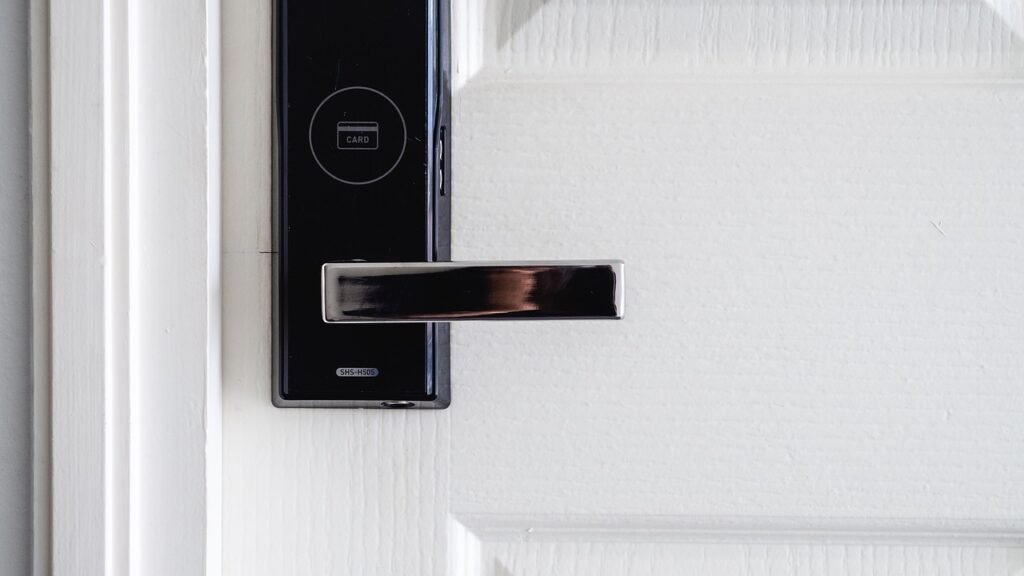
A security bundle protects your home from the inside, but a smart lock protects the point of entry itself. Adding a smart lock to your system lets you lock and check your door remotely, create temporary access codes for guests or service providers, and receive an alert the moment someone enters.
August Wi-Fi Smart Lock (4th Gen)
The August Wi-Fi Smart Lock is a retrofit lock that attaches to your existing deadbolt on the inside of your door. Your outside lock and physical keys remain unchanged, which makes it ideal for renters who cannot replace their locks. The built-in Wi-Fi means no bridge is required for remote access, and the lock works with Alexa, Google Assistant, Apple HomeKit, and Samsung SmartThings. Features include auto-lock and auto-open based on your phone’s location, guest access via the August app, and a DoorSense sensor that tells you whether the door is closed and properly secured.
Schlage Encode Plus Smart WiFi Deadbolt
The Schlage Encode Plus is a full deadbolt replacement with built-in Wi-Fi, a fingerprint-resistant touchscreen, and a built-in alarm that sounds during forced-entry attempts. It supports up to 100 access codes, works with Alexa, Google Assistant, and Apple HomeKit, and is one of the few locks that supports Apple Home Keys for tap-to-open access with an iPhone or Apple Watch. The lock is certified BHMA AAA for residential security, durability, and finish, and it carries a limited lifetime mechanical warranty. For the standard Schlage Encode without Apple Home Key support, the Schlage Encode Smart WiFi Deadbolt offers the same core features at a lower price and works reliably with both Alexa and Google Home.
Yale Assure Lock 2
The Yale Assure Lock 2 is a keyless touchscreen deadbolt with built-in Wi-Fi for remote access through the Yale Access app. It supports auto-lock, voice control via Alexa, Google, or Siri, and activity tracking so you can see who came and went. It is available in several finishes and with a keyed or keyless exterior, and it shares its app platform with August (both brands are owned by the same parent company, Assa Abloy).
SwitchBot Lock Pro
The SwitchBot Lock Pro is a retrofit smart lock designed for North American deadbolts. It installs over your existing thumb-turn in minutes without replacing any hardware, which makes it a great pick for no-damage apartment upgrades. With a SwitchBot Hub Mini, it supports Matter and works with Apple Home, Alexa, and Google Home. The lock runs on four AA batteries for up to nine months and supports auto-lock, door status detection, and remote access through the SwitchBot app.
Best for: Homeowners who want remote access and guest code management; renters who want a no-drill retrofit option. Smart locks also make excellent smart home gifts.
Video Doorbell Pairings
No security bundle is complete without a video doorbell. It is the first point of contact for visitors, delivery carriers, and potential intruders. All of the major ecosystems offer doorbell options that integrate with their camera and alarm systems.
Ring’s 2026 doorbell lineup includes the Battery Doorbell (2nd Gen) starting at $99.99 with 2K video, the Battery Doorbell Plus at $179.99, and the Wired Doorbell Pro at $249.99 with 4K retinal video and 10x enhanced zoom. For indoor camera coverage, the Ring Indoor Cam (available as a compact plug-in camera) and the newer Ring Indoor Cam Plus with 2K video are easy additions that integrate directly with the same Ring app and alarm system. If you prefer a battery option that works both indoors and outdoors, the Ring Stick Up Cam Battery is a flexible choice.
If you are not locked into the Ring ecosystem, the eufy Security Video Doorbell S220 offers 2K battery-powered video with local storage and no monthly fee. Google’s new Nest Doorbell (3rd Gen) offers 2K HDR video with a 166-degree field of view and Gemini-powered alerts. Eufy, Arlo, and Blink all offer competitive video doorbells with local or cloud storage options.
When choosing a doorbell, consider whether your home has existing doorbell wiring. A wired doorbell never needs charging and supports continuous recording with the right subscription, while a battery doorbell is more flexible for renters and older homes. For elderly family members who may have trouble hearing a traditional chime, a video doorbell paired with a smart display can provide both visual and audio alerts. Read our recommendations for smart home devices for seniors aging in place for more guidance.
Complete Comparison Table
Prices as of September 2026; retail prices fluctuate and may differ on Amazon today. We may earn from qualifying purchases.
| Bundle / Product | Type | Key Components | Video Quality | Storage | Monitoring / Subscription | Starting Price |
|---|---|---|---|---|---|---|
| Ring Alarm 5-Piece Kit | Alarm system | Base station, keypad, contact sensor, motion detector, range extender | N/A (add-on cameras) | Cloud (with plan) | Free self-monitor; $20/mo Pro plan | $199.99 |
| Ring Alarm 8-Piece Kit | Alarm system | Base station, keypad, 4 contact sensors, motion detector, range extender | N/A (add-on cameras) | Cloud (with plan) | Free self-monitor; $20/mo Pro plan | $249.99 |
| SimpliSafe 8-Piece | Alarm system | Base station, keypad, 3 entry sensors, motion sensor, glass-break sensor, key fob | N/A (add-on camera) | Cloud (with plan) | From ~$20/mo; no contract | $249.99 |
| eufyCam S330 2-Cam Kit | Camera kit | 2 solar 4K cameras, HomeBase 3, local storage | 4K UHD | 16 GB local, expandable to 16 TB | No mandatory fee; optional cloud | $399.99 |
| Google Nest Cam (Battery) | Camera | 1 wire-free camera, magnetic mount | 1080p HDR | 3 hrs free; cloud with Nest Aware | Nest Aware from $8/mo | $139.99 |
| Blink Outdoor 4 | Camera | 1 wireless camera, Sync Module, mount kit | 1080p HD | Local via USB; cloud with plan | Blink Subscription from $3/mo | $79.99 |
| Blink Mini | Indoor camera | 1 plug-in camera, mount, USB cable | 1080p HD | Cloud; local with Sync Module 2 | Blink Subscription from $3/mo | $24.99 |
| Wyze Cam v3 | Indoor/outdoor camera | 1 wired camera, power adapter, mount | 1080p HD | microSD local; cloud with Cam Plus | Wyze Cam Plus $2/mo/camera | $35.98 |
| TP-Link Tapo C225 | Indoor pan/tilt camera | 1 2K pan-tilt camera, power adapter, mount | 2K QHD | microSD up to 512 GB; cloud trial | Tapo Care optional | $41.99 |
| August Wi-Fi Smart Lock | Retrofit smart lock | Interior lock, DoorSense, batteries, adapters | N/A | N/A | No subscription required | $199.99 |
| Yale Assure Lock 2 | Deadbolt smart lock | Touchscreen deadbolt, Wi-Fi module, batteries | N/A | N/A | No subscription required | $199.00 |
| Ring Battery Doorbell Plus | Video doorbell | Battery doorbell, quick-release battery, mount | 2K | Cloud (with plan) | Ring Protect from $4/mo | $179.99 |
| Ring Wired Doorbell Pro | Video doorbell | Wired 4K doorbell, mounting hardware | 4K | Cloud (with plan) | Ring Protect from $4/mo | $249.99 |
| Ring Stick Up Cam Battery | Indoor/outdoor camera | Battery camera, quick-release battery, mount | 1080p HD | Cloud (with plan) | Ring Protect from $4/mo | $99.99 |
How to Choose the Right Security Bundle
Choosing the right bundle depends on your home size, living situation, technical comfort, and budget. Here are the most important factors to weigh.
Home Size and Layout
Apartments and condos under 1,000 square feet are well served by a 5-piece alarm kit with one or two indoor cameras. A one- to two-bedroom home typically needs an 8-piece kit with four contact sensors and at least one outdoor camera. Larger homes over 2,000 square feet should consider a 10- to 14-piece kit or a system like SimpliSafe with long-range sensor coverage that eliminates the need for range extenders.
Walk around your home and count exterior doors and ground-floor windows. Each one needs a contact sensor. Hallways and common rooms benefit from motion sensors. Yards, driveways, and entryways need cameras. For apartment-specific guidance, our apartment upgrades guide covers the best no-drill options.
Renting vs. Owning
Renters should prioritize wireless, adhesive-mounted systems that do not require drilling or wiring. Ring Alarm, SimpliSafe, Aqara, and Wyze all fit this category. For smart locks, choose a retrofit model like the August Wi-Fi Smart Lock or SwitchBot Lock Pro that attaches to your existing deadbolt rather than replacing it. Our complete renter’s guide for 2026 covers these options in depth.
Homeowners have more flexibility. A wired video doorbell, permanently mounted outdoor cameras, and a full deadbolt replacement smart lock are all on the table. Homeowners may also want to consider professional installation for complex setups.
Professional Monitoring vs. Self-Monitoring
Professional monitoring means a trained agent is watching your system 24/7 and can dispatch police, fire, or medical services when an alarm triggers. This is strongly recommended for anyone who travels frequently, lives in a high-crime area, or has elderly family members at home. Ring Protect Pro and SimpliSafe both offer no-contract professional monitoring for around $20 per month.
Self-monitoring means you receive alerts on your phone and decide how to respond. This is a valid choice for budget-conscious users who are generally at home or always have their phone nearby, but it does rely on you being available and able to call emergency services if needed. Eufy, Wyze, Blink, and Aqara systems are primarily designed for self-monitoring, though some offer optional professional monitoring add-ons.
Subscription Costs Over Time
The upfront price of a bundle is only part of the total cost. Over three to five years, subscription fees can add up significantly. Ring Protect Pro at $20 per month costs $720 over three years. SimpliSafe’s monitoring costs a similar amount. On the other hand, Eufy and Wyze offer core functionality with no mandatory subscription, though you may choose to pay for cloud storage or advanced AI features.
Calculate the total cost of ownership over the period you plan to own the system, including hardware, subscriptions, and any replacement batteries. A slightly more expensive camera with no monthly fee can end up costing less over time than a cheaper camera that requires a subscription for basic features.
Ecosystem Compatibility
Consider which voice assistant and smart home platform you already use. If your home runs on Alexa, Ring and Blink are natural choices. If you use Google Assistant, Nest cameras and doorbells integrate most smoothly. Apple HomeKit users should look at Eufy, Aqara, August, and Yale, all of which support HomeKit. If you use a mix of platforms, look for systems that support Matter, the new interoperability standard that lets devices work across ecosystems regardless of brand.
Environmental and Safety Sensors
A complete home security system should do more than detect break-ins. Consider adding sensors for water leaks, smoke and carbon monoxide, and freezing temperatures. A water leak can cause tens of thousands of dollars in damage if it goes undetected while you are away. Our guide to the best smart water leak detectors explains which systems integrate with the security platforms covered here. For broader planning, see our smart home vacation guide for tips on securing your home while traveling.
Installation and Setup Tips
Most DIY security bundles can be installed in 30 to 60 minutes. Start by placing your base station or hub in a central location, ideally near your Wi-Fi router. For Ring Alarm Pro, the base station replaces your router and must connect directly to your modem.
Mount contact sensors on doors and windows with the sensor on the frame and the magnet on the moving part, no more than half an inch apart. Place motion sensors in hallways or high-traffic rooms, mounted at 7 to 8 feet high and angled to catch movement across the room rather than directly toward the sensor. Avoid placing motion sensors near heating vents, windows, or direct sunlight, which can trigger false alarms.
For outdoor cameras, mount them 8 to 10 feet high, angled downward, and within range of your Wi-Fi network. Test the Wi-Fi signal strength at the camera location before drilling any holes. Most cameras offer a signal strength indicator in their app during setup. If the signal is weak, consider adding a Wi-Fi extender or choosing a camera with dual-band Wi-Fi support like the Arlo Pro 5.
After physical installation, walk through your home and test each sensor by opening doors and windows and walking in front of motion detectors. Confirm that alerts arrive on your phone and that the siren sounds as expected. If you subscribe to professional monitoring, test the system with the monitoring company to make sure dispatch procedures work correctly.
For seniors who may find app-based setup challenging, consider a professionally installed system or ask a family member to handle installation. Our easy setup guide for seniors walks through the simplest systems to configure and use.
Privacy and Data Security
Connected security cameras and sensors collect sensitive data about your home, your habits, and your family. Taking a few simple steps can significantly reduce your exposure to data breaches and unauthorized access.
First, use a strong, unique password for your security account and enable two-factor authentication. Most major brands, including Ring, SimpliSafe, Arlo, Eufy, and Google, support 2FA. Second, keep your camera firmware and smartphone apps updated. Manufacturers regularly release security patches. Third, consider cameras with local storage, such as Eufy or Aqara, if you want to avoid sending video footage to cloud servers. Fourth, use a strong password on your home Wi-Fi network and consider a separate network for your smart home devices.
Be mindful of where you place indoor cameras. Avoid bedrooms and bathrooms, and use physical privacy shutters (available on SimpliSafe cameras and the Tapo C225) when you are at home. Our full guide to smart home privacy covers these topics and more in detail.
Frequently Asked Questions
1. What is the best smart home security bundle for 2026?
The best overall bundle depends on your ecosystem and needs. For most households, the Ring Alarm 8-Piece Kit offers the best balance of affordability, reliability, and easy professional monitoring through Ring Protect Pro. If you prefer no monthly fees, the eufyCam S330 2-Camera Kit provides excellent 4K video with local storage. For those who want a traditional alarm system with no-contract monitoring, SimpliSafe is the top choice. Evaluate your home size, preferred voice assistant, and subscription tolerance before deciding.
2. Do I need professional monitoring, or can I self-monitor?
Professional monitoring is recommended if you travel often, live in an area with high crime, or have vulnerable family members at home. It ensures that emergency services are dispatched even if you cannot respond to an alert. Self-monitoring works well if you are usually at home, always have your phone nearby, and are comfortable calling emergency services yourself. Many systems, including Ring and SimpliSafe, let you start with self-monitoring and add professional monitoring later without changing hardware.
3. Can I mix devices from different brands in one security system?
Yes, but with caveats. Devices that support Matter can work together across ecosystems, and platforms like Alexa, Google Home, Apple Home, and Samsung SmartThings allow you to view cameras and control devices from multiple brands in one app. However, for tightly coordinated actions, such as a sensor triggering a camera to record and a siren to sound, devices from the same brand work more reliably. We recommend choosing one primary ecosystem for your alarm system and then adding cameras or sensors from other brands that are compatible with your voice assistant.
4. Are wireless security systems reliable?
Modern wireless security systems are highly reliable. They use encrypted communication protocols, long-range radio signals, and backup batteries that keep the system running for 24 hours or more during a power outage. Many also include cellular backup so the system stays connected even if your Wi-Fi or home internet goes down. The key is to choose a system from an established brand, keep firmware updated, and test your sensors and cameras periodically.
5. How long do security camera batteries last?
Battery life varies significantly by camera and usage. Blink Outdoor 4 cameras can last up to two years on two AA lithium batteries with default settings. Arlo Pro 5 batteries last up to eight months. Ring and Google Nest battery cameras typically last one to three months between charges. Eufy’s solar-equipped cameras can run indefinitely with enough direct sunlight. Wired cameras like the Wyze Cam v3, Blink Mini, and Tapo C225 never need charging but require a nearby power outlet.
6. Do smart locks work without Wi-Fi?
Most smart locks use Bluetooth for basic operation when you are near the door, so you can still open the lock with your phone or a keypad code even if Wi-Fi is down. Remote access, voice control, and instant alerts require a Wi-Fi connection. Locks like the August Wi-Fi Smart Lock have Wi-Fi built in, while others may need a separate hub. All smart locks include a physical key or backup power option (usually a 9V battery terminal or USB-C port) in case the internal batteries die.
7. Can renters install a smart security system without losing their deposit?
Yes. Most modern DIY security systems use adhesive strips and plug-in connections, requiring no drilling or wiring. Ring Alarm, SimpliSafe, Wyze, Blink, and Aqara sensors can all be removed without damaging walls or door frames. For smart locks, choose a retrofit model like the August Wi-Fi Smart Lock or SwitchBot Lock Pro that attaches to your existing deadbolt without replacing it. Always check your lease agreement and, when in doubt, inform your landlord before installing anything permanent.
8. What is the difference between local and cloud storage for security cameras?
Cloud storage sends your video footage to the manufacturer’s remote servers, where it is stored for a set period (typically 7 to 60 days) and can be accessed from anywhere through an app. It usually requires a subscription fee. Local storage saves footage on a microSD card, USB drive, or a home base unit in your house. It is generally free, offers more control over your data, and continues recording even when the internet is down. However, local storage can be destroyed or stolen if an intruder takes the recording device. Eufy, Aqara, and Wyze offer strong local storage options.
9. How many security cameras do I need?
A typical single-family home needs a video doorbell at the front door, one camera covering the backyard or rear entrance, and one or two indoor cameras in common areas such as the living room or hallway. Apartments usually need just a doorbell camera and one indoor camera. Aim for coverage of every ground-floor entry point and any area where valuable items are kept. Budget cameras like the Blink Mini and Wyze Cam v3 make it affordable to add extra cameras without overspending.
10. Will a smart security system lower my home insurance premium?
Many home insurance companies offer discounts of 5 to 20 percent for homes with professionally monitored security systems. You may need to provide a certificate of installation or a monitoring contract to qualify. Self-monitored systems and standalone cameras may also qualify for smaller discounts, depending on your insurer. Contact your insurance provider to ask about available discounts and what documentation they require.
Final Recommendation
There is no single best security bundle for everyone, but the field narrows quickly once you define your priorities. The Ring Alarm 8-Piece Kit is the safest default choice for most people in 2026 because it is affordable, easy to install, expandable, and backed by optional no-contract professional monitoring. Pair it with a Ring video doorbell and a Blink Mini or two for complete coverage at a reasonable total cost.
If monthly fees are a dealbreaker, the eufyCam S330 2-Cam Kit delivers premium 4K video and solar-powered convenience with local storage and no mandatory subscription. If you want a traditional, professionally monitored alarm without the commitment of a long-term contract, SimpliSafe remains one of the most polished and trusted options available. If you are on a tight budget, the combination of a Wyze Cam v3 or two and a Blink Outdoor 4 provides dependable coverage for under $150.
Regardless of which system you choose, the most important step is to install it properly, test every component, and use it consistently. A basic system that is armed every day provides far more protection than an expensive kit sitting in a box. Add a smart lock for entry control, a video doorbell for front-door awareness, and a few environmental sensors for comprehensive protection, and you will have a smart home security setup that gives you genuine peace of mind.

About Aiden Tsang
Aiden Tsang researches and spec-verifies smart-home products at DeeperThing, comparing manufacturer data, independent hands-on reviews from major outlets, and long-term owner feedback. He focuses on total cost of ownership and accurate, up-to-date specs rather than first-hand lab testing.