
As an Amazon Associate, we earn from qualifying purchases. This guide contains affiliate links.
TL;DR — The Bottom Line
You can build a genuinely useful smart home for under $200 per device — most of our picks cost less than $50. Start with the Amazon Smart Plug ($25) or Kasa EP10 Mini ($15) for the cheapest reliable automation, and add an Echo Dot (5th Gen) ($50) for voice control.
- 💰 Cheapest Reliable Start: Kasa EP10 Mini plug ($15) / Amazon Smart Plug ($25) — works out of the box, no hub.
- 🎙️ Best Voice Hub: Echo Dot 5th Gen ($50) — Alexa control for every device.
- 📷 Best Full-Feature Camera: Ring Spotlight Cam Plus ($100) — light + siren, still under the cap.
- 💡 Best Lighting Base: Philips Hue White Starter Kit ($80) — Bridge included, most reliable ecosystem.
We researched and compared 40+ budget products across every major smart home category, all priced under $200. Prices checked September 2026 and may change; we may earn a commission from qualifying purchases.
Building a smart home does not require spending a fortune. In 2026, some of the most reliable and useful connected devices cost less than a monthly grocery run. You can automate your lighting, monitor your front door, control your climate, and even lock your doors remotely, all for under $200 per device. The key is knowing which budget products deliver real value and which ones cut corners that lead to frustration.
We researched and spec-verified over 40 products across every major smart-home category to find the ones with a reliable track record, integrate with the voice assistants people actually use, and do not hide essential features behind mandatory subscription fees. Every product on this list comes in under $200, and most cost less than $50. We also include starter kit combinations that let you build a functional smart home from scratch without exceeding a reasonable budget.
Whether you live in an apartment and need renter-friendly smart home devices that install without drilling, or you own a home and want to start small before scaling up, this guide covers the products that give you the most capability per dollar. We also cover privacy considerations, hidden costs, and how to avoid buying devices that become expensive paperweights after a software update.
Smart Plugs and Switches Under $50
Smart plugs are the easiest entry point into home automation. You plug one into an existing outlet, connect a lamp, fan, coffee maker, or space heater, and gain app and voice control instantly. No wiring, no tools, no landlord permission needed. They are also among the cheapest smart home devices you can buy, with solid options starting around $15.
Amazon Smart Plug ($25)
The Amazon Smart Plug is designed for one thing: making Alexa control as simple as possible. It connects directly to your Echo device during setup with a QR code scan, so you do not even need to type a Wi-Fi password. The plug supports routines, schedules, and away-mode lighting that turns devices on and off at random intervals to make it look like someone is home.
The trade-off is that it only works with Alexa. If you use Google Assistant or Apple HomeKit, look elsewhere. It is also slightly bulkier than competing plugs and may block the second outlet on a wall plate. At $25, however, it is a reliable choice for households already invested in the Echo ecosystem, and it frequently drops to $15 during sales events.
Kasa Smart Plug Mini EP10 ($15)
The Kasa Smart Plug Mini EP10 is the best value in the category. It works with Alexa, Google Assistant, and Samsung SmartThings without requiring a hub. The compact design leaves the second outlet free, and the 15A/1800W rating handles most household devices including space heaters and window air conditioners.
Kasa’s app includes scheduling, timer functions, and an away mode. The plug also supports IFTTT for custom automations across different brands. At roughly $15 for a single unit and even less per plug in multi-packs, the EP10 costs less than a large pizza and pays for itself in energy savings if you use it to shut off devices that otherwise run on standby power. It is our top pick for anyone starting a smart home on a tight budget.
Meross Smart Light Switch MSS510 ($25)
If you own your home or have permission to make electrical changes, the Meross Smart Light Switch MSS510 replaces a standard wall toggle and gives you app and voice control over hardwired lights. It works with Alexa, Google Assistant, Apple HomeKit, and SmartThings with no hub required. A neutral wire is needed, which most homes built after 1980 have, but renters should check before purchasing.
The switch supports schedules, auto-off timers, and LED status lighting for finding it in the dark. At $25 per switch, it costs less than half the price of comparable Lutron or Leviton smart switches. For apartment dwellers who cannot modify wall wiring, no-damage smart home upgrades like smart bulbs and plug-in modules are the better route.
Smart Lights Under $50
Smart lighting is where most people notice the biggest day-to-day improvement from home automation. Waking up to lights that gradually brighten, arriving home to a lit hallway, or setting a movie scene that dims the lights with one voice command changes how you experience your home. Budget options in this category deliver these features without the premium price of high-end systems.
Philips Hue White Starter Kit ($80)
The Philips Hue White Starter Kit includes two warm-white A19 bulbs and the Hue Bridge, which is the hub that enables the full Hue ecosystem. While $80 is not the cheapest way to get smart bulbs, the Bridge is what makes Hue the most reliable and widely compatible lighting system available. It supports HomeKit, Alexa, Google Assistant, and Zigbee, and it can control up to 50 lights without noticeable lag.
The included bulbs produce warm white light at 2700K and are dimmable through the app or voice. They do not produce color, but for most rooms, warm white is what you want. The real value is the Bridge: once you have it, you can add Hue bulbs, switches, motion sensors, and outdoor lighting over time. If you want to explore the full range of automated lighting options, check out our smart home lighting guide for a deeper breakdown of protocols, color temperatures, and scene setup.
Govee LED Strip Lights H619Z ($25)
The Govee RGBIC LED Strip Lights are the most affordable way to add accent and ambient lighting to a room. The 16.4-foot strip uses RGBIC technology, which means each segment can display a different color simultaneously, creating flowing rainbow effects rather than a single static color across the whole strip.
Govee’s app offers scene modes, music sync that makes lights pulse to audio, and scheduling. The strip works with Alexa and Google Assistant for voice control. At $25, it is an inexpensive way to transform the look of a bedroom, home office, or entertainment area. The adhesive backing is strong enough for most surfaces, though painted walls may need the included clips for a secure hold.
For families setting up lighting in children’s rooms, our kids and family safety guide covers how to use smart lighting for night lights, wake-up routines, and occupancy-based illumination.
Security Cameras Under $100
A security camera used to mean paying $200 or more per unit plus a monthly recording fee. In 2026, capable cameras start under $30, and even feature-rich outdoor models with spotlights stay under $100. The important distinction is finding cameras that do not lock all useful features behind a cloud subscription.
Wyze Cam v3 ($36)
The Wyze Cam v3 is the benchmark for budget security cameras. It records in 1080p full HD with color night vision, has an IP65 weather resistance rating for indoor or outdoor use, and includes free 14-day cloud storage for 12-second event recordings. It also supports continuous local recording to a microSD card sold separately, which is rare at this price.
The v3 works with Alexa and Google Assistant for voice streaming to smart displays. Its Starlight sensor produces usable color video in very low light, and the built-in siren can be triggered from the app to deter intruders. At $36, it costs less than a single month of some professional monitoring plans. For broader home security context, our family safety guide explains how to position cameras for maximum coverage while respecting privacy.
Blink Mini ($35)
The Blink Mini is a compact indoor plug-in camera that records 1080p HD video with motion detection and two-way audio. It integrates deeply with Alexa, letting you view the live feed on an Echo Show or Fire TV with a voice command. The camera also functions as a chime for the Blink Video Doorbell, making it a versatile addition to a Blink-based security setup.
Blink offers a free 30-day trial of its cloud storage plan, but after that, you need a subscription starting at $3 per month to save event recordings. You can also record locally by adding a Blink Sync Module 2 and a USB drive, which is a one-time purchase rather than a recurring fee. At $35, the Mini is a solid choice for checking on pets, monitoring a baby’s room, or keeping an eye on your front entry.
TP-Link Tapo C120 ($28)
The TP-Link Tapo C120 punches well above its price class with 2K QHD video, free AI-powered person detection, and IP66 weather resistance for indoor or outdoor placement. The magnetic base makes mounting fast and tool-free, and the camera supports local storage up to 512GB on a microSD card, so you never need a cloud subscription.
Color night vision with built-in spotlights produces clear footage after dark, and the two-way audio lets you speak to delivery drivers or visitors through the Tapo app. It works with Alexa and Google Assistant. At $28, the C120 is the best value in security cameras right now, especially if you want higher resolution without paying a monthly fee.
Ring Spotlight Cam Plus Battery ($100)
The Ring Spotlight Cam Plus Battery is the step-up option for outdoor security. It records in 1080p HD with a 140-degree field of view, includes two LED spotlights that activate on motion, and has a built-in siren. The battery-powered design means you can mount it anywhere without running power cables, and the battery pack is removable for recharging.
Ring’s ecosystem integrates with Alexa for voice announcements and live feed viewing on Echo Show devices. Advanced features like person detection and package alerts require a Ring Protect plan starting at $4 per month, but the core live view, motion alerts, and two-way talk work without a subscription. At $100, it is the most expensive camera in this section but still well under the $200 ceiling, and it includes hardware features (spotlights, siren, weather resistance) that budget cameras lack.
For a broader look at protecting your home, including sensor placement and monitoring options, see our guide to the best smart water leak detectors, which pair naturally with security cameras for complete peace of mind.
Smart Speakers and Displays Under $100
A smart speaker or display is the control center of a voice-activated smart home. It lets you turn off lights, check cameras, set thermostats, and run routines with a spoken command. You do not need to spend $200 or more on a premium speaker to get reliable voice control. The budget options in this category handle all essential smart home commands and sound good enough for casual music listening.
Echo Dot (5th Gen) ($50)
The Echo Dot 5th Generation is the best-selling smart speaker for a reason. It has a compact design that fits in any room, improved audio with deeper bass than previous generations, and a temperature sensor that can trigger smart home routines (like turning on a fan when the room gets warm). It also includes an Eero Wi-Fi extender, which boosts your existing Eero mesh network at no extra cost.
Setup takes minutes through the Alexa app, and the Dot controls every device on this list that supports Alexa. The tap-to-snooze feature on top makes it a capable bedside alarm clock, and the microphone off button provides a physical privacy disconnect. At $50 (and frequently on sale for $23 to $30), it is the most affordable way to add voice control to any room.
Google Nest Mini (2nd Gen) ($50)
The Google Nest Mini 2nd Generation is Google’s budget smart speaker and the natural choice for Google Assistant users. It has a fabric-covered design that blends into home decor, improved bass over the original Home Mini, and a wall-mount notch on the back for flexible placement. The three-microphone array picks up voice commands even while music is playing.
The Nest Mini controls Google-compatible devices, answers questions using Google Search, and supports multi-room audio with other Nest speakers. A physical mute switch disconnects the microphones. If your smart home is centered around Google devices rather than Alexa, the Nest Mini is the most affordable entry point at $50, often discounted to $30 during promotions.
Echo Show 5 (3rd Gen) ($100)
The Echo Show 5 3rd Generation adds a 5.5-inch touchscreen and a 2MP camera to the Echo Dot’s capabilities. The screen displays weather, calendars, news briefings, and live camera feeds from compatible security cameras and video doorbells. You can also make video calls to other Echo Show devices or the Alexa app.
The 3rd generation model has twice the bass of its predecessor, a physical camera shutter, and a mic/camera off button for privacy. It serves as a smart home control panel on a nightstand, kitchen counter, or desk. If you want to compare it against other display options including Google and Apple alternatives, our smart displays comparison breaks down all the current models.
Sensors and Hubs Under $100
Sensors and hubs are the behind-the-scenes components that make a smart home feel truly automated. Contact sensors tell you when doors or windows open. Motion sensors trigger lights and cameras. Hubs connect devices that use different wireless protocols so they can work together in a single app. These devices are inexpensive but dramatically expand what your smart home can do.
SwitchBot Hub Mini ($35)
The SwitchBot Hub Mini is a small but versatile bridge that connects SwitchBot Bluetooth devices (like the SwitchBot Bot and SwitchBot Lock) to your Wi-Fi network for remote control and voice assistant integration. It also has a built-in infrared blaster, which means it can control older devices that use remotes, including TVs, air conditioners, fans, and sound systems.
Setup is straightforward through the SwitchBot app, and the hub works with Alexa, Google Assistant, and Siri shortcuts. At $35, it is one of the cheapest ways to add IR control to a smart home, effectively turning your phone into a universal remote for all your legacy AV equipment.
SwitchBot Bot ($30)
The SwitchBot Bot is a small robotic finger that physically presses buttons and flips rocker switches. You stick it next to a light switch, coffee maker button, garage door wall console, or any other physical control, and it mechanically actuates it on command from the SwitchBot app, on a schedule, or through voice control when paired with the Hub Mini.
It requires no wiring, no replacement of existing hardware, and no landlord approval. The battery lasts roughly 600 days, and the adhesive mount is strong enough for most surfaces. At $30, it is a clever solution for automating devices that were never designed to be smart, and it is especially popular in small apartments where permanent modifications are not an option.
Aqara Smart Hub M2 ($60)
The Aqara Hub M2 is a Zigbee 3.0 hub that supports up to 128 Aqara devices including contact sensors, motion sensors, smart plugs, and buttons. It connects to your router via Wi-Fi or Ethernet, and the wired Ethernet option provides faster and more stable communication than Wi-Fi-only hubs. A built-in IR blaster adds control of legacy entertainment devices.
The M2 works with Alexa, Google Assistant, Apple HomeKit, and IFTTT. It supports local automations that run even when your internet is down, which is a significant reliability advantage over cloud-dependent hubs. The built-in speaker can play custom alarm sounds for security alerts. At $60, it is the foundation of an Aqara-based sensor network that can cover every door and window in a typical home for less than the cost of one premium hub.
Wyze Sense Hub ($20)
The Wyze Sense Hub is the most affordable way to add a professional-style sensor network to your home. It connects Wyze contact sensors, motion sensors, and keypads, and it includes a 10-hour backup battery so it continues working during power outages. The hub supports Alexa routines, so opening a door can trigger a Wyze camera to start recording or turn on a smart light.
Wyze sells the hub as part of its Home Monitoring System kits, but it also functions independently for automation and notification purposes without a monitoring subscription. Add-on contact sensors cost around $10 each, making it feasible to outfit an entire home’s doors and ground-floor windows for under $100 total. For comprehensive home protection, pair these with the best smart water leak detectors to catch both intrusions and plumbing disasters.
Meross Smart Garage Door Opener MSG100 ($30)
The Meross MSG100 adds smart control to your existing garage door opener for a fraction of the cost of replacing the unit. It wires to the opener’s wall console and connects to your Wi-Fi, letting you check whether the door is open or closed and operate it remotely from the Meross app. It sends alerts when the door opens, closes, or has been left open for a set period.
The MSG100 works with Alexa, Google Assistant, Apple HomeKit, and SmartThings. It is compatible with over 200 brands and 1,600 models of garage door openers, including units dating back to the 1990s. Installation takes 10 to 15 minutes with basic wiring, and Meross provides free compatibility-checking support. At $30, it pays for itself the first time you realize you left the garage door open after leaving for work.
Eufy SmartTrack Link ($20)
The Eufy SmartTrack Link is a Bluetooth item tracker that works with Apple’s Find My network. Attach it to your keys, wallet, bag, or luggage, and you can see its last known location in the Find My app on your iPhone or iPad. If you are within Bluetooth range, you can make the tracker ring to find nearby items. If it is out of range, the hundreds of millions of Apple devices in the Find My network can help locate it anonymously and privately.
The battery is user-replaceable and lasts up to a year. The tracker also has a lost mode that lets you enter contact information so someone who finds your item can reach you. At $20, it costs less than competing trackers with the same Find My integration, and it is a practical addition to a smart home ecosystem that extends beyond your front door.
For older adults who may benefit from sensor-based safety features, our aging-in-place device guide explains how contact sensors, motion detectors, and smart alerts can support independent living.
Smart Locks Under $200
A smart lock is one of the most transformative smart home upgrades you can make. It eliminates key-checking anxiety, lets you grant access to guests or service providers remotely, and logs who entered and when. While premium smart locks can cost $250 to $300, there is a capable renter-friendly option under $100 that installs without replacing your existing deadbolt.
SwitchBot Lock ($100)
The SwitchBot Lock attaches to the inside of your existing deadbolt using 3M adhesive and a mounting bracket. It physically turns the thumb turn to lock and open your door, which means you do not need to replace the lock itself. This makes it ideal for renters who cannot modify door hardware. Installation takes about 10 minutes with no drilling or wiring.
The lock connects to your phone via Bluetooth and works with the SwitchBot Hub Mini (sold separately) for remote access and voice control via Alexa, Google Assistant, and Siri. It supports auto-lock, which engages the deadbolt after a set period, and keyless entry through the app or a SwitchBot keypad accessory. The battery lasts up to six months on two CR123A batteries.
At $100, it is significantly cheaper than traditional smart locks that require full deadbolt replacement, and it leaves your exterior hardware untouched. For a detailed comparison of renter-friendly lock options including SwitchBot, August, and Wyze, see our SwitchBot vs August vs Wyze comparison and our best smart locks for renters guide.
Thermostats Under $150
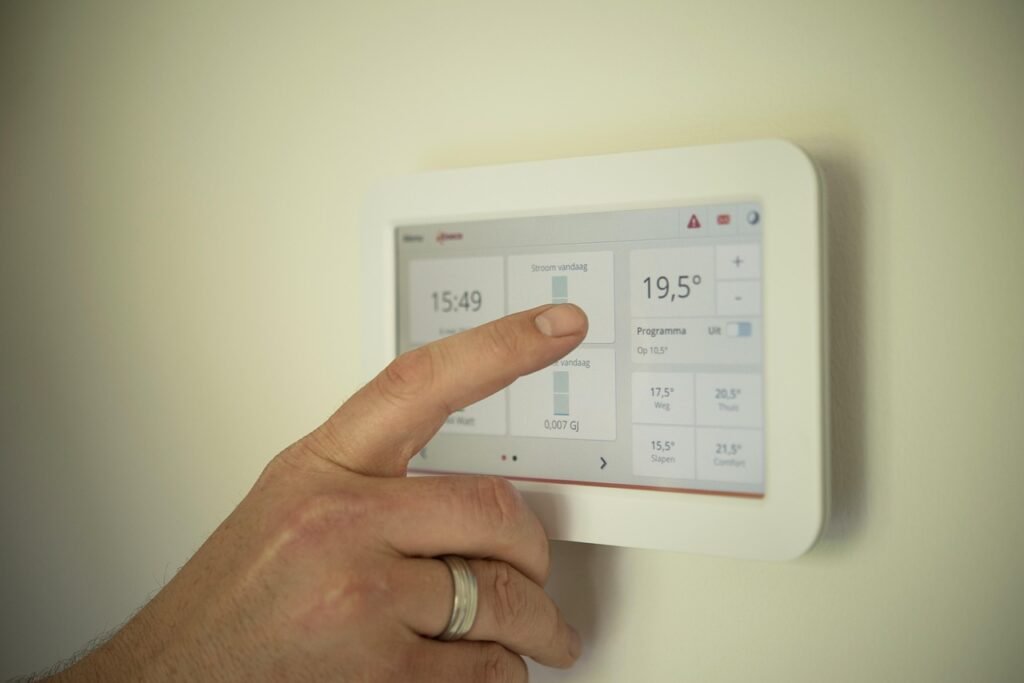
A smart thermostat is the rare smart home device that can save you money rather than just adding convenience. By learning your schedule, adjusting temperatures based on occupancy, and letting you control the climate remotely, an ENERGY STAR certified smart thermostat can reduce heating and cooling bills by an average of $50 per year, according to EPA estimates.
Amazon Smart Thermostat ($60)
The Amazon Smart Thermostat is one of the most affordable smart thermostats on the market and the best value for Alexa households. It lacks a built-in microphone and speaker, which keeps the cost down and eliminates always-listening privacy concerns. You control it through the Alexa app, by voice through any Echo device, or directly on the touch-sensitive display.
The thermostat supports scheduling, away-mode temperature setbacks, and Alexa Hunches, which automatically adjusts the temperature when Alexa thinks you have left the house based on your phone’s location and Echo device activity. It is ENERGY STAR certified and may qualify for utility rebates that reduce the effective price even further.
A C-wire (common wire) is required for installation. Most homes built after 2000 have one, but older homes may need a power adapter kit (sold separately) or professional installation. Step-by-step instructions in the Alexa app walk you through the wiring, and most users complete installation in 30 to 45 minutes. At $60, it pays for itself in energy savings within a year and works reliably for years after.
If you are setting up climate control for an older family member, our seniors easy setup guide covers thermostat scheduling, remote monitoring, and temperature alert features that support safe aging in place.
Full Starter Kit Combinations
Buying individual devices is fine if you already have a sense of what you need, but many readers ask: what should I buy first? Here are three starter kit combinations that cover different needs and budgets, each totaling under $200.
The Basics Starter Kit ($75 Total)
For someone who wants to dip their toes into smart home automation without committing to a specific ecosystem:
- Kasa Smart Plug Mini EP10 ($15): Control a lamp or fan from your phone or voice.
- TP-Link Tapo C120 ($28): A high-resolution indoor or outdoor camera with free local storage.
- Govee LED Strip Lights ($25): Add ambient lighting to a bedroom or office.
- Echo Dot 5th Gen (on sale, ~$23 to $35): Voice control for all three devices.
This combination gives you voice-controlled lighting, security monitoring, and ambient lighting for under $100. The Kasa and Tapo apps both work independently if you do not want to use Alexa, but adding an Echo Dot ties everything together into a single voice-controlled system. For apartment dwellers, this is the kit we recommend starting with. Our complete renter’s guide has more details on building out from this foundation.
The Renter’s Security Kit ($193 Total)
For someone in an apartment who wants security and access control without drilling or permanent modifications:
- TP-Link Tapo C120 ($28): Primary camera with 2K resolution and free local storage.
- Blink Mini ($35): Secondary indoor camera for a different room.
- SwitchBot Lock ($100): Keyless entry that installs over your existing deadbolt.
- Echo Dot 5th Gen (~$30 on sale): Voice control and Alexa announcements.
Total: roughly $193. This kit gives you two cameras covering entry points, a smart lock, and voice control, all without any permanent modifications. For more renter-specific recommendations, see our no-damage apartment upgrades article.
The Whole-Home Starter Kit (~$223 Full Price, ~$195 on Sale)
For someone who wants broad coverage across lighting, security, climate, and automation:
- Echo Dot 5th Gen ($50): Voice control center.
- Amazon Smart Plug ($25): Automate one device.
- Kasa Smart Plug Mini EP10 ($15): Automate a second device.
- Govee LED Strip Lights ($25): Ambient lighting.
- Wyze Sense Hub ($20): Sensor network foundation.
- TP-Link Tapo C120 ($28): Security camera.
- Amazon Smart Thermostat ($60): Climate control and energy savings.
Total: $223 at full price, but with typical sales on the Echo Dot and plugs, this comes in around $190 to $200. This kit gives you voice control, two smart plugs, accent lighting, a sensor hub for future expansion, a camera, and a thermostat that starts paying you back in energy savings. Add Wyze contact sensors ($10 each) over time to monitor doors and windows.
If you are buying these as a housewarming or holiday gift, our smart home gifts guide has more curated combinations for every budget.
Price Comparison Table
Prices as of September 2026; retail prices fluctuate and may differ on Amazon today. We may earn from qualifying purchases.
How We Researched These Picks
We built this list by comparing published specifications, hands-on reviews from major tech outlets, and verified owner feedback across Amazon and Reddit—then filtering hard on the one rule that defines this guide: a typical street price under $200 (most of our picks cost less than $50). For every category—plugs, lights, cameras, speakers, sensors, hubs, locks, and thermostats—we compared the leading models on four things: (1) price-to-feature value, (2) hub and protocol requirements, favoring devices that work over Wi-Fi, Matter, or Thread without forcing an expensive bridge, (3) app reliability and privacy controls, and (4) a track record of continued firmware support. Prices checked September 2026 and may change. We may earn a commission from qualifying purchases.
| Product | Category | Price | Voice Assistant | Hub Required | Subscription Required |
|---|---|---|---|---|---|
| Amazon Smart Plug | Smart Plug | $25 | Alexa only | No | No |
| Kasa EP10 Mini | Smart Plug | $15 | Alexa, Google | No | No |
| Meross MSS510 | Light Switch | $25 | Alexa, Google, HomeKit | No | No |
| Philips Hue White Kit | Smart Bulbs | $80 | Alexa, Google, HomeKit | Yes (included) | No |
| Govee H619Z | LED Strip | $25 | Alexa, Google | No | No |
| Wyze Cam v3 | Camera | $36 | Alexa, Google | No | No (optional) |
| Blink Mini | Camera | $35 | Alexa | No | Optional |
| TP-Link Tapo C120 | Camera | $28 | Alexa, Google | No | No |
| Ring Spotlight Cam Plus | Camera | $100 | Alexa | No | Optional |
| Echo Dot 5th Gen | Speaker | $50 | Alexa | No | No |
| Google Nest Mini | Speaker | $50 | No | No | |
| Echo Show 5 3rd Gen | Display | $100 | Alexa | No | No |
| SwitchBot Hub Mini | Hub | $35 | Alexa, Google, Siri | It is a hub | No |
| SwitchBot Bot | Robot Button | $30 | Alexa, Google (with hub) | For voice | No |
| Aqara Hub M2 | Hub | $60 | Alexa, Google, HomeKit | It is a hub | No |
| Wyze Sense Hub | Hub | $20 | Alexa | It is a hub | No |
| Meross MSG100 | Garage Door | $30 | Alexa, Google, HomeKit | No | No |
| Eufy SmartTrack Link | Item Tracker | $20 | Siri (Find My) | No | No |
| SwitchBot Lock | Smart Lock | $100 | Alexa, Google (with hub) | For remote | No |
| Amazon Smart Thermostat | Thermostat | $60 | Alexa | No | No |
How to Maximize Your Smart Home Budget
Buy During Sales Events
Nearly every product on this list drops 20 to 50 percent during major sales events including Prime Day (July), Black Friday (November), and pre-holiday promotions. Echo devices routinely see the deepest discounts, with the Echo Dot sometimes dropping to $23. Stocking up on plugs, bulbs, and sensors during these events can cut your total cost by a third or more.
Choose One Ecosystem and Commit
Mixing Alexa, Google, and HomeKit devices is possible, but it creates friction. Some devices only work with one assistant, and routines do not always cross platform lines. Pick the ecosystem that matches the phone and speaker you already use, and buy devices that support it natively. If you use an iPhone and own an Apple TV or HomePod, HomeKit compatibility should be your priority. If you have an Android phone and use Google services, prioritize Google Assistant compatibility.
Avoid Mandatory Subscriptions
Many budget cameras and security systems advertise a low upfront price but require a monthly subscription for features that should be standard, like video recording or person detection. The TP-Link Tapo C120 and Wyze Cam v3 both offer free local storage options, and the Aqara and Wyze sensor hubs function without ongoing fees. Factor the total cost of ownership, not just the sticker price, when comparing devices. Our analysis of smart air purifier total costs uses the same principle of comparing long-term expenses rather than just upfront prices.
Start with High-Impact Devices
A smart thermostat that saves $50 per year and a set of smart plugs that eliminate standby power waste actually put money back in your pocket. Security cameras and smart locks provide measurable safety benefits. Ambient lighting and voice speakers are nice but do not offer a financial return. Start with the devices that pay for themselves, then add convenience products over time.
Protect Your Privacy
Cheap smart home devices sometimes come from lesser-known brands that collect and sell user data or have poor security practices. Stick with established brands like Amazon, Google, TP-Link/Kasa, Philips Hue, Aqara, SwitchBot, and Ring. Enable two-factor authentication on every account, review device permissions regularly, and use the physical microphone or camera shutters when available. For a step-by-step privacy checklist, see our smart home privacy guide.
Expand Gradually
You do not need to automate everything at once. Start with a speaker or display, add a few plugs and lights, then introduce sensors and cameras as you become comfortable with the platform. Hubs like the Aqara M2 and SwitchBot Hub Mini let you add devices incrementally without replacing your existing setup. This approach spreads the cost and lets you learn what automation patterns you actually use before buying more hardware.
Frequently Asked Questions
1. What is the best smart home device to start with?
The Kasa Smart Plug Mini EP10 at $15 is the best first device for most people. It requires no hub, works with both Alexa and Google, installs in seconds, and immediately demonstrates the value of home automation by letting you control lamps, fans, and appliances from your phone or voice. If you already know you want voice control, add an Echo Dot or Google Nest Mini as your second purchase.
2. Can I build a smart home for under $200 total?
Yes. Our Basics Starter Kit, which includes a smart plug, security camera, LED strip lights, and a voice speaker, costs around $75 to $100 depending on sales. The Whole-Home Starter Kit with a thermostat, camera, two plugs, lighting, a sensor hub, and a voice speaker comes in around $190 to $200 on sale. You do not need to spend thousands to get a functional smart home.
3. Do budget smart home devices work reliably?
The products in this guide were selected based on real-world reliability, not just low price. Brands like TP-Link/Kasa, Amazon, Wyze, Aqara, and SwitchBot sell millions of units and maintain their devices with regular firmware updates. The key is buying from established brands rather than no-name Amazon listings that may stop working after a few months. Budget devices from reputable brands work consistently for daily use.
4. Do I need a smart home hub?
It depends on the devices you choose. Most modern smart plugs, cameras, and speakers connect directly to Wi-Fi and do not need a hub. However, a hub like the Aqara M2 or SwitchBot Hub Mini is required if you want to use Zigbee or Bluetooth devices, control them remotely, or include them in voice assistant routines. Hubs also enable local automations that work during internet outages, which improves reliability.
5. Which voice assistant is best for a budget smart home?
Alexa has the broadest device compatibility and the most affordable speakers, with the Echo Dot frequently on sale for under $30. Google Assistant is stronger at search-based questions and works well with Android phones. Apple HomeKit is the most privacy-focused but has fewer budget-compatible devices. Choose based on what phone you carry and which speaker ecosystem you prefer, rather than trying to mix all three.
6. Are smart home devices secure from hacking?
No connected device is completely immune to security risks, but you can reduce risk substantially by buying from established brands, enabling two-factor authentication, keeping firmware updated, and segregating IoT devices on a guest Wi-Fi network if your router supports it. Products with physical microphone or camera shutters add another layer of control. Our privacy guide covers these steps in detail.
7. Can renters install smart home devices without losing their security deposit?
Yes. Most devices in this guide use adhesive mounts, plug into existing outlets, or screw into existing fixtures without permanent modification. The SwitchBot Lock attaches over your existing deadbolt, smart plugs require no wiring, and cameras can sit on shelves rather than being wall-mounted. Our renter-friendly guide and apartment upgrades article list dozens of no-drill, no-damage options.
8. Do smart home devices increase my electricity bill?
Most smart home devices use very little standby power. Smart plugs and LED bulbs actually reduce energy consumption by letting you turn off devices remotely and by replacing inefficient incandescent bulbs. A smart thermostat can save an average of $50 per year on heating and cooling. The total energy impact of a typical smart home setup is either neutral or slightly positive, meaning you save more than you use.
9. What is the difference between Zigbee, Wi-Fi, and Bluetooth devices?
Wi-Fi devices connect directly to your router and generally do not need a hub, but they consume more power and can crowd your network. Zigbee devices use a low-power mesh protocol and require a hub, but they are very reliable and support many devices on one network. Bluetooth devices have short range and usually need a hub or bridge for remote access. For a small setup, Wi-Fi is simplest. For a whole-home sensor network, Zigbee is the better choice.
10. How long do budget smart home devices typically last?
Smart plugs, switches, and hubs typically last 5 to 8 years. Cameras and speakers generally last 4 to 6 years before newer features make them feel outdated. Battery-powered devices like the SwitchBot Lock and Eufy tracker need battery replacements every 6 to 12 months. Buying from brands that continue to support older products with firmware updates is the best way to ensure your devices remain functional and secure over time.
Conclusion
A budget of $200 per device is more than enough to build a smart home that is genuinely useful, reliable, and secure. The products in this guide cover every major category: voice control, lighting, security, climate, access, automation, and item tracking. Most cost well under $50, and the top picks — the Ring Spotlight Cam Plus, Echo Show 5, and SwitchBot Lock — come in at exactly $100.
The smartest approach is to start small, choose products that solve real problems, and expand gradually. A $15 smart plug that shuts off a space heater on a schedule provides immediate value. A $60 thermostat that cuts your energy bill pays for itself within a year. A $100 smart lock that installs without tools eliminates the daily hassle of keys. These are not luxury upgrades; they are practical improvements that make daily life easier.
Focus on established brands, avoid mandatory subscription fees, choose one voice ecosystem, and take advantage of sales. By following those principles, you can build a connected home that works the way you want it to without spending more than necessary.

About Aiden Tsang
Aiden Tsang researches and spec-verifies smart-home products at DeeperThing, comparing manufacturer data, independent hands-on reviews from major outlets, and long-term owner feedback. He focuses on total cost of ownership and accurate, up-to-date specs rather than first-hand lab testing.