
We may earn a commission from links on this page at no extra cost to you.
By Aiden Tsang · Updated August 2026
Alexa vs Google Home vs Apple HomeKit: Which Smart Home Ecosystem Wins in 2026?
Choosing a smart home ecosystem in 2026 is not just about picking a speaker. It is about choosing the central nervous system for your entire home. Three major platforms dominate the market: Amazon Alexa, Google Home, and Apple HomeKit (now integrated with the Home app and Apple Intelligence). Each one takes a fundamentally different approach to making your lights, locks, thermostats, and cameras work together.
Amazon Alexa commands the widest device compatibility, supporting more than 140,000 compatible products from thousands of brands. Google Home counters with the most intelligent voice assistant, powered by Gemini AI for natural conversations and context-aware responses. Apple HomeKit appeals to privacy-focused users with on-device processing and tight integration with iOS, though it supports fewer devices overall.
The good news is that Matter protocol adoption has blurred the lines between these ecosystems. A Matter-compatible smart light bulb or smart plug can now work across all three platforms simultaneously. But differences remain in voice assistant quality, automation depth, privacy philosophy, and pricing. Understanding these differences before you invest can save you hundreds of dollars and hours of frustration down the road.
This comprehensive comparison examines over a dozen dimensions to help you decide which ecosystem fits your household. Whether you are building from scratch, upgrading an existing setup, or considering a switch, this guide covers everything from device compatibility to energy monitoring integration. We also include specific product recommendations with purchase links and a detailed FAQ section addressing the most common questions from smart home buyers.
Before we compare features, it helps to understand each platform’s origin story. Amazon launched Alexa in 2014 as a voice-first shopping assistant that evolved into a home automation powerhouse. Google entered the space in 2016 with Google Home, leveraging its search engine to create the most knowledgeable assistant. Apple introduced HomeKit the same year, focusing on privacy and security from the start. A decade later, all three have matured significantly, but their founding philosophies still shape their strengths and weaknesses. Our best smart home devices for seniors article covers this in depth.
Amazon Alexa Ecosystem: The Compatibility King
Amazon launched Alexa in 2014 with the original Echo speaker. More than a decade later, Alexa controls the largest smart home ecosystem by device count. The platform supports over 140,000 compatible products from more than 9,500 brands. If a smart device exists, it almost certainly works with Alexa. This massive compatibility advantage makes Alexa the default choice for households that want to mix and match devices from different manufacturers.
The 2024 rollout of the new Alexa (powered by generative AI) brought more natural conversations, proactive suggestions, and multi-turn context. Instead of issuing rigid commands like “turn on the living room lights to 50 percent,” you can now say “make it a bit brighter in here” and Alexa understands the context. Amazon also introduced the Echo Hub, a dedicated smart home control panel that mounts on your wall and runs the Alexa smart home dashboard. This device bridges the gap between voice control and visual management, giving you a central touchscreen for your entire home.
Device Compatibility
Alexa works with virtually every category: smart locks, video doorbells, security cameras, thermostats, robot vacuums, air purifiers, smart diffusers, smart blinds, and more. Amazon’s Zigbee hub built into the Echo (4th Gen) and Echo Hub means you can connect Zigbee devices directly without a separate bridge. The Sidewalk network extends device range using low-bandwidth signals shared between Echo devices in your neighborhood.
Beyond standard smart home categories, Alexa integrates with kitchen appliances (microwaves, ovens, coffee makers), garage door openers, pool cleaners, pet feeders, and even robot mops. Amazon’s own product line includes Ring security cameras, Blink budget cameras, eero Wi-Fi routers, and Fire TV streaming devices, all designed to work together through Alexa. This first-party ecosystem creates a cohesive experience that third-party platforms cannot match.
Strengths
Massive device support: No other ecosystem comes close to Alexa’s device count. From budget-friendly devices under $100 to premium systems, Alexa handles them all. This means you can start with a $20 smart plug and gradually expand to a full-home system without ever worrying about compatibility.
Affordable entry point: The Echo Dot (5th Gen) costs under $50 and includes a temperature sensor, motion detection, and tap-to-snooze. The Echo Pop is even cheaper, bringing Alexa to any room for around $40. Amazon frequently discounts these devices during sales events, making it possible to equip an entire home for under $200. For more options, see our best smart home products under $200 guide.
Routines and automations: Alexa Routines support time triggers, location triggers, voice triggers, device triggers, and even button presses. You can create multi-step sequences like “Goodnight” that locks doors, turns off lights, adjusts the thermostat, and arms security cameras in one command. The new generative AI Alexa can also suggest routines based on your usage patterns, though this feature is still rolling out to all users.
Amazon services integration: Prime members get deep integration with Amazon Music, Prime Video on Echo Show devices, and Amazon shopping. The Echo Show 8 (3rd Gen) doubles as a kitchen display for recipes, video calls, and security camera feeds. Fire TV integration lets you ask Alexa to play shows, search for content, or control playback using just your voice.
Multi-room audio: Echo speakers can be grouped for synchronized music playback throughout your home. This feature works across different Echo models, so you can mix an Echo Dot in the bedroom with an Echo Show in the kitchen and an Echo Studio in the living room. The audio quality improves when you pair two identical speakers for stereo sound.
Weaknesses
Privacy concerns: Amazon processes voice recordings on its servers by default. While you can opt out and request deletion, the company’s data practices have faced regulatory scrutiny in multiple countries. The fact that Amazon uses voice data to train its AI models raises legitimate concerns for privacy-conscious users. Amazon has improved transparency, but the fundamental cloud-based model remains.
Fragmented app experience: The Alexa app has improved but still feels cluttered. Managing hundreds of devices can be slow, and some settings are buried deep in menus. The app tries to be everything at once: device manager, shopping portal, communication tool, and music player. This jack-of-all-trades approach means none of these functions feels fully polished.
Inconsistent responses: Despite the generative AI upgrade, Alexa sometimes misunderstands complex queries or gives web-search-style answers instead of direct responses. The new Alexa is rolling out gradually, and many users still experience the older, more limited assistant. Multi-device commands (like “turn off all lights except the bedroom”) can be hit or miss.
Subscription creep: Amazon increasingly pushes Alexa-related subscriptions, including Alexa Emergency Assist, Ring Protect plans, and Amazon Music Unlimited. While these services add value, the growing number of paid tiers can make the total cost of ownership higher than the initial hardware price suggests.
Best For
Alexa is ideal for budget-conscious households, tech enthusiasts who want maximum device options, and families already invested in Amazon services like Prime and Amazon Music. If you want the widest compatibility at the lowest cost, Alexa is your platform. It also works well for households where different family members have different phone preferences, since Alexa does not require any specific smartphone platform.
Recommended Starter Products
- Echo Dot (5th Gen) – The entry point to Alexa. Under $50 with motion and temperature sensors built in.
- Echo Show 8 (3rd Gen) – Smart display with camera for video calls, recipes, and home monitoring.
- Echo Pop – Compact, affordable Alexa speaker for small spaces and guest rooms.
- Echo Hub – Wall-mounted control panel for managing your entire smart home from one screen.
Google Home Ecosystem: The Intelligence Leader
Google entered the smart home space in 2016 with Google Home (now rebranded under the Nest line). The platform’s biggest advantage is Google Assistant, now powered by Gemini AI, which handles complex questions, remembers context, and responds more naturally than any competitor. Google’s approach is fundamentally different from Amazon’s: instead of trying to support every device on the market, Google focuses on doing fewer things but doing them exceptionally well.
Google’s 2023 unified Home app redesign brought all Nest devices under one roof, simplifying management of cameras, thermostats, speakers, and displays. The company’s acquisition of Fitbit also brought health data into the ecosystem, and Wear OS watches can control smart home devices with simple taps or voice commands. Google’s approach to AI integration sets it apart: Gemini can understand follow-up questions, remember recent context, and even handle multi-step requests without requiring you to repeat yourself.
Device Compatibility
Google Home supports tens of thousands of devices, fewer than Alexa but covering all major categories. Google works closely with manufacturers through its “Works with Google Home” program, which certifies devices for compatibility and performance. The platform has strong native integration with Nest-branded products: Nest Thermostat, Nest cameras, Nest Doorbell, and Nest audio devices. These first-party products offer deeper integration than third-party alternatives.
For third-party devices, Google relies on Wi-Fi, Matter, and Thread protocols. The Google Nest Hub (2nd Gen) includes a built-in Thread border router, making it a capable Matter hub. Google also added support for robot vacuums from iRobot, Roborock, and Ecovacs with voice-controlled cleaning maps. You can ask Google to clean specific rooms, and the vacuum will follow the command using its internal mapping.
Google’s device categories include smart lighting (Philips Hue, LIFX, Nanoleaf), smart locks (August, Yale, Schlage), thermostats (Nest, Ecobee), cameras (Nest, Arlo, Wyze), and speakers (Nest Audio, Nest Mini). While the total count is lower than Alexa’s, Google certifies each device for reliability, which means fewer compatibility issues and more consistent performance. Check out our SwitchBot vs August vs Wyze comparison for more options.
Strengths
Superior voice intelligence: Google Assistant (with Gemini) understands natural language better than Alexa or Siri. You can ask follow-up questions without repeating context, request specific song lyrics, and get detailed answers to complex questions. Google’s search engine backing means it can answer trivia, translate languages, calculate math, and provide real-time information like stock prices and sports scores with remarkable accuracy.
Search and knowledge integration: Google’s search engine powers the assistant’s answers. Ask about local businesses, sports scores, or trivia, and you get accurate, sourced responses. Google can also read web pages aloud, summarize articles, and provide step-by-step instructions for tasks like cooking or home repairs. This knowledge base is simply unmatched by competitors.
Visual displays: The Nest Hub offers the best visual experience for recipes, YouTube videos, security camera feeds, and step-by-step instructions. YouTube integration is exclusive to Google displays, which is a significant advantage for households that rely on YouTube for entertainment or tutorials. The Nest Hub’s sleep sensing feature uses radar to track your sleep patterns without a wearable device.
Nest ecosystem synergy: Nest thermostats learn your schedule and save energy automatically, with potential savings of 10 to 12 percent on heating and 15 percent on cooling. Nest cameras offer intelligent alerts with person, vehicle, and animal detection. The Google Nest Audio delivers impressive sound quality for music streaming, rivaling speakers twice its price. Nest Doorbell provides package detection and familiar face recognition (with Nest Aware subscription).
Broadcast and intercom: Google Home’s broadcast feature lets you send voice messages to all speakers in your home simultaneously. This is perfect for calling the family to dinner, announcing that the laundry is done, or waking up kids for school. You can broadcast from your phone even when you are away from home.
Weaknesses
Fewer compatible devices: While Google supports all major brands, the total device count is significantly lower than Alexa’s. Some niche products and budget brands may lack Google Home integration. If you want to connect a less common device, you may find it works with Alexa but not Google.
Google account dependency: Every family member needs a Google account for personalized experiences. This can be a barrier for children or less tech-savvy family members. Google’s Family Link system helps manage children’s accounts, but it adds complexity to the setup process.
Privacy trade-offs: Google processes voice data on its servers to improve accuracy. While you can review and delete recordings, the company’s advertising model means your data has commercial value. Google’s privacy controls have improved, but the fundamental model relies on data collection for service improvement and ad targeting.
Declining hardware investment: Google has slowed its hardware release cycle. The Nest Hub has not seen a major update since 2021, and some Nest product lines feel neglected. Google discontinued several products (like Nest Secure alarm system) without clear replacements, leaving existing users in limbo. The company seems more focused on software and AI than on new hardware.
Best For
Google Home suits information-hungry households, YouTube enthusiasts, and families who want the smartest voice assistant. It is also ideal for existing Google Workspace users and Android households. If you value conversational AI and visual displays over maximum device compatibility, Google is the pick. The Nest thermostat’s energy-saving features also make Google appealing for households focused on reducing utility bills.
Recommended Starter Products
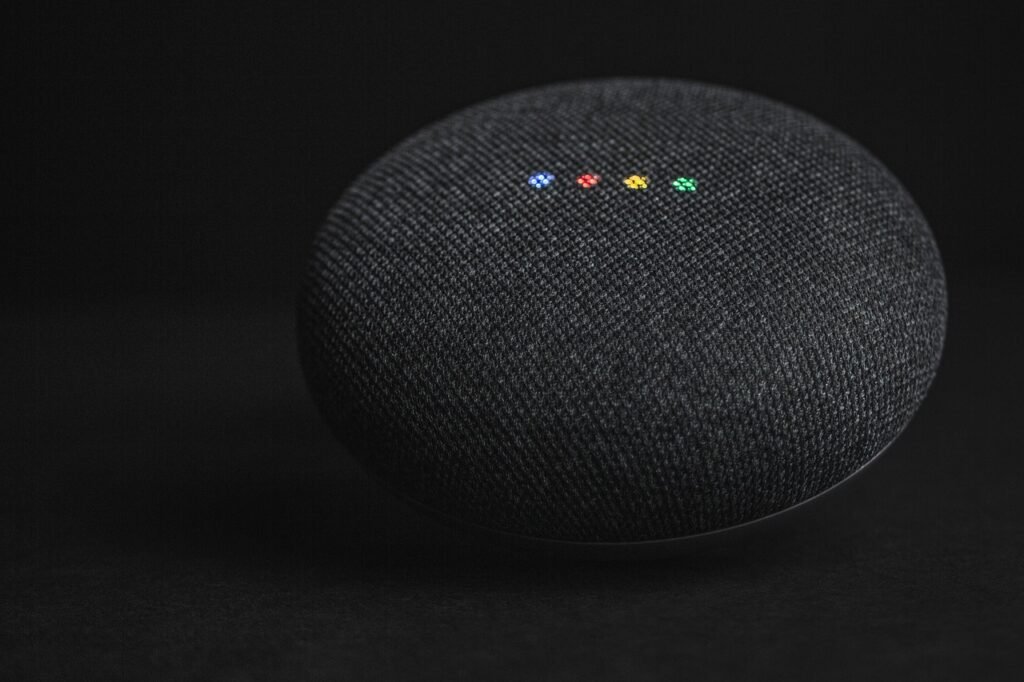
- Google Nest Mini (2nd Gen) – Compact, affordable entry to Google Assistant with wall-mountable design.
- Google Nest Hub (2nd Gen) – Smart display with sleep sensing, Thread router, and YouTube integration.
- Google Nest Audio – Premium sound quality speaker for music lovers with rich bass and clear vocals.
Apple HomeKit Ecosystem: The Privacy Fortress
Apple HomeKit launched in 2014 with a different philosophy: strict privacy, on-device processing, and deep iOS integration. In 2022, Apple introduced the Home architecture redesign and Matter support via the Home app. The 2024 launch of Apple Intelligence brought Siri upgrades, including ChatGPT integration for complex queries that Siri cannot handle alone. This combination of privacy, security, and now enhanced AI makes HomeKit a compelling choice for Apple users.
HomeKit supports far fewer devices than Alexa or Google Home, but every certified device meets Apple’s security and privacy standards. The 2023 release of tvOS 17 and iOS 17 allowed Apple TV to act as a Matter controller and Thread border router, significantly expanding compatibility. The Apple TV 4K is now the most powerful HomeKit hub available, with an A15 chip that handles on-device processing for camera analysis and automation execution.
Device Compatibility
HomeKit supports all essential categories: lights, locks, thermostats, cameras, sensors, and speakers. However, the total device count is in the thousands rather than the tens of thousands. Apple’s certification process requires manufacturers to meet specific security protocols (including end-to-end encryption), which limits participation but ensures quality. Every HomeKit device must pass Apple’s MFi (Made for iPhone) certification, which adds development cost but guarantees a baseline of security and reliability.
With Matter support, HomeKit can now connect to devices that were previously Alexa- or Google-only. This has been a major improvement, allowing Apple users to add devices like smart plugs and bulbs from brands like TP-Link, Wyze, and Meross. Matter has effectively eliminated the “works with Alexa but not Apple” problem for new devices, though older non-Matter devices remain incompatible.
Apple’s first-party ecosystem includes HomePod speakers, Apple TV, and HomePod Mini. Third-party HomeKit devices span categories like smart locks (August, Schlage, Yale), thermostats (Ecobee, Honeywell), and cameras (Logitech Circle, Eufy). Popular brands like Ring and Blink still do not offer native HomeKit support, though Ring devices can be added through HomeBridge or Matter bridges.
Strengths
Privacy by design: Apple processes HomeKit data on-device whenever possible. Video feeds from HomeKit Secure Video cameras are analyzed locally on a HomePod or Apple TV, not in the cloud. Your data never leaves your home. This is a fundamental architectural advantage that no amount of opt-out settings on competing platforms can match. For households concerned about data collection, this alone may justify choosing HomeKit.
iOS integration: Control Center, Siri, Shortcuts app, and the Home app create a unified experience across iPhone, iPad, Apple Watch, and Mac. Handoff lets you start a task on one device and continue on another. You can answer your doorbell from your Apple Watch, adjust your thermostat from your Mac, or check camera feeds on your iPad. This cross-device experience is only possible because Apple controls both the hardware and software.
Shortcuts automation: The Shortcuts app offers the most powerful automation builder of any platform. You can create complex multi-step routines with conditional logic, variables, and API calls. For example, you can create a shortcut that checks the weather forecast, adjusts the thermostat accordingly, turns on the air purifier if air quality is poor, and sends you a notification. For advanced users, this rivals Home Assistant in flexibility while remaining accessible through a visual interface.
HomeKit Secure Video: Apple’s camera solution includes 10-day recording storage at no extra cost with an iCloud+ subscription (starting at $0.99/month). Object recognition (person, vehicle, animal, package) runs on-device, protecting your privacy while providing smart alerts. This is significantly cheaper than Ring’s $10/month or Nest Aware’s $8/month for similar features, making HomeKit more cost-effective over time for security-focused households.
Adaptive Lighting and adaptive controls: HomeKit’s Adaptive Lighting feature automatically adjusts color temperature throughout the day, shifting from cool white in the morning to warm white in the evening. This promotes better sleep and reduces eye strain without requiring manual adjustments or complex routines.
Weaknesses
Limited device selection: Even with Matter, HomeKit has fewer compatible devices than its competitors. Some popular brands like Ring and Blink do not offer native HomeKit support. Budget device options are particularly scarce, as the certification process adds cost that budget manufacturers cannot absorb. This means HomeKit users often pay a premium for compatible alternatives.
High entry cost: Apple’s ecosystem requires at least one Apple device (iPhone or iPad) to set up. The HomePod Mini at $99 is the cheapest HomeKit hub, compared to under $50 for an Echo Dot or Nest Mini. The Apple TV 4K costs $129 or more. For households not already in the Apple ecosystem, the total cost of entry can be prohibitive.
Siri limitations: While Apple Intelligence has improved Siri, it still lags behind Google Assistant in handling complex queries and multi-turn conversations. Siri’s device control capabilities are improving but can be inconsistent, particularly with multi-device commands. The ChatGPT integration helps with general knowledge questions but does not extend to smart home control.
Walled garden: HomeKit works best within the Apple ecosystem. Android users cannot control HomeKit devices, and cross-platform households may find the limitations frustrating. If one family member uses Android, they cannot control the smart home from their phone unless Matter-compatible devices are also connected to Alexa or Google.
Best For
Apple HomeKit is perfect for privacy-conscious users, existing Apple device owners, and households willing to invest in quality over quantity. If you already own an iPhone, Apple Watch, and Apple TV, HomeKit is the natural choice. It also suits families who prioritize security and want local processing for camera footage. The total cost of ownership can be competitive over time due to free HomeKit Secure Video storage with iCloud+, but the upfront investment is higher.
Recommended Starter Products
- Apple HomePod Mini – Compact hub with smart home control, music streaming, and temperature and humidity sensing.
- Apple HomePod (2nd Gen) – Full-size speaker with room-sensing technology and built-in temperature and humidity sensors.
- Apple TV 4K (2022) – The most powerful HomeKit hub with Thread border router and A15 Bionic chip for local processing.
Head-to-Head Comparison: 12 Dimensions
The table below compares all three ecosystems across a dozen critical factors. Use it as a quick reference when deciding which platform aligns with your priorities. Each dimension represents a real consideration that affects daily use, not just a spec sheet comparison.
| Dimension | Amazon Alexa | Google Home | Apple HomeKit |
|---|---|---|---|
| Device Compatibility | 140,000+ products from 9,500+ brands. Widest support in the industry. Works with virtually every smart device on the market. | 50,000+ certified products. Strong in major categories, fewer niche options. Certified for reliability. | Growing via Matter but still the fewest certified devices. Every device meets strict security standards. |
| Voice Assistant Intelligence | Improved with generative AI. Good at device commands, average at complex conversation. Rolling out gradually. | Best in class. Gemini AI handles complex questions, follow-ups, and context naturally. Powered by Google Search. | Siri improved with Apple Intelligence and ChatGPT integration but still trails in complex queries and multi-turn conversations. |
| Privacy Protection | Cloud-based processing by default. Opt-out available but voice data is collected and used for AI training. | Cloud-based processing. Google uses data to improve services and for ad targeting. Can delete recordings. | On-device processing. Best privacy posture. Camera footage stays local. Data never leaves your home network. |
| Setup Difficulty | Easy. Most devices pair in seconds. App can be cluttered when managing many devices. | Easy. Unified Home app is clean and intuitive. Works best with Google account for all family members. | Moderate. Requires an Apple device. Home app improved with recent updates but can be complex for advanced setups. |
| Automation Capabilities | Routines support multiple triggers (time, location, voice, device). Good but lacks advanced conditionals and variables. | Google Home routines improving with conditions but still basic compared to Alexa and Apple Shortcuts. | Shortcuts app offers the most advanced automation with conditional logic, variables, and API integrations. |
| Multi-User Support | Voice profiles for up to 6 adults. Kids profiles with parental controls. Household profiles for shared shopping. | Voice Match supports 6 users. Personalized responses based on who is speaking. Requires Google accounts. | Home app supports multiple users. Each person needs an Apple ID. Best for families all using Apple devices. |
| Offline Functionality | Limited. Most processing is cloud-based. Zigbee devices work locally with Echo Hub. Internet required for voice. | Limited. Internet required for most features. Local execution improving with Matter over Thread. | Best offline support. Hub processes locally. Most automations work without internet. Camera analysis stays local. |
| Matter Support | Full support. Echo Hub and Echo (4th Gen) act as Matter controllers and Thread border routers. | Full support. Nest Hub includes Thread border router. Strong Matter adoption across certified devices. | Full support. Apple TV 4K and HomePod serve as Matter controllers. Thread built into all current hubs. |
| Price to Start | Lowest. Echo Dot under $50. Echo Pop around $40. Budget-friendly ecosystem with frequent discounts. | Moderate. Nest Mini around $50. Nest Hub around $100. Mid-range pricing with quality hardware. | Highest. HomePod Mini is $99. Requires an Apple device ($400+) to start. Premium pricing throughout. |
| Music Integration | Amazon Music, Spotify, Apple Music, SiriusXM. Multi-room audio with Echo devices. Stereo pairing supported. | YouTube Music, Spotify, Apple Music. Multi-room audio with Nest speakers. YouTube Music is a strong differentiator. | Apple Music primary. Spotify supported. Multi-room audio via AirPlay 2. Best audio quality with HomePod. |
| Video Calling | Echo Show devices support video calls via Alexa Calling and Zoom. Drop In feature for instant household communication. | Nest Hub supports Google Duo video calls. Limited third-party app support compared to Alexa. | FaceTime on Apple TV and HomePod. Best for Apple-to-Apple video calls. Limited cross-platform support. |
| Security and Monitoring | Ring and Blink integration. Cloud-based recording requires subscription ($3 to $10 per month per device). | Nest cameras and doorbell. Intelligent alerts but cloud storage requires Nest Aware ($8 to $15 per month). | HomeKit Secure Video with local processing. 10-day storage included with iCloud+ ($0.99 per month and up). |
Best Use Scenarios: Which Ecosystem Fits Your Home?
For the Budget-Conscious Starter
If you are new to smart homes and want to spend as little as possible, Alexa is the clear winner. An Echo Dot plus a few smart plugs and bulbs can be had for under $100 total. Alexa’s massive device ecosystem means you can find budget options in every category. Check our budget guide for specific recommendations that maximize value without sacrificing functionality. You can start with a single room and expand room by room without worrying about whether new devices will work with your setup.
For the Android Household
If everyone in your home uses Android phones and Google services, Google Home creates the most cohesive experience. Your phone, watch, and smart speakers share the same account. You can cast music from YouTube to any Nest speaker, control devices from your wrist, and get personalized responses based on who is asking. The Nest Hub serves as a central command center for your entire home. Google Assistant on Android phones can control your smart home from the lock screen, and Pixel watches offer wrist-based control without needing to pull out your phone.
For the Apple Family
If you are all-in on Apple (iPhones, Apple Watches, Apple TV, Macs), HomeKit delivers the tightest integration. The Home app on iOS provides instant access to all devices. Siri on your wrist or phone can control lights and locks without reaching for a separate device. HomeKit Secure Video keeps your camera footage private with local processing. The HomePod Mini acts as a hub that keeps automations running even when your phone is away from home. The Apple Watch complication lets you toggle scenes and devices from your watch face, and Siri can be activated hands-free with “Hey Siri” on HomePod speakers.
For the Privacy-Conscious User
If data privacy is your top priority, Apple HomeKit is the only real choice. All processing happens on your device or on a HomePod/Apple TV in your home. Camera footage never goes to the cloud. Apple does not sell your data or use it for advertising. While Google and Amazon offer privacy controls, their business models depend on data collection. For households concerned about surveillance, data breaches, or corporate data practices, HomeKit’s local-first architecture provides peace of mind that no privacy setting on competing platforms can replicate.
For the Tech Enthusiast
If you want maximum flexibility and the ability to customize everything, consider a hybrid approach. Use Alexa or Google as your primary voice assistant, add a Matter hub for cross-platform device support, and layer in advanced automation ideas using Home Assistant or Apple Shortcuts. This gives you the best of all worlds: Google’s intelligence for questions, Alexa’s compatibility for device control, and Apple’s privacy for camera monitoring. Home Assistant running on a Raspberry Pi or mini PC can tie everything together with complex rules that no single platform supports natively.
For Renters
Renters should prioritize ecosystems that work with no-drill, no-wire devices. Alexa works with the widest range of renter-friendly smart home products because of its massive device compatibility. Smart plugs, smart bulbs, and battery-powered sensors can transform any apartment without permanent modifications. Read our lease compliance guide to ensure your smart home upgrades do not violate your rental agreement. For renters who want added security, check our recommendations for renter-friendly smart locks that install without drilling. For more details, see our smart home apartments no damage upgrades guide. Our lease compliance smart home renters guide article covers this in depth.
For Large Homes and Families
Large homes benefit from multi-room audio and extensive device networks. Alexa handles scale well, with support for up to 6 adult voice profiles and unlimited devices. Echo devices in every room create a mesh of voice control. Google Home’s broadcast feature lets you send voice messages to all speakers simultaneously, which is handy for announcing dinner time across a big house. For homes with multiple floors, consider using mesh Wi-Fi systems like Amazon eero or Google Nest Wi-Fi to ensure reliable connectivity for all your smart devices. Portable power stations can keep critical smart home devices running during outages.
Hybrid Setup Guide: Using Multiple Ecosystems Together
You do not have to commit to just one ecosystem. Many households run two or three platforms simultaneously, using each for its strengths. Here is how to make a hybrid setup work in practice.
Strategy 1: Matter as the Bridge
Matter-compatible devices can be controlled by any ecosystem simultaneously. Buy a Matter-certified smart bulb and it works with Alexa, Google, and Apple at the same time. This eliminates the need to choose a platform per device. The key is to ensure you have a Matter controller in each ecosystem: an Echo Hub for Alexa, a Nest Hub for Google, and an Apple TV or HomePod for Apple. When a Matter device receives conflicting commands from multiple platforms, it executes the most recent one, so there is no risk of conflicts.
Strategy 2: Primary Voice Assistant Plus Secondary Hub
Pick one ecosystem as your primary voice assistant (for example, Google Home for its superior intelligence) and use another for specific functions (for example, Apple HomeKit for secure camera monitoring). Devices that support both platforms can be controlled by voice through Google and managed through the Apple Home app. This works well when one person in the household uses an iPhone and another uses Android. Each person can control the same devices from their preferred platform, and Matter ensures both platforms see the same device state.
Strategy 3: Dedicated Devices for Specific Tasks
Use each ecosystem for what it does best. Put an Echo Show in the kitchen for recipes and shopping lists. Use a Nest Hub in the bedroom for sleep tracking and YouTube. Deploy a HomePod Mini in the home office for private calls and music. As long as your core devices support Matter, they will respond to whichever speaker you talk to. This approach lets you enjoy YouTube on Google displays, Alexa Calling on Echo Show, and FaceTime on Apple devices without compromise. For more details, see our best smart displays 2026 guide.
Strategy 4: Home Assistant as the Central Brain
For advanced users, Home Assistant can integrate all three ecosystems into one dashboard. It pulls data from Alexa, Google, and Apple devices, creating unified automations that span platforms. For example, you could create a routine that triggers when a Nest camera detects motion (Google), turns on Philips Hue lights (Matter), and sends a notification to your iPhone (Apple). This requires technical setup but offers unmatched flexibility. Check our automation ideas guide for inspiration. Home Assistant runs locally on a Raspberry Pi or mini PC, which also improves privacy and offline reliability.
Future Trends and the Matter Protocol
The smart home industry is converging around the Matter protocol, developed by the Connectivity Standards Alliance (CSA) with backing from Amazon, Google, Apple, and Samsung. Matter 1.4, released in 2025, added support for energy management, robot vacuums, and ambient sensing. This means new devices will increasingly work across all ecosystems from day one, reducing the importance of choosing a specific platform.
Three trends will shape 2026 and beyond:
1. AI-powered proactive automation. All three platforms are moving toward predictive routines that learn your habits. Alexa’s generative AI, Google’s Gemini, and Apple Intelligence will eventually suggest automations based on your patterns, such as adjusting the thermostat when you leave for work or dimming lights at your usual bedtime. The assistant will learn that you turn on the kitchen lights at 6:30 AM every weekday and start doing it automatically. This shift from reactive commands to proactive suggestions represents the next major evolution in smart home technology.
2. Matter over Thread adoption. Thread is a low-power mesh networking protocol that creates a local, fast, and reliable network for smart home devices. Thread eliminates the need for each device to connect to Wi-Fi, reducing network congestion and improving battery life for sensors. All three ecosystems now ship hubs with Thread border routers. By 2026, most new smart home devices will support Thread, making the smart home more responsive and reliable than ever. Thread also enables true local control, meaning devices continue to work even when your internet connection drops.
3. Energy management integration. Energy monitoring is becoming a core feature. Matter 1.4’s energy management profile allows devices to report power consumption, enabling smart thermostats, EV chargers, and solar inverters to coordinate and reduce electricity costs automatically. Expect to see dashboards that show real-time energy usage across all connected devices, with recommendations for shifting usage to off-peak hours. This integration could save households 10 to 20 percent on electricity bills without any manual intervention.
The long-term outlook suggests that ecosystem choice will matter less as Matter matures. However, voice assistant quality, privacy philosophy, and platform-specific features will continue to differentiate the three platforms for years to come. The best strategy is to choose the platform that fits your current needs while prioritizing Matter-compatible devices that give you flexibility for the future.
Frequently Asked Questions
1. Which smart home ecosystem supports the most devices?
Amazon Alexa supports the most devices, with over 140,000 compatible products from more than 9,500 brands. Google Home supports approximately 50,000 devices, while Apple HomeKit supports fewer but is growing rapidly through Matter protocol compatibility. If maximum device choice is your priority, Alexa is the clear leader.
2. Can I use Alexa and Google Home in the same house?
Yes, you can use both ecosystems simultaneously. Devices that support Matter can be controlled by both Alexa and Google Home at the same time. For non-Matter devices, you will need to choose which platform controls them. Many households use Alexa for device control and Google for information queries, getting the best of both worlds.
3. Does Apple HomeKit work with Android phones?
No, Apple HomeKit requires an Apple device (iPhone, iPad, or Mac) for setup and control. Android users cannot control HomeKit devices directly. However, Matter-compatible devices connected through HomeKit can also be controlled by Alexa or Google Home from an Android device, so the same physical devices can be managed from any platform.
4. Which ecosystem is best for privacy?
Apple HomeKit offers the strongest privacy protection. All processing happens on-device or on a local hub (HomePod or Apple TV). Camera footage from HomeKit Secure Video is analyzed locally and stored in encrypted iCloud. Amazon and Google process voice data on their servers by default, though both offer opt-out options and data deletion tools.
5. Do I need a hub for each ecosystem?
Each ecosystem requires at least one hub device to act as a controller. For Alexa, any Echo device works. For Google, any Nest speaker or display works. For HomeKit, you need a HomePod, Apple TV, or iPad. If you use Matter devices across ecosystems, you need one hub per platform you want to use.
6. What is the cheapest way to start a smart home?
The cheapest entry point is an Amazon Echo Dot (under $50) plus a few smart plugs and bulbs (under $20 each). This gives you voice control over lights and appliances for under $100. Check our budget smart home guide for a complete under-$100 setup plan with specific product recommendations.
7. Will Matter make ecosystem choice irrelevant?
Matter reduces the importance of ecosystem choice for basic device compatibility, but differences remain in voice assistant intelligence, automation depth, privacy approach, and platform-specific features. Matter ensures devices work across platforms, but the user experience still varies significantly between Alexa, Google, and Apple. The choice will continue to matter for features beyond basic on and off control.
8. Can I switch ecosystems without buying new devices?
If your devices support Matter, you can switch ecosystems without replacing hardware. Simply re-pair the device with your new platform. For older devices that only support a single platform, you may need to replace them. Check if your devices have received Matter updates before switching, as many manufacturers have added Matter support via firmware updates to existing products.
9. Which ecosystem has the best smart home automation?
Apple HomeKit offers the most advanced automation through the Shortcuts app, which supports conditional logic, variables, and multi-step sequences. Alexa Routines are simpler but easier to set up. Google Home routines are improving but remain the most basic of the three. For power users, Home Assistant combined with any ecosystem offers the ultimate automation platform with unlimited customization options.
10. Do smart home devices work without internet?
Apple HomeKit offers the best offline functionality because processing happens locally on a HomePod or Apple TV. Most automations continue to work without internet. Alexa and Google Home require internet for voice commands and cloud processing, though Zigbee devices connected through an Echo Hub can operate locally. Matter over Thread devices also maintain local communication without internet, ensuring your automations keep running even during an outage.
Conclusion: Making Your Choice
There is no single best smart home ecosystem in 2026. The right choice depends on your priorities, your existing devices, and your budget. Here is a quick summary to help you decide:
Choose Alexa if you want the widest device compatibility, the lowest entry cost, and the most affordable expansion path. Alexa is the practical choice for most households, especially those on a budget or with diverse device needs. With products like the Echo Dot and Echo Hub, Amazon offers the most accessible path to a connected home. The platform’s decade of development means nearly every smart device manufacturer supports it, and the affordable hardware makes whole-home coverage realistic for any budget.
Choose Google Home if you value the smartest voice assistant, use Google services daily, and want the best visual display experience. Google’s Gemini AI sets the standard for conversational voice interactions, and the Nest Hub remains the best smart display for information and entertainment. The Nest thermostat’s energy-saving features can offset the platform’s slightly higher cost over time. Google’s strength in search and knowledge means you get accurate answers to almost any question without picking up your phone.
Choose Apple HomeKit if privacy is non-negotiable, you already use Apple devices, and you want the most powerful automation capabilities. The HomePod Mini and Apple TV create a secure, locally-processed smart home that keeps your data private. The higher cost is justified by superior privacy and automation depth. Over time, the free HomeKit Secure Video storage (included with iCloud+) can actually make HomeKit cheaper than Ring or Nest for households with multiple cameras.
Regardless of which platform you choose, prioritize Matter-compatible devices going forward. They protect your investment by working across all ecosystems, giving you the freedom to switch or combine platforms in the future. For more smart home guidance, explore our comprehensive guides on smart plugs, video doorbells, thermostats, robot vacuums, security cameras, smart diffusers, and smart blinds.
The smart home of 2026 is more connected, more intelligent, and more private than ever before. Pick the ecosystem that matches your needs today, and let Matter ensure your devices stay compatible tomorrow. Whether you choose Alexa for its breadth, Google for its brains, or Apple for its privacy, you are investing in a home that works smarter so you can live easier.