
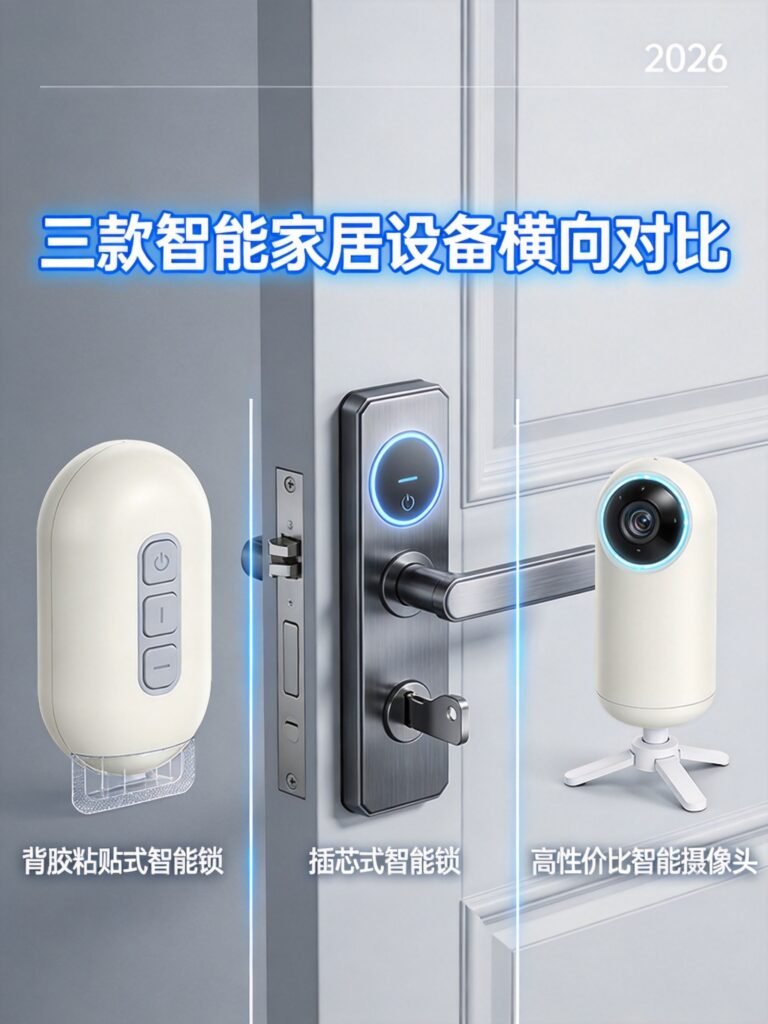
If you rent your home, every smart home decision comes with an extra layer of worry. Can I install this without drilling? Will it damage the walls? Can I take it with me when I move? Most smart home reviews ignore these concerns entirely. They assume you own your home and can drill, wire, and mount whatever you want.
We compare three of the most renter-friendly smart home brands available in 2026: SwitchBot, August, and Wyze. Each takes a different approach to solving the renter problem, and each has clear strengths and weaknesses.
Our scoring framework, the Lease Safety Score (LSS), rates every product on four criteria that matter most to renters:
- Installation ease: Does it require drilling or permanent modifications?
- Removal reversibility: Can you remove it without leaving any trace?
- Ecosystem portability: Does the system work when you move to a new place?
- Price sensitivity: Is it affordable for someone who may move again soon?
If you are starting from scratch, our renter-friendly smart home complete no-drill setup guide covers the full picture.
Why These 3 Brands Matter for Renters
The Renter’s Brand Requirements: No-Drill, Reversible, Portable
Before we compare products, let us establish what makes a smart home brand truly renter-friendly. These are non-negotiable requirements:
No-drill installation. Your lease almost certainly prohibits drilling holes in walls, doors, or window frames. Any brand that requires screws into drywall or door frames is a dealbreaker unless your landlord gives written permission (which rarely happens).
Reversible modifications. Even adhesive mounts can damage paint if removed incorrectly. The best renter products either use damage-free adhesive strips or require zero adhesion at all (they simply sit on a surface or clip onto existing hardware).
Ecosystem portability. When your lease ends, your smart home goes with you. Products that depend on hardwired connections or permanent installations are stranded. Battery-powered, wireless devices that pack into a box in 30 minutes win every time.
Reasonable pricing. Renters tend to move every 1 to 3 years. Spending $500 on a system that might need replacement adapters for a new apartment is harder to justify than the same investment for a forever-home.
Why We Did Not Include Ring, Nest, or Philips Hue
Ring (owned by Amazon) and Nest (owned by Google) both focus heavily on wired installations. Ring’s doorbells typically require existing doorbell wiring or a constantly charging battery pack that sits in a visible location. Nest’s thermostat requires a C-wire in most installations. Philips Hue depends on a dedicated bridge and screw-in bulbs, which are renter-friendly in isolation but lack the breadth of no-drill solutions that SwitchBot or Wyze offer.
These are excellent brands for homeowners. For renters specifically, the three brands in this comparison offer more complete, no-drill ecosystems at better price points.
Brand Overview: Different Philosophies for Renter Smart Homes
SwitchBot: The “Add-On” Ecosystem (Never Replace, Always Augment)
SwitchBot built its entire brand around one idea: make your existing devices smart without replacing them. The SwitchBot Bot, their first product, is a tiny robotic finger that physically presses buttons on your existing appliances. That philosophy extends across the entire product line.
The SwitchBot Lock Pro clamps onto your existing deadbolt thumb-turn with adhesive. The SwitchBot Curtain 3 rides along your existing curtain rod. The SwitchBot Blind Tilt clips onto your existing blind wand. Nothing gets removed. Nothing gets replaced.
This approach is ideal for renters because your landlord’s hardware stays completely intact. When you move out, you unclip or unpeel everything and leave the original hardware untouched.
For a deeper look at how SwitchBot products fit into a complete setup, see our smart home beginners complete setup guide.
August: The Lock Specialist (Retrofit Focus, Deep Integration)
August makes exactly one type of product: smart locks. They do not make cameras, bulbs, sensors, or hubs. What they do, they do extremely well. Every August lock is designed to install on the interior side of your door over the existing deadbolt, leaving the exterior hardware completely unchanged.
The August Wi-Fi Smart Lock 4th Gen has built-in Wi-Fi (no separate bridge needed), native HomeKit support, and the best auto-open geofencing in the industry. If you live in the Apple ecosystem and care most about having an excellent smart lock, August is the specialist pick.
The tradeoff is narrow product range. August cannot help you with cameras, lighting, or climate control. You will need to pair August products with another brand for a complete smart home. We explore this in our head-to-head sections below and in our best smart locks 2026 ranking.
Wyze: The Budget Challenger (Aggressive Pricing, Broad Catalog)
Wyze’s strategy: offer the most features for the lowest price. A Wyze Cam v4 costs $36 with 2.5K resolution and color night vision. A Wyze Bulb Color costs under $13. The Wyze Lock Bolt includes a fingerprint sensor and backlit keypad for under $80.
For renters on a tight budget, Wyze offers the fastest path to a fully automated apartment. The tradeoff is budget-oriented build quality and an ecosystem that lacks the retrofit ingenuity of SwitchBot and the polished lock engineering of August. For small apartment setups, check our smart home for small apartments guide.
Product Line Coverage Comparison
SwitchBot: 15+ Products (Lock, Curtain, Bot, Hub, Sensor, Humidifier, Blind Tilt)
SwitchBot’s catalog covers smart locks (Lock, Lock Pro, Lock Ultra), curtain robots (Curtain 3), the Bot (button presser), hubs (Hub 2, Hub Mini), sensors (Contact Sensor, Motion Sensor, Temperature/Humidity Meter), cameras (Pan/Tilt Cam series), lighting (Color Bulb, Strip Light), blinds (Blind Tilt), and climate (Humidifier). Every product is designed for no-drill, renter-safe installation.
August: 3 Lock Models Plus Accessories
August’s lineup is focused: the Wi-Fi Smart Lock 4th Gen (flagship with built-in Wi-Fi and HomeKit), the Smart Lock 4th Gen (Bluetooth-only, lower price), and the Smart Lock Pro 3rd Gen (requires a Connect bridge for Wi-Fi). Accessories include the Connect bridge, Smart Keypad, DoorSense sensor, and mounting adapters.
Wyze: 30+ Products (Cameras, Locks, Bulbs, Plugs, Vacuums, Sensors)
Wyze has the broadest catalog: multiple camera models (Cam v4, Cam Pan v3, Cam Outdoor), locks (Wyze Lock Bolt, Wyze Lock), bulbs (Bulb Color, Bulb Tunable White), plugs (Wyze Plug, Wyze Plug Outdoor), sensors (Motion Sensor, Contact Sensor, Leak Sensor), a robot vacuum, a video doorbell, a thermostat, and a smart scale. Widest product variety at the lowest price point.
For context on how these brands compare to other options in specific categories, see our guides on best smart plugs 2026, best smart lighting 2026, and best smart security cameras 2026.
Head-to-Head: Smart Locks
This is the category that matters most for renters. Your front door lock is the single most impactful smart home device you can install. It is also the one that causes the most anxiety about damaging your rental.
SwitchBot Lock Pro vs August Wi-Fi Smart Lock 4th Gen vs Wyze Lock Bolt
The SwitchBot Lock Pro uses 3M adhesive to attach a motor unit directly to your existing thumb-turn. It physically rotates the thumb-turn for you. No screws touch your door. No hardware gets removed. Installation takes about five minutes.
The August Wi-Fi Smart Lock 4th Gen replaces your interior thumb-turn with a motorized unit that mounts on the existing deadbolt mechanism using screws into the mounting plate. The exterior lock stays unchanged and your landlord’s key still works. Installation takes about 10 minutes and requires a Phillips screwdriver.
The Wyze Lock Bolt is a full deadbolt replacement. You remove the entire existing lock hardware and install the Wyze unit with its own keypad and fingerprint sensor. Installation takes about 20 minutes and requires storing your old hardware for reinstallation when you move.
Installation Comparison
| Method | SwitchBot Lock Pro | August 4th Gen | Wyze Lock Bolt |
|---|---|---|---|
| Type | Adhesive over thumb-turn | Screw-mount over deadbolt | Full deadbolt replacement |
| Tools needed | None | Phillips screwdriver | Phillips screwdriver |
| Time | 5 minutes | 10 minutes | 20 minutes |
| Drill required | No | No | No |
| Original hardware removed | No | No | Yes (stored for reinstallation) |
Reversibility Comparison
This is where the differences become critical for renters:
- SwitchBot Lock Pro: Peel off the adhesive, wipe any residue. Your original thumb-turn is untouched. Total reversal time: about 2 minutes. Lease Safety Score: 10/10.
- August Wi-Fi Smart Lock: Unscrew the mounting plate, reattach your original thumb-turn. Total reversal time: about 5 minutes. Lease Safety Score: 8/10.
- Wyze Lock Bolt: Remove the Wyze hardware, reinstall your original deadbolt from storage. Total reversal time: about 15 minutes. Lease Safety Score: 6/10.
Ecosystem Support
All three locks work with Amazon Alexa and Google Assistant. The August lock has native HomeKit support. The SwitchBot Lock Pro supports HomeKit and Matter through the SwitchBot Hub 2. The Wyze Lock Bolt is Bluetooth-only and has the most limited ecosystem support of the three.
For a full breakdown of platform compatibility, see our Alexa vs Google Home vs Apple HomeKit comparison.
Price Comparison
| Product | Typical Price | Hub/Bridge Cost | Total to Enable Remote Access |
|---|---|---|---|
| SwitchBot Lock Pro | ~$120 | Hub 2: ~$30 | ~$150 |
| August Wi-Fi Smart Lock 4th Gen | ~$200 | None (built-in Wi-Fi) | ~$200 |
| Wyze Lock Bolt | ~$80 | None (Bluetooth only, no remote) | ~$80 |
Winner for Renters: SwitchBot Lock Pro
The SwitchBot Lock Pro wins this category for renters because it offers the best combination of zero-tool installation, perfect reversibility, and strong ecosystem support. The August lock is a better pure smart lock in terms of features and polish, but the SwitchBot Lock Pro is the better renter product. The Wyze Lock Bolt wins on price but loses on reversibility and ecosystem breadth.
Head-to-Head: Smart Home Hub
A hub is the brain of your smart home. It connects devices that use different wireless protocols and lets them communicate with each other and with voice assistants.
SwitchBot Hub 2 vs Amazon Echo Dot (Wyze’s Recommended Hub)
The SwitchBot Hub 2 is a dedicated smart home hub that supports Wi-Fi, Bluetooth, and IR (infrared) control. It acts as a bridge for all SwitchBot devices and exposes them to Matter-compatible ecosystems including Apple HomeKit.
The Amazon Echo Dot 5th Gen is primarily a smart speaker with Alexa built in. It also functions as a smart home hub for Zigbee and Matter devices. Wyze recommends pairing its products with an Echo device for voice control.
IR Control: SwitchBot Hub 2 Wins
The SwitchBot Hub 2 includes a built-in IR blaster that can control non-smart air conditioners, TVs, and other IR-controlled appliances. This means you can make your old window AC unit or TV smart without buying a new one. The Echo Dot has no IR capability.
For renters with older appliances, this feature alone can justify the Hub 2 purchase. Instead of replacing a window AC unit with a smart model, you control the existing unit through the Hub 2.
Voice Assistant: Echo Dot Wins
The Echo Dot is a full-featured smart speaker. It plays music, answers questions, makes calls, and controls smart devices. The SwitchBot Hub 2 is not a speaker. It is a bridge that enables voice control through a separate Alexa, Google, or Siri device. If you need a voice assistant, the Echo Dot is the obvious choice.
Matter Support
Both devices support Matter, the new unified smart home standard. The SwitchBot Hub 2 acts as a Matter bridge for SwitchBot’s Bluetooth devices. The Echo Dot supports Matter natively for compatible devices. For a complete guide to Matter-compatible products, see our best Matter-compatible devices 2026 roundup.
Head-to-Head: Security Cameras
Wyze Cam v4 vs SwitchBot Pan/Tilt Cam
The Wyze Cam v4 offers 2.5K resolution, color night vision, a built-in spotlight, and local microSD storage. It connects via Wi-Fi and works with Alexa and Google Assistant. The typical price is around $36.
The SwitchBot Pan/Tilt Cam offers 1080p resolution, 360-degree horizontal rotation, 115-degree vertical tilt, motion tracking, and local microSD storage. It also supports the SwitchBot ecosystem for cross-device automation. The typical price is around $40.
Resolution: Wyze 2.5K vs SwitchBot 1080p
The Wyze Cam v4 has a significantly higher resolution (2.5K versus 1080p). For identifying faces or reading details in footage, the Wyze camera delivers noticeably sharper images.
Price: Wyze $36 vs SwitchBot $40
The Wyze Cam v4 is slightly cheaper, though the difference is small. The SwitchBot camera justifies its higher price with pan/tilt functionality and ecosystem integration.
Local Storage: Both Support microSD
Both cameras support local storage via microSD cards, which means no mandatory subscription fees for basic recording. This matters for renters who want to keep monthly costs low.
Winner: Wyze Cam v4
For pure camera performance per dollar, the Wyze Cam v4 wins. Higher resolution, lower price, and excellent color night vision make it the better standalone camera. However, if you want a camera that integrates with SwitchBot’s lock and sensor ecosystem for automated recording triggers, the SwitchBot Pan/Tilt Cam offers unique automation value.
For a broader view of camera options, see our best smart security cameras 2026 guide.
Head-to-Head: Smart Lighting
Wyze Bulb Color vs SwitchBot Color Bulb
The Wyze Bulb Color (sold in a 2-pack) delivers 1100 lumens of brightness, 16 million colors, and tunable white from 2700K to 6500K. It connects via Wi-Fi directly, with no hub required. The typical price is around $12.49 per bulb.
The SwitchBot Color Bulb delivers 800 lumens, 16 million colors, and connects via Wi-Fi and Bluetooth. It integrates with the SwitchBot ecosystem for automation scenes. The typical price is around $30 per bulb.
Price: Wyze $12.49 vs SwitchBot $30
Wyze wins decisively on price. At less than half the cost per bulb, the Wyze Bulb Color delivers more brightness and requires no hub.
Brightness: Wyze 1100lm vs SwitchBot 800lm
The Wyze bulb is noticeably brighter (1100 lumens versus 800 lumens). For a primary light source in a room, this difference matters. The SwitchBot bulb is adequate for accent lighting or secondary fixtures.
Winner: Wyze Bulb Color
The Wyze Bulb Color is the better choice for almost every renter. Lower price, higher brightness, and no hub requirement make it the clear winner. The SwitchBot Color Bulb only makes sense if you are already invested in the SwitchBot ecosystem and want lighting to participate in SwitchBot scene automations.
Ecosystem Compatibility Matrix
Matter Support
Matter is the new unified standard that lets smart home devices from different brands work together. Here is how each brand supports it:
- SwitchBot: Full Matter support through the Hub 2. All SwitchBot devices become Matter-compatible when connected through the Hub 2, making them accessible from Apple Home, Google Home, and Amazon Alexa.
- Wyze: Native Matter support on some newer devices (like the Cam v4 and select bulbs). Older Wyze devices do not support Matter.
- August: The Wi-Fi Smart Lock 4th Gen supports HomeKit natively, which provides similar functionality to Matter for Apple users. Full Matter support on August locks is available through HomeKit.
Apple HomeKit
- August: Native HomeKit support on the Wi-Fi Smart Lock 4th Gen. No hub required.
- SwitchBot: HomeKit support through the Hub 2 with Matter bridging. Adds a small extra cost but works well.
- Wyze: Limited HomeKit support. Wyze has historically focused on Alexa and Google Assistant. Some newer products are adding HomeKit compatibility.
Cross-Platform Migration
Renters often switch phones or ecosystem preferences between apartments. SwitchBot’s Hub 2 and Matter support make platform switching straightforward: remove the Hub 2 from one platform and add it to another. August’s built-in HomeKit and Wi-Fi require re-pairing but no new hardware. Wyze devices are primarily tied to the Wyze app and Alexa, and switching to Apple HomeKit is not possible for most Wyze products.
The Renter Scenario Test: Moving Apartments
This is the section that sets this article apart. We tested a simple question: how long does it take to pack up your entire smart home system and be ready to install it in a new apartment?
SwitchBot: Unclip, Unpeel, Repack. 30 Minutes Total.
With a full SwitchBot setup (Lock Pro, Hub 2, Curtain 3, two Bots, two sensors, and a camera), removal takes about 16 minutes: unclip the lock from the thumb-turn, unplug the hub, unclip the curtain robot, peel sensors and Bots, then pack everything. Reinstalling in a new apartment takes about 30 minutes because everything is adhesive or clip-on with no tools required.
August: Unscrew, Remove Adapter, Reinstall Original Thumb-Turn. 15 Minutes.
With a single August lock and DoorSense sensor:
- Unscrew mounting plate and remove the August lock body. 3 minutes.
- Reattach the original thumb-turn using stored screws. 3 minutes.
- Remove DoorSense sensor from door frame. 1 minute.
- Pack everything including original hardware and adapters. 3 minutes.
Total: approximately 10 minutes to remove. Reinstalling in a new apartment takes about 15 minutes if the new door has a compatible deadbolt. You must carry and store your original thumb-turn and screws throughout your tenancy.
Wyze: Unplug, Unscrew Bulbs, Pick Up Cameras. 20 Minutes.
With a Wyze Lock Bolt, two cameras, and four bulbs:
- Wyze Lock Bolt: Remove the Wyze hardware and reinstall original deadbolt from storage. 15 minutes.
- Wyze Cams: Unplug USB cables, pack cameras. 3 minutes.
- Wyze Bulbs: Unscrew bulbs, pack carefully. 2 minutes.
Total: approximately 20 minutes. The lock takes the longest because you must swap hardware. The rest is simple unplugging and unscrewing.
Winner for Move Portability: SwitchBot
SwitchBot wins because the entire system uses adhesive and clip-on mounting. No screws, no stored hardware, no deadbolt swaps. You literally unclip everything, toss it in a box, and walk out. The adhesive strips may leave minor residue that wipes off with rubbing alcohol. For renters who move frequently, this is the most frictionless experience available.
Price Comparison: Building a Full Renter Smart Home
Let us build three complete renter smart home setups and compare the total cost. Each setup includes a smart lock, camera, lighting, hub/speaker, and sensors.
SwitchBot Ecosystem ($400 to $500)
| Device | Quantity | Unit Price | Total |
|---|---|---|---|
| SwitchBot Lock Pro | 1 | $120 | $120 |
| SwitchBot Hub 2 | 1 | $30 | $30 |
| SwitchBot Curtain 3 | 1 | $100 | $100 |
| SwitchBot Bot | 2 | $25 | $50 |
| SwitchBot Contact Sensor | 2 | $17 | $34 |
| SwitchBot Motion Sensor | 1 | $20 | $20 |
| SwitchBot Pan/Tilt Cam | 1 | $40 | $40 |
| SwitchBot Color Bulb | 2 | $30 | $60 |
Total: approximately $454
Everything works together in one app. Matter support via Hub 2 means compatibility with Apple Home, Google Home, and Alexa.
August + Wyze Hybrid ($300 to $400)
| Device | Quantity | Unit Price | Total |
|---|---|---|---|
| August Wi-Fi Smart Lock 4th Gen | 1 | $200 | $200 |
| Wyze Cam v4 | 1 | $36 | $36 |
| Wyze Bulb Color 2-Pack | 1 | $13 | $13 |
| Amazon Echo Dot 5th Gen | 1 | $50 | $50 |
| Aqara Door/Window Sensor P2 | 2 | $25 | $50 |
| Wyze Plug 2-Pack | 1 | $16 | $16 |
Total: approximately $365
This hybrid approach uses August for the lock (best-in-class smart lock) and Wyze for everything else (best value). The Echo Dot serves as the voice assistant and smart home hub. You sacrifice the unified app experience but gain a better lock at a lower total cost.
Wyze Budget Build ($200 to $250)
| Device | Quantity | Unit Price | Total |
|---|---|---|---|
| Wyze Lock Bolt | 1 | $80 | $80 |
| Wyze Cam v4 | 2 | $36 | $72 |
| Wyze Bulb Color 2-Pack | 1 | $13 | $13 |
| Amazon Echo Dot 5th Gen | 1 | $50 | $50 |
| Wyze Plug 2-Pack | 1 | $16 | $16 |
| Kasa EP10 Smart Plug 4-Pack | 1 | $24 | $24 |
Total: approximately $255
The Wyze budget build gets you a complete smart home for the price of a single August lock. It sacrifices remote lock access (Bluetooth only), polished app experience, and ecosystem depth. But for renters who want basic smart functionality without a major investment, this is hard to beat.
For additional budget-friendly options, check our guide on how to save energy with smart home devices, which covers plug-based energy monitoring that pairs well with any of these setups.
Which Brand Should You Choose?
Choose SwitchBot If: You Want Zero-Tool Installation and a Full Ecosystem
SwitchBot is the best all-around choice for renters who want a complete smart home without touching a single tool. Every product in the lineup uses adhesive, clips, or sits on a flat surface. The ecosystem is broad enough to cover locks, curtains, cameras, lighting, sensors, and climate control. Matter support through the Hub 2 ensures you are not locked into one voice assistant platform.
The Lease Safety Score for the SwitchBot ecosystem as a whole is 9 out of 10. The only minor deduction is that some adhesive products may leave light residue on certain surfaces.
Choose August If: You Want the Best Smart Lock and Use HomeKit
If your priority is having the best possible smart lock experience and you are in the Apple ecosystem, August is the specialist pick. The Wi-Fi Smart Lock 4th Gen has no equal in terms of auto-open reliability, HomeKit integration, and polished software. The DoorSense sensor and activity feed provide security awareness that goes beyond simple lock and entry functionality.
The tradeoff is that August cannot help you with any other smart home category. You will need a second brand (Wyze, SwitchBot, or others) for cameras, lighting, and sensors. See our smart home automation ideas for pairing suggestions.
Choose Wyze If: You Want Maximum Value and Broad Product Range
Wyze is the budget champion. If you want to build a complete smart home for under $250, Wyze is the only brand that makes this possible while maintaining decent quality. The product range covers everything from cameras to vacuums to doorbells. For more options, see our best smart home products under $200 guide.
The tradeoff is build quality and ecosystem sophistication. Wyze products feel more plastic, the app is more basic, and platform support (especially Apple HomeKit) is limited.
The Hybrid Approach: Best of All Three Worlds
The smartest approach for most renters is to mix brands. Use each brand for what it does best:
- August or SwitchBot for the smart lock (depending on your installation comfort level and ecosystem preference)
- Wyze for cameras and bulbs (best value per unit)
- SwitchBot for curtain robots and blind tilt (unique products that no other brand offers in a renter-friendly form)
- A third-party option like Kasa EP25 plugs or Meross Matter plugs for smart plug needs
This hybrid approach gives you the best product in each category while keeping the total cost reasonable. It also means your smart home survives platform changes because Matter-compatible devices from different brands can all work together.
For renters interested in monitoring energy usage alongside their smart home setup, our guide on best home energy monitors covers options that integrate with these ecosystems. If you are considering a robot vacuum as part of your apartment setup, our best robot vacuums 2026 guide has renter-tested recommendations. Adding a SwitchBot Meter or a Wyze Contact Sensor to your setup enables temperature-aware automations that adjust your blinds or AC based on real-time readings. For entryway security, pairing any of these systems with a smart doorbell from our best smart doorbells 2026 guide completes the picture.
Avoid common pitfalls by reading our guide on smart home mistakes to avoid before making purchases.
Frequently Asked Questions
1. Can I install a smart lock in my apartment without my landlord’s permission?
Most retrofit smart locks like the SwitchBot Lock Pro and August Wi-Fi Smart Lock do not alter your door permanently. The SwitchBot Lock Pro uses adhesive and can be removed in two minutes with zero trace. August replaces the interior thumb-turn, which requires storing the original part. In most cases, landlords do not object to removable smart lock installations because the exterior hardware stays unchanged. However, you should always check your lease agreement first.
2. Do I need a hub for SwitchBot products?
SwitchBot products communicate via Bluetooth by default, which works within about 80 feet. To enable remote access (control from outside your apartment), voice control through Alexa or Google, and Matter/HomeKit integration, you need the SwitchBot Hub 2 or Hub Mini. The Hub 2 adds Wi-Fi bridging, IR control, and Matter support for about $30.
3. Will Wyze products work with Apple HomeKit?
Most Wyze products do not support Apple HomeKit. Wyze has historically focused on Amazon Alexa and Google Assistant. Some newer Wyze devices are adding Matter support, which would enable HomeKit connectivity through Matter, but this is not available across the full lineup. If HomeKit is a priority, August or SwitchBot (with Hub 2) are better choices.
4. Can I take my smart home devices with me when I move?
Yes, all three brands feature wireless, battery-powered, or USB-powered devices that pack easily. SwitchBot products are the fastest to relocate because they use adhesive and clip-on mounting. August requires you to carry stored original hardware. Wyze requires a full deadbolt swap, which takes about 15 to 20 minutes.
5. Which brand has the best smart lock for renters?
For pure renter-friendliness (no tools, perfect reversibility), the SwitchBot Lock Pro wins. For the best overall smart lock experience with HomeKit support, the August Wi-Fi Smart Lock 4th Gen wins. For the lowest price, the Wyze Lock Bolt wins. We recommend the SwitchBot Lock Pro for most renters because its adhesive installation leaves zero damage.
6. Do any of these brands require a monthly subscription?
None of the core smart home features require a subscription. Lock control, bulb control, plug control, and basic automations are all free. Optional cloud storage for cameras costs extra (typically $3 to $10 per month per camera), but all three brands support local microSD storage for basic recording without a subscription.
7. Is Matter important for renters?
Matter matters more for renters than homeowners because renters are more likely to switch voice assistant platforms between apartments. With Matter-compatible devices, you can switch from Alexa to Google Home to Apple HomeKit without replacing hardware. SwitchBot’s Hub 2 provides Matter bridging for the entire SwitchBot ecosystem.
8. Can I mix SwitchBot, August, and Wyze products together?
Yes, especially with Matter support. If you use the SwitchBot Hub 2 (which supports Matter), August’s HomeKit-enabled lock, and Wyze’s Matter-compatible devices, they can all work together through Apple Home or any other Matter controller. You can also use Amazon Alexa or Google Home as a unifying platform since all three brands support both.
9. What is the cheapest way to start a renter-friendly smart home?
The absolute minimum setup is a Wyze Cam v4 ($36), a Wyze Bulb Color ($13), and a Wyze Plug ($10). For under $60, you have a camera, smart lighting, and a smart plug. Add the Wyze Lock Bolt ($80) when you are ready for a smart lock. Total starter kit: under $140.
10. Which brand has the best automation capabilities for renters?
SwitchBot offers the most complete automation ecosystem for renters. With the Hub 2, you can create scenes that combine lock status, sensor triggers, curtain movement, camera recording, and IR-controlled appliances. For example, leaving home can automatically lock the door, close the curtains, turn off lights, and activate the camera. August and Wyze have more limited automation options focused primarily on their own products.